A New Chapter for MagicMirror: The Community Takes the Lead
Read the statement by Michael Teeuw here.
  • intermittent "white screen" problem

    Unsolved
    2
    0 Votes
    2 Posts
    865 Views
    C
    I just found some references to cranking up gpu_mem, just set it to 192 crossing fingers.
  • PM2 changing time on reboot

    Unsolved
    1
    0 Votes
    1 Posts
    670 Views
    N
    So, first off I’m super grateful for all the help this forum has given/taught me. I have a rpi 3b+ running MM with the default modules and Dropbox wallpaper so far. Everything has been sorted with patience and some trial and error until now. My next goal was Auto starting, I read the wiki on GitHub and alas it is autostarts! However over time I noticed the clock is changed to a time that’s earlier than it was set to. And everytime I unplug and replug the rpi it jumps back even more… I have had MM run from a manual npm start for several days without issue, but once I start it via PM2 it looses itself over time/reboot. I’m sure theres an easy solution and I’m just missing it! Any help is appreciated!
  • MM2 Blank Screen - Works on SeverOnly

    Solved
    4
    0 Votes
    4 Posts
    1k Views
    S
    glad you got it working
  • Installation errors

    Unsolved
    1
    0 Votes
    1 Posts
    1k Views
    E
    I’m getting errors when installing Magic Mirror. I had a lot more but was able to google my way through most of them and here’s what I can’t figure out: Installing dependencies … npm WARN registry Unexpected warning for https://registry.npmjs.org/: Miscellaneous Warning ENODATA: Cache input stream was empty npm WARN registry Using stale package data from https://registry.npmjs.org/ due to a request error during revalidation. npm ERR! code EINTEGRITY npm ERR! errno EINTEGRITY npm ERR! Invalid response body while trying to fetch https://registry.npmjs.org/moment: Integrity verification failed for sha512-ysNM2wsumRo4Qb6ixBIta1OrUFHClHk6U00P296MJmr8xgWaP0IbE4otD2oP2lGbUAcCtu1LrSpRzMsf38Doyw== (/home/pi/.npm/_cacache/content-v2/sha512/ca/c3/4cdb0b2e991a3841bea2c4122d6b53ab5051c294793a534d0fdbde8c266afcc6059a3f421b138a2d0f6a0fda519b500702b6ed4bad2a51cccb1fdfc0e8cb) npm ERR! A complete log of this run can be found in: npm ERR! /home/pi/.npm/_logs/2018-06-12T10_22_43_803Z-debug.log Unable to install dependencies! This is my first real Pi project so I’m not really sure what it’s telling me. I attempted an install previous to this and got a ton more errors. I did an npm update or something and it took care of most of them but this is what’s left. I’, installing on a Pi3B+. Thoughts? Thanks
  • PM2 stopped working

    Unsolved
    1
    1
    0 Votes
    1 Posts
    724 Views
    foxF
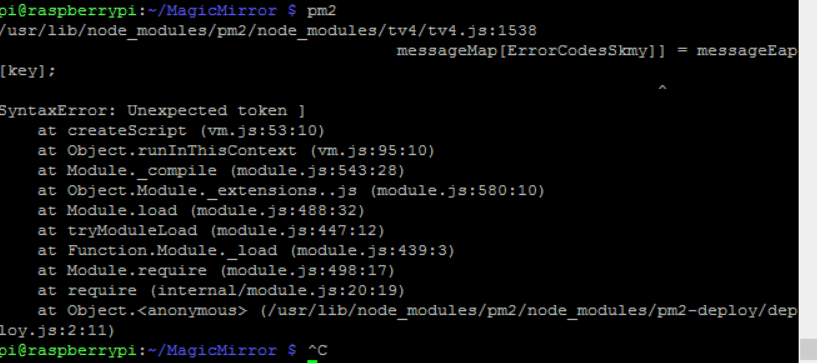
    Hi, pm2 is not working anymore [image: 1529240781151-7f76b078-99ac-4bdf-ab8f-7c43c056ea00-image.png] i tried npm i -f pm2 But no positive result. Can someone help me please?
  • MMM-ModuleScheduler (how to use MMM-RemoteControl to HIDE/SHOW modules)?

    Solved
    7
    0 Votes
    7 Posts
    3k Views
    A
    You are welcome, i had some visual basic skills in the past an trained myself javascript skills the last weeks, for modifying and writing own modules. I am sure in a few weeks, you are helping other MM Users to do some customizing on their mirrors. AxLED
  • How to hide mouse icon in running MM?

    Unsolved
    5
    0 Votes
    5 Posts
    6k Views
    B
    @paulb and not to forget if you want this automatically after boot: sudo nano /home/pi/.config/lxsession/LXDE-pi/autostart add the following to that file @unclutter -idle 3
  • Ghost Overlay / OMXPlayerTransparency

    mmm-pir videoplayer
    40
    0 Votes
    40 Posts
    31k Views
    G
    @bhepler said in Ghost Overlay / OMXPlayerTransparency: Video of the ghost in the mirror can be found here: https://youtu.be/6hb1N1tYcPc As an aside, this morning I changed the command to omxplayer -p -o local --loop --alpha 85 boo.mp4 to cut the sound from the video file. It woke me up when the mirror switched on this morning at 5 AM. Realy nice solution! Looks awesome! Could you sum up all the things needed for that? Reading through this 4 Pages is very difficulty. Would be very thankful.
  • No voice go passing throught my microphone

    Unsolved
    1
    0 Votes
    1 Posts
    700 Views
    S
    I tried this module https://github.com/eouia/MMM-Assistant (i install only google assistant note i didnt use the speech cloud cause i dont want, unless its important) i start the magic mirror and everything is fine, the icon of microphone appears, but when im talking and say magic-mirror or snowboy or ok google, it appears that nothing particularly happens. what may i’ve done wrong ? i mean it starts with no errors, i got it step by step, but no voice going through, also arecord works when i doing it on terminal, it record perfectly my voice. fyi: I use a ps3 camera, should i register it somewhere on magicmirror or everything fine as it is?
  • Blank Screen after update raspi

    Unsolved
    1
    1
    0 Votes
    1 Posts
    723 Views
    J
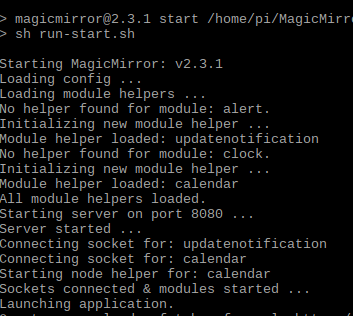
    Good Morning, I did a sudo apt-get udpate && sudo apt-get upgrade to my raspi this morning and now MM stalls out on npm start and hangs on the black screen. I’ve even tried to use the original sample config but get the same results. Not sure where to go from here. [image: 1528901657735-77e497b8-88dd-46a9-98e0-5c8cbe9623e2-image.png] edit: Not sure what the differece is but I have this in a virtual enviornment and after rebooting the server the VM is on, seemed to boot up. Not sure what was hanging up.
  • Rasbian Stretch screensaver disable

    Unsolved
    5
    0 Votes
    5 Posts
    3k Views
    M
    Hi, maybe you have the same problem as me (and it’s not the screensaver). In /var/log/syslog i found this messages: Jun 13 07:12:41 raspberrypi kernel: [ 3057.339364] Out of memory: Kill process 1070 (electron) score 576 or sacrifice child Jun 13 07:12:41 raspberrypi kernel: [ 3057.339426] Killed process 1070 (electron) total-vm:673580kB, anon-rss:59472kB, file-rss:0kB, shmem-rss:214908kB Jun 13 07:12:41 raspberrypi kernel: [ 3057.373292] oom_reaper: reaped process 1070 (electron), now anon-rss:0kB, file-rss:0kB, shmem-rss:215056kB For me it looks like electron has crashed. After using google I’ve found a hint with other processes to change the value of vm.min_free_kbytes. You can find it in /etc/sysctl.d/98-rpi.conf. I’ved change the value to vm.min_free_kbytes = 1024 After this there is no more blank screen anymore.
  • Need write access for update

    Unsolved
    1
    0 Votes
    1 Posts
    529 Views
    M
    I got a notification that there was an update and to install it I had to type: npm i -g npm But when I do this I get all kind off warnings about “missing write access to /usr/lib/node_…” #1: Is this a real update #2: how do I give it write access?
  • Multiple Calendars problems with ICS Files bigger that 225 KB

    Unsolved
    1
    0 Votes
    1 Posts
    537 Views
    A
    Hi there, i installed today the Magic Mirror (V. 2.3.1) with the Batch and so far everything is working fine, but i have a bug, that had driven me crazy. I wanted to add 2 different Calendars which i automatically export from my Owncloud to an ICS File on my NAS, from where the Raspi with MagicMirror imports it with “localhost:8080…”. One Calendar worked from the beginning, the second one don’t wanted to show ANY entries. After 3 hours of testing i used a third and forth Calender and these instandly worked (even exported from the same Owncloud). Then i checked the ics files and the Calender with about 284 KB was the bigggest one. Calender one has 213 KB and the other have about 36 KB. When i open up the Calender Nr. 2 and Delete some rows by hand to reduce the size the file even works! The “Magic Size” is about 220 KB until 225 KB so that this file will work or not. Any idears how this could be fixed? If you want further informations i will send you the screenshots and Code and so on, but now i am such as tiered that i just want to fall in my bed ;o). G8
  • I cant seem to insall 3rd party modules correctly, what am i doing wrong?

    Solved
    7
    0 Votes
    7 Posts
    5k Views
    J
    You guys are amazing! I did two things to get the module to work. I changed the name of the Module to CoinMarketCap instead of Coinmarketcap and also i added a comma at the end of } the wrapper. New to all this raspberry pi and coding so i wanted to say thanks to all of you people!
  • Magic Mirror, moving, and the TSA

    Unsolved
    2
    -1 Votes
    2 Posts
    1k Views
    S
    @reddyman I too am brown. Again the non-stereotypical type. I don’t have any direct experience with this, but what if you just removed the RPi? Then it’s just a monitor and you shouldn’t have to even pull it out of your carry-on. Chances are they’ll inspect regardless, but you shouldn’t have any major issues. You can clearly see where all the wires are going. good luck!
  • MMM-voice wont register commands

    Solved
    11
    0 Votes
    11 Posts
    5k Views
    strawberry 3.141S
    @sdetweil yes in the original version of MMM-voice
  • Profile Switcher on demand? send notification via script?

    Unsolved
    1
    0 Votes
    1 Posts
    681 Views
    ceddirrC
    Hello everybody, I have been stuck for months with this issue: I would like to be able to run scripts to switch profile on demand: I know this command: http://localhost:8080/remote?action=NOTIFICATION¬ification=CURRENT_PROFILE&payload="Test" but it has to be run on a browser, impossible to run it via a script… I know this one as well : this.sendNotification(‘CURRENT_PROFILE’, ‘Test’); but I don’t know how to run it via a script neither… I would like to run these scripts via IFTTT, so when I say “ok Google, I want to see blabla on mirror”, it switches profiles. Warning: I know that ifttt needs to run commands on an server opened to the internet, but I already have one (not my mirror). so my server opened to the internet will run the commands received from ifttt and run the scripts from the mirror to switch profile (whatever ssh, bash, perl, php…) Thank you for your help!

  • Compliments - remoteFile - How to?!

    4
    0 Votes
    4 Posts
    4k Views
    idoodlerI
    @schlachtkreuzer6 I’m a bit late to the party, but he path is correct. You just have to define remote_compliments.json like this. module: 'compliments', position: 'lower_third', config: { updateInterval: 15000, compliments: { remoteFile: 'remote_compliments.json', morning: [ 'Guten Morgen!', 'Wie hast du geschlafen?', 'Ich wünsche dir einen schönen Tag!' ], ...
  • How do I "commit" changes to allow an update

    Unsolved updates commit error error updating trouble updating help
    4
    0 Votes
    4 Posts
    5k Views
    S
    Create a branch on top of the master one. When an update is available, go back to the master, do the pull. Then rebase your branch onto master.
  • Error: ENOENT: no such file or directory, open 'package.json'

    Unsolved
    7
    0 Votes
    7 Posts
    12k Views
    idoodlerI
    @cruunnerr @Mykle1 You both are right. @cruunnerr is executing the Shell script, which must be executed in the same directory as the script is located in, except you define the path in the pm2 command like this pm2 start /path/to/script.sh (also given, the script used absolute paths, or can handle the “remote” execution) @Mykle1 You are executing the pm2 “deamon”, which can be executed everywhere