A New Chapter for MagicMirror: The Community Takes the Lead
Read the statement by Michael Teeuw here.
  • Updated MMM and MMM-PIR, Monitor turns on and stays black

    Unsolved mmm-pir
    3
    0 Votes
    3 Posts
    2k Views
    P
    Hey! Deactivate screensaver if not done yet. That may be a cause. How do you controll the display? Are you using a command like /opt/vc/nin/tvservice -o and /opt/vc/nin/tvservice -p or just tvservice -o? And is the display connected via hdmi? If that’s the case you could try the following: In /boot/config.txt add hdmi_blanking=1 and reboot. Now try HDMI Output OFF with vcgencmd display_power 0 and HDMI Output ON with vcgencmd display_power 1 instead of the command above. Descript here. :)
  • Two module with voice control in the same time

    2
    0 Votes
    2 Posts
    1k Views
    romainR
    I did it, It wasn’t easy but it’s work, I can use voicecontrol and others voicecontrol driven module at the same time. I had to change my /etc/asound.conf file again (yes, again. Because changing it already solve some of my issue on the past) before my file looked like this: pcm.!default { type asym playback.pcm { type plug slave.pcm "hw:0,0" } capture.pcm { type plug slave.pcm "hw:1,0" } } Easy enough when you know what your doing (that wasn’t my case). this file is there to say what is the default device to playback and capture (A lot of application or software just use the default device so if the default configuration isn’t working for you, you need to change it for you.) In my cas ethe microphone is the “hw:1,0” and my speaker is the “hw:0,0” That worked well when my microphone is used by one application at the time. However, not so much when it need to be used by multiple ones. So my new /etc/asound.conf file is looking like this now pcm.myTest { type dsnoop ipc_key 2241234 slave { pcm "hw:1,0" channels 1 } } pcm.!default { type asym playback.pcm { type plug slave.pcm "hw:0,0" } capture.pcm { type plug slave.pcm "myTest" } } instead of directly say that my input device is the “hw:1,0” I say it’s “myTest”, which is describe above. myTest’s type is “dsnoop” , that’s whats allow the michrophone to be use by multiple application at the same time. The ipc_key is there with a random value because when I tested with arecord, it asked me to put one. The channels is there because it was on the documentation ( http://alsa.opensrc.org/Dsnoop ) >.> not sure what it does though. And there you go, after that I could use two voice control things at the time
  • This topic is deleted!

    3
    0 Votes
    3 Posts
    77 Views
  • Raspberry hangs sporadically after turning monitor on/off

    2
    0 Votes
    2 Posts
    2k Views
    W
    I got the same problem with my mirror so is it an solution?
  • Calendary Won't load

    calendar
    2
    0 Votes
    2 Posts
    2k Views
    tgeimerT
    @fuzzylogic725 I had the same issue and fixed it: https://forum.magicmirror.builders/post/19902 The hint is in line two of the logs: dates before 1970 are not permitted.
  • no wifi get black screen

    1
    0 Votes
    1 Posts
    934 Views
    H
    Hello everyone, I have reinstalled my mirror with a RasPi3. It all works great. Only one thing does not work. In the night I turn off my Wifi (at the router). A short time later, the mirror becomes a black screen. When I turn on the Wifi again, the mirror works again. Is it possible to keep the mirror alive without wifi until the next morning?
  • Do you have a "moment"

    4
    0 Votes
    4 Posts
    3k Views
    Mykle1M
    @yawns Ok, thanks yawns
  • MMM-Remote-Control - Uncaught TypeError: Cannot read property

    1
    0 Votes
    1 Posts
    919 Views
    Mykle1M
    After several deletions and re-installations of this module, I turn to you, the forum community, for assistance. This error appears in the dev console under MM 2.1.0 and MM 2.1.1. The module loads but does not function. Uncaught TypeError: Cannot read property 'identifier' of undefined at Class.socketNotificationReceived (:8080/modules/MMM-Remote-Control//MMM-Remote-Control.js:110) at module.js:183 at n. (socketclient.js:26) at n.emit (socket.io.js:2) at n.onevent (socket.io.js:3) at n.MMSocket.self.socket.onevent (socketclient.js:19) at n.onpacket (socket.io.js:3) at n. (socket.io.js:3) at n.emit (socket.io.js:2) at n.ondecoded (socket.io.js:1)
  • updated to new build, config ruined...

    Solved
    7
    0 Votes
    7 Posts
    3k Views
    Y
    ok, Started over in what should be an easy config, putting it through jslint gives me a single error: Nevermind, fixed :) Thanks .
  • This topic is deleted!

    1
    0 Votes
    1 Posts
    12 Views
  • Nobody is ready to Help!!

    Solved
    16
    0 Votes
    16 Posts
    8k Views
    cowboysdudeC
    This issue was solved.
  • CSS "z-index" is not working anymore

    11
    2
    0 Votes
    11 Posts
    10k Views
    iMAGiCI
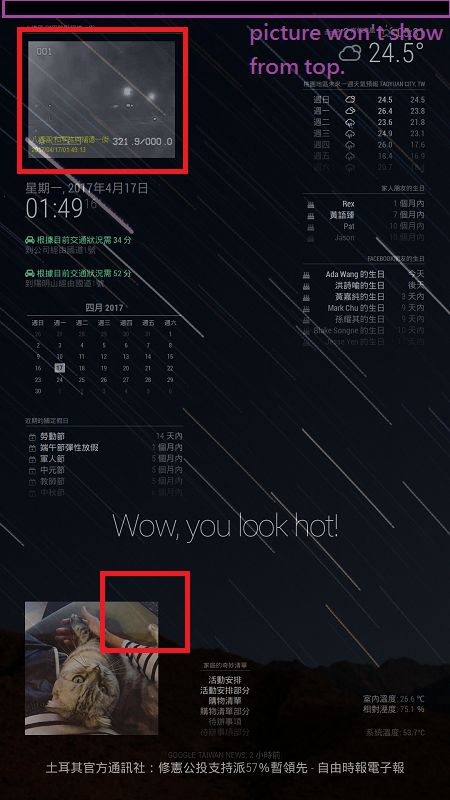
    @broberg all set, thank you~ in custom.css html { cursor: none; overflow: hidden; background: transparent; } .region.fullscreen * { pointer-events: auto; position: top; top: 0px; }
  • I'm new and need help

    4
    0 Votes
    4 Posts
    2k Views
    cowboysdudeC
    @enith2478 Going to give you a quick reply here … I’m on my way to my families as it’s Easter Holiday… so here goes… If you’re using a Raspberry pi just hit the ALT key and a menu will pop up at the top… “File->exit” you can exit that way… “How can I download my own repository?” -> go read up on github that will help you… it’s usually git clone or you can just use a browser to go to github and choose ‘download’. As for changes… I wouldn’t suggest that because if there’s an update to MM all your changes will be gone. Not really sure what you’re trying to do here your information is very vague. At any rate, hope that helps… I’m off to eat dinner with the family.
  • Compliments Module Frozen Since Update?

    1
    0 Votes
    1 Posts
    1k Views
    lucallmonL
    Since I updated to version 2.1.1 and added an anytime compliment, once it scrolls through the morning or afternoon, etc. compliments and lands on the anytime compliment, it simply holds there. I have to restart the webpage with CTRL+Q to get it to reset and then it happens again. Any fix for this or has anyone else experienced it?
  • Crash since update to v2.1.1

    5
    0 Votes
    5 Posts
    3k Views
    binderthB
    @PointPubMedia I didn’t install or use MMM-Sounds… But I do have a file called “core” in ~/MagicMirror, which swells fast. It’s binary and at present 665MB and it gets bigger by the minute…?
  • This topic is deleted!

    3
    0 Votes
    3 Posts
    104 Views
  • Weather info not showing up on screen

    12
    0 Votes
    12 Posts
    8k Views
    M
    Well, I got the weather underground at least up and going. Only thing I can see now with it is the forecast is all incorrect. Pretty sure its in the mid 70’s not the low 50’s. Not sure what is wrong within that module. Cant seem to find any help or info in regards to it.
  • This topic is deleted!

    1
    0 Votes
    1 Posts
    49 Views
  • This topic is deleted!

    1
    0 Votes
    1 Posts
    2 Views
  • Magic Mirror wont start after rebooting

    4
    0 Votes
    4 Posts
    2k Views
    Mykle1M
    @jcramirez501 We were all new, once.