A New Chapter for MagicMirror: The Community Takes the Lead
Read the statement by Michael Teeuw here.
  • Facial Recognition - customize your mirror for every user!

    215
    0 Votes
    215 Posts
    513k Views
    I
    @YourhighnessLeender Hi bro
  • Google Birthdays

    Unsolved
    2
    0 Votes
    2 Posts
    2k Views
    B
    Hi, I’m doing it without any module but using Google script : link text
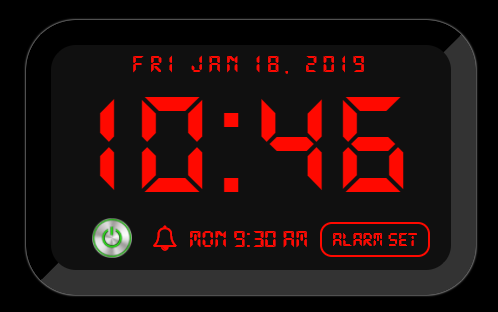
  • MMM-DigitalAlarmClock Upcoming alarm Format

    Unsolved
    3
    2
    0 Votes
    3 Posts
    1k Views
    R
    Awesome. Thank you.
  • MMM-Remote-Control, No 'Access-Control-Allow-Origin' header is present

    Moved
    3
    0 Votes
    3 Posts
    1k Views
    L
    Hi @sdetweil , I am using this ‘https://github.com/Jopyth/MMM-Remote-Control/tree/master/API’ . And i’m writing my webapplication in angular. And i’m aware that i need to give ‘Access-Control-Allow-Origin’: ‘*’ with the headers but i don’t know where you need to do this.
  • MMM-NetworkScanner - arp-scan not working

    Unsolved
    1
    0 Votes
    1 Posts
    2k Views
    S
    Just installed MMM-NetworkScanner but it keeps reporting NO DEVICES ONLINE, even though all devices on my network are assigned static ip addresses and I tried both ip and mac address in the config file. I went back to the install instructions and tried running arps2mm.sh (after updating arp-scan) and got this error: ERROR: failed to send packet: Resource temporarily unavailable So I tried running the arp-scan manually (same command that’s in arps2mm.sh) and I got the same error. Is arp-scan broken? Shouldn’t matter, though, because ping works, and isn’t that what MMM-NetworkScanner should be using?

  • MMM-CalendarExt2 not showing icons in calendar

    Unsolved
    14
    1
    0 Votes
    14 Posts
    6k Views
    B
    @sworrs no problem. I will try the debugging method proposed by @Sean this week and keep both of you posted.
  • Default calendar module stopped showing iCloud events

    Unsolved
    5
    0 Votes
    5 Posts
    2k Views
    S
    @MM-Hans can u mark your issue resolved please
  • Uncaught SyntaxError: Unexpected token return

    Solved
    9
    0 Votes
    9 Posts
    3k Views
    htilburgsH
    @sdetweil Oké, thank you for the explanation.
  • 0 Votes
    2 Posts
    1k Views
    M
    @mytamhuyet What? Why would it power down without being told to do so. My mirror runs for months without a restart.
  • MMM-GAtions

    Unsolved
    1
    0 Votes
    1 Posts
    558 Views
    G
    Hallo! So i got my Mirror working as i want, just one bit i will like to remove if i can in any way. So made a Custom Action with so im able to say “who is petty” but then i get "Here is results from “appname” then my string… Can i remove "Here is results from “appname” when i use GAtions?
  • This topic is deleted!

    Unsolved
    1
    0 Votes
    1 Posts
    39 Views
  • Blank screen - Uncaught SyntaxError: Invalid or unexpected token

    Unsolved
    1
    0 Votes
    1 Posts
    656 Views
    C
    Hi guys, this norning my mirror was black. With npm start dev I see this problem: Uncaught SyntaxError: Invalid or unexpected token main.js:450 Initializing MagicMirror. translator.js:1 Uncaught SyntaxError: Invalid or unexpected token at Object.init (main.js:452) at main.js:580 Any idea? Thanks, Chris
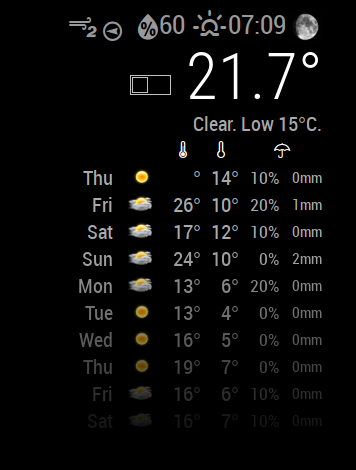
  • Wunderground ?

    Unsolved
    7
    0 Votes
    7 Posts
    2k Views
    M
    @thobach Is it possible to adjust the regular MMM-Wunderground module for the DarkSky api? That’d be awesome as I really liked the look and the icons of the Wunderground module. I had it set up to show hourly and daily forecast. Which was just perfect.
  • MMM-WunderGround Icon missing

    11
    1
    0 Votes
    11 Posts
    6k Views
    M
    @thobach Hi, thank you for your information. I tried the module and it works fine. Just some question: How can I change the width of the 3 charts? Also I had issues with the top Icons of the weather, today is Partly Cloudy at my place and the icon is not shown, but after changing the name of the png from “partlycloudy” -> to “pertly-cloudy-day.png” it works now. Maybe there are more renaming necessary… How can I enlarge the icon on the top? THX!
  • MMM-WunderGround24Hours: How to set transparent background?

    9
    0 Votes
    9 Posts
    5k Views
    T
    Please note this module was migrated to use the Dark Sky API and is now available as “MMM-DarkSky24Hours” under https://github.com/thobach/MMM-DarkSky24Hours.
  • 0 Votes
    3 Posts
    2k Views
    T
    Please note this module was migrated to use the Dark Sky API and is now available as “MMM-DarkSky24Hours” under https://github.com/thobach/MMM-DarkSky24Hours.
  • "Magic-Mirror_die-Losungen-Modul" by bitte-ein-bit does not work: no text is displayed

    Unsolved
    7
    0 Votes
    7 Posts
    2k Views
    R
    @yawns Your willingness to work on the Losungen module is really great. I appreciate it very much that you will fix the code. Thank you!
  • MMM-Astrology language

    Unsolved
    1
    0 Votes
    1 Posts
    743 Views
    0
    Hi every one!! Im starting with this awesome proyect making my own MM. Im runing it on an old macmini late 2009 with out a problem. So im testing some modules and the astrology seems to be intresting. My cuestion is : Its possible to change the language of results on it, Like spanish (my language) ? Or maybe can i host in some way my own server to pull out the data? Thanks in advance and sorry for my horrible english :P
  • Rpi 0 W HELP

    Unsolved
    5
    0 Votes
    5 Posts
    2k Views
    D
    ok so this did work. but i can only do it in server mode. so i have to open a page in chromium to see the miror ‘‘widget’’ i also see the MM2 boot screen but then x in left upper corner and back to desktop. So any way to make this autorun ?
  • MMM-RMV help needed, end station doesn't work

    Solved
    2
    0 Votes
    2 Posts
    786 Views
    S
    I’ve tested some more and it seems to be an issue with the naming of the final destination. Maybe because of the German special characters or the station name length. Any suggestion/advice?