I use MMM-Modulebar.
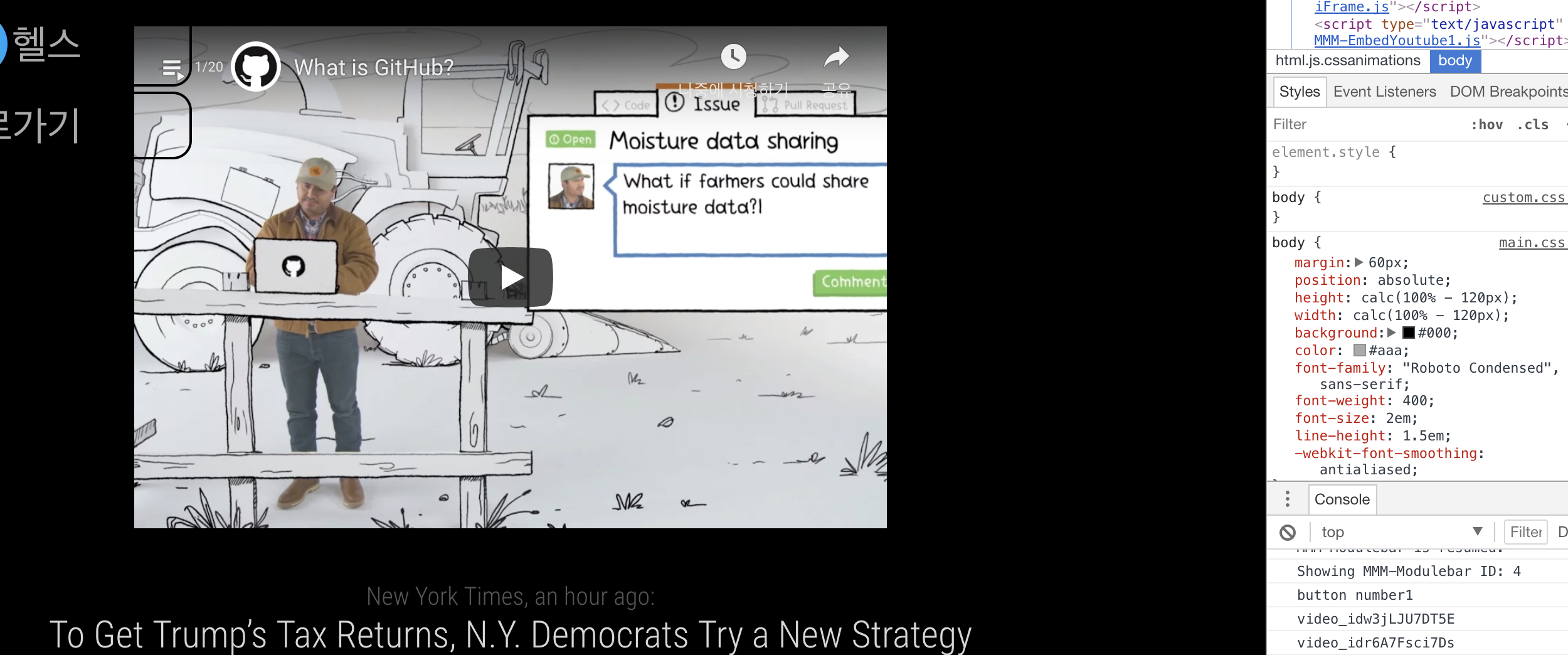
To briefly explain the Modulebar Module, create several buttons and press each button to show each module and hide it once again.
The following code was added from the original Modulebar code(99th-108th lines):
if(num==1){
Modulebarr.sendNotification('CHANGE_POSITIONS',
modules = {
'clock':{
visible: 'true',
position: 'top_left',
},
}
);
}
num is the button’s unique number
I sent a notification from Modulebar to MMM-Dynamic-Modules. Dynamic-Modules notification worked well.
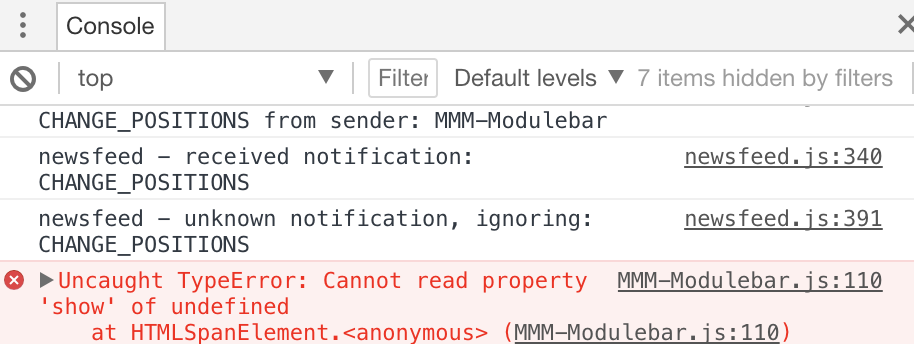
But the next cord line, modules[i]Show didn’t work. Error details are as follows:
[image: 1554791375604-c0fc6e84-cc73-451c-8937-bc3e56c11f19-image.png]
var Modulebarr;
Module.register("MMM-Modulebar",{
requiresVersion: "2.1.0",
defaults: {
// Allow the module to force modules to be shown (if hidden and locked by another module ex. profile-switcher).
allowForce: false,
// Determines if the border around the buttons should be shown.
showBorder: true,
// The minimum width for all the buttons.
minWidth: "0px",
// The minimum height for all the buttons.
minHeight: "0px",
// The location of the symbol relative to the text. Options: left, right, top or bottom
picturePlacement: "left",
// The direction of the bar. Options: row, column, row-reverse or column-reverse
direction: "row",
// The speed of the hide and show animation.
animationSpeed: 1000,
// The default button 1. Add your buttons in the config.
buttons: {
"1": {
// The modules exact name to be affected.
module: "clock",
// The text to be displayed in the button.
text: "Clock",
// Then symbol from font-awesome!
symbol: "clock-o"
}
}
},
start(){
Modulebarr=this;
},
// Define required styles.
getStyles: function(){
return ["font-awesome.css", "MMM-Modulebar.css"];
},
// Override dom generator.
getDom: function() {
var menu = document.createElement("span");
menu.className = "modulebar-menu";
menu.id = this.identifier + "_menu";
menu.style.flexDirection = this.config.direction;
// Sends each button to the "createButton" function be created.
for (var num in this.config.buttons) {
menu.appendChild(this.createButton(this, num, this.config.buttons[num], this.config.picturePlacement));
}
return menu;
},
// Creates the buttons.
createButton: function (self, num, data, placement) {
// Creates the span elemet to contain all the buttons.
var item = document.createElement("span");
// Builds a uniqe indentity / button.
item.id = self.identifier + "_button_" + num;
// Sets a class to all buttons.
item.className = "modulebar-button";
// Makes sure the width and height is at least the defined minimum.
item.style.minWidth = self.config.minWidth;
item.style.minHeight = self.config.minHeight;
// Collects all modules loaded in MagicMirror.
var modules = MM.getModules();
// When a button is clicked, the module either gets hidden or shown depending on current module status.
item.addEventListener("click", function () {
// Lists through all modules for testing.
for (var i = 0; i < modules.length; i++) {
// Check if the curent module is the one.
if (modules[i].name === data.module) {
// Splits out the module number of the module with the same name.
var idnr = modules[i].data.identifier.split("_");
// Checks if idnum is set in config.js. If it is, it only hides that module, if not hides all modules with the same name.
if (idnr[1] == data.idnum || data.idnum == null) {
// Check if the module is hidden.
if (modules[i].hidden) {
// Check if there is a "showURL" defined.
if (data.showUrl != null) {
// Visiting the show URL.
fetch(data.showUrl);
// Prints the visited hideURL.
console.log("Visiting show URL: "+data.showUrl);
}
// add code
if(num==1){
Modulebarr.sendNotification('CHANGE_POSITIONS',
modules = {
'clock':{
visible: 'true',
position: 'top_left',
},
}
);
}
//
modules[i].show(self.config.animationSpeed, {force: self.config.allowForce});
// Prints in the console what just happend (adding the ID).
console.log("Showing "+modules[i].name+" ID: "+idnr[1]);
}else{
// Hides the module.
modules[i].hide(self.config.animationSpeed, {force: self.config.allowForce});
// Prints in the console what just happend (adding the ID).
console.log("Hiding "+modules[i].name+" ID: "+idnr[1]);
// Check if there is a "hideURL" defined.
if (data.hideUrl != null) {
// Visiting the the URL.
fetch(data.hideUrl);
// Prints the visited hideURL.
console.log("Visiting hide URL: "+data.hideUrl);
}
}
}
}
}
});
// Fixes the aligning.
item.style.flexDirection = {
"right" : "row-reverse",
"left" : "row",
"top" : "column",
"bottom" : "column-reverse"
}[placement];
// Sets the border around the symbol/picture/text to black.
if (!self.config.showBorder) {
item.style.borderColor = "black";
}
// Adds the Font-Awesome symbol if specified.
if (data.symbol) {
var symbol = document.createElement("span");
symbol.className = "modulebar-picture fa fa-" + data.symbol;
// Sets the size on the symbol if specified.
if (data.size) {
symbol.className += " fa-" + data.size;
symbol.className += data.size == 1 ? "g" : "x";
}
// Align the symbol with a margin.
if (data.text && placement === "left") {
symbol.style.marginRight = "4px";
}
// Adds the symbol to the item.
item.appendChild(symbol);
// Adds a picture if specified.
} else if (data.img) {
var image = document.createElement("img");
image.className = "modulebar-picture";
image.src = data.img;
// Sets the size of the picture if specified.
if (data.width) image.width = data.width;
if (data.height) image.height = data.height;
// Align the picture with a margin.
if (data.text && placement === "left") {
image.style.marginRight = "4px";
}
// Adds the picture to the item.
item.appendChild(image);
}
// Adds the text if specified.
if (data.text) {
var text = document.createElement("span");
text.className = "modulebar-text";
text.innerHTML = data.text;
// Align the text with a margin.
if ((data.symbol || data.img) && placement === "right") {
text.style.marginRight = "4px";
}
// Adds the text to the item.
item.appendChild(text);
}
// All done. :)
return item;
},
notificationReceived: function(notification, payload) {
if(notification === "DOM_OBJECTS_CREATED"){
this.hide()
}
}
});
config is
{
module: "MMM-Modulebar",
position: "top_left",
classes: "default everyone",
config: {
showBorder:false,
direction:"column",
buttons: {
"1": {
module: "MMM-EmbedYoutube1",
width:"50",
height:"50",
text:"먹방",
\ img:"https://image.flaticon.com/icons/svg/1643/1643011.svg",
},
},
}
},