MagicMirror Forum
    • Recent
    • Tags
    • Unsolved
    • Solved
    • MagicMirror² Repository
    • Documentation
    • 3rd-Party-Modules
    • Donate
    • Discord
    • Register
    • Login
    A New Chapter for MagicMirror: The Community Takes the Lead
    Read the statement by Michael Teeuw here.

    [Remote-Control] Shutdown, Configure and Update your MagicMirror

    Scheduled Pinned Locked Moved System
    274 Posts 78 Posters 873.7k Views 77 Watching
    Loading More Posts
    • Oldest to Newest
    • Newest to Oldest
    • Most Votes
    Reply
    • Reply as topic
    Log in to reply
    This topic has been deleted. Only users with topic management privileges can see it.
    • pyrosmileyP Offline
      pyrosmiley
      last edited by

      So, I’m having a really unexpected bug, where this module somehow negates my custom CSS for the header color of all modules. No idea how/why, but when the page first loads, it’s fine, but as the last of the modules (including this one) load and are activated, the color suddenly snaps back to the default #aaa.

      I know for certain it’s this module, since disabling it in the config fixed the header issue. I think this was introduced in the newest update, but I’m not 100% for-sure positive. I do know it started right around the most recent release date though.

      1 Reply Last reply Reply Quote 1
      • P Offline
        pepebc @Jopyth
        last edited by pepebc

        @Jopyth
        Hello, excellent module. I have built the translation file into Spanish: es.json
        you want it?

        J 1 Reply Last reply Reply Quote 0
        • J Offline
          Jopyth Moderator @pepebc
          last edited by

          @pepebc Sure. Can you make a PR?

          @pyrosmiley Did you start using the brightness adjustment? That definitely overrides brightness of headers and text. Maybe reset to default? That should solve the problem.

          Helpful sticky: How to troubleshoot

          pyrosmileyP 1 Reply Last reply Reply Quote 1
          • emloweE Offline
            emlowe Module Developer
            last edited by

            This module is great - a couple items related to support for the ‘official 7" pi touchscreen’
            I can probably code this up and submit a PR if you want - the on/off is easy to do because that is already in the helper. Brightness would need to get moved to the helper away from the CSS tricks.

            It is interesting that controlling the brightness of a monitor itself over HDMI is surprisingly non-existent, but the 7" touchscreen h/w rev: 1.1 does indeed support direct brightness manipulation:

            You can control the brightness of the backlight itself by:

            echo X > /sys/class/backlight/rpi_backlight/brightness
            

            where X is a value between 0 and 255

            And you can turn off the backlight with

            echo 0 > /sys/class/backlight/rpi_backlight/bl_power
            

            and turn it back on with:

            echo 1 > /sys/class/backlight/rpi_backlight/bl_power
            

            Earle

            1 Reply Last reply Reply Quote 1
            • pyrosmileyP Offline
              pyrosmiley @Jopyth
              last edited by

              @Jopyth I didn’t think I had (actually I don’t think I ever even noticed it!) but I guess I bumped into it just enough to change the value. All good now. Thanks!

              1 Reply Last reply Reply Quote 1
              • N Offline
                nobita @Jopyth
                last edited by nobita

                @Jopyth What Happen , When Press menu “Edit config.js”,The Error show like this
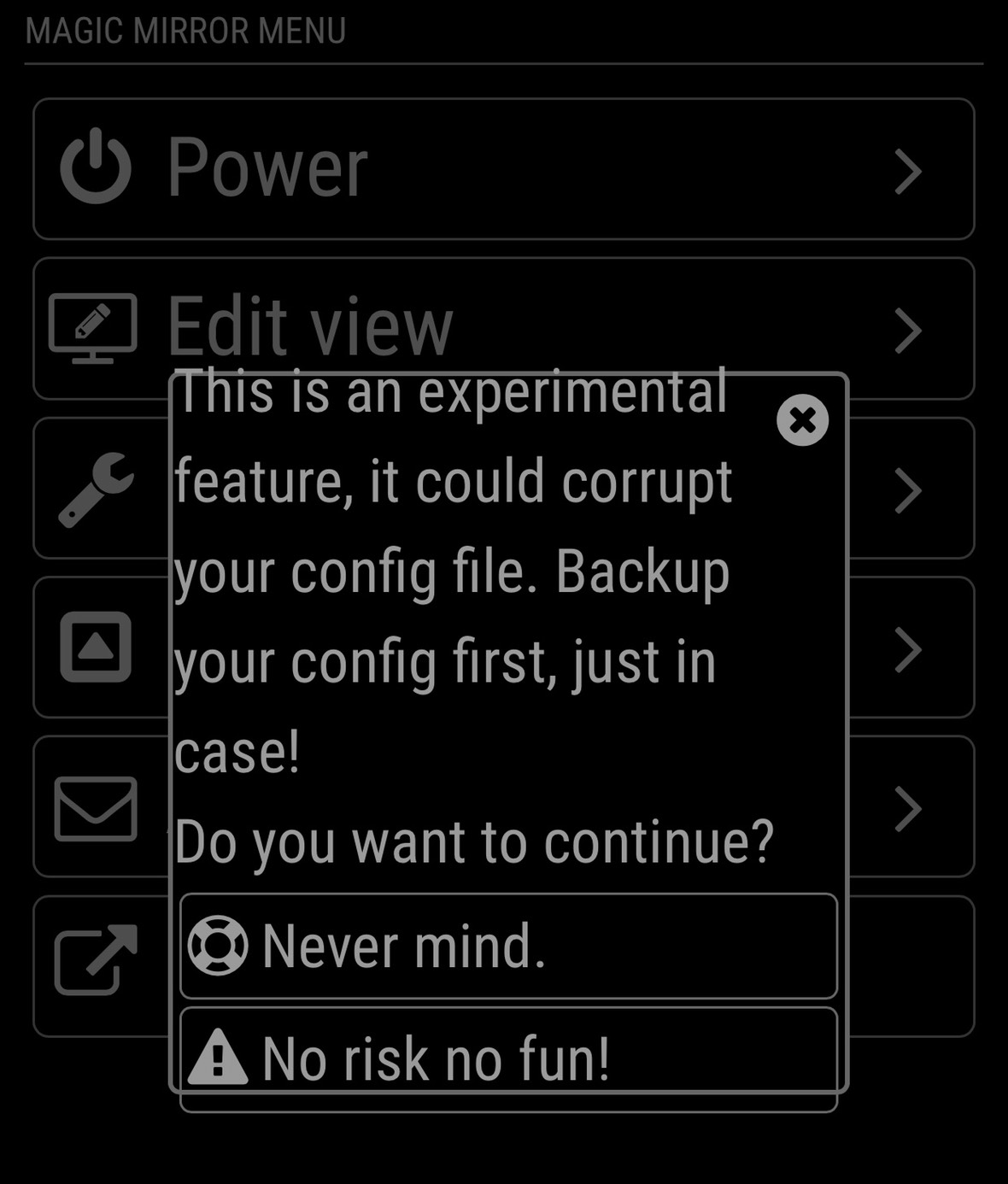
                0_1521420115018_S_7647830636322.jpg
                How to solve it,Thnaks so much

                J 1 Reply Last reply Reply Quote 0
                • J Offline
                  Jopyth Moderator @nobita
                  last edited by

                  @nobita It is not an error, just a warning. You can use it, but make sure to make a backup of your config.js file first.

                  Also new release with the long overdue french translation (which might need some improvements - I do not know, PRs are welcome if you spot anything):

                  [1.1.5] - 2018-05-14

                  Added

                  • French translation

                  Fixed

                  • Updated documentation to new MagicMirror version
                  • Fix error on updating MagicMirror

                  Helpful sticky: How to troubleshoot

                  N 1 Reply Last reply Reply Quote 0
                  • N Offline
                    nobita @Jopyth
                    last edited by

                    @jopyth Thank so much

                    1 Reply Last reply Reply Quote 0
                    • justjim1220J Offline
                      justjim1220 Module Developer
                      last edited by

                      very cool.
                      question… can you get this to work using touch screen?
                      like the buttons you show on the screen, control them using touch instead of mouse pointer or keyboard?

                      "Life's Too Short To Dance With Ugly People"
                      Jim Hallock - 1995

                      J 1 Reply Last reply Reply Quote 0
                      • J Offline
                        Jopyth Moderator @justjim1220
                        last edited by

                        @justjim1220 This is intended to be used from a different device (i.e. not your MagicMirror), for example, your smartphone or tablet. Maybe you could get it to work on your MagicMirror with something like the IFrame module and a touchscreen?

                        Helpful sticky: How to troubleshoot

                        D 1 Reply Last reply Reply Quote 1
                        • D Offline
                          dmwilsonkc @Jopyth
                          last edited by

                          @jopyth I just want to thank you again for your work on this module! Your module rocks!

                          BTW - It doesn’t have to be a mobile/tablet, I wrote an AI skill for Mycroft that uses your MMM-Remote-Control module to pass verbal commands to the MagicMirror.

                          If you’d like, check out the 2 min. video here.

                          And here’s a link to the repo if anyone would like to check out the Python code that interacts with the MMM-Remote-Control module.

                          Thanks again!
                          Cheers!

                          1 Reply Last reply Reply Quote 1
                          • B Offline
                            BluP Project Sponsor @Snille
                            last edited by BluP

                            @snille

                            Hi snille,

                            Have you ever found a solution? I want to do something similar, but was also not able to get a module to be hidden/shown during certain times using MMM-ModuleScheduler

                            I tried

                            {notification: 'REMOTE_ACTION', schedule:  '*/2 * * * MON-FRI', payload: {action: "SHOW&module=module_15_MMM-Traffic"}},
                                                            
                            {notification: 'REMOTE_ACTION', schedule:  '1-59/2 * * * MON-FRI', payload: {action: "HIDE&module=module_15_MMM-Traffic"}}
                            

                            Does not make real sense, switching on a module every other minute, but would have been nice for testing…

                            If I use this as a GET request via HTTP,

                            http://My_MM_IP:8080/remote?action=HIDE&module=module_16_MMM-Traffic
                            

                            it works like charm…also curl works using another Raspi sending this command to the MM

                            Any idea?

                            Thanks, Peter

                            1 Reply Last reply Reply Quote 0
                            • P Offline
                              PaulB
                              last edited by

                              Dear MM-Builders,

                              does someone know how to solve attached problem?
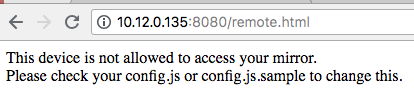
                              0_1533453030966_Bildschirmfoto 2018-08-05 um 09.09.10.png

                              Thanks in advace :-)

                              Hein-JanH 1 Reply Last reply Reply Quote 0
                              • Hein-JanH Offline
                                Hein-Jan @PaulB
                                last edited by

                                @paulb

                                Is your device listed in “whitelist”, in your config.js?

                                Please check forum on whitelist issues.

                                Hein-Jan

                                1 Reply Last reply Reply Quote 0
                                • M Offline
                                  m0111k
                                  last edited by

                                  @jopyth in light of topic resurrection, I’m looking into creating multiple functions for my pi’s. I’m using MMM-NetworkScanner and MMM-Remote-Control. The idea is like follows:

                                  When I leave home, my mobile goes offline from home network. I’m looking for a command to enable camera (reboot y/n) to enable another project I’d like to combine with this. (Pi Camera Notifier: https://iotbreaks.com/build-a-camera-alert-application-with-raspberrypi-3-and-iosandroid-pushbullet-app/) turning it into a security cam. The commands available in the readme of MMM-RC didnt hand me a clue for further investigations

                                  I’d love to see these work in conjunction that’d give it a whole new dimension :)

                                  1 Reply Last reply Reply Quote 0
                                  • R Offline
                                    robiv8
                                    last edited by

                                    Hallo, my remote control work.
                                    but
                                    When I pull the restart button the MagicMirror restarts fine but I become a Fehler (Fail)
                                    What can this be?

                                    My Log after push the button:

                                    0|mm  | Shutting down server...
                                    0|mm  | Stopping module helper: MMM-Page-Selector
                                    0|mm  | Stopping module helper: MMM-Remote-Control
                                    0|mm  | Stopping module helper: MMM-DWD-WarnWeather
                                    0|mm  | Stopping module helper: MMM-PublicTransportHafas
                                    0|mm  | Stopping module helper: newsfeed
                                    0|mm  | Stopping module helper: MMM-Buttons
                                    0|mm  | Use --update-env to update environment variables
                                    0|mm  | [PM2] Applying action restartProcessId on app [mm](ids: 0)
                                    0|mm  | { Error: Command failed: pm2 restart mm
                                    0|mm  |     at ChildProcess.exithandler (child_process.js:287:12)
                                    0|mm  |     at emitTwo (events.js:126:13)
                                    0|mm  |     at ChildProcess.emit (events.js:214:7)
                                    0|mm  |     at maybeClose (internal/child_process.js:925:16)
                                    0|mm  |     at Socket.stream.socket.on (internal/child_process.js:346:11)
                                    0|mm  |     at emitOne (events.js:116:13)
                                    0|mm  |     at Socket.emit (events.js:211:7)
                                    0|mm  |     at Pipe._handle.close [as _onclose] (net.js:554:12)
                                    0|mm  |   killed: false,
                                    0|mm  |   code: null,
                                    0|mm  |   signal: 'SIGINT',
                                    0|mm  |   cmd: 'pm2 restart mm' }
                                    0|mm  | > magicmirror@2.6.0 start /home/pi/MagicMirror
                                    0|mm  | > sh run-start.sh
                                    0|mm  | Starting MagicMirror: v2.6.0
                                    0|mm  | Loading config ...
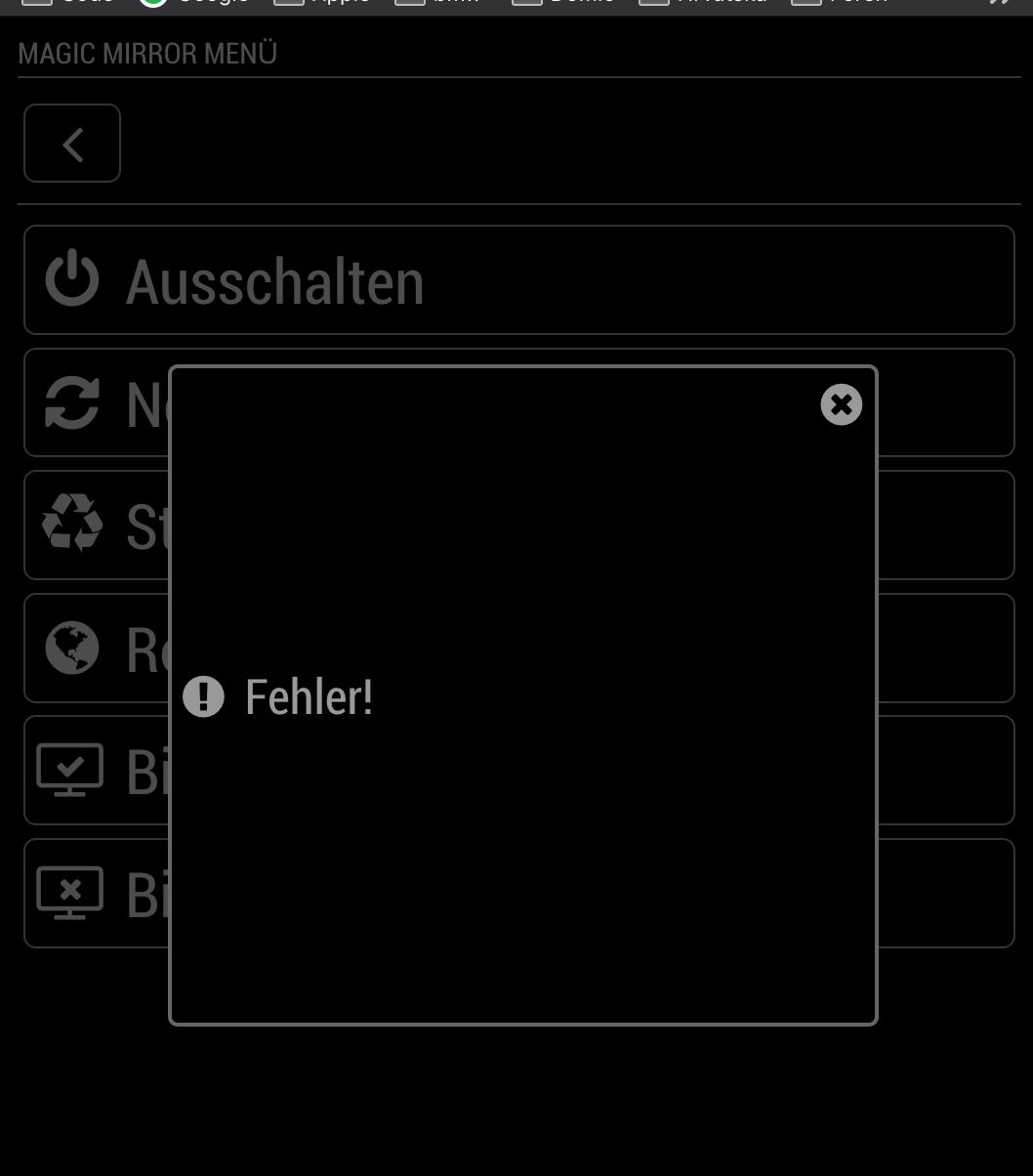
                                    

                                    0_1547069400759_Bildschirmfoto 2019-01-09 um 22.29.42.png

                                    N 1 Reply Last reply Reply Quote 0
                                    • swvalentiS Offline
                                      swvalenti Project Sponsor
                                      last edited by

                                      Same error as above but in English. Def restarts MM with no issue but MM RM displays error oddly?

                                      1 Reply Last reply Reply Quote 0
                                      • R Offline
                                        robiv8
                                        last edited by robiv8

                                        Nobody an idea?
                                        Now the notification does not work anymore! Somehow I have the feeling that this block any other modules.
                                        You can send but it does not matter! Also no error message.

                                        1 Reply Last reply Reply Quote 0
                                        • N Offline
                                          nobita @robiv8
                                          last edited by

                                          0_1548639015017_S__2187281.jpg
                                          @Jopyth What Happen? and how to solve it?

                                          1 Reply Last reply Reply Quote 0
                                          • R Offline
                                            robiv8
                                            last edited by

                                            I have the impression that Jopyth does not have time to maintain the module. Last answer here was 9 months ago.
                                            Too bad, is an excellent module

                                            1 Reply Last reply Reply Quote 0

                                            Hello! It looks like you're interested in this conversation, but you don't have an account yet.

                                            Getting fed up of having to scroll through the same posts each visit? When you register for an account, you'll always come back to exactly where you were before, and choose to be notified of new replies (either via email, or push notification). You'll also be able to save bookmarks and upvote posts to show your appreciation to other community members.

                                            With your input, this post could be even better 💗

                                            Register Login

                                            • 1
                                            • 2
                                            • 10
                                            • 11
                                            • 12
                                            • 13
                                            • 14
                                            • 12 / 14
                                            • First post
                                              Last post
                                            Enjoying MagicMirror? Please consider a donation!
                                            MagicMirror created by Michael Teeuw.
                                            Forum managed by Sam, technical setup by Karsten.
                                            This forum is using NodeBB as its core | Contributors
                                            Contact | Privacy Policy