MagicMirror Forum
    • Recent
    • Tags
    • Unsolved
    • Solved
    • MagicMirror² Repository
    • Documentation
    • 3rd-Party-Modules
    • Donate
    • Discord
    • Register
    • Login
    A New Chapter for MagicMirror: The Community Takes the Lead
    Read the statement by Michael Teeuw here.

    MMM-NOAA - Another Weather Module

    Scheduled Pinned Locked Moved System
    690 Posts 77 Posters 2.9m Views 70 Watching
    Loading More Posts
    • Oldest to Newest
    • Newest to Oldest
    • Most Votes
    Reply
    • Reply as topic
    Log in to reply
    This topic has been deleted. Only users with topic management privileges can see it.
    • Mykle1M Offline
      Mykle1 Project Sponsor Module Developer @Manu85
      last edited by

      @Manu85

      Are you asking about MMM-NOAA3? There is no date in NOAA3. This thread is about the NOAA3 module.

      Create a working config
      How to add modules

      M 1 Reply Last reply Reply Quote 0
      • M Offline
        Manu85 @Mykle1
        last edited by

        @Mykle1

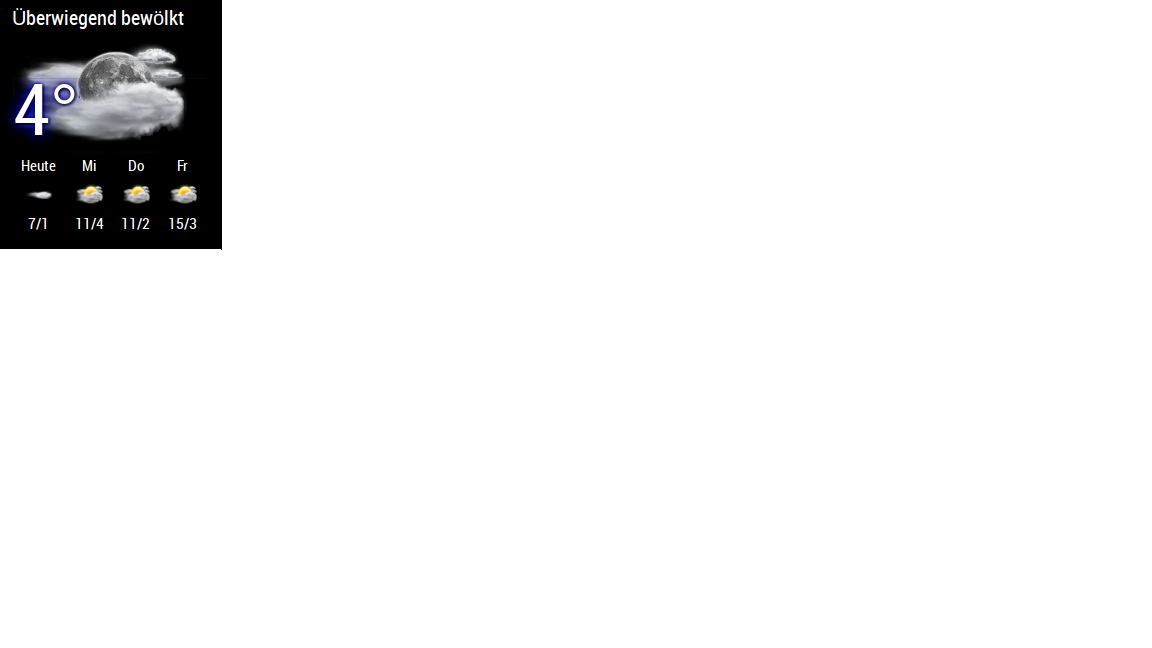
        hello, I speak well of this module, the forecasts are eg: 04-22. 04-23 and I will want: Monday. Tuesday

        Mykle1M 1 Reply Last reply Reply Quote 0
        • Mykle1M Offline
          Mykle1 Project Sponsor Module Developer @Manu85
          last edited by Mykle1

          @Manu85 said in MMM-NOAA - Another Weather Module:

          hello, I speak well of this module, the forecasts are eg: 04-22. 04-23 and I will want: Monday. Tuesday

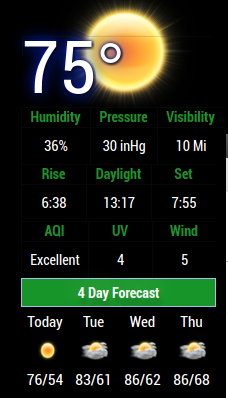
          Oh, yes, I see now. I don’t know how you got the date instead of the day names. Mine only shows day names. That’s strange.

          Are you using the newest version of the module? Please run git pull in the MMM-NOAA3 directory. Then run npm install as well. Are you using the darksky api? I think there was an issue with some of the other providers. You will have the most success with a darksky api key.
          0_1555966135668_Screenshot from 2019-04-22 16-44-52.png

          Create a working config
          How to add modules

          1 Reply Last reply Reply Quote 0
          • S Offline
            seramik
            last edited by seramik

            does this module contain configuration options ?
            if I dont want all this plenty of information ?

            is there an exemple of config.js with darkside provider ?
            ok, i found the p51 one, and i just understood for airkey.

            bheplerB 1 Reply Last reply Reply Quote 0
            • bheplerB Offline
              bhepler Module Developer @seramik
              last edited by

              @seramik said in MMM-NOAA - Another Weather Module:

              does this module contain configuration options ?
              if I dont want all this plenty of information ?

              You can always adjust the custom CSS file to reduce the size of the elements you wish to hide to zero.

              1 Reply Last reply Reply Quote 0
              • A Offline
                andyyy
                last edited by

                In my case the 4 day forecast is not shown. There is nothing below the bar. I am using openweather as provider. What could be the issue?

                A Mykle1M 2 Replies Last reply Reply Quote 0
                • A Offline
                  andyyy @andyyy
                  last edited by

                  @andyyy
                  however, with weatherunlocked it seems to work!

                  1 Reply Last reply Reply Quote 0
                  • Mykle1M Offline
                    Mykle1 Project Sponsor Module Developer @andyyy
                    last edited by

                    @andyyy

                    Try another provider, such as @andyyy’s, or darksky, and see if it works correctly. There may be some issue with the provider you are using. Report your results back here.

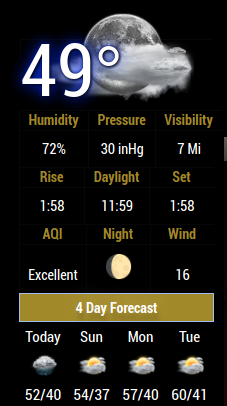
                    Using darksky provider:

                    0_1568161060856_Screenshot from 2019-09-10 20-15-11.png

                    Create a working config
                    How to add modules

                    1 Reply Last reply Reply Quote 0
                    • B Offline
                      Buncie
                      last edited by

                      So I’m using this modules and I was wondering how to change it from celsius to fahrenheit. Can anyone help me?

                      1 Reply Last reply Reply Quote 0
                      • B Offline
                        Buncie
                        last edited by

                        Nevermind

                        cowboysdudeC 1 Reply Last reply Reply Quote 1
                        • cowboysdudeC Offline
                          cowboysdude Module Developer @Buncie
                          last edited by

                          @Buncie said in MMM-NOAA - Another Weather Module:

                          Nevermind

                          Did you get it? LOL

                          1 Reply Last reply Reply Quote 0
                          • B Offline
                            BD0G
                            last edited by

                            Here is my syntax within the config.js for MMM-NOAA3

                            	{
                            		module: 'MMM-NOAA3',
                            		position: 'top_left',
                            			config: {
                            			provider: "darksky", // From list above
                            			apiKey: "65141db17f5fe5d7d9dd8879b81a61a9",        // From one of the providers listed above
                            			airKey: "5ac100c9-5114-4140-9955-3067633998f9",    
                            			css: "NOAA3",                   // THIS MUST CONTAIN A CSS STYLE NAME 
                            			userlat: "39.164581", //MUST HAVE BOTH
                            			userlon: "-119.766922"  //MUST HAVE BOTH
                            }
                                },


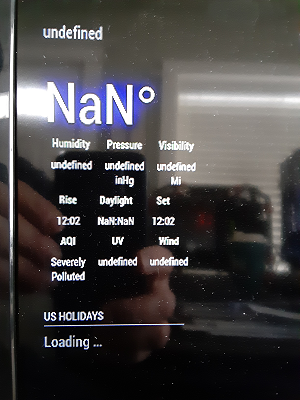
                            My config.js does not present any errors and when the module loads in the upper left hand corner it displays undefined
                            then NaN o and all the values below that are not properly populated.

                            I have checked the entries and cannot seem to find the issue.

                            Mykle1M 1 Reply Last reply Reply Quote 0
                            • Mykle1M Offline
                              Mykle1 Project Sponsor Module Developer @BD0G
                              last edited by Mykle1

                              @BD0G said in MMM-NOAA - Another Weather Module:

                              I have checked the entries and cannot seem to find the issue.

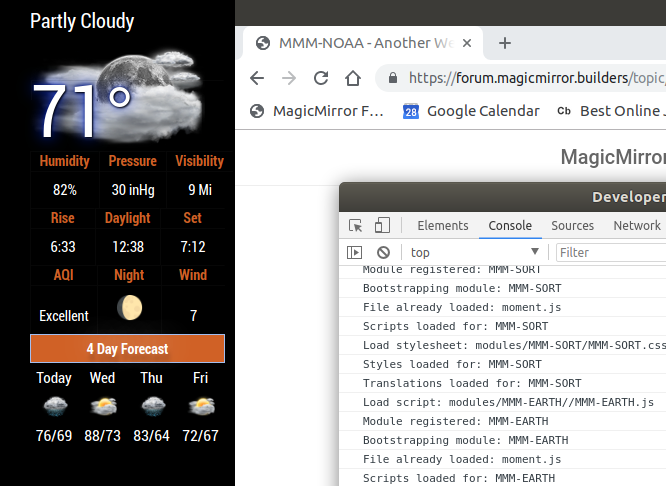
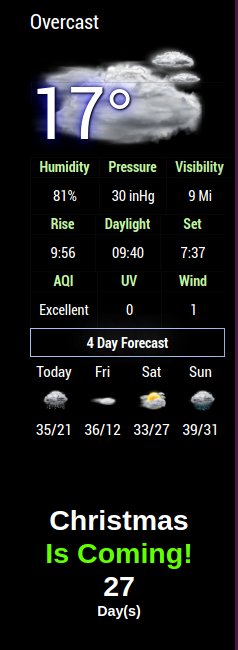
                              There is no issue with your config entry. I just used it and here is the result.

                              In the future you should not post your api keys. They are yours and should be kept private.
                              0_1574953120864_Screenshot from 2019-11-28 09-58-29.png

                              How are things in Carson City? :-)

                              Create a working config
                              How to add modules

                              B 1 Reply Last reply Reply Quote 0
                              • B Offline
                                BD0G @Mykle1
                                last edited by BD0G

                                @Mykle1 Thanks for checking it for me. Strangely it does not appear to be displaying the values. If someone wants to use my API keys - I say let em. It would display Carson City, NV specific data which is useless unless one happens to be in the same area.

                                Its great here ! We just had our first snowfall of the year 2 days ago and its really adds to the ambiance of the season. Headed to Lake Tahoe today for the best Thanksgiving buffet at Harrahs Casino (Forest Buffet). Beautiful views of snow covered ski resorts viewed through panoramic windows!

                                Mykle1M 1 Reply Last reply Reply Quote 0
                                • B Offline
                                  BD0G
                                  last edited by

                                  Here is what I get
                                  0_1574971630213_e63d6b21-faf5-4a29-8f64-5404b7372db6-image.png

                                  Mykle1M 1 Reply Last reply Reply Quote 0
                                  • Mykle1M Offline
                                    Mykle1 Project Sponsor Module Developer @BD0G
                                    last edited by

                                    @BD0G said in MMM-NOAA - Another Weather Module:

                                    Here is what I get

                                    Ok, well we know it’s not the config entry so lets check:

                                    1. Did you run npm install in the MMM-NOAA3 directory?

                                    2. Tried deleting and recloning the module from guthub?

                                    3. Disabling your other modules?

                                    Create a working config
                                    How to add modules

                                    B 1 Reply Last reply Reply Quote 0
                                    • Mykle1M Offline
                                      Mykle1 Project Sponsor Module Developer @BD0G
                                      last edited by

                                      @BD0G said in MMM-NOAA - Another Weather Module:

                                      Headed to Lake Tahoe today for the best Thanksgiving buffet at Harrahs Casino (Forest Buffet).

                                      Nice. Enjoy your holiday.

                                      Create a working config
                                      How to add modules

                                      1 Reply Last reply Reply Quote 0
                                      • B Offline
                                        BD0G @Mykle1
                                        last edited by

                                        @Mykle1
                                        Did you run npm install in the MMM-NOAA3 directory? Yes - appeared to install correctly.

                                        Tried deleting and recloning the module from guthub? No. Next on the list of things to do.

                                        Disabling your other modules? Thats another great suggestion. Gotta try that after a reclone and reinstall.

                                        1 Reply Last reply Reply Quote 0
                                        • B Offline
                                          BD0G
                                          last edited by

                                          Did you run npm install in the MMM-NOAA3 directory? YES

                                          Tried deleting and recloning the module from guthub? YES!

                                          Still not working at this point

                                          Disabling your other modules? YES! Disabled every other module and restarted Magic Mirror.
                                          Now the MMM-NOAA3 module is displayed !
                                          So there appears to be a conflict with another module.

                                          Next steps are to enable each module one by one and restart after doing so with each one.

                                          I wonder which one it is?

                                          Mykle1M 1 Reply Last reply Reply Quote 0
                                          • Mykle1M Offline
                                            Mykle1 Project Sponsor Module Developer @BD0G
                                            last edited by

                                            @BD0G said in MMM-NOAA - Another Weather Module:

                                            Next steps are to enable each module one by one and restart after doing so with each one.

                                            You only need restart MM, not your entire system. That shouldn’t take too long. Let me know your findings.

                                            Create a working config
                                            How to add modules

                                            B 1 Reply Last reply Reply Quote 0

                                            Hello! It looks like you're interested in this conversation, but you don't have an account yet.

                                            Getting fed up of having to scroll through the same posts each visit? When you register for an account, you'll always come back to exactly where you were before, and choose to be notified of new replies (either via email, or push notification). You'll also be able to save bookmarks and upvote posts to show your appreciation to other community members.

                                            With your input, this post could be even better 💗

                                            Register Login

                                            • 1
                                            • 2
                                            • 29
                                            • 30
                                            • 31
                                            • 32
                                            • 33
                                            • 34
                                            • 35
                                            • 31 / 35
                                            • First post
                                              Last post
                                            Enjoying MagicMirror? Please consider a donation!
                                            MagicMirror created by Michael Teeuw.
                                            Forum managed by Sam, technical setup by Karsten.
                                            This forum is using NodeBB as its core | Contributors
                                            Contact | Privacy Policy