Read the statement by Michael Teeuw here.
-
@sdetweil yes, mirror and all other modules are running without any errors … just mmm-fuel is displaying loading
-
@Stefan_TR96 open the developers window, ctrl-shift-i on the keyboard, select the console tab and scroll up to see any errors.
You can filter by module, by placing part of the module name in the filter field. -
is there any possibility to control this without a physical keybord? I’m just able to connect via Remote desktop or ssh? Thx for your help, I’m a complete beginner
-
I just released version 2.0.2
Added
- French Translations
- Clarification for config option
updateIntervalin readme
Changed
- Dependency Update
Removed
- Github pages
https://github.com/fewieden/MMM-fuel
[card:fewieden/MMM-Fuel]
-
@strawberry-3-141 Hi,
is there a way to hide the distance?
Can you tell me where I can comment that out?Thank you for your help.
greeting
Stefan -
@Cetax add this in your custom.css file at
~/MagicMirror/css/custom.css.MMM-Fuel th:nth-child(3), .MMM-Fuel td:nth-child(3) { display: none; } -
@strawberry-3-141 said in MMM-Fuel:
.MMM-Fuel th:nth-child(3), .MMM-Fuel td:nth-child(3) {
    display: none;
}Yeah… :ok_hand:
thank u very much… Thats cool :thumbs_up: -
The map modal was broken for quite some time, I managed to make it work again and switched to MMM-Modal at the same time.
[2.1.0]
Changed
- Using MMM-Modal to display modals like gas station and voice commands.
https://github.com/fewieden/MMM-Fuel
[card:fewieden/MMM-Fuel]
-
@strawberry-3-141 Hi,
is it possible to change the name from E5 to Super? -
@Stoffbeuteluwe to not touch any source files of the module you can add the following to the custom.css file
.MMM-Fuel th:nth-child(2) span { /* Replace 2 with the correct column */
    visibility: hidden;
}

.MMM-Fuel th:nth-child(2) span:after { /* Replace 2 with the correct column */
    visibility: visible;
    content: "Super";
    margin-left: -21px; /* Pixels that the original text occupies */
}

-
@strawberry-3-141 Oh Perfect thank you very much
-
[2.1.1]
Fixed
- Wrong value in config option
sortByno longer keeps module in state loading forever.
https://github.com/fewieden/MMM-Fuel
[card:fewieden/MMM-Fuel]
- Wrong value in config option
-
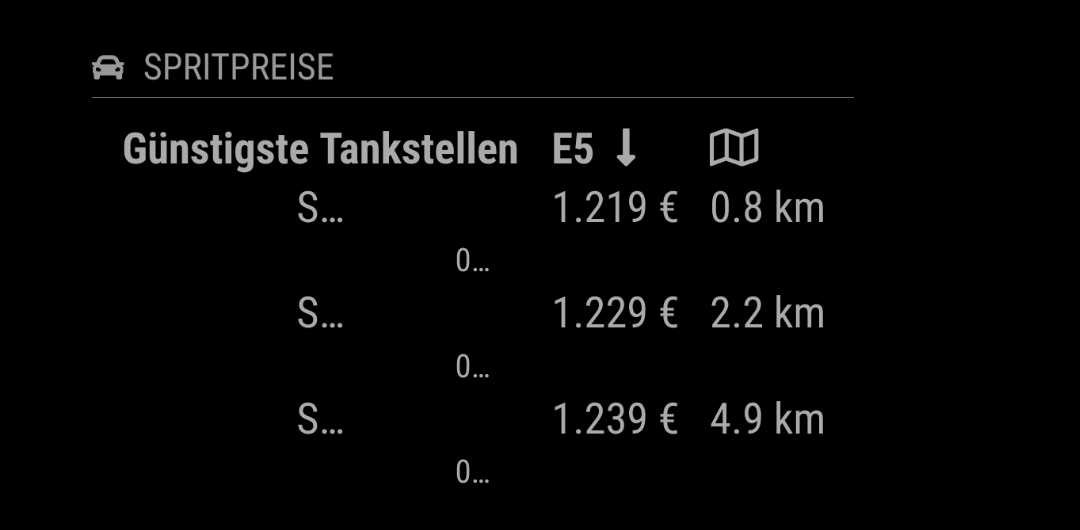
Hello,
when i set the shortenText-Function on true, then comes the first lettern only. When I set this function on false, than is the module to wide.
What can i do? Can I set the size of this modul?
-
@Pielo the documentation states that you need to provide an integer of how many character you want to see, the value false is just to deactivate the behavior.
Option          Default Description
shortenText	false	Integer of characters to be shown for name and address. Default shows all.
If you do
shortenText: 5, then it will show 5 characters andshortenText: 10will show 10 and so on -
Version 2.1.2
Added
- Config option
showDistancehttps://github.com/fewieden/MMM-Fuel/pull/49 - Missing jsdoc documentation
Changed
- Dependency update
Fixed
- Deinit map had a hardcoded index for markers.
https://github.com/fewieden/MMM-Fuel
[card:fewieden/MMM-Fuel]
- Config option
-
Version 2.2.0
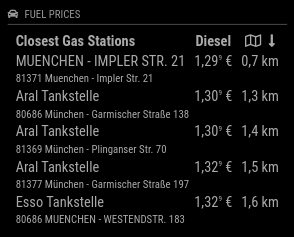
Thanks to @TheDuffman85 for his contribution to this release. This version allows either to search by radius, specific station, or a combination of those two for provider Tankerkönig (Germany).
Added
- Config option
stationIdsto check prices of specific gas stations (Tankerkönig only) - Github actions
Changed
- 3rd decimal is now superscripted
- Price and distance values are now localized based on global config option
locale.
Removed
- Travis-CI integration
https://github.com/fewieden/MMM-Fuel
[card: fewieden/MMM-Fuel]
- Config option
-
Hello,
Does this module work for France? -
Hello … getting this Error with npm start DEV
[17:08:01.452] [LOG] Error: Error no fuel station detail
at setStationInfos (/home/pi/MagicMirror/modules/MMM-Fuel/apis/tankerkoenig.js:189:19)
at process._tickCallback (internal/process/next_tick.js:68:7)module: "MMM-Fuel", position: "top_right", config: { //provider: "tankerkoenig", api_key: "xxxxxxxxxxxxxxxxxxxxxx", lat: 50.873798, lng: 8.023410, types: ["E5"], updateInterval: 60000, stationIds: [ { "id": "9ac83212-c785-476f-9862-34a4b04f6320", "name": "BELL Oil", ......................................What could that be ?
-
@RIKKO14 currently this module only supports Germany, Austria and NSW in Australia.
If you find an API for data in France the module can be expanded. A guide can be found here.
@eniac there are a couple of issues.
- You have the wrong format for the stationIds. It should be
stationIds: ["9ac83212-c785-476f-9862-34a4b04f6320"]. - I suggest not going lower than the default update interval of 15min. You currently fetch data every minute, which can lead to a suspension of your API key as other users experienced before. Also see limitations here https://creativecommons.tankerkoenig.de/terms
- The fuel type should be lowercase
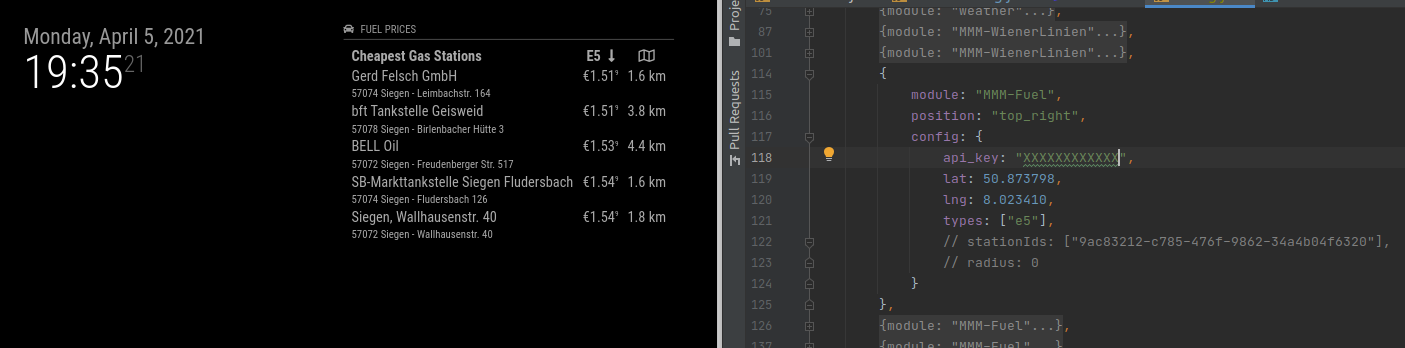
- The fuel station id you tried is inside the default search radius. There seems to be a bug currently, where we still make a request even if the list is empty. I suggest to either disable the radius search or remove the station ids.
{
  module: "MMM-Fuel",
  position: "top_right",
  config: {
    api_key: "XXXXXXXXXXXX",
    lat: 50.873798,
    lng: 8.023410,
    types: ["e5"],
    stationIds: ["9ac83212-c785-476f-9862-34a4b04f6320"],
    radius: 0
  }
},
{ module: "MMM-Fuel", position: "top_right", config: { api_key: "XXXXXXXXXXXX", lat: 50.873798, lng: 8.023410, types: ["e5"] } },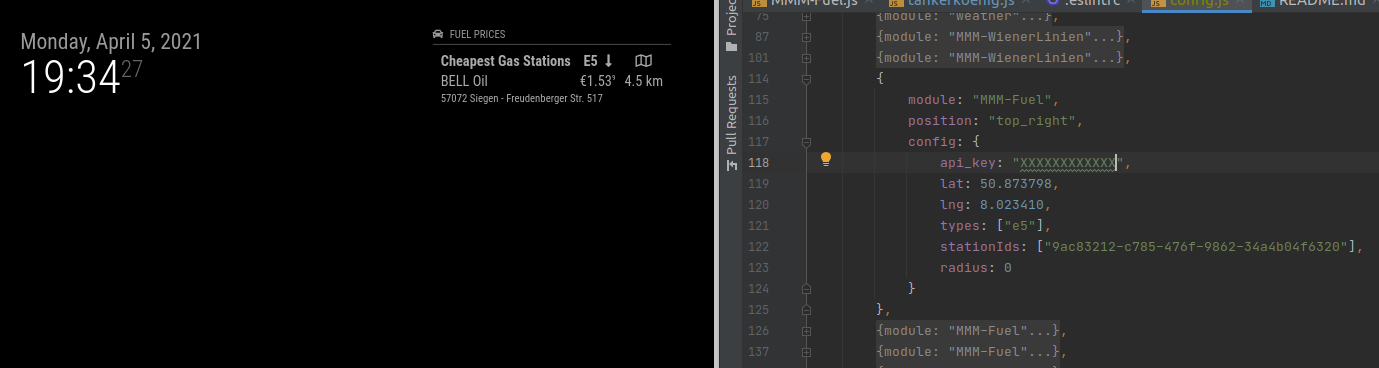
- You have the wrong format for the stationIds. It should be
-
Version 2.2.1
Fixed
- Filtering of station ids lead to invalid price request for provider tankerkoenig
Changed
- Log a warning if no fuel station detail could be fetched
- Updated provider integration documentation
https://github.com/fewieden/MMM-Fuel
[card: fewieden/MMM-Fuel]



Hello! It looks like you're interested in this conversation, but you don't have an account yet.
Getting fed up of having to scroll through the same posts each visit? When you register for an account, you'll always come back to exactly where you were before, and choose to be notified of new replies (either via email, or push notification). You'll also be able to save bookmarks and upvote posts to show your appreciation to other community members.
With your input, this post could be even better 💗
Register Login