Read the statement by Michael Teeuw here.
4k Dashboard
-
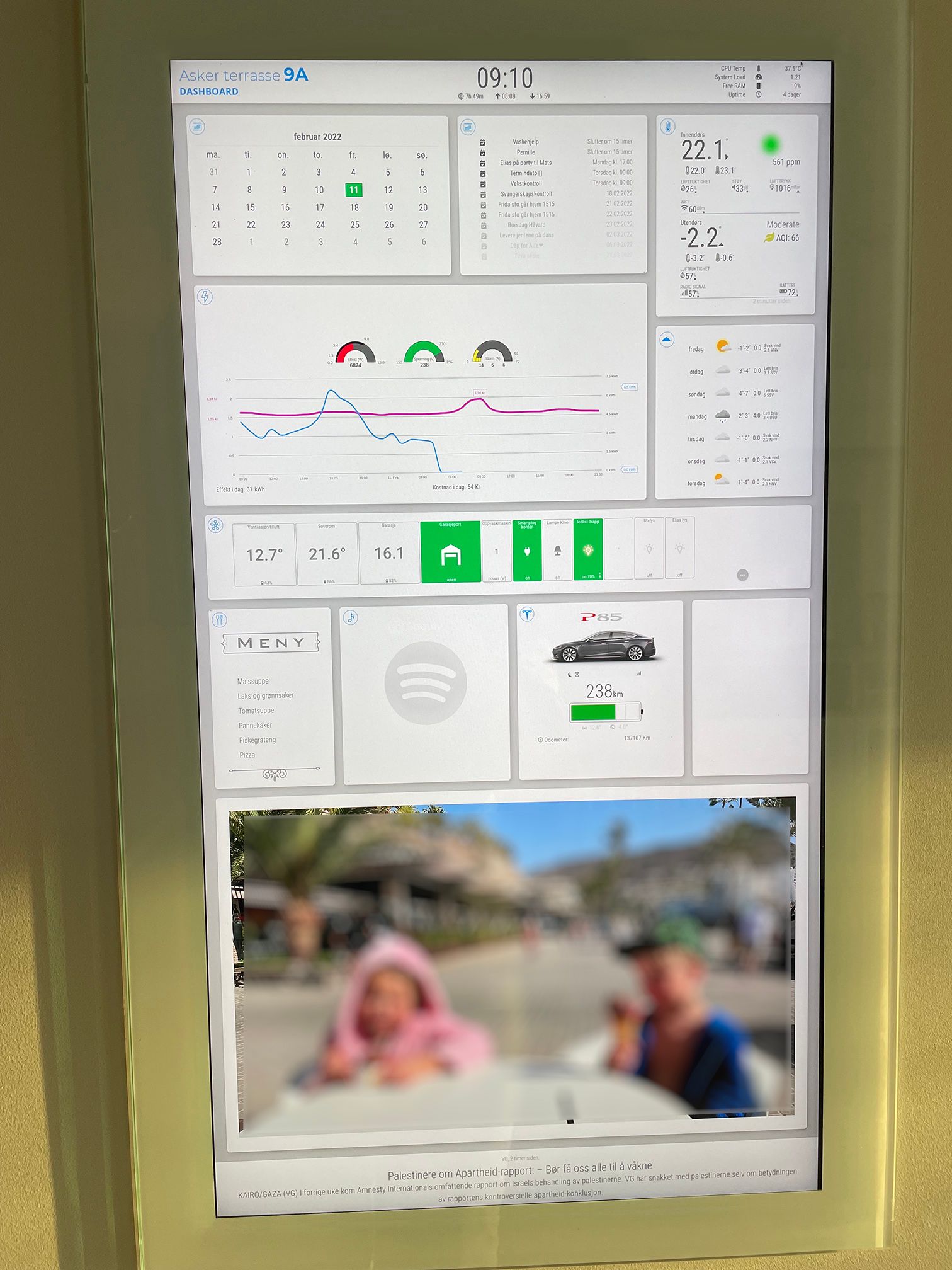
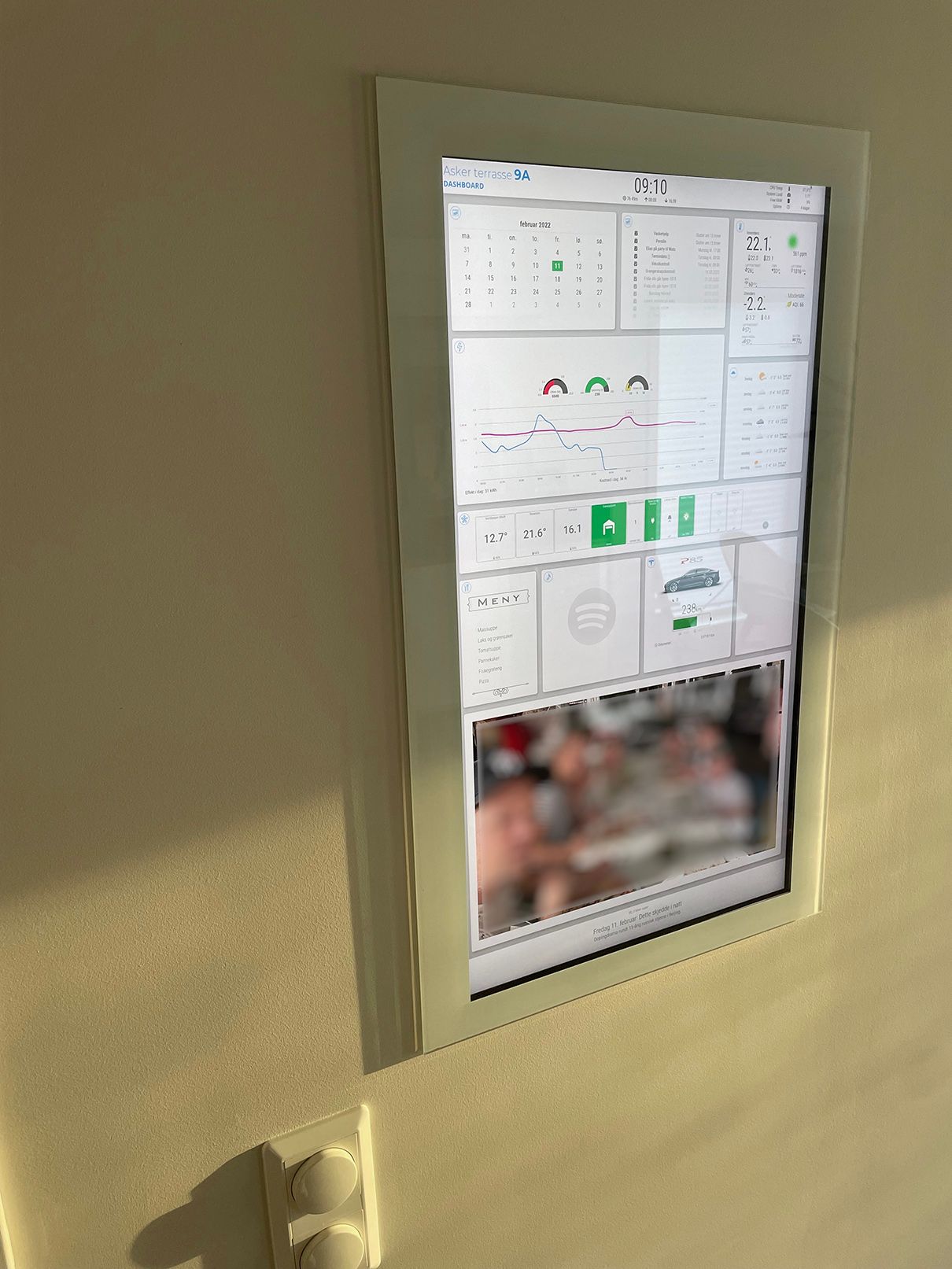
Dashboard
27" 4k monitor mounted inside the wall.
Glass front panel, with vinyl cutout on the back. Mounted with velcro.
Raspberry Pi 4 Model BUsing it for smarthome monitoring, calendar, power usage++
Modules:
Clock
System stats
Calendar_monthly
Calendar
Netatmo
Yrthen
MMM-Tibber
Iframe-ping (smarttiles)
Anylist
Nowplayingonspotify
teslamate
Imageslideshow
NewsfeedAll tweaked quite a bit with custom CSS.
Currently working on getting the Ring doorbell module to work. I want it to show the video feed as a overlay on the imageslideshow when someone is at the door. Cant get it to trigger. Wonder if its crashing with the iframe-ping module.
Its been a pain that the Pie is not liking portrait mode. Everything is super slow and lagging. Running fine in landscape mode. Because of this the configuration has been a real test of my patience…
-
Hello
great job
that’s wonderful
To rotate the screen you did it in css or with the classic interface.
If it’s not too much abuse can you show us your custom css to learn… -
Very nice layout!
I have a Model 3 on order and already have teslamate setup. I’m looking forward to making a “Tesla Dashboard” specific for my garage similar to how you’re showing your P85 and power use.
-
@aardal1 I wish I had to patience and creativity to really dive into CSS…instead I just wait for something like this to come along and shamelessly try and copy the code!
Great looking board!Full time Dad, DJ and entertainer and lover of technology.
-
@cyberphox Eh don’t feel bad… I many of us do the same. LOL
I’d be VERY interested in his css for this…
-
Have you looked at https://github.com/tchellomello/python-ring-doorbell
-
@frog I haven’t…although I’m unsure what it has to do with CSS
-
I have a Model X and also use Teslamate
I’ve incorporated that into my mirror as below:
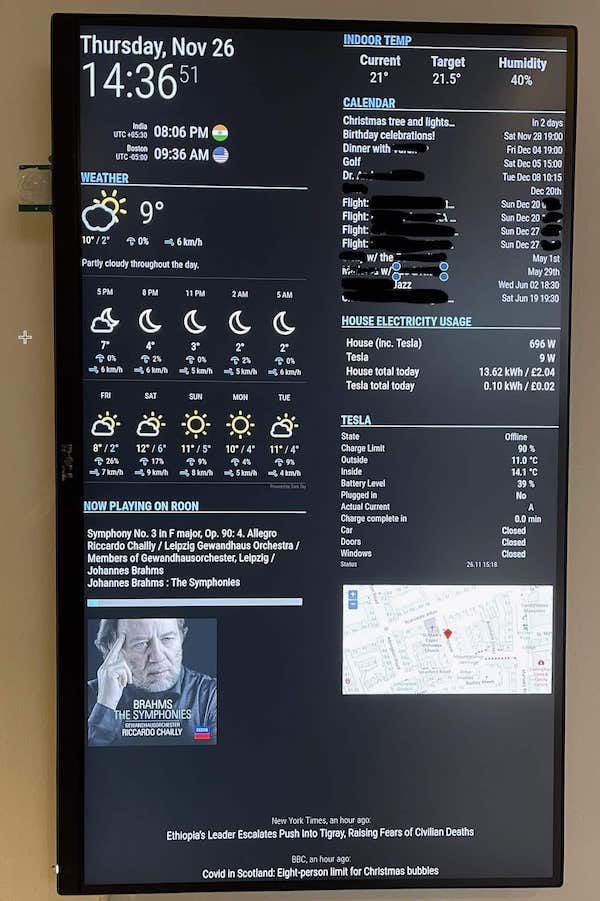
Using this module -
https://github.com/spitzlbergerj/MMM-TeslaLoggerAnd a little node script within an iframe to get the map
-
@Aardal1 can you share your custom code for MMM-Teslamate?
-
@mvrlogins Nice mirror… How did you keep the calendar from fading the time section…I’ve been trying and can’t find out where to turn off the fade… Thanks
Dennis N6NG -
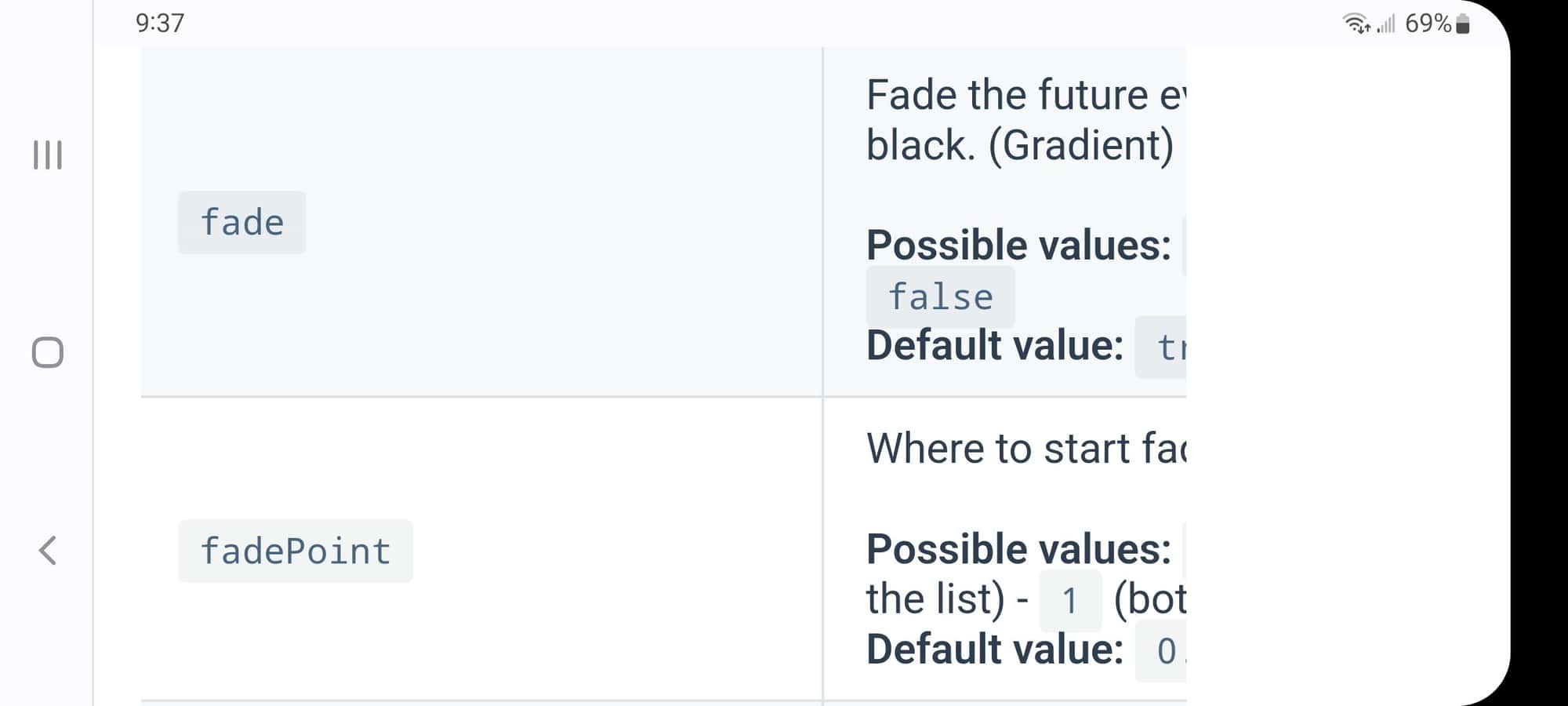
@N6NG from the doc
.
-
@sdetweil I don’t find fadePoint in the config.js file. Do I need to add it or is it in the calendar.css ?
-
@N6NG those are config.js settings
if not specified, then the default value is used.
so you can use
fade: false
to turn off fadeor
fadepoint:4
(for example to start the fade at 4th entry) -
@sdetweil I added the fadePoint ok but it only works on the event name. All the times are still faded which is what I don’t want faded.
-
@cowboysdude As am I. This would be VERY interesting.
-
@BKeyport That’s why I asked the person with the 4K mirror.
He had the calendar without faded times and that’s what I want to do. -
Sorry for the late reply - missed your post
Following is my calendar config in config.sys
      module: 'calendar',
      position: 'top_right',
      header: 'CALENDAR',
      config: {

        maximumEntries: 21,
        maxTitleLength: 25,
        fade: false,
        displaySymbol: false,
        timeFormat: 'relative',
        nextDaysRelative: true,
        dateFormat: 'ddd MMM DD HH:mm',
        fullDayEventDateFormat: 'ddd MMM DD',
        calendars: [
          {

            symbol: 'home',
            url: 'webcal://p49-caldav.icloud.com/published/2/abcdefghijkl......mnopqrs',
            maximumEntries: 19
          },
Hope that helps
-
@mvrlogins Thanks…
Dennis -
your mirror looks nice. Can you share your css?
-
thanks for this, it’s very inspiring.



Hello! It looks like you're interested in this conversation, but you don't have an account yet.
Getting fed up of having to scroll through the same posts each visit? When you register for an account, you'll always come back to exactly where you were before, and choose to be notified of new replies (either via email, or push notification). You'll also be able to save bookmarks and upvote posts to show your appreciation to other community members.
With your input, this post could be even better 💗
Register Login