Read the statement by Michael Teeuw here.
A whole lot upgrades to my MagicMirror, finally!
-
Dear fellows,
some time has passed by since I’ve worked on my MagicMirror v1.0, because personal and professional things had to be prioritezed. But never the less, I continued to upgrade my MM to v2.0 and I am happy to present you my results today!
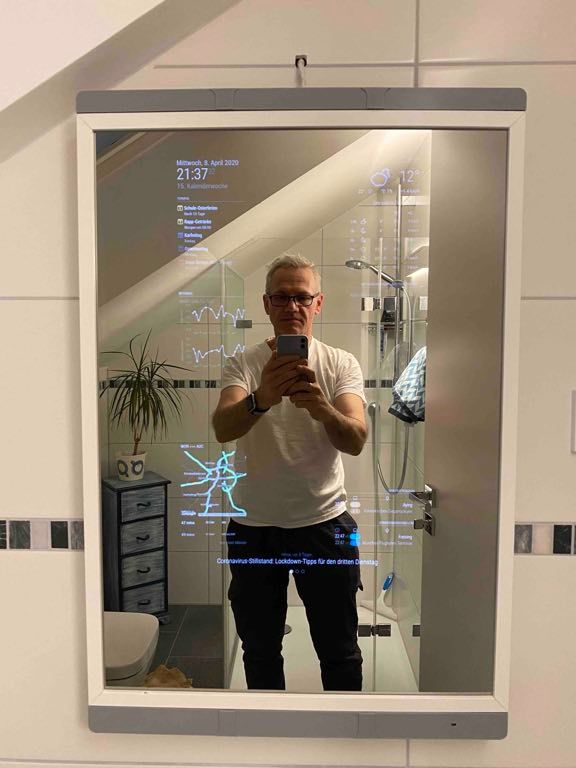
The major upgrade concerns the frame itself. As much as I like the simplistic RIBBA design with the narrow borders, it has a few drawbacks when it comes to adding sensors, which cannot be mounted properly behind glass or just don’t work there. This is true e.g. for the Grove gesture sensor, which needs a free sight to trigger it.
Further, I thought of some LED strips and wanted to make some space inside the frame and to relocate the RCWL-516 Doppler sensor. Although it works flawlessly behind glass, I didn’t like the position it was mounted to.
So I decided to add covers on the top and the bottom of the frame which should enclose the gesture and Doppler sensors neatly.But the question was, what design should the covers have, what material and how to accomplish the needed cut out for the gesture sensor?
After quite some research, I concluded to manufacture them myself - as 3D printed parts. To keep it short: I bought a Creality Ender 3 Pro 3D printer for Christmas and started learning how to print things (…but this is a totally different story…).
Since my print bed is not large enough I had to divide the covers into three equally long pieces and print them separately. To hide the cut edges I printed additionally some T-shaped covers and glued them over the edges.
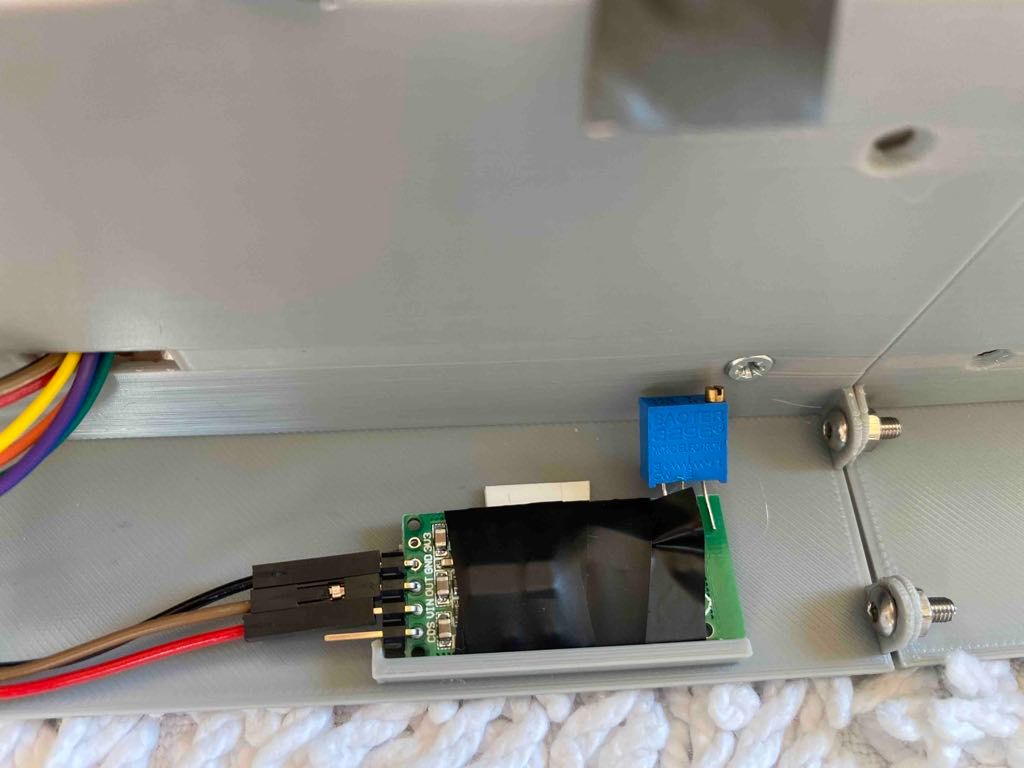
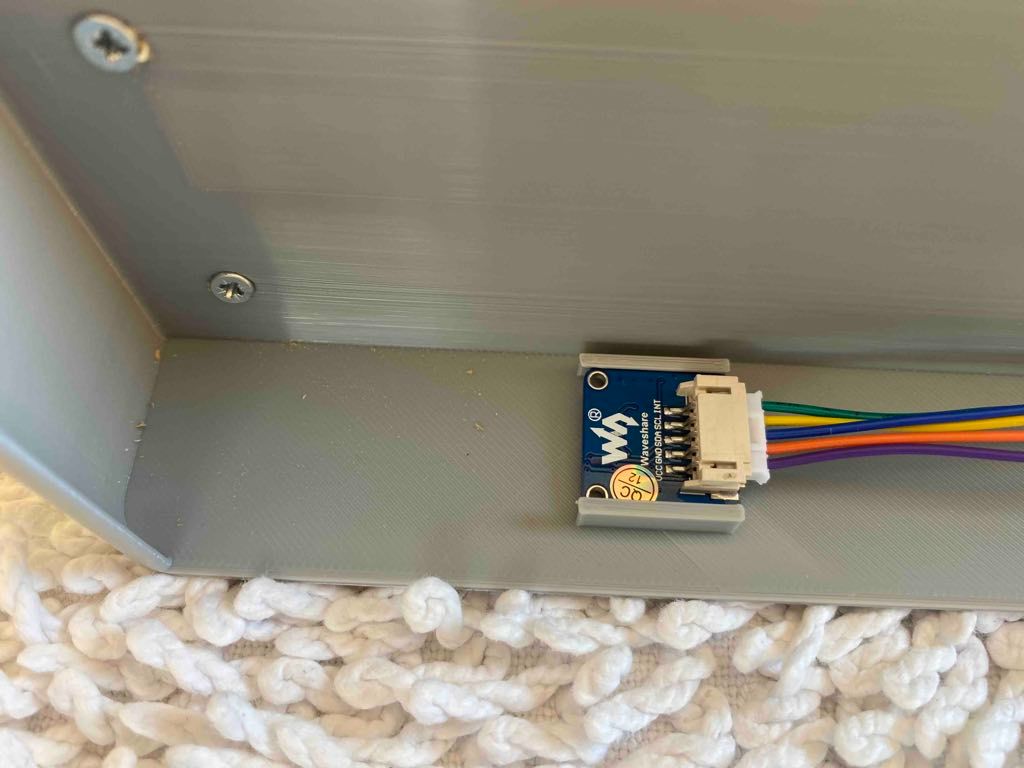
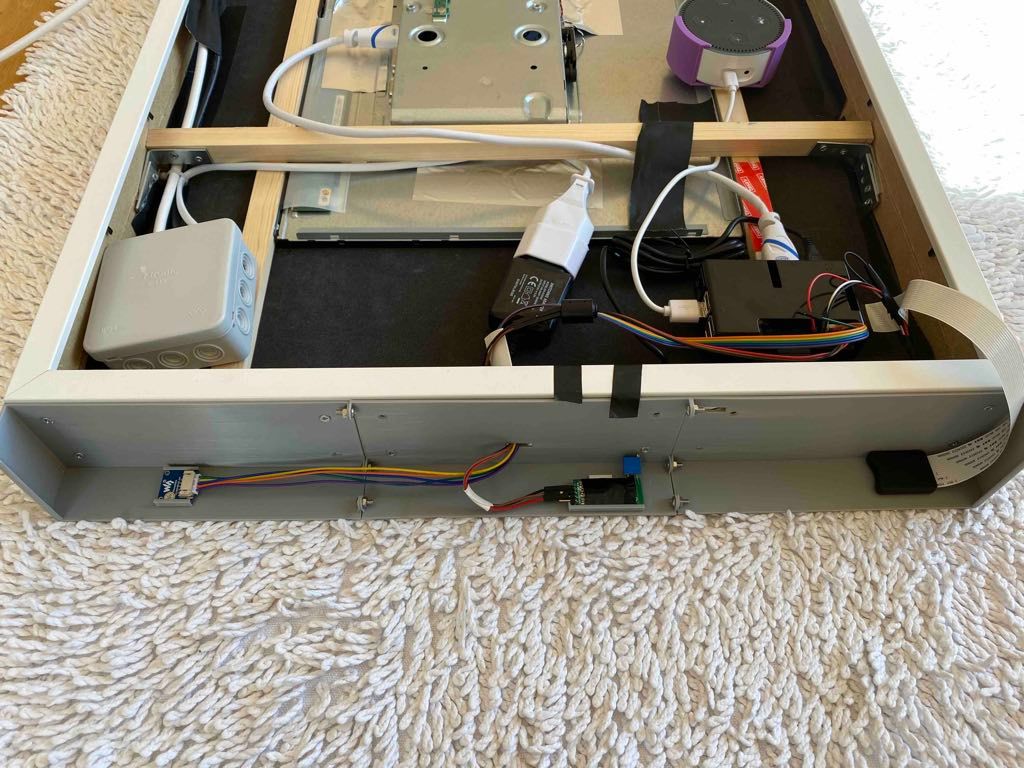
Last but not least I added an SD card extension to the RPi, which I mounted behind the lower cover. That way, I can easily access the SD card for e.g. backups without hanging the whole mirror up and down every time.
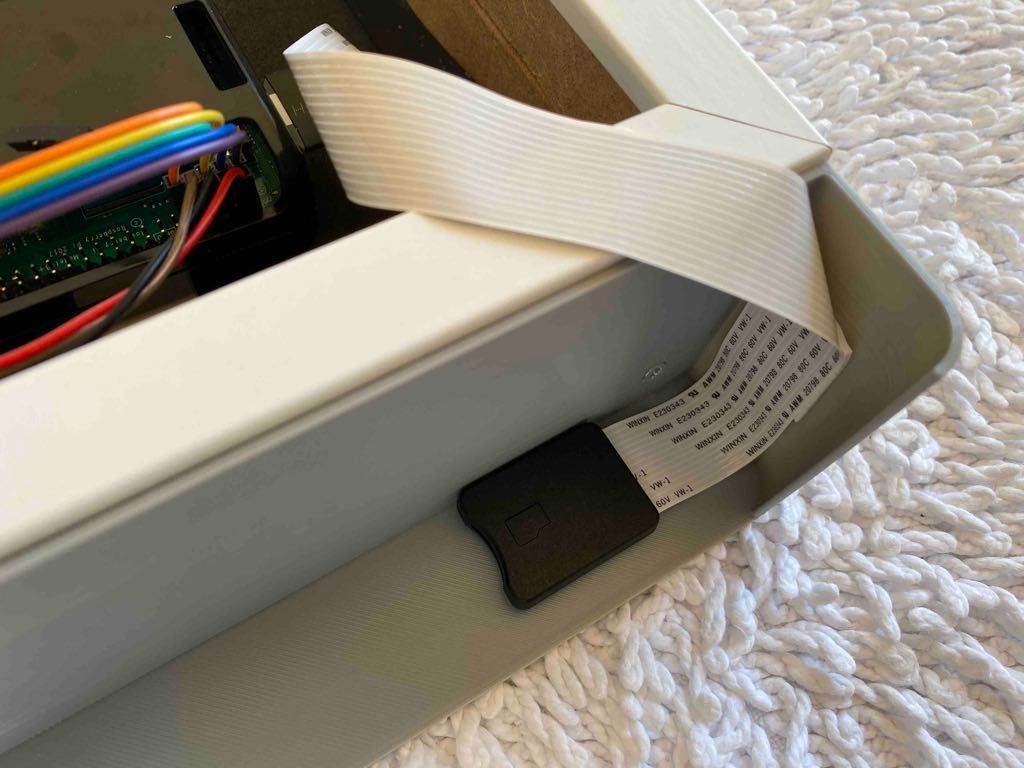
Everything is now there where and how it should be, but I currently postponed the LED stuff to a later point in time.
What I really love is the gesture sensor! It recognizes 9 different gestures and with the MMM-GroveGestures module you can configure various actions to be excecuted.
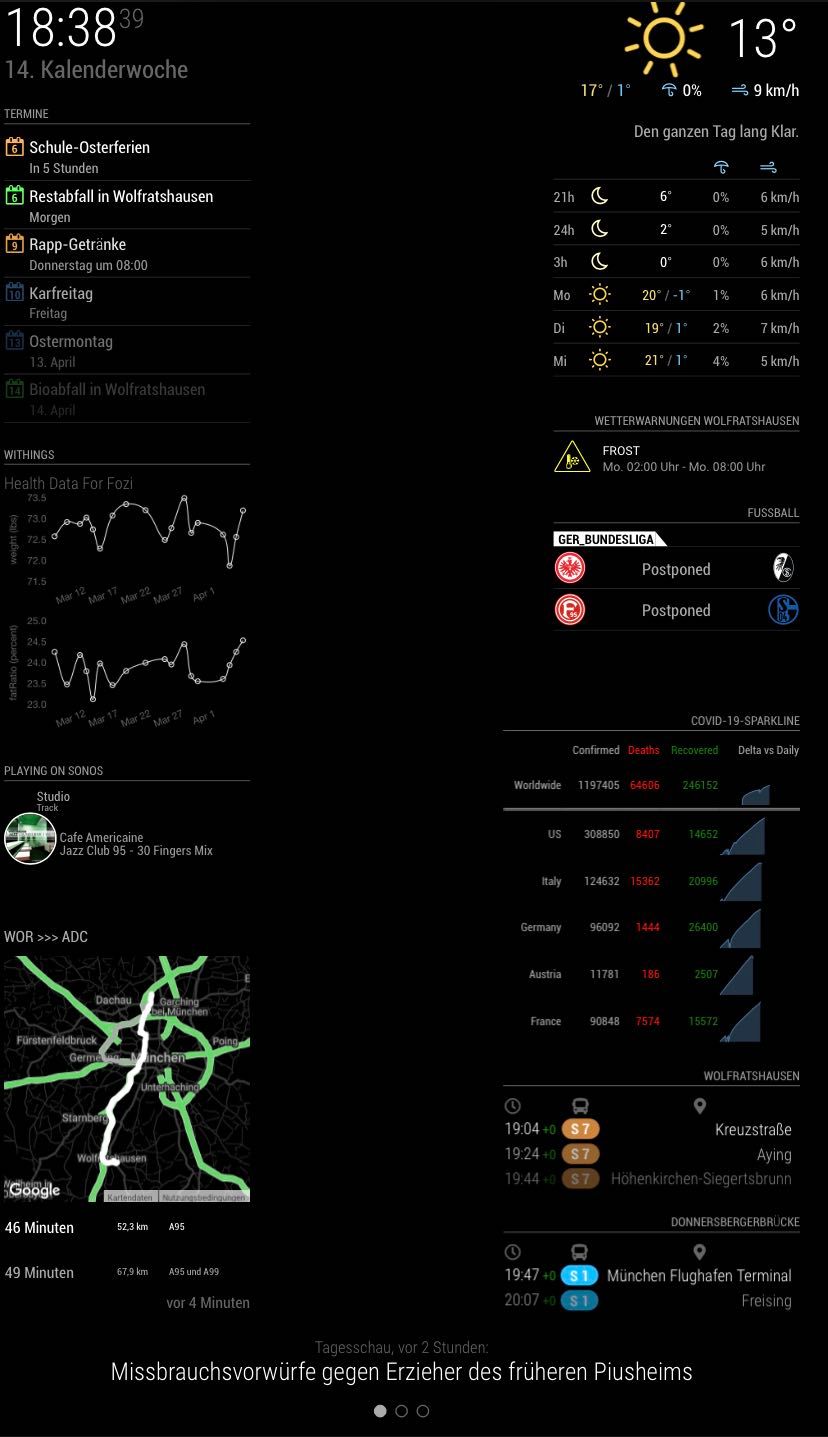
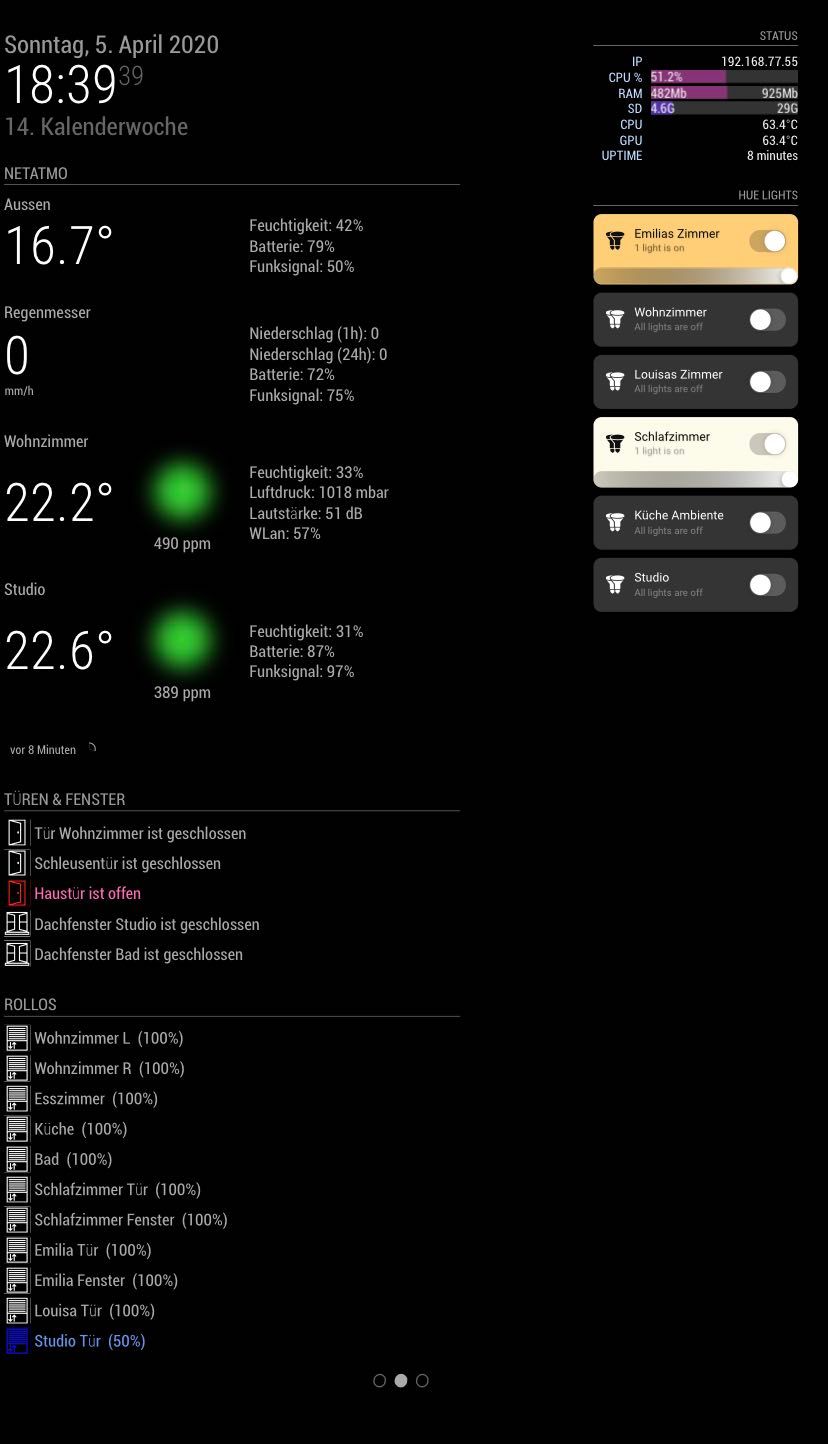
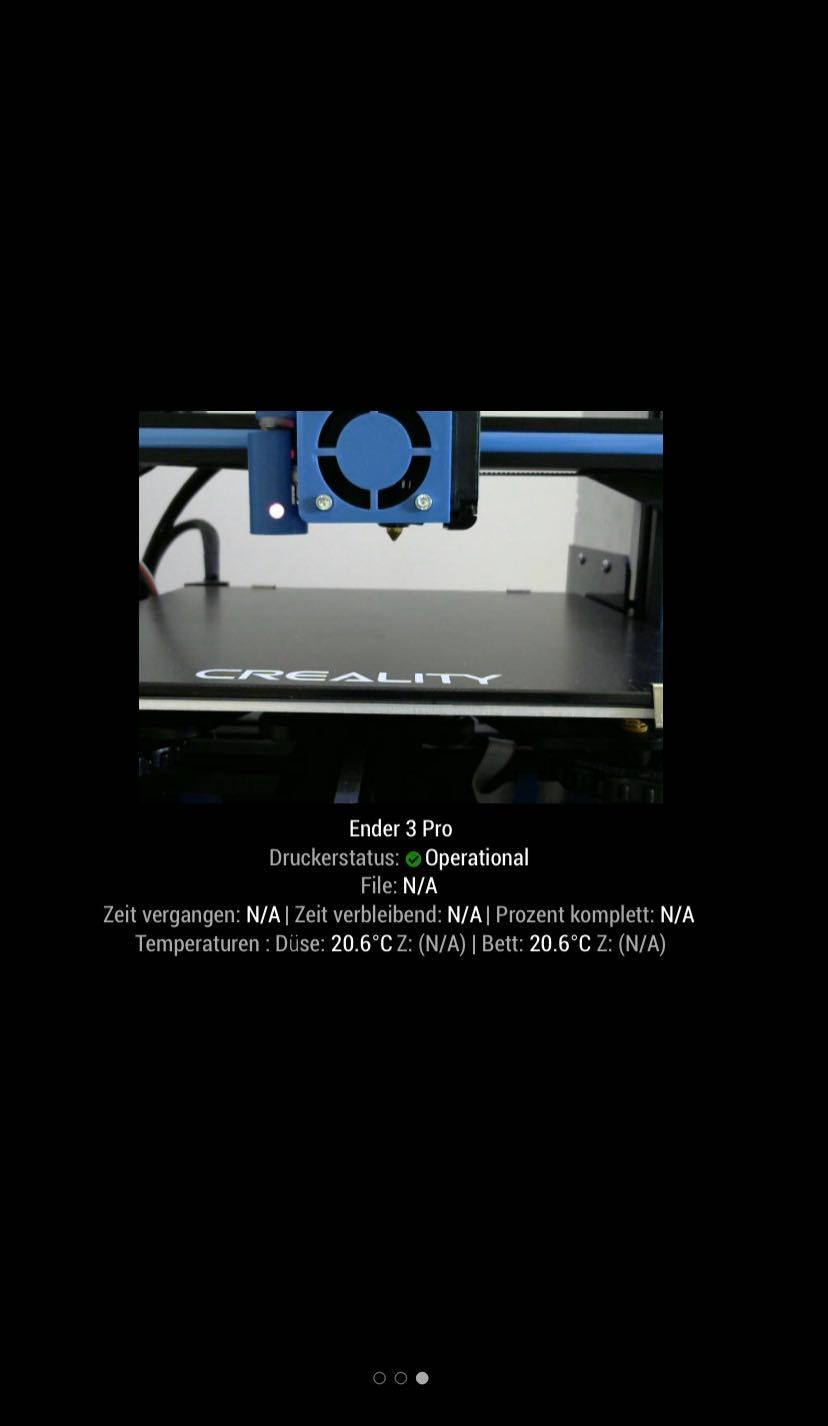
For example, I now can do a swipe gesture to the left to switch to the next page or to the right to the previous page. Alternatively I could ask Alexa to do so, too, but I prefer the gestures. Another use case is when I want start (or stop) the Tagesschau 100 sek. video podcast (german news flash). I simply do a clockwise gesture and the video starts playing (…or stops, of course). There are certainly plenty of more options I could do, but for now its sufficient for my needs…any ideas are of course welcome.While I mainly just rearranged the position of a few modules on the first page and added the MMM-COVID19-SPARKLINE module, I added a dedicated page which displays the status of a few of my Homematic, Netatmo and Philips Hue components and the RPi status. A third page provides a live video stream from the web cam I mounted to my 3D printer to check my prints remotely :smiling_face_with_heart-eyes:
If you want to print the covers or adopt them to your own RIBBA frame, I uploaded the stl and f3d files to thingiverse (https://www.thingiverse.com/thing:4263344) to your convenience.
In that course, I also found a neat mount for the Echo Dot to mount it properly inside the frame.
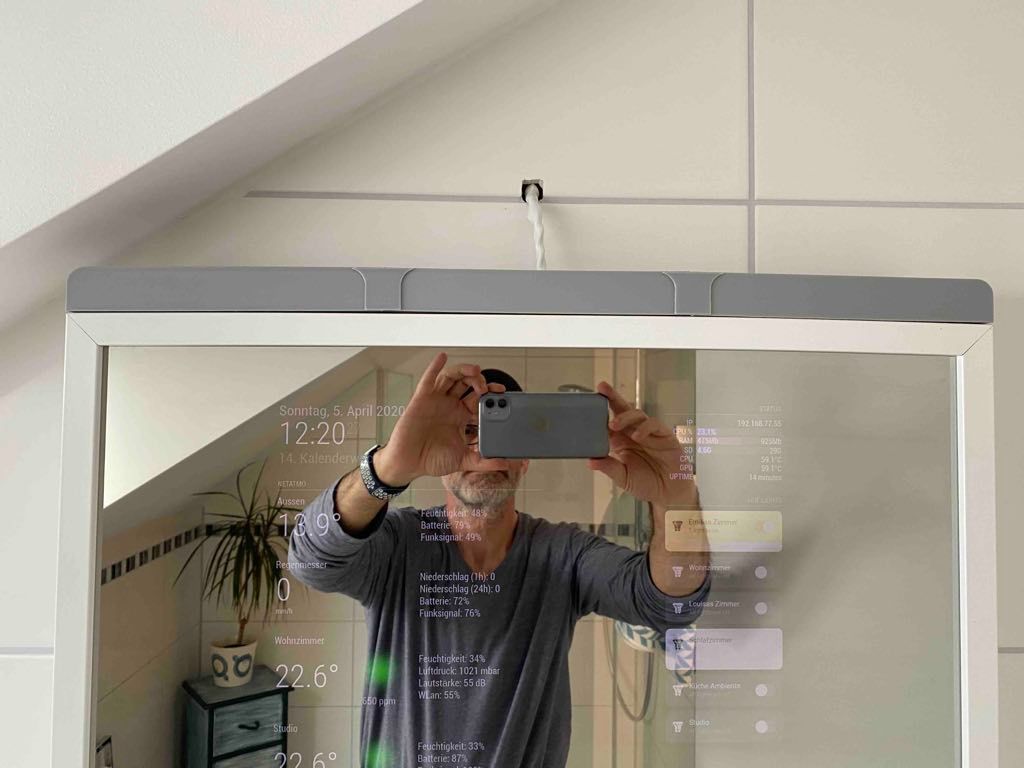
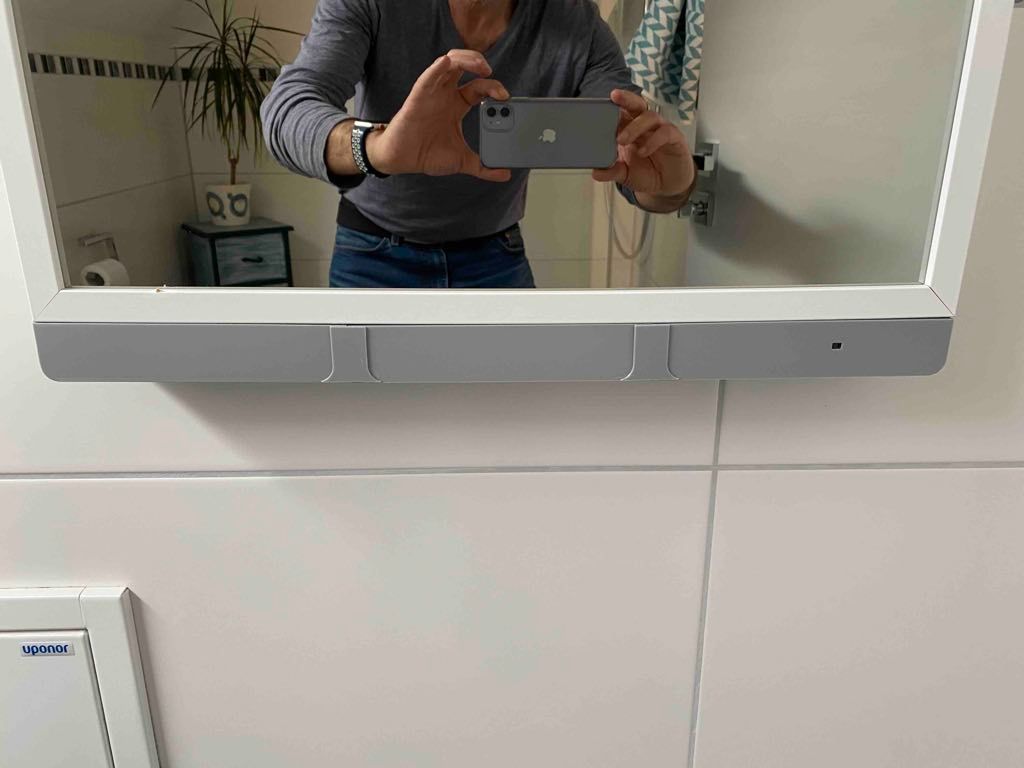
Following MMMs were added:
- MMM-GroveGestures (Thank you to @sean)
- MMM-Tools (Thank you to @sean again)
- MMM-Homematic (Thank you to the unknown developer)
- mmm-hue-lights (Thank you to @michael5r)
- MMM-Netatmo (Thank you to @CFenner)
- MMM-pages (Thank you to @edward-shen)
- MMM-page-indicator (Thank you to @edward-shen again)
- octomirror-module (Thank you to @shbatm)
- MMM-COVID19-SPARKLINE (Thank you to @skelliam)
Thanks for reading and #StayHealthy #StayHome
Fozi -
@Fozi great job!
Congratulations on your MM.
I will certainly take inspiration from your work …First step ECHO DOT … and then maybe gesture recognition!
-
@Egnos Thanks a lot! Regarding the Echo I sent you a PM.
-
I really need to look into this Groove Gesture thing more. Does it hook right to the Pi to control the pages or do you need an arduino?
-
@cyberphox you hook it directly to the GPIO, no Arduino needed. I‘ll post the pinning later as I am on mobile now.
-
@Fozi I just saw the pin instructions on the readme page…thank you though…I’m gonna maybe use this or a FireTv stick remote to switch pages…
-
@cyberphox That’s a cool idea!
-
hi,
What module did you use for your health data (weight etc)
thanks
Richie -
@banbutcher Hi, it’s the MMM-withings module https://github.com/kodymallory/MMM-withings.
-
ah i see… so its taken from the nokia apps! Im looking for the same but with either ios or google fit!
thanks for your reply! :)
-
Congrats on your second build!
Also, flattering to see so many of my modules in use. Thank you!
-
@j-e-f-f I have to thank YOU!!:folded_hands_medium_skin_tone:
-
@Fozi
Congratulations for your magic mirror, really very nice. I wanted to ask you: do you have memory problems on the electron process when running the MMM-withings module? for me with every data loading, the memory used increases. -
@sparkgap-code I have no Memory issues with this module. What I experienced a few times is that some modules don’t play well together and memory problems occur. I had that with MMM-Rain-Map and MMM-GoogleRoute. Each of the modules was fine alone. As soon as both were activated I ran into memory overflow. Lastly I gave up on GoogleRoute as I had no real need for it.
-
@Fozi Hi, I solved it by extending the update time to two hours and eliminating some features present in the chartJS. Now I am in the TEST phase but for now it seems to be fine.
-
Looks great!!! :)
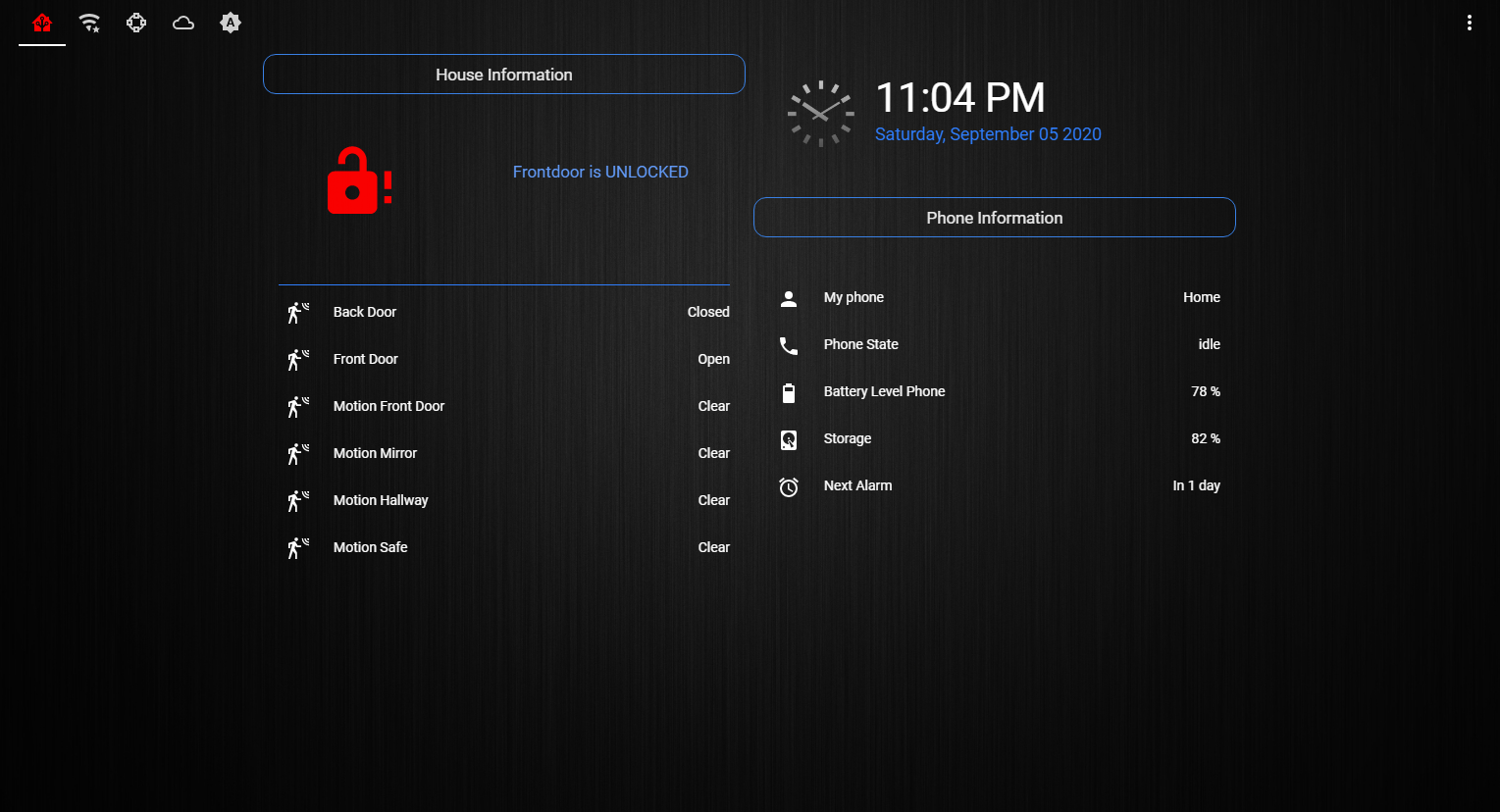
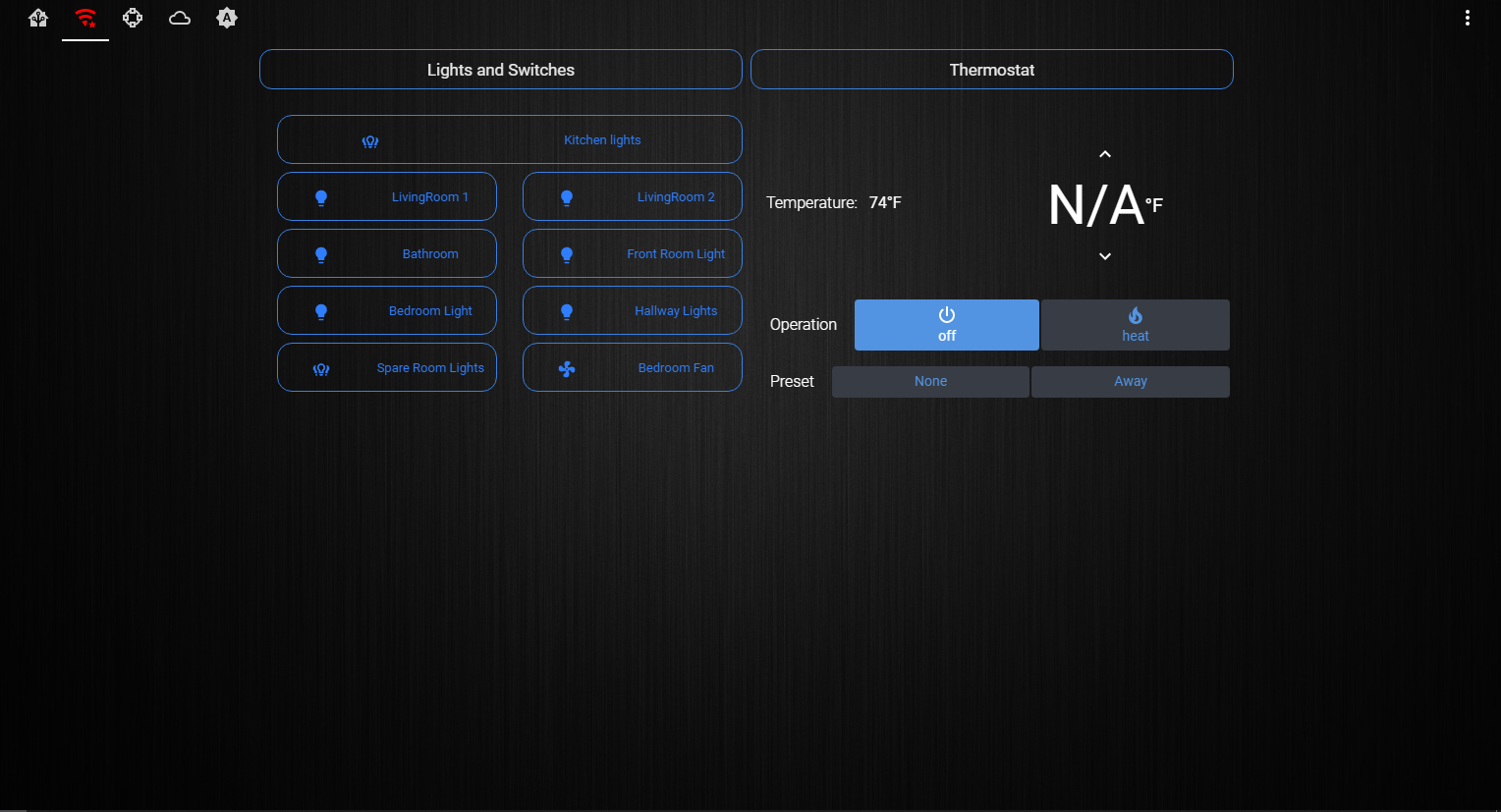
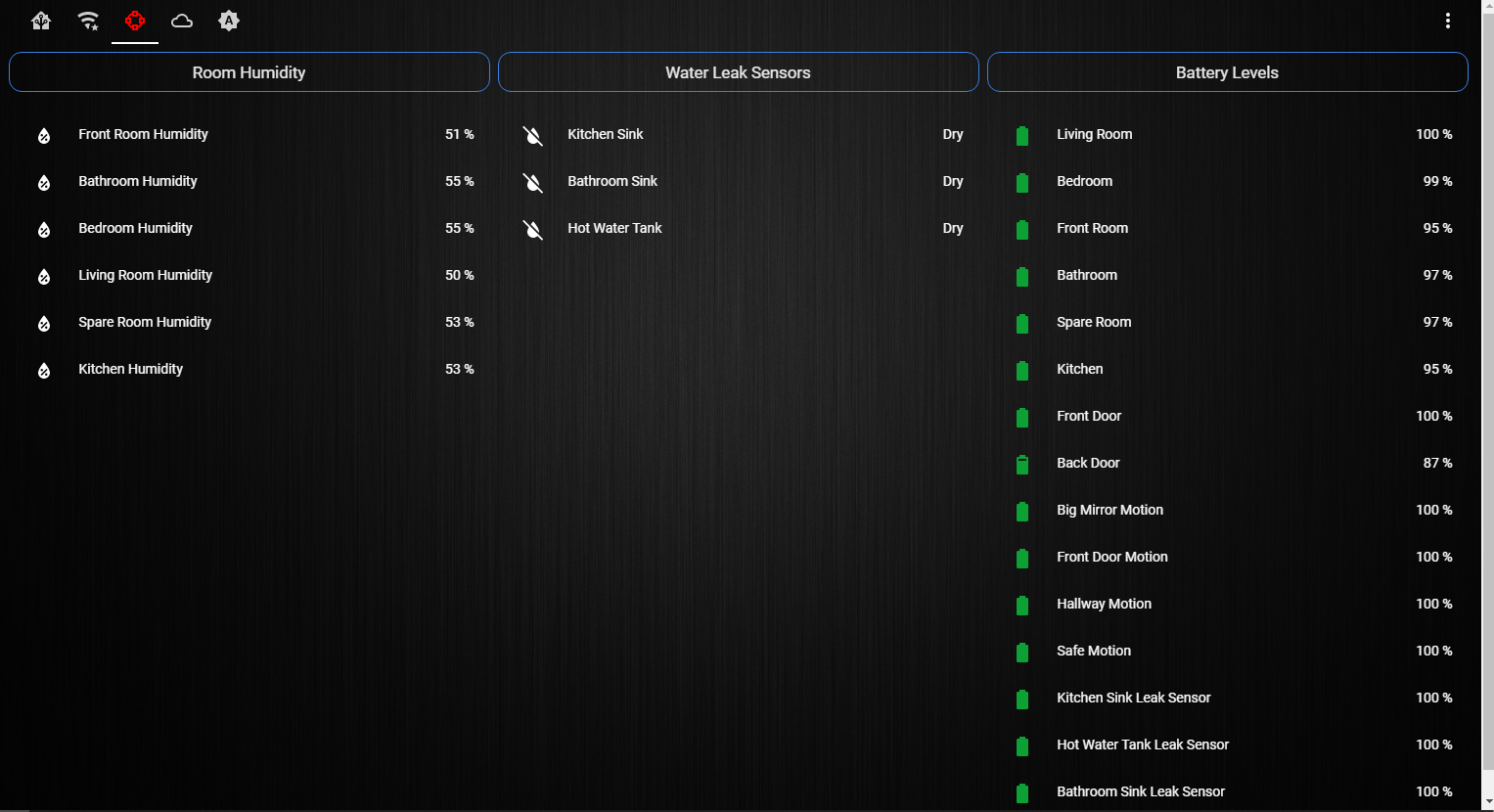
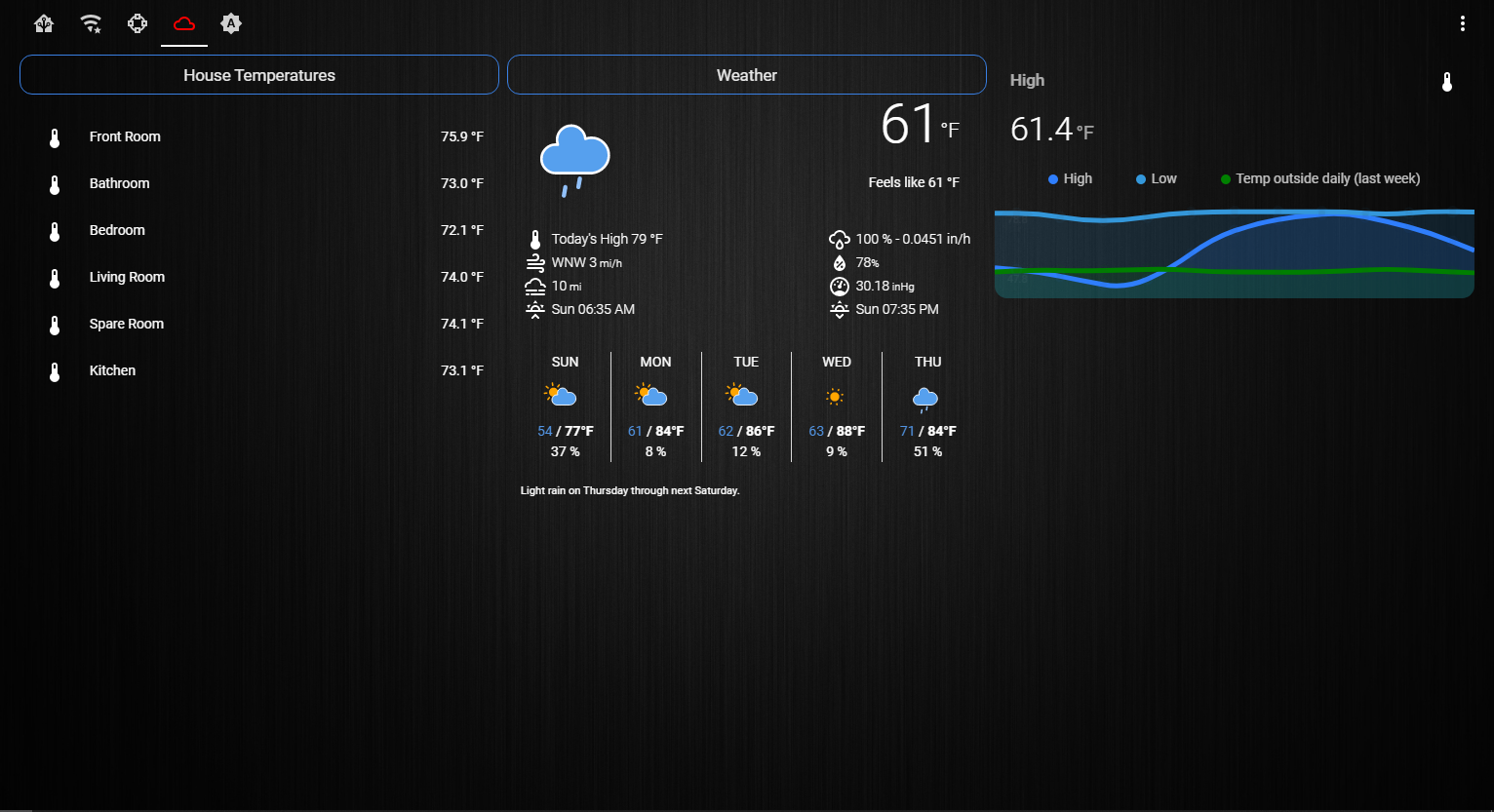
Here’s my new look
-
@cowboysdude thanks, mate! Your new look is fantastic! I love the clean and structured layout where you get information at a glance. Which home automation system or sensors/actors do you use?
-
@cowboysdude I’m loving my Home Assistant too! Also interested in what sensors you are using?
Full time Dad, DJ and entertainer and lover of technology.
-
@cowboysdude What module are you using for the phone information?
Love the clean layout. Looks awesomeCheck out my modules at: https://github.com/mumblebaj?tab=repositories
Check my blog-post: https://mumblebaj.xyz/
Check my MM Container: https://hub.docker.com/repository/docker/mumblebaj/magicmirror/general -
@Fozi I am using a TON of sensors. Temp/Humid sensors, water leak sensors, motion sensors. My thermostat is a Honeywell so there’s a work around to show that and make it work. My door lock is zwave… I have a ton of switches and smart LED bulbs… switches are GE single pole and bulbs are made by CREE and Samsung. I have also ordered a Samsung Motion sensor…
Waiting for my two Arduino’s to build my USB Motion sensors to turn monitors on and off… those parts should all get here this week! :)
Are you on HA forum?
It’s what I wanted this to do from the beginning :)



Hello! It looks like you're interested in this conversation, but you don't have an account yet.
Getting fed up of having to scroll through the same posts each visit? When you register for an account, you'll always come back to exactly where you were before, and choose to be notified of new replies (either via email, or push notification). You'll also be able to save bookmarks and upvote posts to show your appreciation to other community members.
With your input, this post could be even better 💗
Register Login