Read the statement by Michael Teeuw here.
MMM-RAIN-MAP (new: version 2.x)
-
Hi @gabrielm9 ,
contribution is always welcome :-)You have to compile the Typescript sources using
npm run build.Let me know, if you have problems. I‘m waiting for your PR
-
Hi @gabrielm9,
the latest version 2.5.x supports different color schemes now.
-
Outstanding work fellas
-
Hi @jalibu,
Thanks very much! I was about to spend time figuring it out how to variabalize the code but I’ve learned from what you did. I would have taken me a week to figure it out :slightly_smiling_face:. The wife thanks you as well.
-
osmMapUrl: "https://cartodb-basemaps-{s}.global.ssl.fastly.net/dark_all/{z}/{x}/{y}.png"I’m using the dark map referenced above on a black background but every time the module changes zoom level it fills with a white background until the new map tiles populate. It’s worst when zooming out,
Does anyone know if it there is a parameter I can change so the blank tiles between zoom levels stay black?This is a minor annoyance with an otherwise great module.
Thank you! -
@fmarcu said in MMM-RAIN-MAP (new: version 2.x):
Does anyone know if it there is a parameter I can change so the blank tiles between zoom levels stay black?
try to add this to your custom.css
.MMM-RAIN-MAP .leaflet-container { background: #000; } -
@jalibu said in MMM-RAIN-MAP (new: version 2.x):
try to add this to your custom.css
.MMM-RAIN-MAP .leaflet-container {
  background: #000;
}
That worked! Thank you!
-
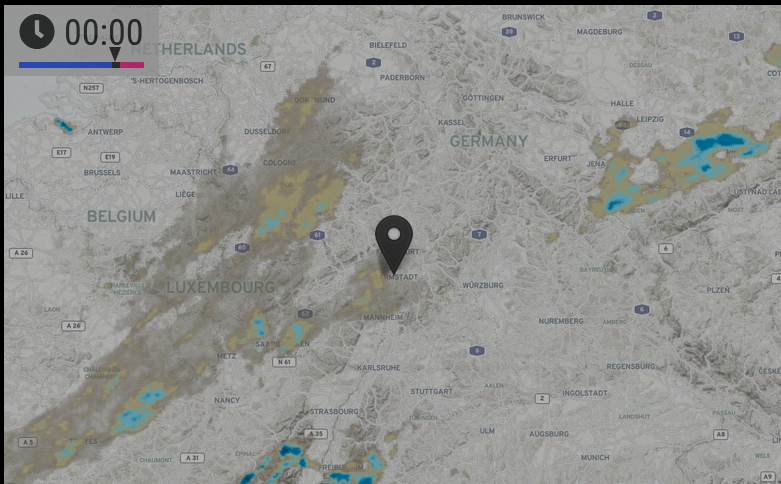
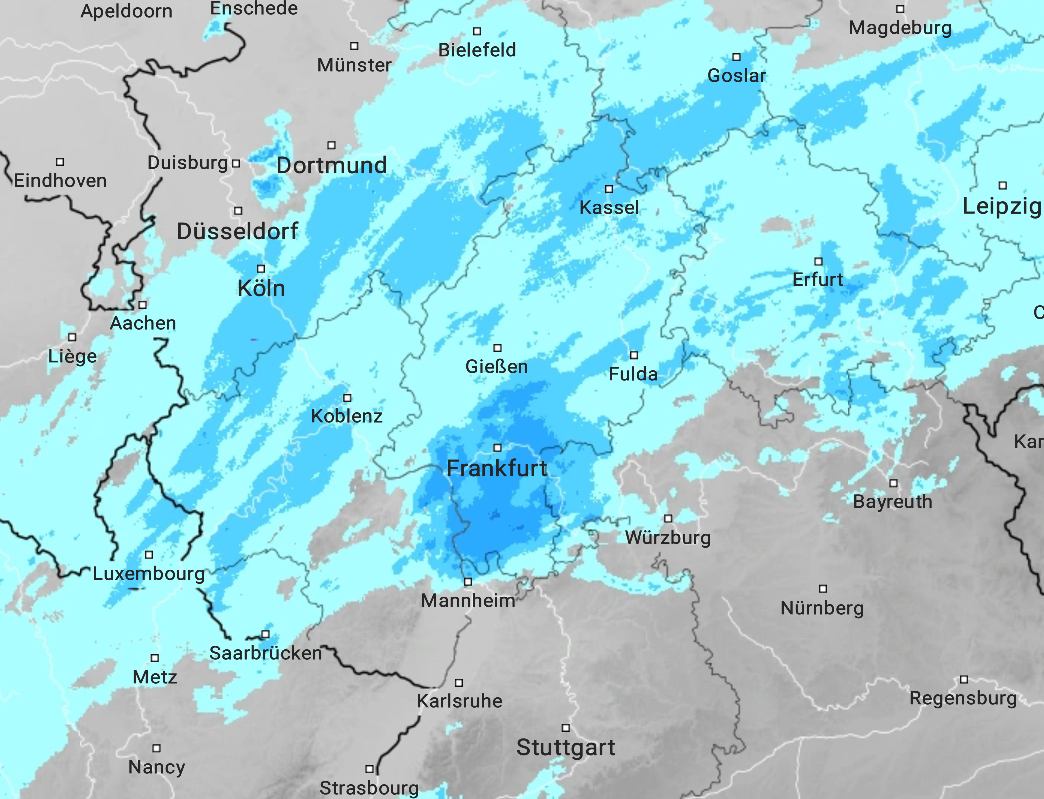
this is the current rain situation and I don’t understand the differences, first picture your module, second one https://www.wetteronline.de/regenradar .
And the second one is reality …
-
@karsten13 Unfortunately, I can’t tell you that. I am only responsible for the display layer, not for the weather data :-)
The radar layers come from the Rainviewer API, which I have actually had quite good experiences with in the past.
Is it the usual case on your mirror that the displayed radar images do not match the reality?What I can see is that RegenRadar.de and RainViewer have different scales. With RainViewer it needs a much higher degree of cloudiness to be displayed on the map.
-
Unfortunately, I can’t tell you that. I am only responsible for the display layer, not for the weather data 🙂
I’m aware of this …
Is it the usual case on your mirror that the displayed radar images do not match the reality?
saw such differences this week the first time
What I can see is that RegenRadar.de and RainViewer have different scales. With RainViewer it needs a much higher degree of cloudiness to be displayed on the map.
will oberve this but the differences are heavy and AFAIS not only explainable with the different scales. Meanwhile I was already asking myself if the rain layer is showing a total different location …
-
@karsten13 let me know your findings
-
A few days ago, Openstreepmap obviously made some changes with their tile servers. They seem to block requests now, when the requests come from Electron applications. This is the case in most MagicMirror installations. As a consequence, MMM-RAIN-MAP does not show map tiles anymore.
I suspect, that also other modules are effected.
One possible fix is using another tile server for MMM-RAIN-MAP. One that still works at the moment, is the German fork “https://a.tile.openstreetmap.de/${z}/${x}/${y}.png”.
I will adjust the module soon, to use this tile server as a default.
You can also change the tile server by setting this property in the module config:{ mapUrl: "https://a.tile.openstreetmap.de/${z}/${x}/${y}.png" } -
@jalibu
Woohoo!!
Thank you for posting this change. I was going nuts trying to figure out why my radar map became a white background.Bummer the .org site is blocking connections.
I’m curious, is there a way to make the radar images more transparent? Here in Ohio we get a lot of deep greens and blues so they hide the map entirely.
-
 K karsten13 referenced this topic on
-
the german tileserver fork is default now
-
@Jalibu I am getting a message that MMM-RAIN-MAP is 2 commits behind but I can’t see to update it. I have run NPM Update from inside the directory to no result. Is there a different process?
Thanks
-
@pminich did u do the git pull in the module directory to get the latest code?
-
@sdetweil All set, thanks. Still learning my way around npm, git, etc…
-
Seems like we’re in the same Boat! Weirdly enough, it hasn’t rained today. I’ll have an eye on it once it starts again!
-
Hello,
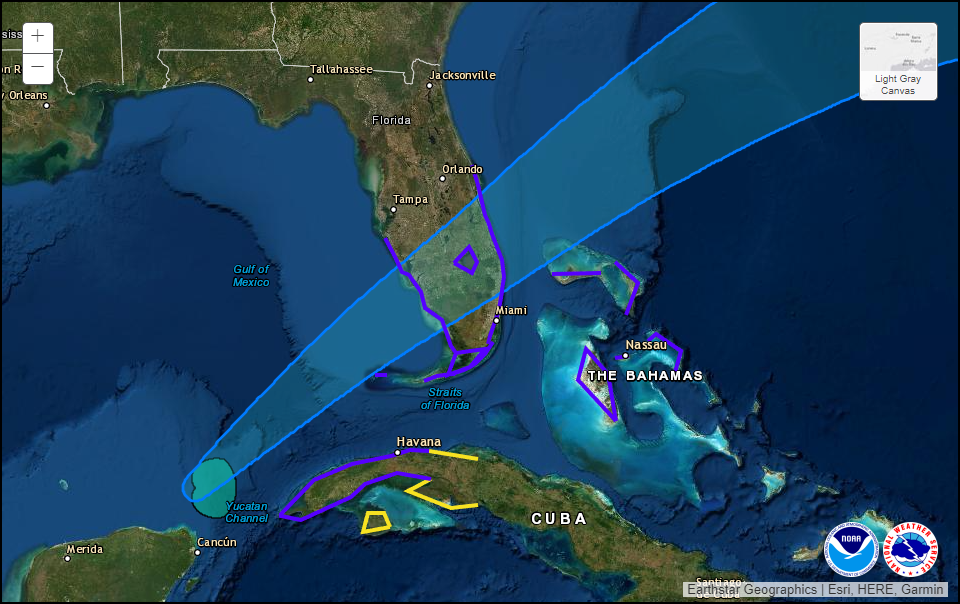
Is it possible to add a layer for tropical storm/hurricane tracks similar to how NHC does with their ‘interactive map’?
https://www.nhc.noaa.gov/refresh/graphics_at1+shtml/122110.shtml?gm_track#contents
-
@Jalibu said in MMM-RAIN-MAP (new: version 2.x):
A few days ago, Openstreepmap obviously made some changes with their tile servers. They seem to block requests now, when the requests come from Electron applications. This is the case in most MagicMirror installations. As a consequence, MMM-RAIN-MAP does not show map tiles anymore.
I suspect, that also other modules are effected.
One possible fix is using another tile server for MMM-RAIN-MAP. One that still works at the moment, is the German fork “https://a.tile.openstreetmap.de/${z}/${x}/${y}.png”.
I will adjust the module soon, to use this tile server as a default.
You can also change the tile server by setting this property in the module config:{ mapUrl: "https://a.tile.openstreetmap.de/${z}/${x}/${y}.png" }How do I go about getting that for the usa in particular kansas.?



Hello! It looks like you're interested in this conversation, but you don't have an account yet.
Getting fed up of having to scroll through the same posts each visit? When you register for an account, you'll always come back to exactly where you were before, and choose to be notified of new replies (either via email, or push notification). You'll also be able to save bookmarks and upvote posts to show your appreciation to other community members.
With your input, this post could be even better 💗
Register Login