@SpecialRob Pictures certainly are better than words. After all, they take up more disk space.
B
Offline
A New Chapter for MagicMirror: The Community Takes the Lead
Read the statement by Michael Teeuw here.
Read the statement by Michael Teeuw here.
Posts
-
RE: Making Frame/Case for Magic Mirror
-
RE: Fitbit
@Oliver_Tooth Hrm. The next step would probably be to check the NPM logs. I think they’re located at
~/MagicMirror/npm-debug.log, or possibly in the FitBit module’s directory itself.It sure sounds like you’re not extracting data from the website.
-
RE: Fitbit
@Oliver_Tooth For starters, I would open up the developer tools to see if there are any obvious errors when the module is attempting to load data from the Fitbit servers.
If you’re using an external machine to view the web application (such as Firefox, Chrome, Edge or whatever) press the F12 button. You should see the screen divide and show you what’s going on behind the scenes. Find the console tab and click on it. Look for any error messages in red and see if that helps.
If you’re modifying the Pi directly, add the dev switch to the start command:
npm start dev. It will likewise open up the developer tools and you can see what’s going on.It’s a start.
-
RE: Installing MagicMirror2 on Ubuntu Mate 16.04 issue with electron
@lagoon7 Yeah, for starters don’t use the script to install on a Raspberry Pi running Raspian Jessie to install on an Ubuntu operating system. The script only works on Raspberry Pi running the Raspian OS. You’ll want to follow the manual installation instructions (and be prepared to make some changes).
- Install Node & NPM.
- Install Electron.
- Install Git.
- Clone the MagicMirror repository to your home folder.
I may have forgotten one or two steps from when I installed it on an Ubuntu Fitlet. At that point, it operates more-or-less like any other Magic Mirror installation.
-
RE: Trouble with config file, Error Create Config File
@twosix said in Trouble with config file, Error Create Config File:
I get the unable to validate config error, and gives me a need to create config screen when booted. How do I fix?
The “need to create config” error message usually means that you have not copied the example configuration file to the production file. You’ll want to copy the
config.js.samplefile to it’s final destination ofconfig.js. You can use this command (assuming you haven’t changed the paths and you’re using a standard Raspberry Pi):
cp /home/pi/MagicMirror/config/config.js.example /home/pi/MagicMirror/config/config.js -
RE: Office Installation
To answer @dsegel’s question: There are two monitors and two instances of the Magic Mirror software running. Originally, I was going to run two copies on the Fitlet, which is an i3, 8GB micro PC. But I couldn’t reliably get one instance to run on an assigned monitor. Ubuntu doesn’t have the graphics drivers for this sort of thing. I could extend the desktop to encompass both monitors, but I would end up with one interface stretched over two monitors. I tried putting the electron interface on one monitor and run a browser in kiosk mode on the other, but I couldn’t programatically guarantee that they wouldn’t both end up on the same monitor. In the end, I opted to go with two devices.
The RasPi is going to run a fairly standard mirror installation. Weather, newsfeed, traffic, calendar (I’ll set one up for the office to track visits from customers). The Fitlet is going to run my MMM-GlobeJS module and tie into our software product. We offer a VPN service with locations around the world, so my plan is to plot where our VPN exit points are on the globe as it spins. Once I get it complete to where I like it, I’ll publish the module. The RasPi uses the onboard WiFi to tie into the office network, securely log into the VPN and then shares the connection to the fitlet via ethernet. It’s not quite ready yet, but we’ll be able to log into either the Pi or the Fitlet via SSH, so I can turn our front end team loose on it.
It’s coming along. Much work left to go, but it’s coming along.
-
RE: Office Installation
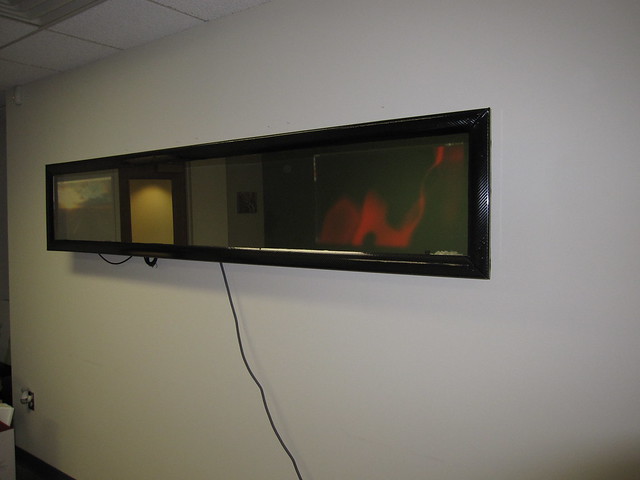
So that’s neat an all, but here comes the downside: The mirror that I repurposed to use in this installation isn’t suitable for a Magic Mirror. It’s designed to have an abstract flame-like pattern projected upon it. The coating that gives it the one-way effect also has a diffusing agent. So everything is blurry looking through the glass and it gets worse the farther away from the glass you place the image. It wasn’t so bad when I was testing it before I built the mirror, as I would hold my smartphone up against it and it looked acceptable. But the thickness of the bezel and the design of the frame is enough to make anything unreadable. So I bit the bullet and ordered new glass in the same size. It should arrive at the office next week. I’ll take my tools to work and swap the glass after hours one day.
The not-suitable mirror is taken from one of these: Dynasty Wall Mount LED Fireplace
-
RE: Office Installation
So this was an interesting project. I showed my first mirror to my boss and he was so impressed with it, he voluntold me to make one for the office. He gave me a budget and told me to complete it at my own pace. Other than “make it impressive” and “modern”, I was given more or less a free hand.
I considered mounting a 65" TV and doing it that way, but I had a piece of one-way glass fall into my lap. I figured it would be faster to use it than order a chunk of glass large enough to make that ginormous mirror. The trouble is… the glass is 88" x 15". It’s repurposed from a faux-fireplace thing that my neighbor is installing in his bathroom (don’t ask). So in the end, I decided that two monitors behind one glass would work. This way, there’s always a portion that is just reflection so people can primp.
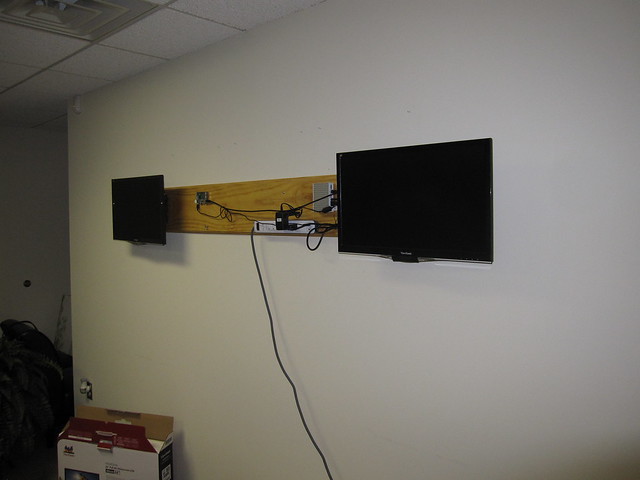
So I started out by working out the mounting problem. With two monitors and a really long piece of mirror, I decided that I could keep the bezel on the monitors and use commercial wall mounts that attach to the VESA holes in the back of the monitor. The mirror hangs off of the monitors, instead of the frame supporting both the monitor and mirror.
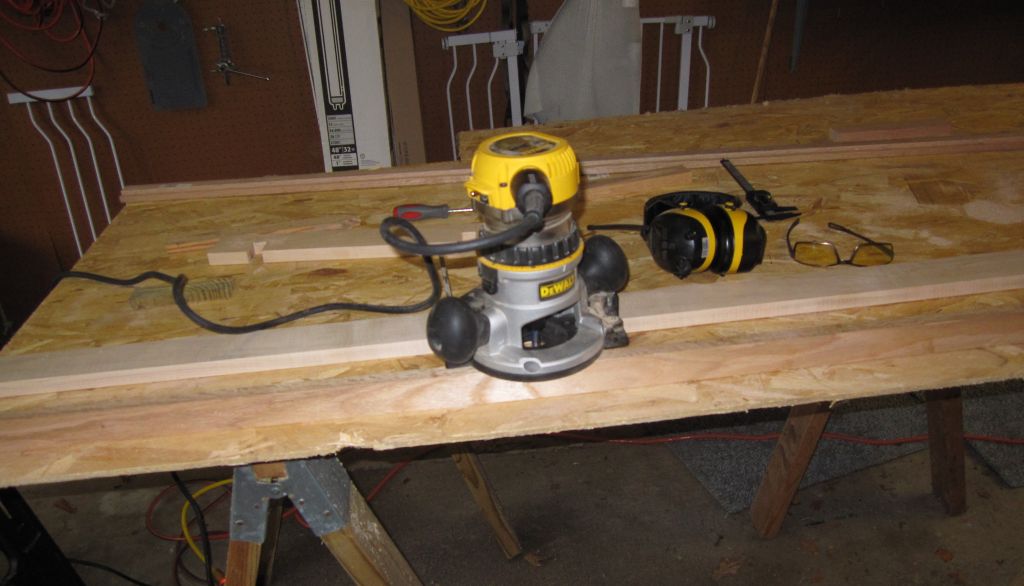
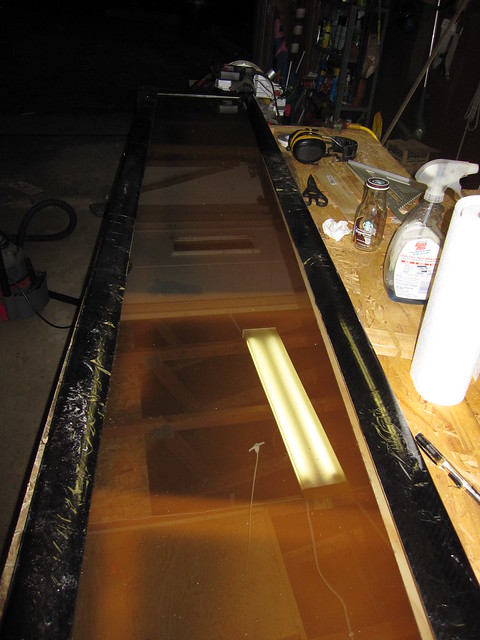
First step: Route a rabbit into the frame so that the glass will sit flush with the face of the frame.
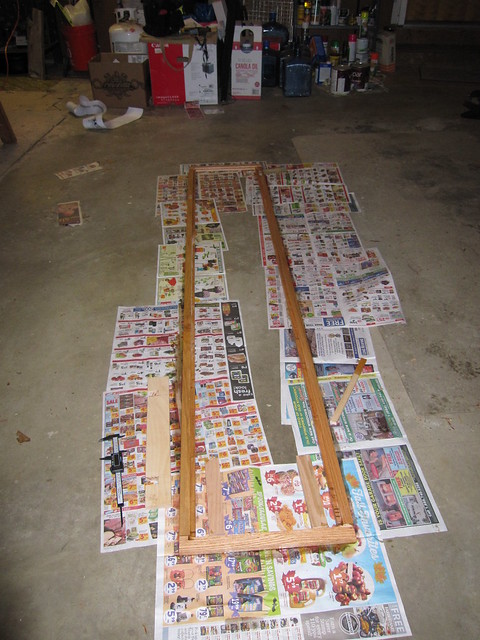
A quick coat of stain in case someone sees it from the side:
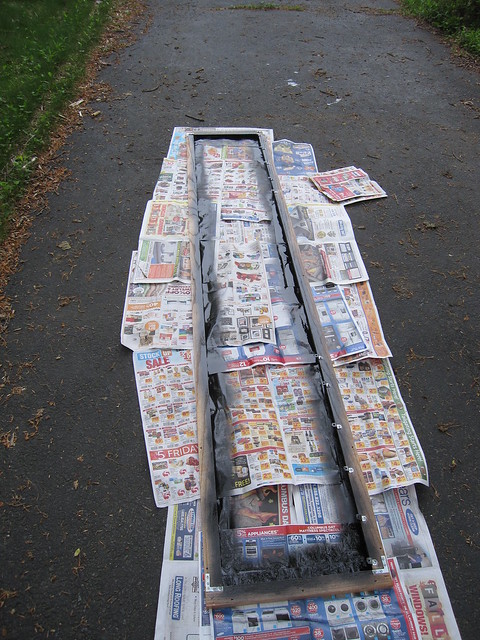
Paint the inside edges black to cut down on the visibility of the lighter edge through the glass:
A layer of window weather stripping goes in the rabbit to provide cushioning to for the glass, and also to push the glass up against the moulding.
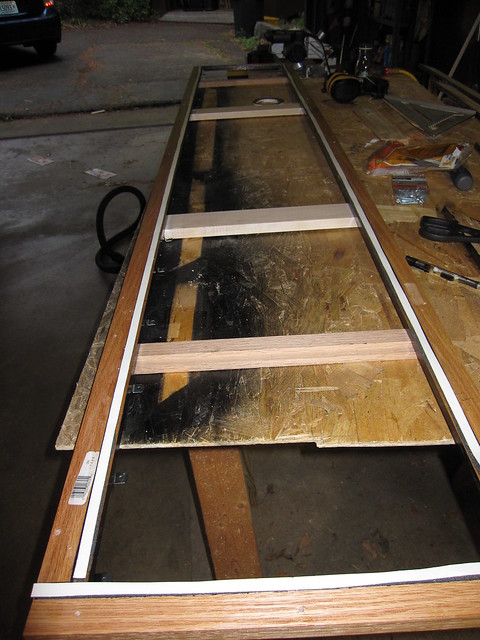
Screw the moulding down over the glass and into the frame. The moulding is a fairly simple round over type, usually used for chair rails. I wrapped it in a vinyl wrap with a carbon fiber pattern.
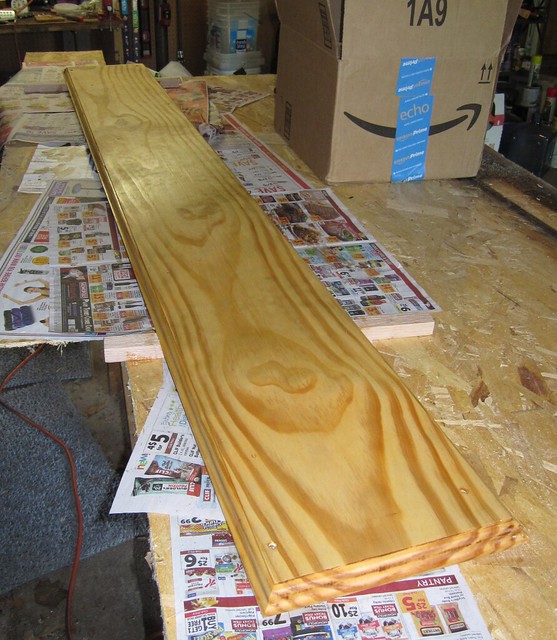
I haven’t ever mounted anything in an office before. They don’t use wooden studs, so I was unsure how to mount this thing into the walls. On the building construction supervisor’s advice, I build a mounting plate out of pine. A quick pass with the router put a good edge on it, and a stain plus sealant gave it some color.
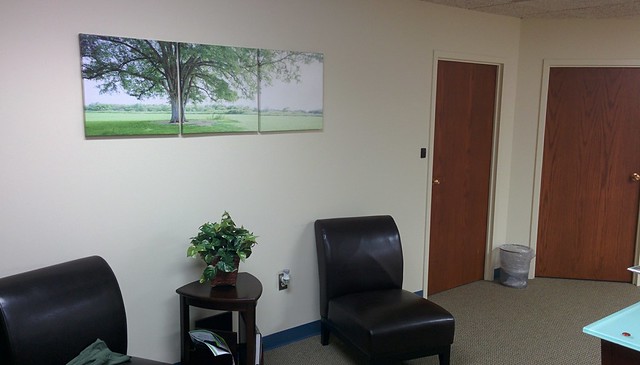
Time to install everything in the office! Here’s what it looks like beforehand:
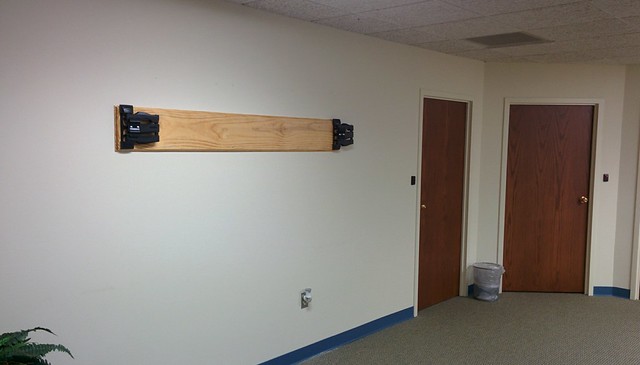
The mount is up along with the monitor mounts attached to the mounting board.
Monitors, power strip, RasPi and Fitlet in place:
And finally, we hang the mirror over the top of the two monitors.
-
RE: Calendar module fetchInterval
@strawberry-3.141 Aha! Yeah, I misunderstood. “less than a day” = “less frequently than at least once per day”, as opposed to my interpretation. My interpretation was “a frequency interval of less than one day”.
Interesting question: Does the calculation that writes out the “xx days” string only occur on the fetch? For example, if I have an event in four days and I don’t perform a fetch for a week, will it correctly change the text to read “day after tomorrow” at the appropriate time?
If I were only showing holidays on my calendar then such a thing might make sense. How often do holidays change, right?
-
RE: strange placing of moduels after install
My suggestion is to connect to your Pi using a different browser. See if other browsers also have this placement problem. At the risk of stating the obvious: Make sure that the ipWhiteList in your your
config.jsfile includes whichever computer you use to browse to your Pi. -
RE: Calendar module fetchInterval
@strawberry-3.141 - I can. If you have a personal calendar (Google, Outlook, Apple, etc.) that you update frequently, you probably want to refresh it hourly or so. My wife and I use our Google calendars extensively to keep each other up to date on everything from doctor’s appointments, working late, running errands at the store/cleaners/bank. Basically anything that might throw our expected schedules off. It keeps us from starting unnecessary search parties (my wife has a serious health condition - if she doesn’t show up on time, there is a non-trivial chance she’s unconscious somewhere)
When I get the home mirror set up, we’ll probably shift to a shared calendar that we can both add events.
-
RE: Facial Recognition - customize your mirror for every user!
@j.e.f.f - I played around with this module months ago. I wasn’t able to get it working satisfactorily for my purposes, but I think what I learned can help.
I don’t think the NOIR camera is necessary for your intended setup. Especially if you aren’t going to mount the camera behind the mirror itself. I do not recommend mounting the camera behind the mirror glass. I tried it and without a strong light source, I think you will just be frustrated in your results.
Given that you’re using a 32" TV, I’m going to assume you’re locked into a portrait orientation. With little kids in the house, I suspect mounting the camera either off to one side or on the top of the frame is your best bet.
The magic mirror concept works best when you’re fairly close to it. The best effect after all is that the mirror shows you information while you’re looking at your own reflection. This is helpful as it encourages people to come close to the mirror to marvel at it, which aids in the facial recognition. The camera has a decent field of view already. Sufficient to get a good look at a person standing in front of the mirror from arms-length to about two meters away. Beyond that, the facial recognition starts to get spotty because there isn’t enough detail in your face, but most people won’t be looking at the mirror from two meters away, right?
I would skip the wide-angle attachments. I don’t think it’s going to be necessary.
-
Office Installation
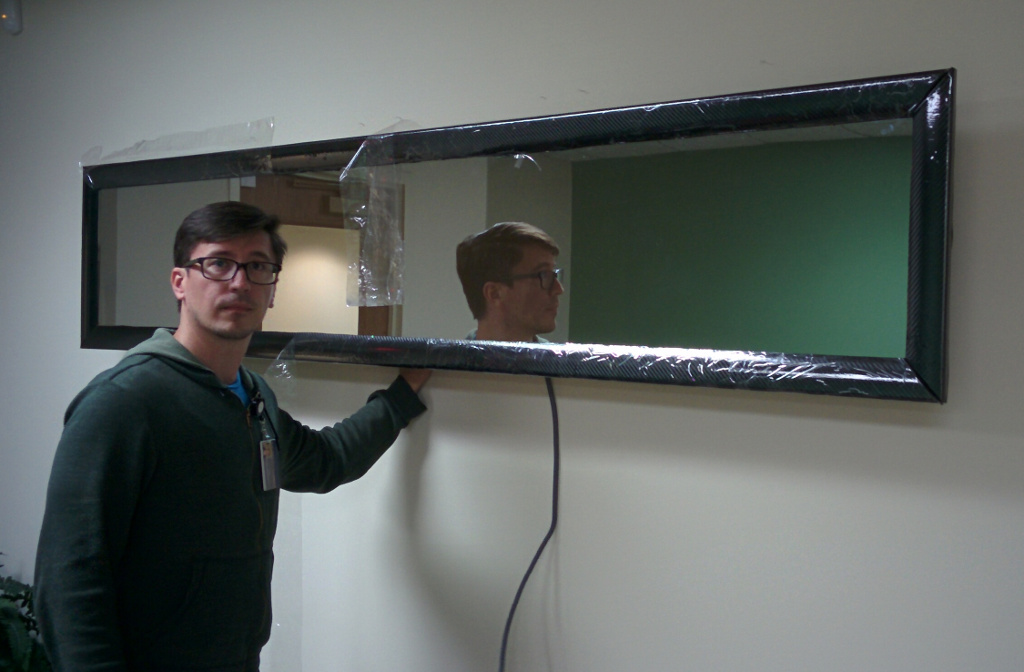
I’ll have more on this in the next couple of days. But here’s a preview just to whet your appetite.
-
RE: Developing USGS Earthquake Map (2MB GIf warning) Topic 2
@bhepler Just an update: The globe with planetary.js is a bit of a processor hog. On a quad core i3, it’s maxing one core and the other three hover between 40-80% at any given time. I’m going to try WebGL next and see if the hardware acceleration can reduce that.
The FitLet runs hot. Of course, that may be due to one core always maxed at 100%. Even just staring at the desktop.
-
RE: MMM-IPCam - Display images from your (foscam) ip camera
@Mitch1138 Usually a black screen indicates an error with the
config.jsfile. It’s possible you made a minor mistake in the module’s configuration settings. If you post it here we can take a look at it and see if anything obvious shows up. -
RE: Starter problem
@kurt Wait a second… the mirror folder… that’s on the same machine as your /tmp/magic, right?
Try
cpand notscp. -
RE: Starter problem
@kurt Well, something’s not right with that scp command. All right, let’s do it the brute force way:
cd /tmp/magic scp -rv /kurt/Admin/Downloads/MagicMirror-master/ -
RE: Starter problem
@kurt Your scp command didn’t go through. At a guess, you attempted to scp the entire directory and not the individual file(s). Try this instead:
scp -r /kurt/Admin/Downloads/MagicMirror-master/mirror.tar -
RE: Trouble getting it to start
@PhilsterM9 You change the settings by modifying the
config.jsfile. Traditionally, you use the nano editor by typingnano ~/MagicMirror/config/config.js.If you go to the GitHub page for MagicMirror, there’s an entire section on configuration.
-
RE: Fitbit
@codyli2002hk You could probably put two instances of the module up on your mirror. Just copy & paste the entire module configuration. Change the position tag, clientID & clientSecret and call it good.