FWIW, MMM-Notification-To-Command is exactly what I was aiming for.
A New Chapter for MagicMirror: The Community Takes the Lead
Read the statement by Michael Teeuw here.
Read the statement by Michael Teeuw here.
 B
Offline
B
Offline
Posts
-
RE: Execute bash command/Turn off GPIO (LED) from mirror
-
RE: Execute bash command/Turn off GPIO (LED) from mirror
@wishmaster270 @MMRIZE I figured one of you wizards already figured it out. I had forgotten about the all modules notification, and then I would have realized all the pieces are already there.
-
RE: Execute bash command/Turn off GPIO (LED) from mirror
@bugsounet I actually have the bash command I need to run. Just the part of interfacing through the Mirror is what I need help with.
-
Execute bash command/Turn off GPIO (LED) from mirror
I’m looking for a quick and dirty way to turn off an LED once the mirror fully loads - basically getting around the slowness in Electron from all the random little errors on startup and waiting for systems that will never start.
I don’t care if it’s a quick module I build myself, or something else.
I’m assuming it can be done with all the abilities to read system info etc - just not sure how to do it myself.
Thanks!
-
RE: MMM-Multimonth
@Spinster Indeed. Something seems to have broken. I’ll fix it today.
Edit:
It appears I deleted it’s CSS. Backed off to fix - Repull the files, in the module folder do
git pulland relaunch your mirror, it’ll work now.
Starting to recode the project to incorporate the “Undocumented feature” I mentioned in previous git pushes - as well as make it easier to read and do in the future, and I guess I missed that when I redid the CSS.
-
RE: Trash schedule module
@angeliKITTYx You might want to look and see if your trash company provides a calendar that can be added to yours, then you can use a simple calendar app to show the schedule. Mine (Waste Management) does so and it’s a great no-nonsense method.
-
RE: Schedule reboot of Pi or MagicMirror
@Exndfan I have something like the same - except mine was remote control so I could control it through my smart home. Still gotta get that set up again.
-
RE: OAuth clients must support granular consent, starting June 17, 2024.
@1a2a3a Google’s security changes would have to be handled by the author of the widgets… If you’re just a user, likely nothing will have to change.
Likely, it’ll be something along the lines of a new loop in the software to provide specific authorization to photos.
No big deal.
-
RE: Google Calendars not loading
to everyone - Google Calendars and everything else Google has been struggling with outside tools across the board. They upgraded their login experience, and with that, broke all sorts of things - So much so, I had to go to Microsoft for my business.
Fixes may or may not actually be fixes.
-
RE: Module Region question
Yes. It’s possible. What you want to do is specific, but not complicated.
Take a look at https://forum.magicmirror.builders/topic/18175/looking-for-some-help-with-positioning-modules/2?_=1710178976017
-
RE: Automatic checking of all MagicMirror² modules
By the way, the verify system for them is to verify the module is stable, etc, once you get verified, you can advertise for donations within the system, this is why I have a red heart on mine. (all of my modules/plugins/etc I do I have a donation link for a charity I like)
-
RE: Automatic checking of all MagicMirror² modules
@MMRIZE I’d love to see a plugin store and/or marketplace of sorts. Some other projects uses NPM with a fancy front end web to do so, much like some modules use(d) a web interface to set up the initial config or adjust configs (Sam’s config module, MMM-RTSP, etc)
This would be an ideal marketplace (Simple, to the point, shows everything a user needs) :
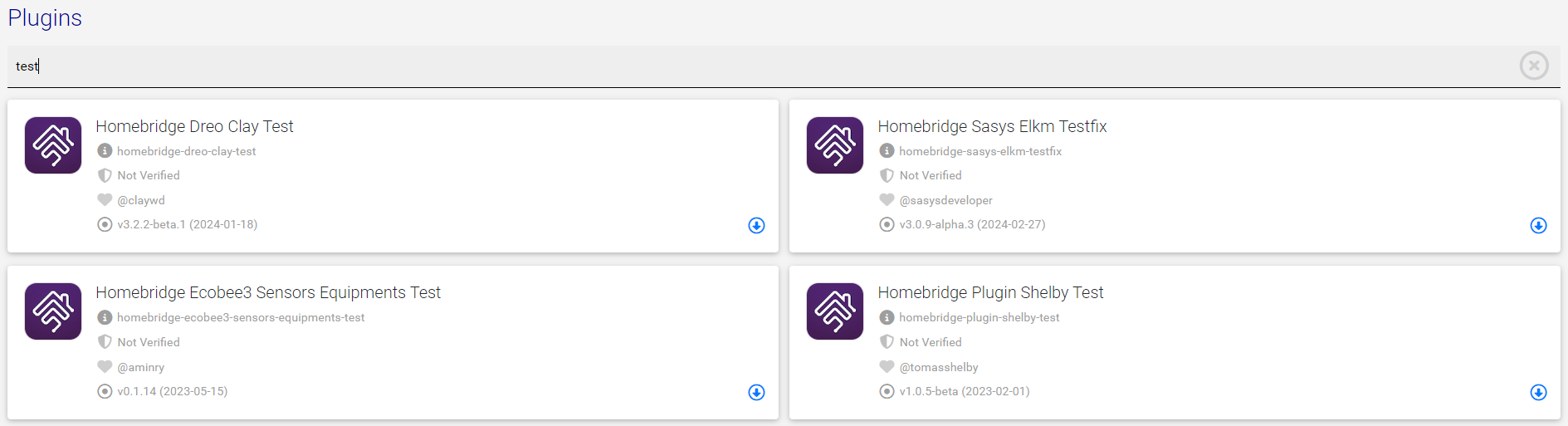
Then when the user wants to config:
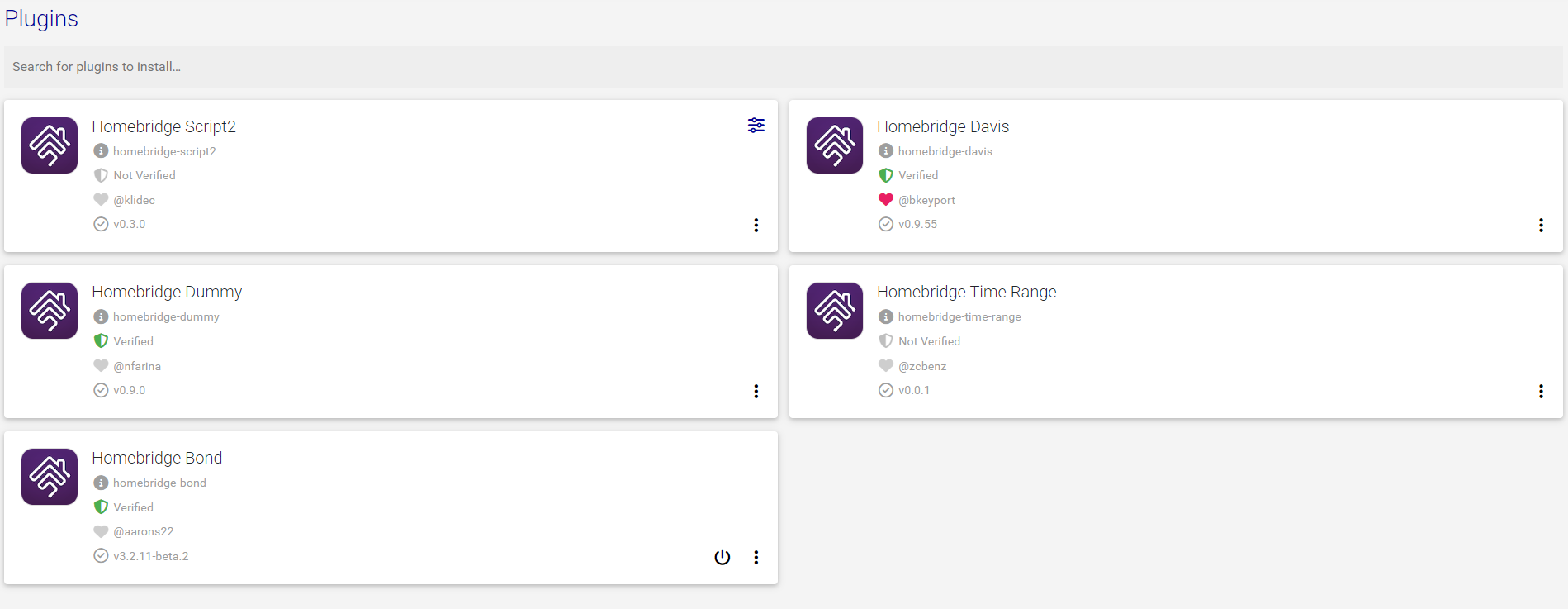
Homebridge is one of the better ways of doing things, IMO.
-
RE: Automatic checking of all MagicMirror² modules
@mumblebaj 90% of the modules in the system are outdated and would never be tagged, so…
-
RE: Automatic checking of all MagicMirror² modules
@mumblebaj Old page may be outdated, but at least it’s sorted much better, and compact. New and flashy does not make a successful page sometimes.
We need to keep the compactness of the old way, somehow, and not bury good modules under bad ones - this is the main problem I see with this site.
I can’t hit my browser’s text search and look for calendar for example. I get MMM-CX2 and MMM-CX before I even come close to the current MMM-CX3, and totally miss my mini calendar module.
-
RE: Multiple screens fo MM.
@sdetweil said in Multiple screens fo MM.:
electronOptions:{ left:xxxx}
above the modules:[] listif vertical, then it’s y:xxxx
Live example - I use two 1920x1080 monitors, my system is using latest OS, but with X11 turned on rather than Wayland for compatibility reasons to some background tasks:
var config = {
	address: "0.0.0.0",
	port: 8081,
	electronOptions: { x: 1920 },  // Right here!
	ipWhitelist: [],
	language: "en",
	timeFormat: 12,
	units: "imperial",
	customCss: "css/custom2.css",
	modules: [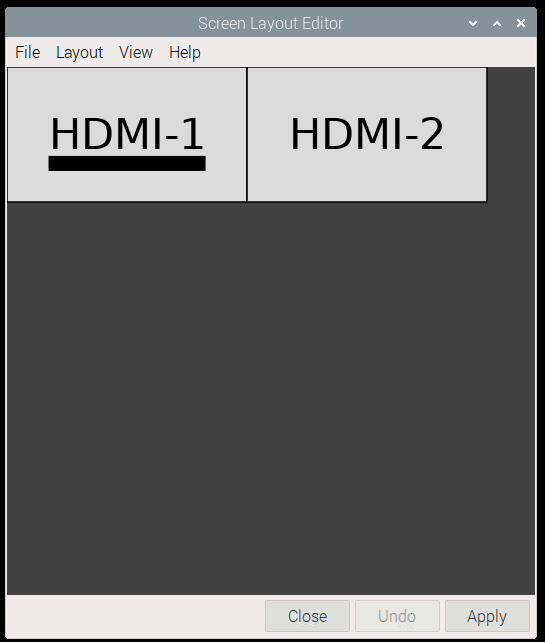
-
RE: 2 modules side by side
Just a FYI, it may also work thusly:
/* adjust modules to display side by side */
.MMM-ValuesByNotification, .MMM-OpenWeatherForecast {
	display: inline-flex;
	margin-right: 5px;
	margin-left: 5px;
}
the catch is that you have to have the modules in your config in the exact order you do in this css entry.
-
RE: My Magic "Mirror" Desk Display
@Ashaman I was just teasing. In fact, every module I built myself is for that exact reason…
-
RE: Display emoji in calendar module
@Nneuland The fix is to install emoji fonts.
https://raspberrypi.stackexchange.com/questions/104181/colored-emojis-in-chromium
-
RE: My Magic "Mirror" Desk Display
@Ashaman … custom modules you made yourself? Elitist! 🤣🤣🤣