@sdetweil yes, this one can be closed. But I do not see the button to close it
C
Offline
A New Chapter for MagicMirror: The Community Takes the Lead
Read the statement by Michael Teeuw here.
Read the statement by Michael Teeuw here.
Posts
-
RE: Which solution for touching screen?
-
RE: MMM-Pages and MMM-page-indicator, how to select the page?
Problem solved with the help of this tutorial: https://www.gechic.com/en/raspberry-pi-touch-monitor-rotate-touch-screen-rotate-settings/
wihsing you a great week!
-
RE: Which solution for touching screen?
@rkorell
hello @rkorell, wenn you tested your Hannspree Touch monitor, did you have to change any parameter on the raspberry, so that the “touching points” work?
On mine, it is working fine in landscape mode, but in the portrait mode, the points are “mirrored”, so that it is impossible to use it without parametring that. Thank you in advance, Cédric -
RE: MMM-Pages and MMM-page-indicator, how to select the page?
@sdetweil OK, thank you Sam. You’re right indeed, it has nothing to do with the Magic Mirror.
In fact, when I turn the layout right or left with the “Screen Layout editor”, then the “touches” are as “mirrored”. Maybe a configuration problem of the display.
I will ask the display company about this issue.
-
RE: MMM-Pages and MMM-page-indicator, how to select the page?
@com1cedric hello @sdetweil, I’ve received the Hannspree HT221PPB -TOUCH screen and could test your module.
It work well ! … in the landscape mode, but not in the portait mode, after changing the display position in the parameters.
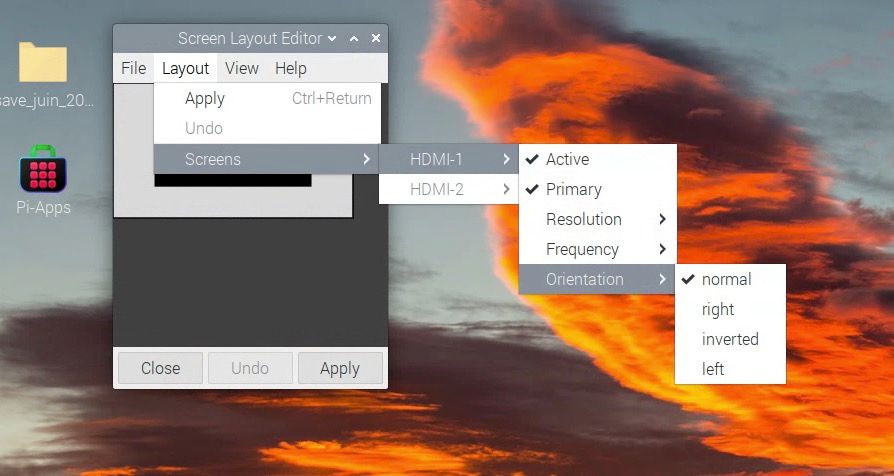
Did you encounter this issue as well?
-
RE: Dakboard layout for family dashboard
@QuackingPlums impressive, thank you! I am currently using calendarExt2 with satisfaction, but I will try calendarExt3 during the spring and test it. Take car and one more time, congrats for your work.
-
RE: Dakboard layout for family dashboard
@QuackingPlums hello, nice work ! how did you manage to make your calendar DAK like? Kind regards.
-
RE: MMM-Pages and MMM-page-indicator, how to select the page?
@sdetweil Hello Sam, and thank you for asking.
I encountered a problem with the touch screen iyama ProLite T2252MSC-B2 I recently bought, as it finally was not compatible with Raspberry, what I did not realise before buying it.So, I had to find someting else and with the help of @rkorell (thank you Ralf!) in https://forum.magicmirror.builders/topic/19486/which-solution-for-touching-screen/8, I ordered a other display Hannspree HT221PPB -TOUCH and I hope to receive and test it next week.
I will inform you as soon as I get any results.
Kind regards, Cédric
-
RE: Which solution for touching screen?
@rkorell thank you very much for your proposal, but I just ordered it (I am in Switzerland).
I will then test it and send it back if it does not work.
I will inform you in any case whether if was successful or not.
Kind regards,
Cédric
-
RE: Which solution for touching screen?
@rkorell said in Which solution for touching screen?:
Hello @rkorell , and thank you for your advise!
My mirror should be just a monitor without any reflecting surface, using MMM-Pages and MMM-page-indicator.
@sdetweil and @edward-shen : do you think your modules MMM-Pages and MMM-page-indicator should work with a kind of “Hannspree Touch monitor” or IR-Frame, without using a mouse? Can you please advise me?
Thank you in advance and best regards.
Cédric
-
Which solution for touching screen?
Hello everyone,
Could someone advise me which hardware to use to make a touch Magic Mirror? Not too small, idealy 21 to 23 inches.
E.g infrared frame overlay, or an idea of a monitor brand which provides touch screens compatible with a Raspberry 4 and the Magic Mirror solution?
I bought a iiyama ProLite T2252MSC-B2 touch screen, but as I tried it, the touch function was finally not compatible with Raspberry and it was only working in the landscape mode… I did not realise it before buying it…
Thank you for your advise and sharing you experience about this topic.
Looking forward to reading you,
Kind regards,
Cedric
-
RE: MMM-Pages and MMM-page-indicator, how to select the page?
@sdetweil hello, currently on holiday, will try next week. Thanks for asking and have a good day
-
RE: MMM-Pages and MMM-page-indicator, how to select the page?
@sdetweil Thank you very much, I will try it!
Wishing you a great day,
Cédric -
MMM-Pages and MMM-page-indicator, how to select the page?
Hello,
trying to test MMM-Pages and MMM-page-indicator, I have 2 (maybe basic) questions.
After installing MMM-Pages and MMM-page-indicator,
- how is possible to click (mouse) on the dots, as the arrow of the mouse is not appearing on the mirror?
- can we switch the pages manually with a touch screen display (e.g with an ipad or a standard touch screen display as iiyama ProLite T2252MSC-B2) ?
Thank you for your interest and have a great day.
Kind regards,
Cédric
-
RE: MMM-Fireworks
Hello!
great idea, you module !
but does it really work ? it does not appear on my mirror, after installing it.
Can you please re-check on your side ?
Thanks in advance and have a good evening,
Cédric
-
RE: MMM-OpenWeatherForecast deactivate Alerts or change to german
Dear Sam, are you sur that the language is really checked by this module when asking open weather?
If yes, I will ask openweather directly.
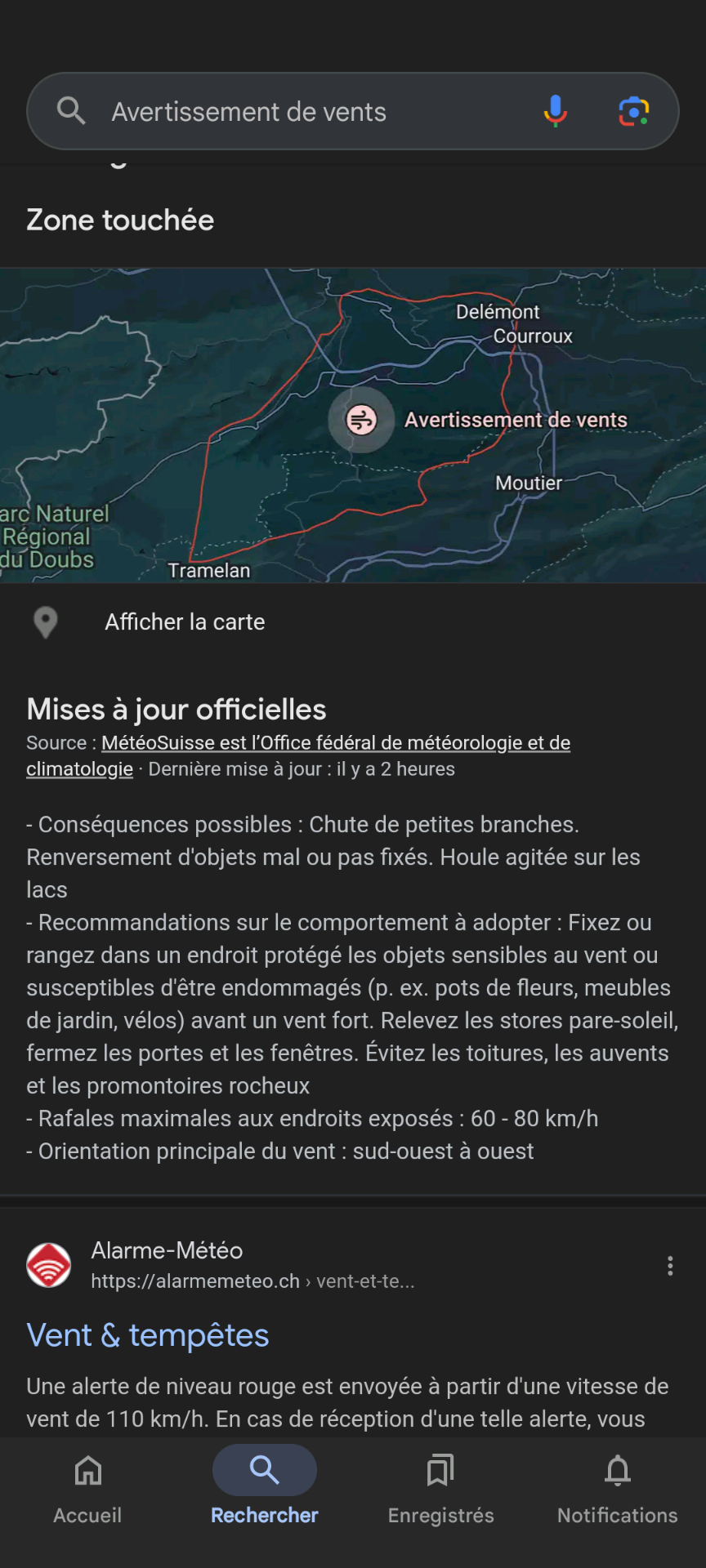
With this example on Google, the messages are shown in the correct language (in this case FR), so that the provider (meteoswiss) publishes it in FR.
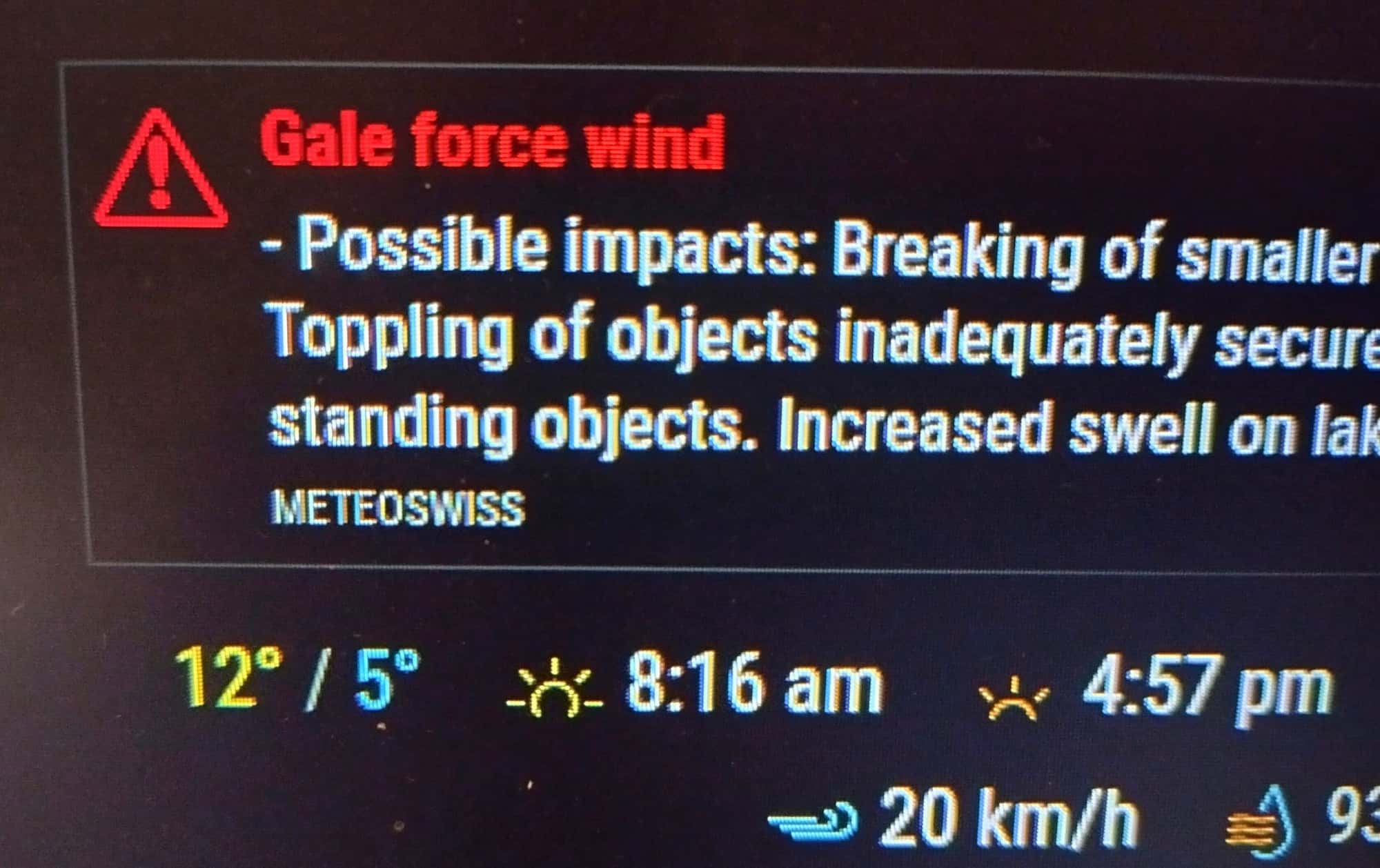
But on the mirror with this module, it still only appears in EN.
Thanks for your good advise and have a good evening.!
Cédric
-
RE: large "mm-out.txt" file and "bm_wrapper.cc" error
@sdetweil, great, thank you very much!