The language of the days. Goes in your config.js for WunderGround
lang: ‘en’, Change this to your language, or change language: 'en', at the top of your config.js, unless you want everything else in English.
 M
Offline
M
Offline
The language of the days. Goes in your config.js for WunderGround
lang: ‘en’, Change this to your language, or change language: 'en', at the top of your config.js, unless you want everything else in English.
Hi,
I have camera installed (and dependencies) working on my MM. The only problem I have is that it doesn’t email the picture. I’m sure I’ve made a mistake somewhere. I was hoping you might help me.
{
			module: 'camera',
    			position: 'top_right',
    			config: {
			selfieInterval: 3,  // Time interval in seconds before the photo will be taken.
        		emailConfig: {
            		service: 'iCloud', // Email provider to use to send email with a photo.
            		auth: {
                	user: 'xxxxxxxx@icloud.com', // Your email account
                	pass: 'xxxxxxxxxx'        // Your password for email account
            	}
        	}
		}
		},
Does it use the same email account to send To: and From: ? If not, how/where do I tell the module the address to send the picture to? Also, can I change the size of the picture being taken from 640x480 to 320x240?
Many thanks ahead of time. :thumbsup_tone1:
@Fonfon - You’re welcome :-)
De rien.
Prego.
別客氣.
Bitte.
どういたしまして.
Værsågod.
@vicdilou said in mirror for magic mirror?:
Hi, can you post a photo of your mirror please ? I look for a mirror or a film ^^
Thank you.
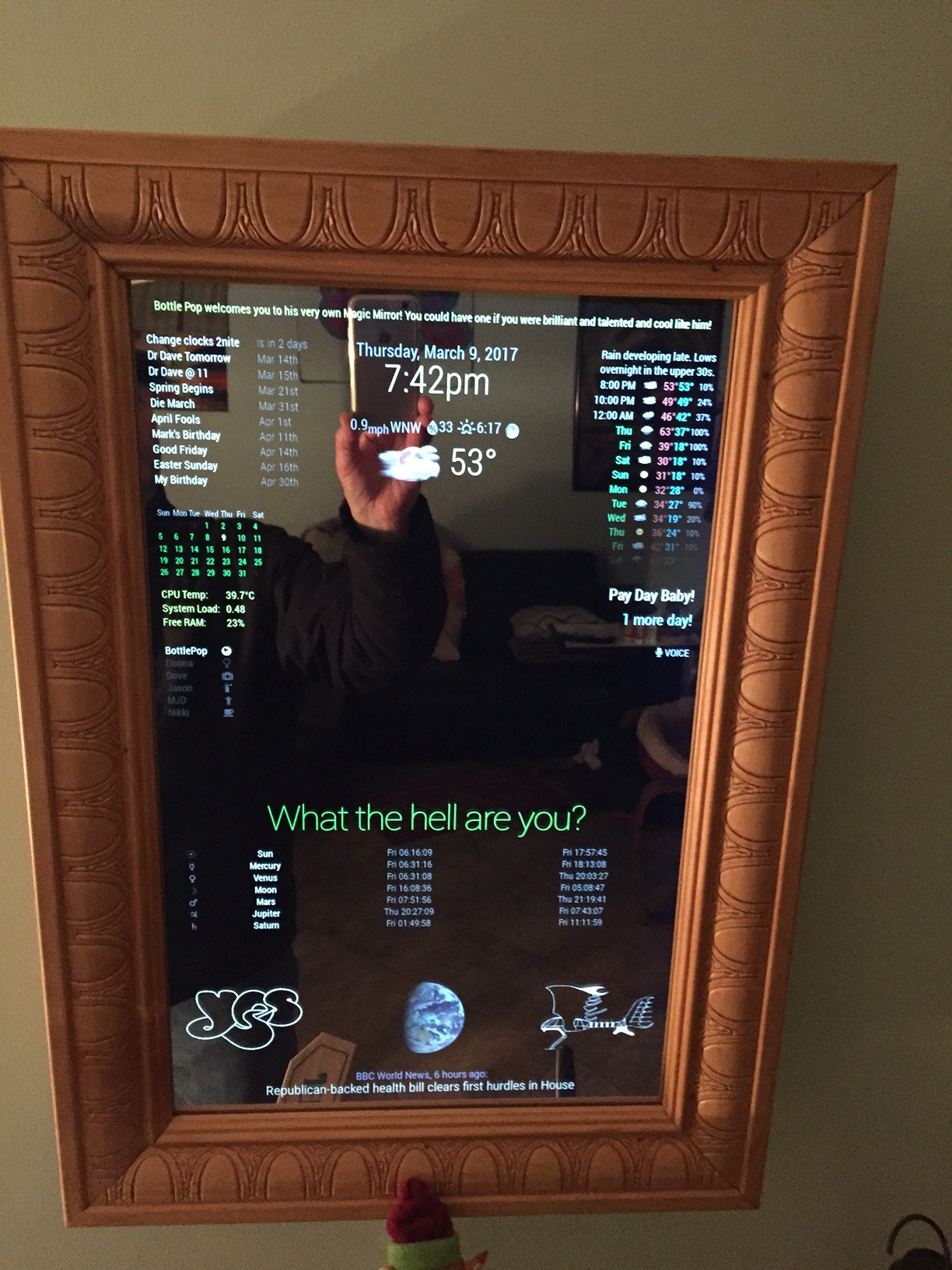
@lucallmon said in -=]!Show Your Module Setup![=-:
Looks Great! Could you post your config.js file so I can see how you have stuff setup?
If you really want the entire config I guess I could post it when I get a chance to remove all the private data.
I’m curious to see how you setup multiple news feeds in the same module.
This I can show you right now. Replace the rss or xml feeds with your own, or use these:
{
			module: 'newsfeed',
			position: 'bottom_bar',
			config: {
				feeds: [
					{
						title: "NASA",
						url: "https://www.nasa.gov/rss/dyn/solar_system.rss"
					},
					{
						title: "Reuters Science News",
						url: "http://feeds.reuters.com/reuters/scienceNews"
					},
					{
						title: "New York Times",
						url: "http://www.nytimes.com/services/xml/rss/nyt/HomePage.xml"
					},
					{
                    	                        title: "BBC World News",
                    	                        url: "http://feeds.bbci.co.uk/news/world/us_and_canada/rss.xml"
                	                 },
				],
				showSourceTitle: true,
				showPublishDate: true
			}
		},
	]

};

/*************** DO NOT EDIT THE LINE BELOW ***************/
if (typeof module !== 'undefined') {module.exports = config;}
@Fonfon said in Try to update a module:
error: your local changes to the following files would be overwritten by merge: MMM-Taffic.js
please, commit your changes or stash them before you can merge.
It would appear that you changed something in the module file, MMM-Traffic.js. So, you can either undo those changes and then do a git pull, or you can delete and re-install the module and then do a git pull.
Keep in mind, if you delete and re-install the module, the changes you made to the original will be lost. This does not affect your config.js file
@strawberry-3.141 said in Nodemailer, kind of related to MM:
npm install in your module directory ~/MagicMirror/modules/camera
Yes, I had already done that. I did not realize that nodemailer was installed as a dependency at that time into the node_modules folder of the camera module. I thought it was a separate installation. I must have misread the guide. So, thank you for pointing me in the right direction. Now I just have to figure out why it’s not mailing the “selfie” picture that the camera module is taking
@johnnyboy said in Working on the ole 32"...:
Irish = Scottish = By the Grace of God
Oh you guys are just looking to exclude me every chance that you get! :angry:
@cowboysdude So, you were BORN in Ireland, were you? :wink:
In that case, I’m Irish (by descent, father, County Cork) and Italian (by descent, mother, Naples, Italy). Otherwise, I’m just another arrogant American? (by birth).
If you two lovers keep leaving me out, I’m not going to play with you anymore! ;-)
This may not be directly related to MM but it is required to use the camera module, so kinda, sorta, you know . . .
I’m not really sure how to proceed with installing this. Every module that I’ve cloned from github came with instructions on WHERE (the directory) to clone it to. Nodemailer does not. So, if anyone knows, or has experience with installing this, please advise me how to continue. Does it go in MM folder, the modules folder, somewhere else?
Many thanks ahead of time :thumbsup_tone1:
@cyberphox said in Throwing down the gauntlet:
@Mykle1 ok so turns out all this time I was using an older WunderGround module. Once I did a git pull and updated - bam - there were the realistic icons!
Yup, that’ll do it. You won’t forget that ever again, will ya? ;-)
Now I have to play with widths! how did you manage to fit your calendar, date/weather, and weather forecast all along the top! LOL
in custom.css
body {
  margin: 20px; /* This made the entire screen have a 20px border. Thanks to Strawberry-3.141  */
  height: calc(100% - 40px);
  width: calc(100% - 40px);
}
That gives you a margin of only 20pixels around the entire screen. You can go even closer but I didn’t want anything too close to the edge. That’s enough to gain you some more real estate. Also, I have my monitor set to its highest resolution. You might want to try that.
Then I simply put calendar in top_left, date and weather both top_middle and weather forecast top_right.
@johnnyboy said in Working on the ole 32"...:
Lol I’m Scottish, banter is our second language
Ha! I’m New York City-ish. We’ve destroyed the English language here, but we banter on. :-)
Me too… but, we’ve came a long way since day 1 knowing nothing eh?, so for me at least it’s a giant step forwards on a long road
Oh hell yeah. It has been great fun for me. I never expected to be so captivated by this. I’m still at it.
Not been tinkering with it for a while tbh… been busy setting up grandsons Pi with triple boot, and loading up a helluva lot of Roms for him, kodi, and music… so mirror has still to be refined, MMM-Remote added, plus Sensor when i find out on here best one to go for in my other post…
So hope to get time next weekend as busy at work atm… plus clicking on your post 100 times a day to get you up to 5K views… lol
Excellent! Just like our grandfathers did for us, right? ;-) I used to play with my grandfather’s adding machine. Not a calculator, an adding machine. I’d press in the numbers on a typewriter-like keyboard and pull the handle to register the entry.
Ahh, 5k is not too far away bro. Thanks for your support :thumbsup_tone1:
All in good fun bro. I was just looking for a laugh, and i think I got it. Cowboysdude is righteous, friendly and helpful. He is one of the brilliant ones here, authoring modules (I’m insanely jealous) He has my utmost respect and he absolutely deserves his place of honor on your mirror.
I’m glad to see that you’re getting along with your mirror, too. Looks good bro! :thumbsup_tone1:
After everything I did for you, you honor HIM? ;-)
It gives me great pleasure that you posted your picture sideways :thumbsup_tone1:
@lucallmon said in -=]!Show Your Module Setup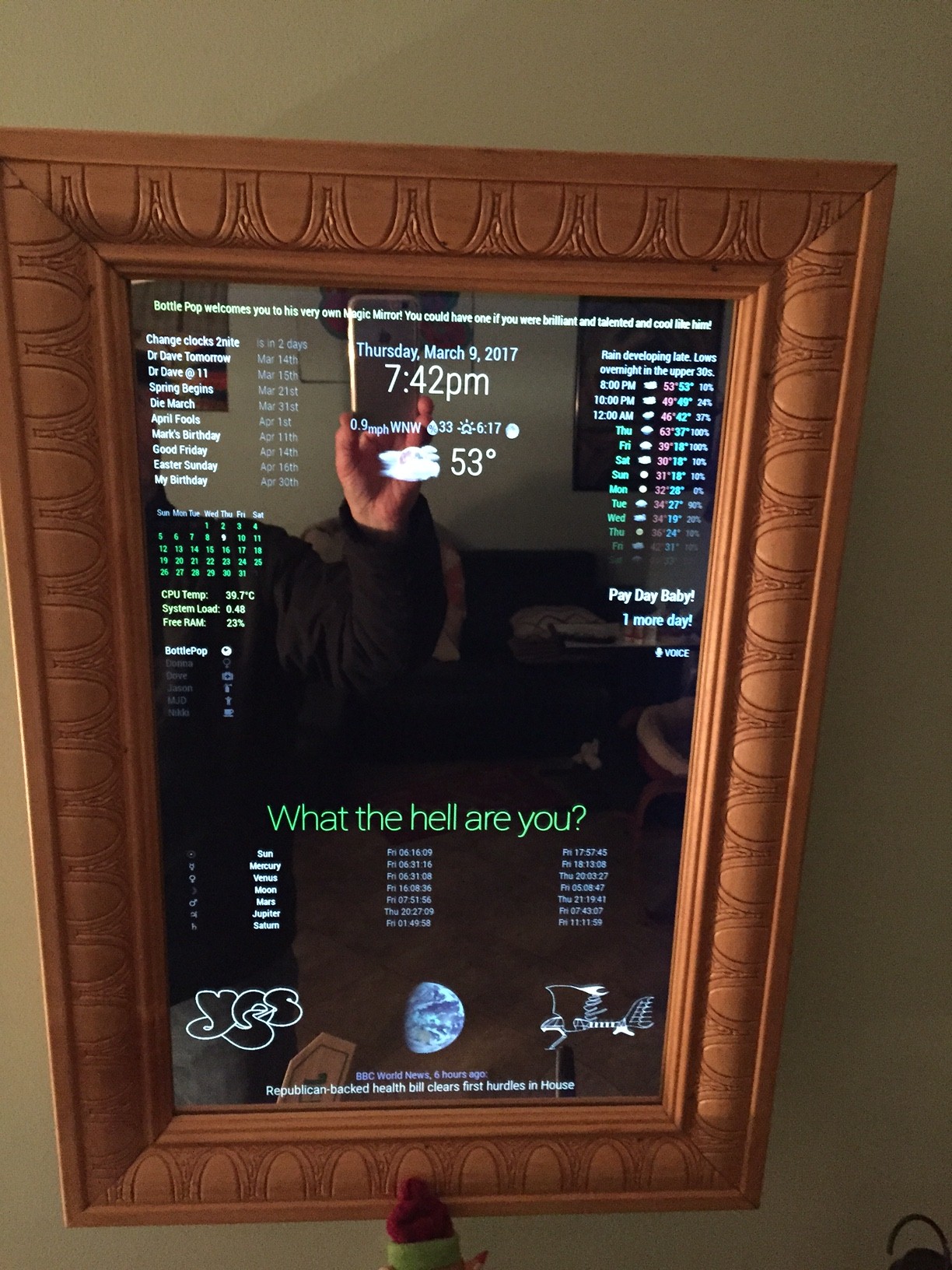
@strawberry-3.141 said in MMM-voice:
you have to either override the class align-left which is getting confuse or set an important flag
Ohhh, I was so close! Thank you again :thumbsup_tone1:
@strawberry-3.141 said in MMM-voice:
try to apply the rule text-align: right; in custom.css
I don’t mind trying to get it to work but can you give me another hint? Am I close? haha!
@strawberry-3.141 said in MMM-voice:
try to apply the rule text-align: right; in custom.css
I tried:
.MMM-voice {
  text-align: right;
}
and
.region.top.right .MMM-voice {
  text-align: right;
}
Nothing happened
At least the module seems stable and it’s working. :thumbsup_tone1:
@cowboysdude said in Working on the ole 32"...:
some progress
Nice work! I’m noticing a few things here but I’m too tired to ask right now. :thumbsup_tone1:
@roramirez said in Problem with ip whitelist:
In a future it should be by default.
Good idea! BTW, you all do an excellent job here and I am very grateful. Thank you. :thumbsup_tone1: