@strawberry-3.141 said in MMM-voice:
yes you can change it, that’s why it is configurable. try to apply the rule text-align: right; in custom.css
I will endeavor to try, thanks for your help
 M
Offline
M
Offline
@strawberry-3.141 said in MMM-voice:
yes you can change it, that’s why it is configurable. try to apply the rule text-align: right; in custom.css
I will endeavor to try, thanks for your help
@roramirez said in Problem with ip whitelist:
Can set ipWhitelist: [] to allow all IP addresses.
For a novice like myself, that’s a whole lot easier than trying to figure this out:
ipWhitelist: ["::fff:0.0.0.0/1", "::fff:128.0.0.0/2", "::fff:192.0.0.0/3",
			"::fff:224.0.0.0/4", "127.0.0.1", "::ffff:127.0.0.1", "::1"],
:clap_tone1:
@strawberry-3.141 Oh, and I can change the 'MAGIC MIRROR" activation phrase to something else?
You’re right again. I had config.js opened twice. One with debug and one without. I removed debug and saved and closed both. Now it’s fine. One last thing, if you don’t mind, I’d like to align everything in MMM-voice to the right margin. Please and thank you. :thumbsup_tone1:
@strawberry-3.141 said in MMM-voice:
the second line is in debug mode only
So, can I remove that from showing?
I tested my microphone on the Pi by doing this:
pi@Pi3:~ $ arecord -D plughw:1,0 test.wav
Recording WAVE 'test.wav' : Unsigned 8 bit, Rate 8000 Hz, Mono
^CAborted by signal Interrupt...
pi@Pi3:~ $
That gave me this: 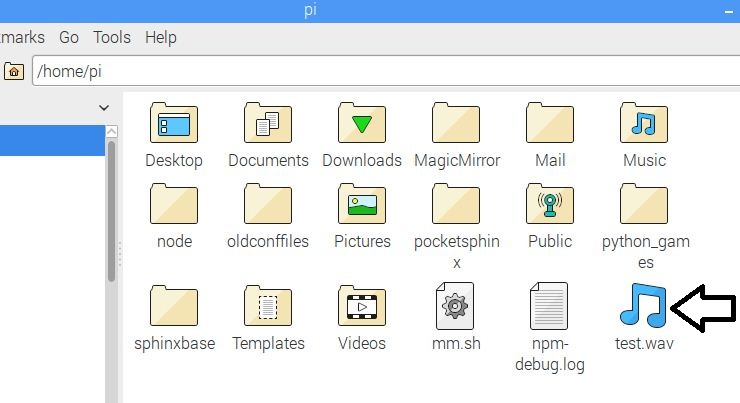
Which sounds ok. Clear, and not too much white noise.
As long as my Audio Device Settings looks like this: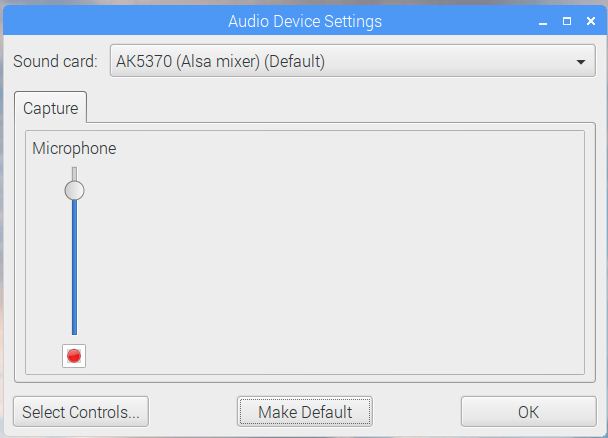
I am not in debug mode
{
     			module: 'MMM-voice',
     			position: 'top_right',
     			config: {
         		microphone: 1,
			keyword: 'MAGIC MIRROR', // UPPERCASE ONLY
			timeout: 15
     		}
 		},
However, I am getting this: 


At least we got it working
@strawberry-3.141 said in MMM-voice:
if you want i can have a look via remote desktop session
That would be great but I have to run to work for a few hours. I’ll be back in about 4 hours. So, perhaps later if you are available. I’d appreciate that.
@johnnyboy said in Using an Old (2 years old) windows Laptop in place of raspberry pi.:
Im confused…
I know. :stuck_out_tongue_winking_eye:
I, too, started with a Windows machine, but it is possible to install MM and get it running, just in a roundabout way.
Then I installed uBuntu on a laptop and installed MM and that went quite smoothly.
You want the best of both worlds? When you install uBuntu on a PC or laptop there is an option to install it alongside of Windows, making it a dual boot machine.
@strawberry-3.141 said in MMM-voice:
just set the config to microphone: 1
I guess I should have mentioned that I already have that setting. I was tired. Does this mean that microphone is not compatible?
@strawberry-3.141 said in MMM-voice:
i’m just using a usb microphone, never tried a buil in mic of a webcam because i don’t have one.
I actually got it working on a laptop with Ubuntu so I am now trying it on the Pi 3 with MMM-voice and a Logitech USB microphone. It loads with “Initializing” next to the microphone and for a second it shows “Ready, choose a mode.” but then it changes to Error. I tried to make it the default in Audio Device Settings on the Pi3 but it keeps going back to "bcm2835 (ALSA mixer) (Default). It won’t keep the “AK5370 (Alsa mixer)” as default.
 0 [ALSA           ]: bcm2835 - bcm2835 ALSA
                      bcm2835 ALSA
 1 [AK5370         ]: USB-Audio - AK5370
                      AKM AK5370 at usb-3f980000.usb-1.2, full speed
I’m going to bed!
Here’s mine. It works, if you care to give it a try
var config = {
	port: 8080,
	ipWhitelist: ["::fff:0.0.0.0/1", "::fff:128.0.0.0/2", "::fff:192.0.0.0/3",
			"::fff:224.0.0.0/4", "127.0.0.1", "::ffff:127.0.0.1", "::1"],
@Francopacks said in MMM-Wunderground - 2 locations gives duplicate data from the first location:
I have this same problem. Did you ever get this resolved?
It looks to me as if his pws entries are not correct. You have to get the pws from WunderGround and enter it in your config as shown below. That is my entry in the config for my pws.
pws: 'pws:KNYNEWYO103',
And you would need one for each location if you want multiple locations
@broberg said in MMM-doomsDay - The countdown module,:
If this module keeps misbehaving
Hey Bro, I just wanted to report that my last 3 day test worked correctly, without a hitch. When I looked at my mirror this morning, it said, “Did it work?” :thumbsup_tone1:
@johnnyboy said in How to go back to previous version of a module?:
same with the MMM-Remote
Go get MMM-Remote-Control right now. Barely any setup. It’s a must have
@johnnyboy said in How to go back to previous version of a module?:
One tip that has helped me several times, for several reasons is to ***** Make a back up copy of Custom css AND Config.js as you go along.
I’m pretty sure that was me :wink:
@janner6 said in [Remote-Control] Shutdown, Configure and Update your MagicMirror:
recommend any other module?
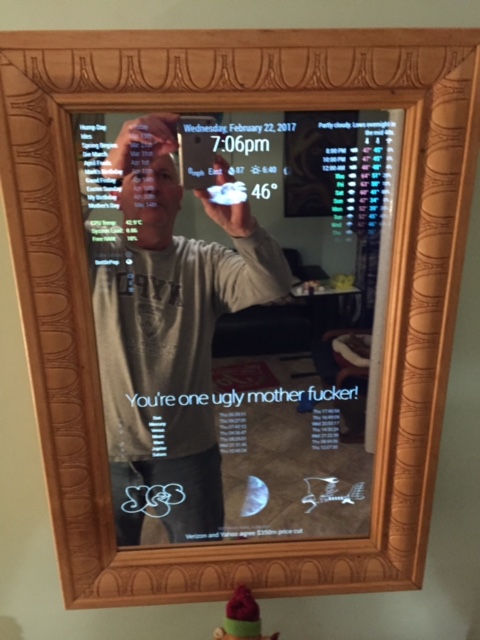
Sure, since you’re asking. These three I could not do without
MMM-Simple-Logo - Bottom left and bottom right
MMM-Globe - Bottom middle, in between the two SimpleLogo pictures
MMM-WunderGround - Top right and top middle, under the clock
@janner6 said in [Remote-Control] Shutdown, Configure and Update your MagicMirror:
This is my first download and what a module! Fantastic work so much easier to control the power to the mirror.
A “must have” module, without a doubt. :thumbsup_tone1:
@yawns said in How to go back to previous version of a module?:
If you follow Strawberrys link, you see hash codes like 7a03e01. You don’t need to clone the repository again, you just tell git to switch to another “version”.
Ahh, well, I had already trashed my MMM-NetworkScanner folder. I didn’t know about the commands below.
So you open a terminal, change into the module folder and run git checkout 7a03e01 to checkout this specific version. As an alternative you could run a command like git checkout @{14.days.ago} or git checkout ‘master@{1979-02-26 18:30:00}’
This is very good information. It would have saved me some anxious moments and some time as I am hesitant to change anything in my MM now because it’s just about as beautiful as it gets! There are still some things that I want to do, and I will. I like to take things slowly and try to absorb as much information as I can. I probably should have kept a running file to document all the things that I’ve been shown or taught here so I can retrieve them when needed. I have gotten better at searching though and can usually find what I am looking for. Only after looking and trying do I like to ask for help.
Anyway, thank you again. :thumbsup_tone1: