A New Chapter for MagicMirror: The Community Takes the Lead
Read the statement by Michael Teeuw here.
  • Since the update calendar too wide

    8
    0 Votes
    8 Posts
    4k Views
    O
    @onetwankyfive Adding the config option after each calendar worked for me. Thanks for the help!
  • Syntax Error on Mail Module

    2
    0 Votes
    2 Posts
    1k Views
    yawnsY
    @ca035830 There should be a comma after the ], if I’m not mistaken
  • Can't access from external browser. (RPI zero non-W)

    11
    0 Votes
    11 Posts
    6k Views
    brobergB
    And the " marks your have posted are the wrong type as well. " " and not “ ” This is a common mistakes when using word editors to alter your config file, Smart Quotes I think it’s called, and is not accepted in the code.
  • MMM-PIR sensor does not work properly

    1
    0 Votes
    1 Posts
    814 Views
    J
    Hi, since the last update, the MMM-PIR module does not work properly anymore. After a reboot it works a while. Then it takes very long until the mirror goes into the quiet mode, or he wakes up without a movement is registered. At the config was nothing changed and before the update everything worked perfectly. Someone an idea? Greeting Jörg
  • Having an issue when installing dependancies

    Moved
    6
    1
    0 Votes
    6 Posts
    4k Views
    Mykle1M
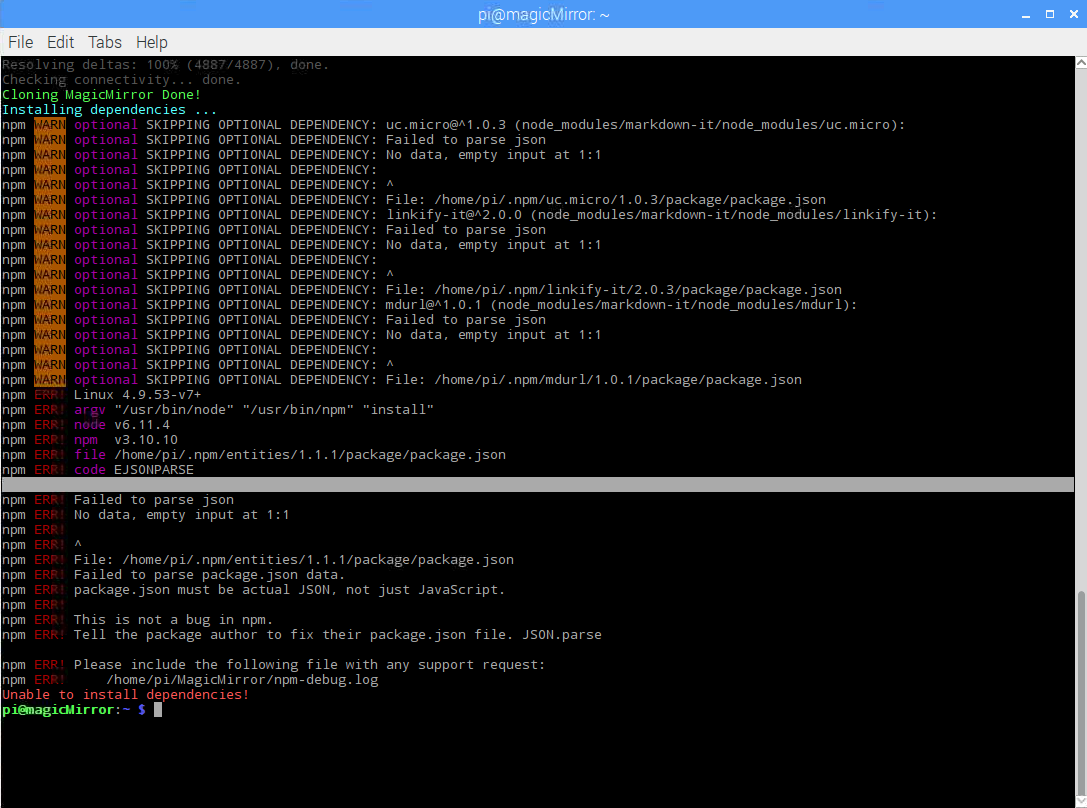
    @Zethcore said in Having an issue when installing dependancies: Prior to trying to install the magic mirror I updated all of the firmware on my pi, could that cause an issue? It could. I had a Pi lose its Bluetooth and Wifi after a firmware upgrade, but MM still installed. I can’t say that is your issue but something out of the ordinary is certainly going on there. At the very least, the manual install I suggested SHOULD have worked. I’ve done it many, many times, on Pi’s, PC’s running Windows, PC’s running uBuntu, and most recently (last week), a 32bit MacBook running uBuntu, all without fail. Perhaps someone else with more knowledge than I will chime in here. I’ve never even seen the “Optional SKIPPING OPTIONAL DEPENDENCY” message before
  • Empty calendar

    4
    0 Votes
    4 Posts
    2k Views
    ?
    @poekel I think you can try it by yourself.
  • Updating Mirror

    2
    0 Votes
    2 Posts
    2k Views
    Mykle1M
    @yours.mukul You can disable the update notification module
  • MMM-WorldTides, no output on screen

    14
    0 Votes
    14 Posts
    9k Views
    Mykle1M
    @yawns said in MMM-WorldTides, no output on screen: Sure, play around with it and present it. Again, I would like to thank you for the green light on this, and making a tide module of my own. Mine is so different that I just did my thing without messing with yours. Actually, I think they compliment each other. Yours in a table and mine in rotation. Anyway, good luck in your new home! :^)
  • EADDRINUSE port error

    5
    0 Votes
    5 Posts
    2k Views
    S
    @Sean I’ve rebooted several times i have also as you suggested tried pm2/npm restarts which also doesnt have any effect. This isnt intermittent its every time I reboot
  • Does it work with RASPBIAN JESSIE WITH PIXEL

    7
    0 Votes
    7 Posts
    4k Views
    R
    @richfreeman Allowing the install to complete before cancelling the script helps with a successful installation. Having left the install to run past the stages that look like it has crashed. Gave the installation script chance to complete. I’ve successfully installed Magicmirror using the latest 2017-09-07 Raspbian stretch. Following these procedures mentioned above, nb as user ‘pi’ not ‘root’. Hope this helps some other people. Thanks!
  • Calendar Module still referencing Template

    8
    0 Votes
    8 Posts
    3k Views
    Mykle1M
    @MASantangelo said in Calendar Module still referencing Template: I’m gonna chalk that up to not enough coffee on my part. :) Or too much. :^)
  • Add symboly/icon in a modul

    14
    0 Votes
    14 Posts
    9k Views
    D
    @Mykle1 Ah Thanks :D, now i have the console, but there is no error.
  • GETTING STARTED : HELP !!

    16
    0 Votes
    16 Posts
    7k Views
    Mykle1M
    @PCPAYN3 said in GETTING STARTED : HELP !!: Is there a html file to edit so i can add a google calender to it? In your config.js file, in the calendar module entry, you can either add this OR edit the existing entry for US-Holidays. If you do not want the US Holidays calendar then simply change the end of the url to UK-Holidays.ics. { symbol: "calendar-check-o ", url: "webcal://www.calendarlabs.com/templates/ical/UK-Holidays.ics" },
  • Problem with Alert Module

    7
    1
    0 Votes
    7 Posts
    4k Views
    Y
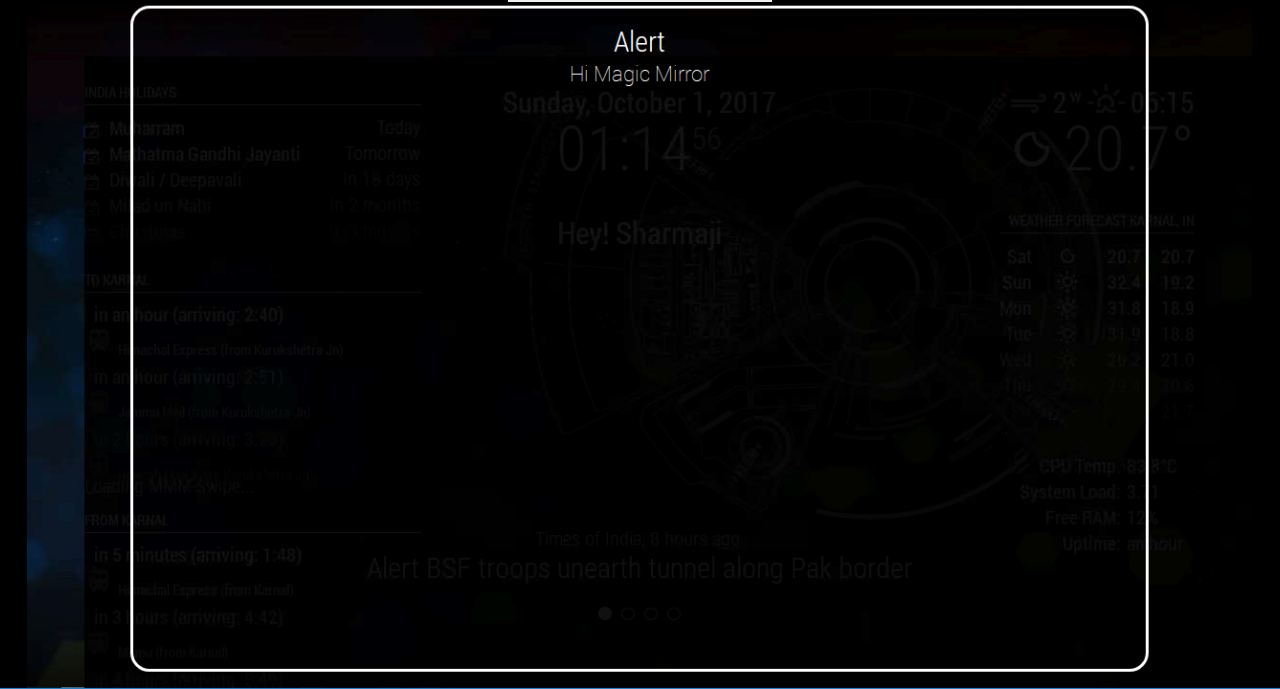
    See the inspecting of elements, can anyone help me ?? [image: 1507054716218-capture4.png]
  • Problem to receive 433 Mhz, transmit ist working

    3
    0 Votes
    3 Posts
    2k Views
    Z
    Hello broberg, yes i plugged the transmitter in my second pi and i received signals. Then i plugged it in my “mirror”-Pi and i can´t receive anything. On both Pi´s i installed the same OS. I´m thinking that something i installed on my “mirror”-Pi is guilty for my problems. I used the same Pins and sending is no problem.
  • VNC Viewer disconnects

    vnc disconnect idle
    5
    0 Votes
    5 Posts
    3k Views
    M
    @broberg Well, I appreciate your advice it was very helpful. It was my intention to separate the RPi from the display and build a small mirror using a relatively cheap tablet. After editing the config.js file all works fine now with a fullscreen browser app. Besides using a tablet makes it easy to use the front camera as a motion detector to switch the mirror. Thanks again!
  • MMM-Carousel not scrolling

    1
    0 Votes
    1 Posts
    1k Views
    J
    New to MM and testing set. I was able to config several pages and arrange, but they are not advancing through the pages at interval. Any ideas where to start?
  • PM2 - how to access terminal?

    2
    0 Votes
    2 Posts
    2k Views
    Mykle1M
    @Richard238 said in PM2 - how to access terminal?: With PM2 installed, MM starts OK. Ctrl+Q to access desktop, but PM2 kicks in, so how do you get access to the terminal, and desktop with PM2 running?! Thank you. You can either minimize the MM window by pressing your ALT key and then choose Minimize from the Menu Bar at the top, or, Choose Exit from the File Menu in the Menu Bar. Pressing Ctrl+M will Minimize your MM window, as well. Now, with PM2 installed, it will relaunch the mirror. So, minimize the mirror first, and then type pm2 stop mm in your terminal so the mirror doesn’t relaunch. pm2 start mm to relaunch

  • Error on update: "Please tell me who you are." ?

    3
    0 Votes
    3 Posts
    2k Views
    R
    Ah, OK, seems simple enough. But why has this not been an issue before with previous MM updates? Thanks.
  • How to position output from one modul to 2 different display areas

    2
    0 Votes
    2 Posts
    1k Views
    brobergB
    You could code a config-option of to what to display and then make two instances of the same module with different positions. OR you could make the module fullscreen (using for an example position fullscren_below or fullscreen_above as positions).