Read the statement by Michael Teeuw here.
Email
-
pi@MagicMirror2:~/MagicMirror/modules $ npm install
npm WARN enoent ENOENT: no such file or directory, open '/home/pi/MagicMirror/modules/package.json'
npm WARN enoent ENOENT: no such file or directory, open '/home/pi/MagicMirror/modules/node_modules/node_helper/packa                                                                                                                         ge.json'
npm WARN modules No description
npm WARN modules No repository field.
npm WARN modules No README data
npm WARN modules No license field.
pi@MagicMirror2:~/MagicMirror/modules $ ^C
pi@MagicMirror2:~/MagicMirror/modules $ cd ..
pi@MagicMirror2:~/MagicMirror $ cd config/
pi@MagicMirror2:~/MagicMirror/config $ ls
config.1  config.2  config.5.keep  config.good  config.good.js  config.good.swap  config.js  config.js.sample  config.js.save  config.js.save.1
pi@MagicMirror2:~/MagicMirror/config $ sudo nano config.js
pi@MagicMirror2:~/MagicMirror/config $ cd ..
pi@MagicMirror2:~/MagicMirror $ cd modules/
pi@MagicMirror2:~/MagicMirror/modules $ ls
default  email  MMM-HTTPRequestDisplay  MMM-wordnik  MMM-WunderGround  MMM-Wunderlist  node_modules  README.md  TR_swap
pi@MagicMirror2:~/MagicMirror/modules $ cd email/
pi@MagicMirror2:~/MagicMirror/modules/email $ npm install
email@0.0.1 /home/pi/MagicMirror/modules/email
├─┬ debug@2.2.0
│ └── ms@0.7.1
├─┬ imap@0.8.17
│ ├─┬ readable-stream@1.1.14
│ │ ├── core-util-is@1.0.2
│ │ ├── inherits@2.0.1
│ │ ├── isarray@0.0.1
│ │ └── string_decoder@0.10.31
│ └── utf7@1.0.0
├─┬ mailparser@0.4.9
│ ├─┬ encoding@0.1.12
│ │ └── iconv-lite@0.4.13
│ ├── mime@1.3.4
│ ├─┬ mimelib@0.2.19
│ │ └── addressparser@0.3.2
│ └── uue@1.0.0
└── underscore@1.8.3

npm WARN email@0.0.1 No repository field.
npm WARN email@0.0.1 No license field.
Note from admin: Please use Markdown on code and shell snippets!
-
@amanzimdwini Yes, you should be all set! Thanks for the updates. :D
-
@ronny3050
Thx for updating the README.
Followed instructions (requested app-pwd since I have 2-factor authentication).
My config.js:{ module: 'email', position: 'bottom_left', header: 'Email', config:{ user: 'XXX@gmail.com', password: '****************', host: 'imap.gmail.com', port: 993, tls: true, authTimeout: 10000, numberOfEmails: 5, fade: true }Restarted (NOT REBOOTED) Pi.
Got this:
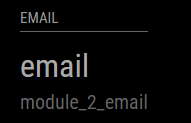
Rebooted (just to be safe) - same result.
-
@amanzimdwini you are missing a ‘}’ which closes the config block. It should look like:
{ module: 'email', position: 'bottom_left', header: 'Email', config:{ user: 'XXX@gmail.com', password: '****************', host: 'imap.gmail.com', port: 993, tls: true, authTimeout: 10000, numberOfEmails: 5, fade: true } } -
@ronny3050
Sorry - pasted only partial copy; I had the trailing }.
My Config.js was correct…Just to be on the safe side, I tested it as if config.js had been what I posted - and that failed with a “please create a config file”. As it should have.
So - I think the problem is elsewhere. Sorry
-
@amanzimdwini Could you please report the logs?
-
@amanzimdwini Also, if you’re using Gmail, you need to ‘set lower security for apps’ https://www.google.com/settings/security/lesssecureapps.
-
@amanzimdwini It should be working now?
-
Just did a clean install on a brand new pi in about 5 minutes flat. COOL MODULE.
(still need to work on 2-auth, please. Plus I’ll want to change your config to make the display single line etc. I’ll look at the js file) -
@amanzimdwini I am working on it. Also, I am finishing up with another module that works in a very similar fashion, where your requests would be required as well. I’ll add them together :D
-
Hi,
Thanks for this job.
It’s possible to add number of email don’t read in the header module ?Thanks
-
@Neokamikaze Thanks for your kind words!
It is definitely possible. Unfortunately, I am traveling and don’t have my mirror with me. I will add it in a week and update you.Thanks once more :D
-
Hi,
Thank you very much for this amazing module. Unfortunately, I was not able to make it work properly. Without giving any error (at least that I am aware of) it freezes on the loading screen.
I managed the security and everything, it is a Gmail account.
Any idea of what’s going on? -
Sorry for double posting. Now it works, but I did nothing but rebooting.
-
@pietrodona rebooting helps. The issue could’ve been some IMAP error. This happens because IMAP is super sensitive and errors without reason.
Hopefully, all is well now.
-
When in doubt, pull the plug.
-
Is it possible to add two email addresses? Kindly please advice @ronny3050
-
multiple adresses are currently not possible
-
Hi @ronny3050,
I have a problem, same problem that @pietrodona. My emails are double on my mirror same after reboot. After a few day, my emails are double on my mirror. And after delete my emails on Gmail these emails aren’t deleted on my mirror.
Thanks
-
@ronny3050 said in Email:
@amanzimdwini Also, if you’re using Gmail, you need to ‘set lower security for apps’ https://www.google.com/settings/security/lesssecureapps.
@ronny3050 I did that and still no emails ;( Everything is set up correctly … login/password …
Suggestions?



Hello! It looks like you're interested in this conversation, but you don't have an account yet.
Getting fed up of having to scroll through the same posts each visit? When you register for an account, you'll always come back to exactly where you were before, and choose to be notified of new replies (either via email, or push notification). You'll also be able to save bookmarks and upvote posts to show your appreciation to other community members.
With your input, this post could be even better 💗
Register Login