Read the statement by Michael Teeuw here.
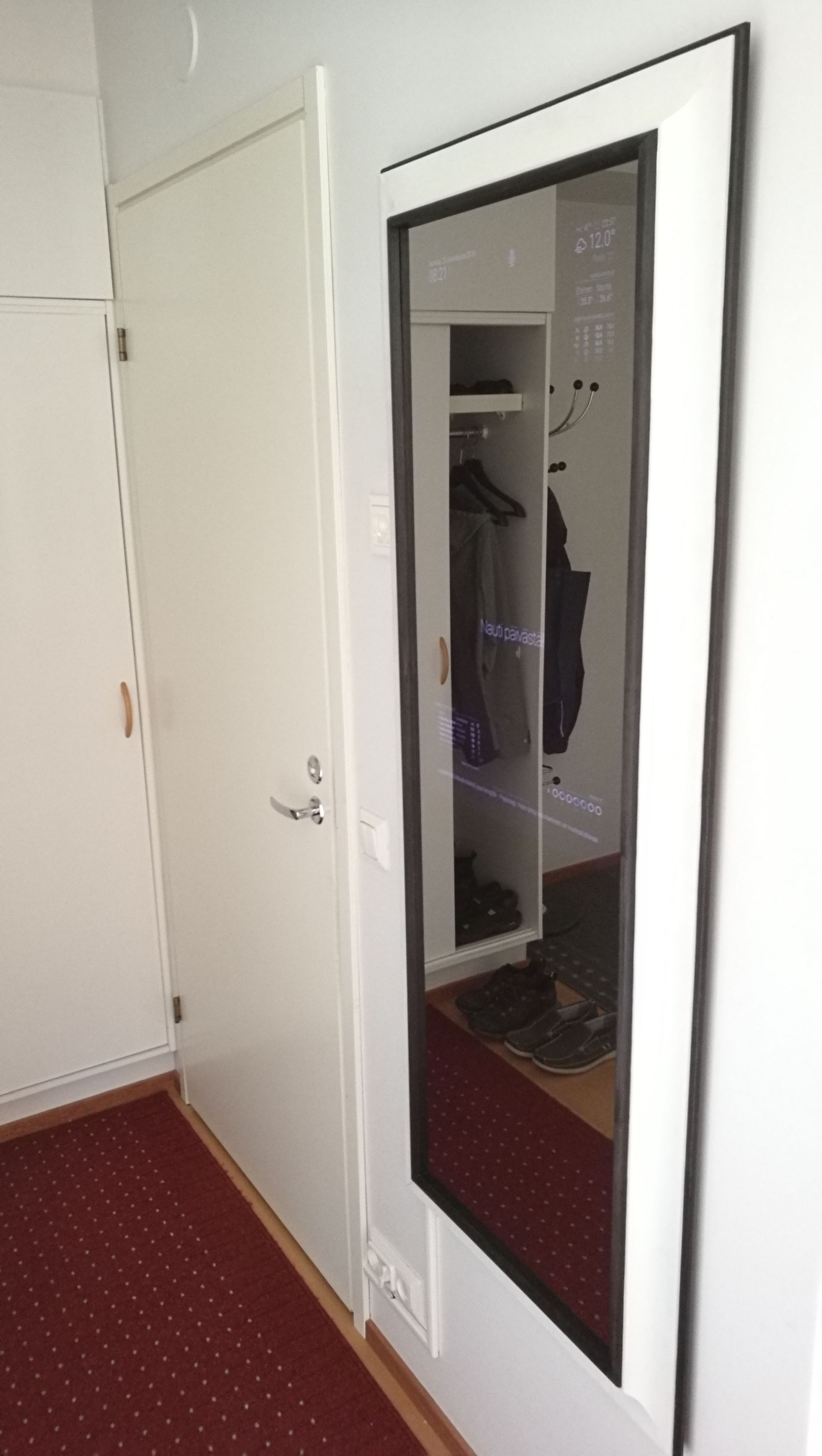
B&W themed hallway mirror with 32” display
-
Hello,
I’ve been lurking in the forums and now I present you my mirror:

You can find more pictures and details on Google photos
(There’s comment on every photo)This mirror has been in the making for the last 6 months or so. I purchased Rpi 3 for 20 euros (25 dollars) on last black friday, 24th October 2017. At first I thought what to do with it. I was tempted to have some sort of screen where I could see what’s playing on Spotify while making food and such so I don’t have to unlock iPad or phone everytime for this. I didn’t have any suitable space in my living room. I remembered I had read about MagicMirror sometime earlier and that was it. I had hallway mirror in the hallway and that seemed to be the only place where I could ”hide” the display. Luckily while making the mirror MMM-NowPlayingOnSpotify module was released :winking_face: :headphone:
This started search for display for at least 30” at around christmas time. The idea was to put it in vertical position at top of the mirror while covering the whole upper area and being wide enough so that I could see my whole upper body on the mirror. Of course it had to be as bright as possible while being thin at the same time. After about one month of search I found used 32” LG signage series info display, 32WL30MS-B.
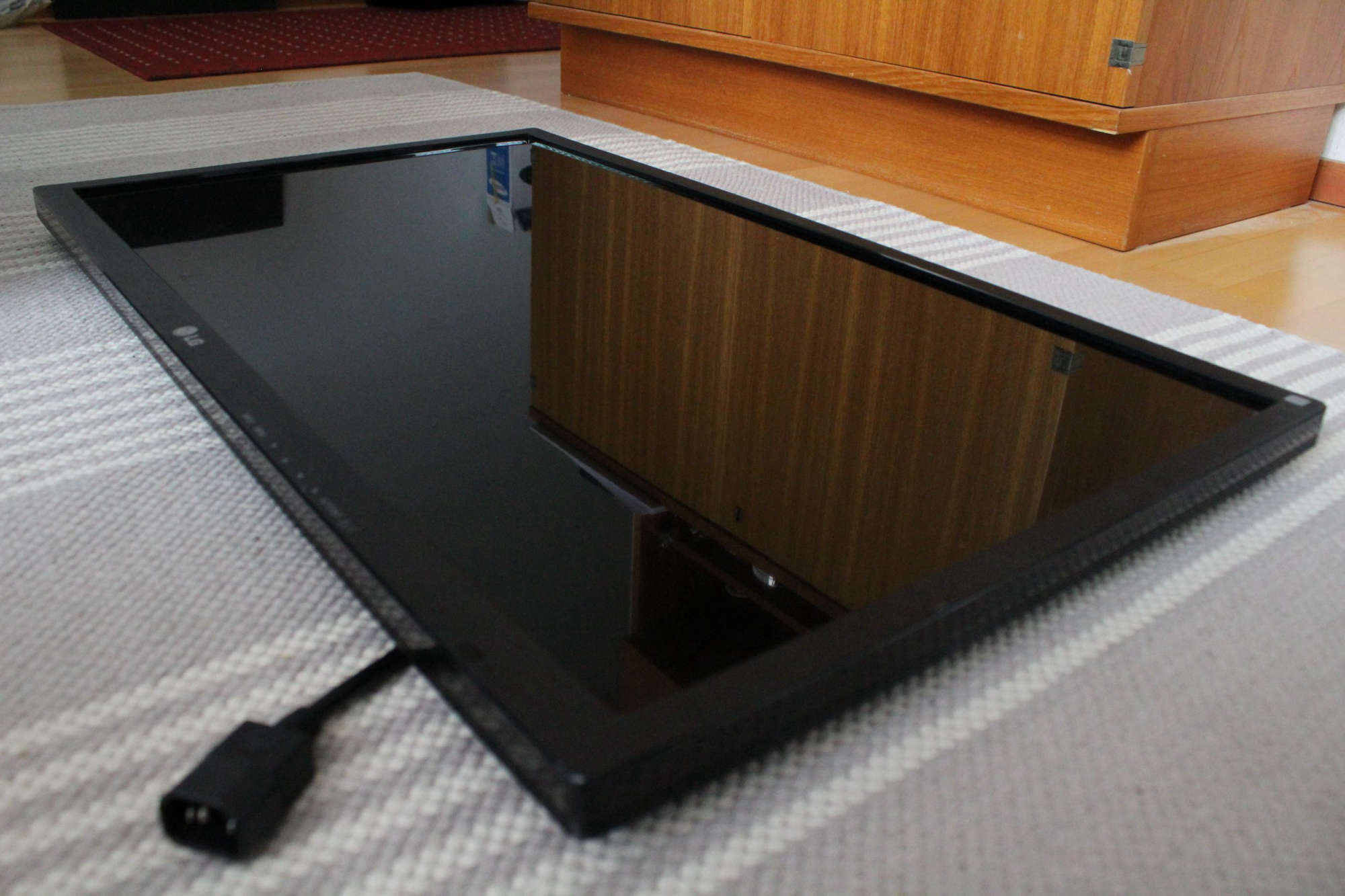
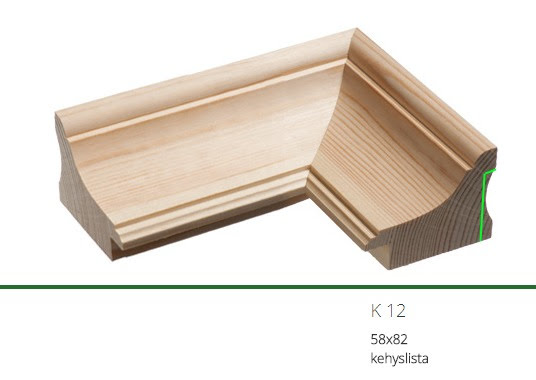
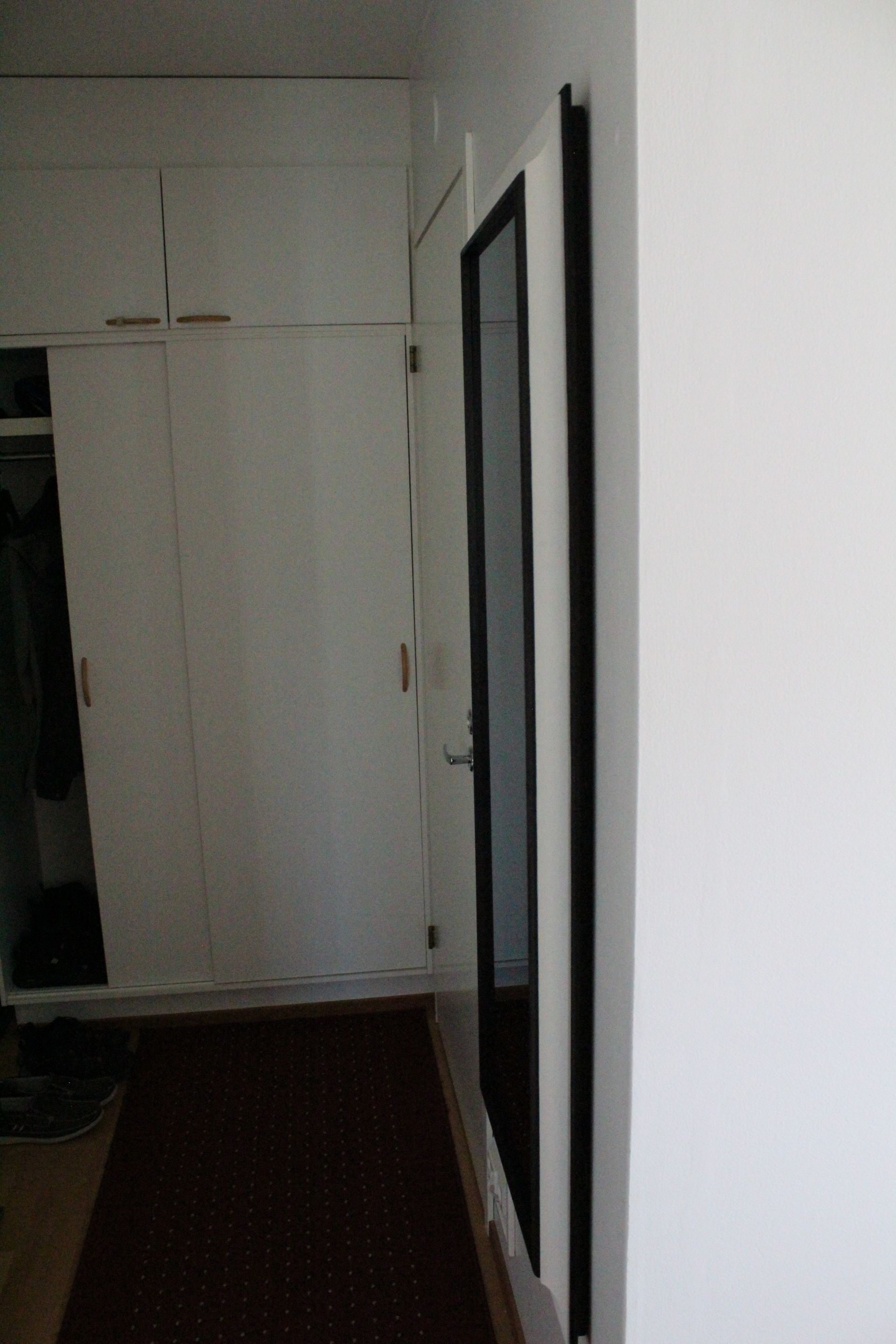
Next I had to find suitable frame. I didn’t want the mirror to stand out really and the goal was to make it look as any standard mirror while hiding the thickness of the display, 3,56 cm. I found planing mill which seemed to have pretty perfect frame for my display and it just needed some cuts with circular saw at the back side to fit it in. Sorry, I don’t have any pictures for the cutting part. Yes, the frame is pretty massive, it’s 5,8 cm thick and 4 meters of frame weights 5,5 kg all alone!
I’m from Finland and here we have sauna in almost every building. I thought it would be cool to have the temperature shown in the mirror. Luckily I found out that MMM-temp-ds18b20 module was perfect for this. DS18B20 sensors can handle 125C temperatures so I wired one of them to the sauna which is behind the mirror. The other one lies at the bottom of the mirror showing the hallway temperature.
More pictures:
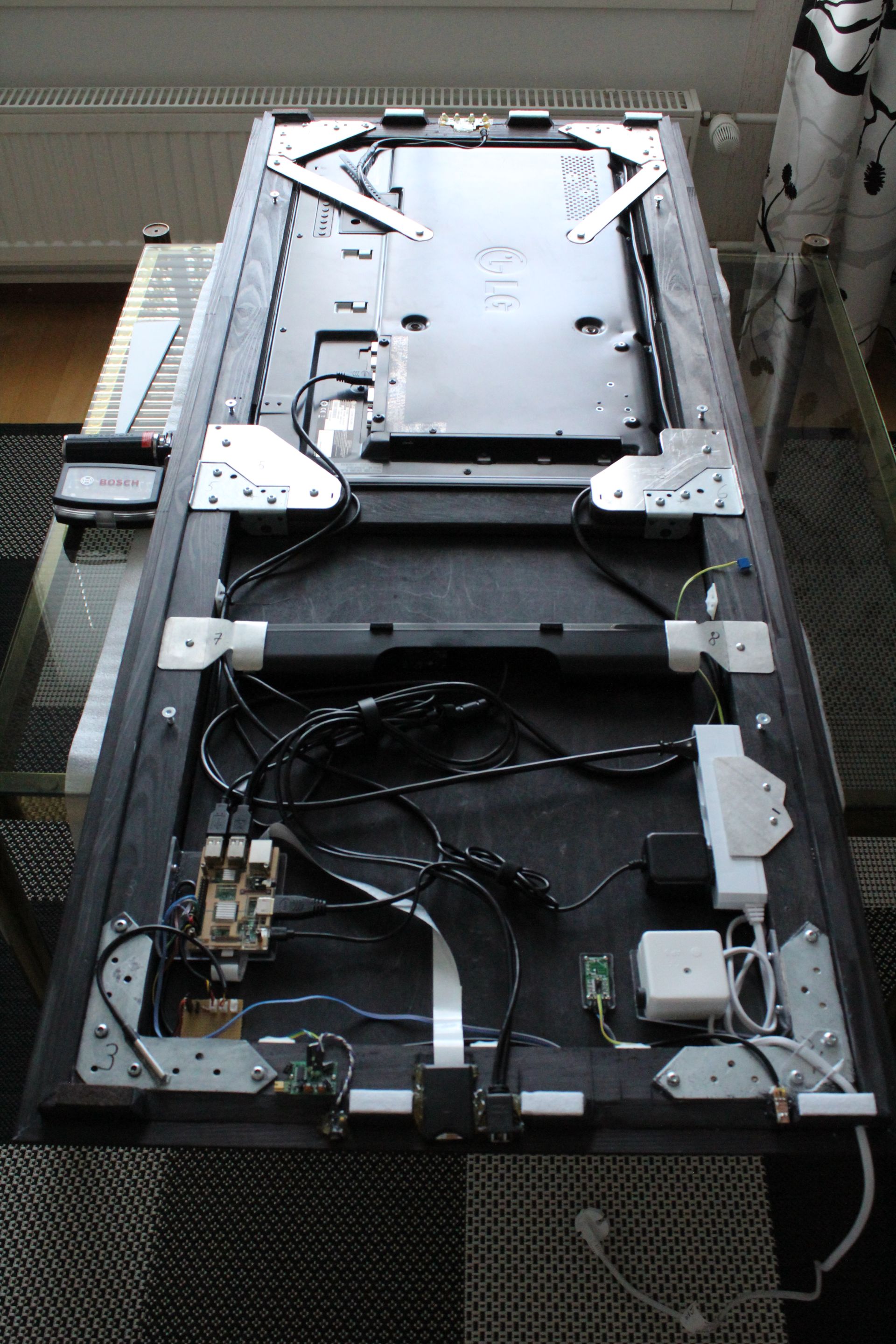
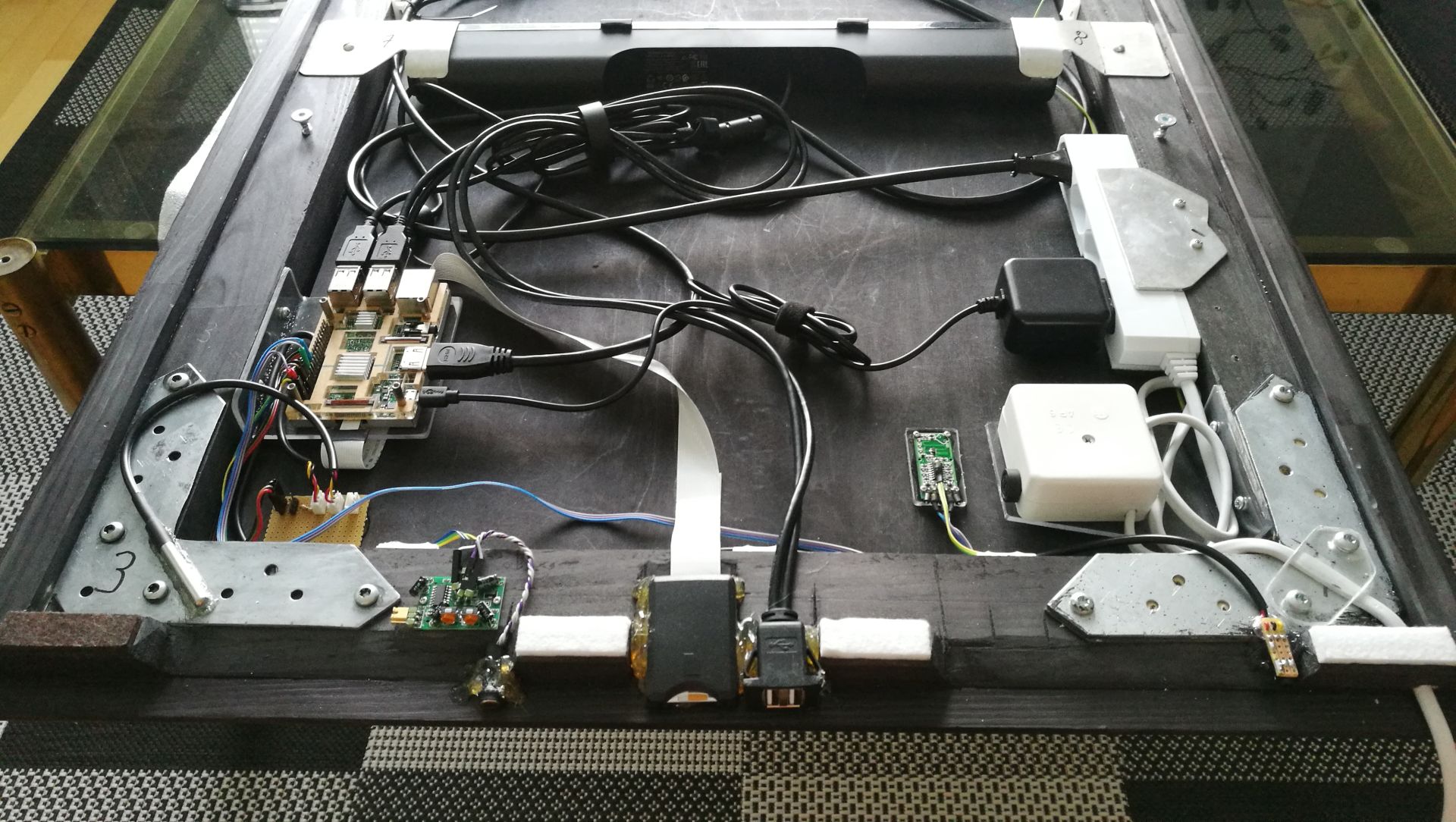
These modules are installed (at the time of writing):
top
clock
MMM-AlexaPi (AlexaPi as core)
currentweather
MMM-temp-ds18b20
weatherforecastmid
complimentsbottom
MMM-Carousel, switching the following
1
calendar_monthly
MMM-NowPlayingOnSpotify
MMM-quote-of-the-day
2
MMM-Formula1
MMM-GoogleFit
newsfeedand
MMM-PIR-SensorScreenshots:
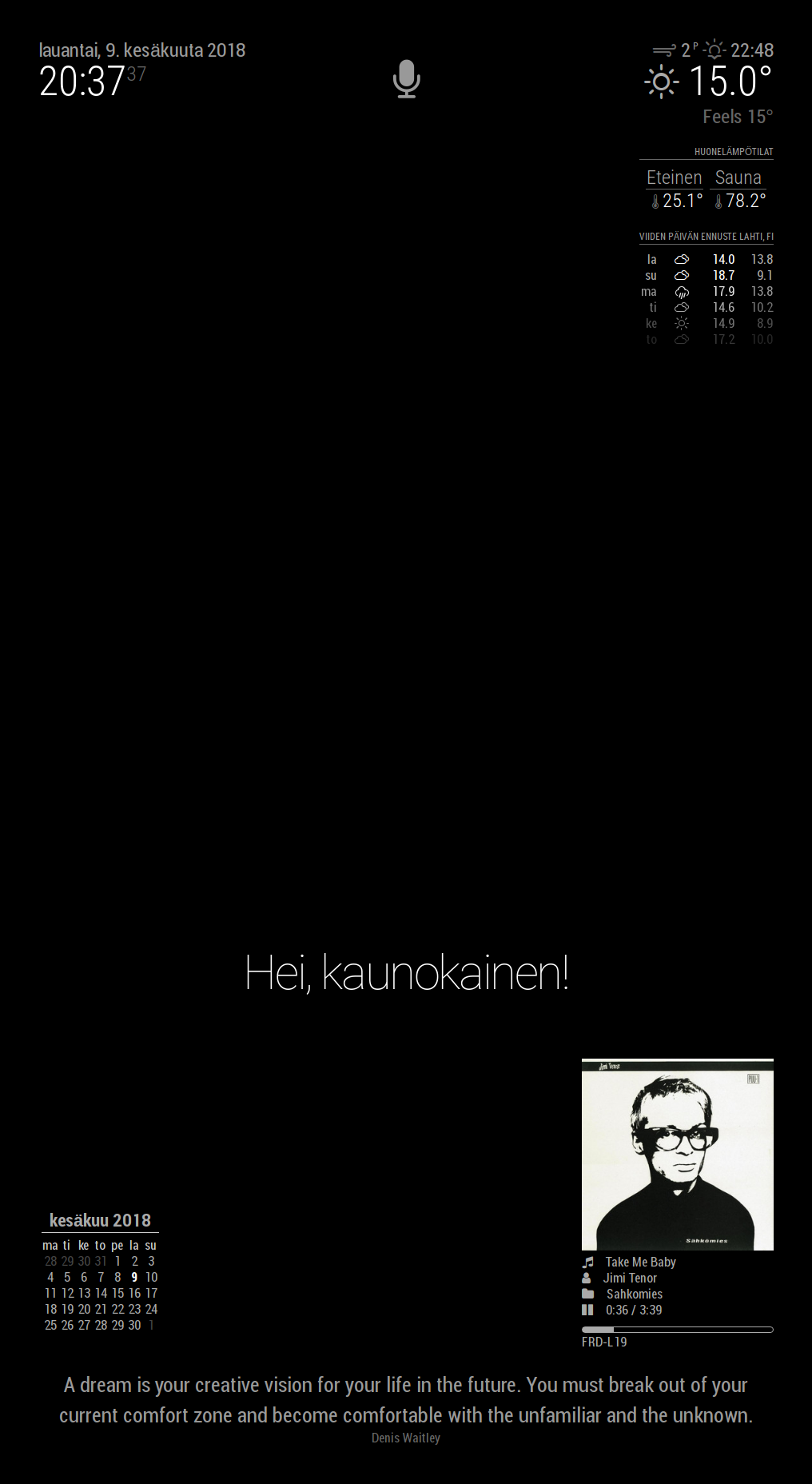
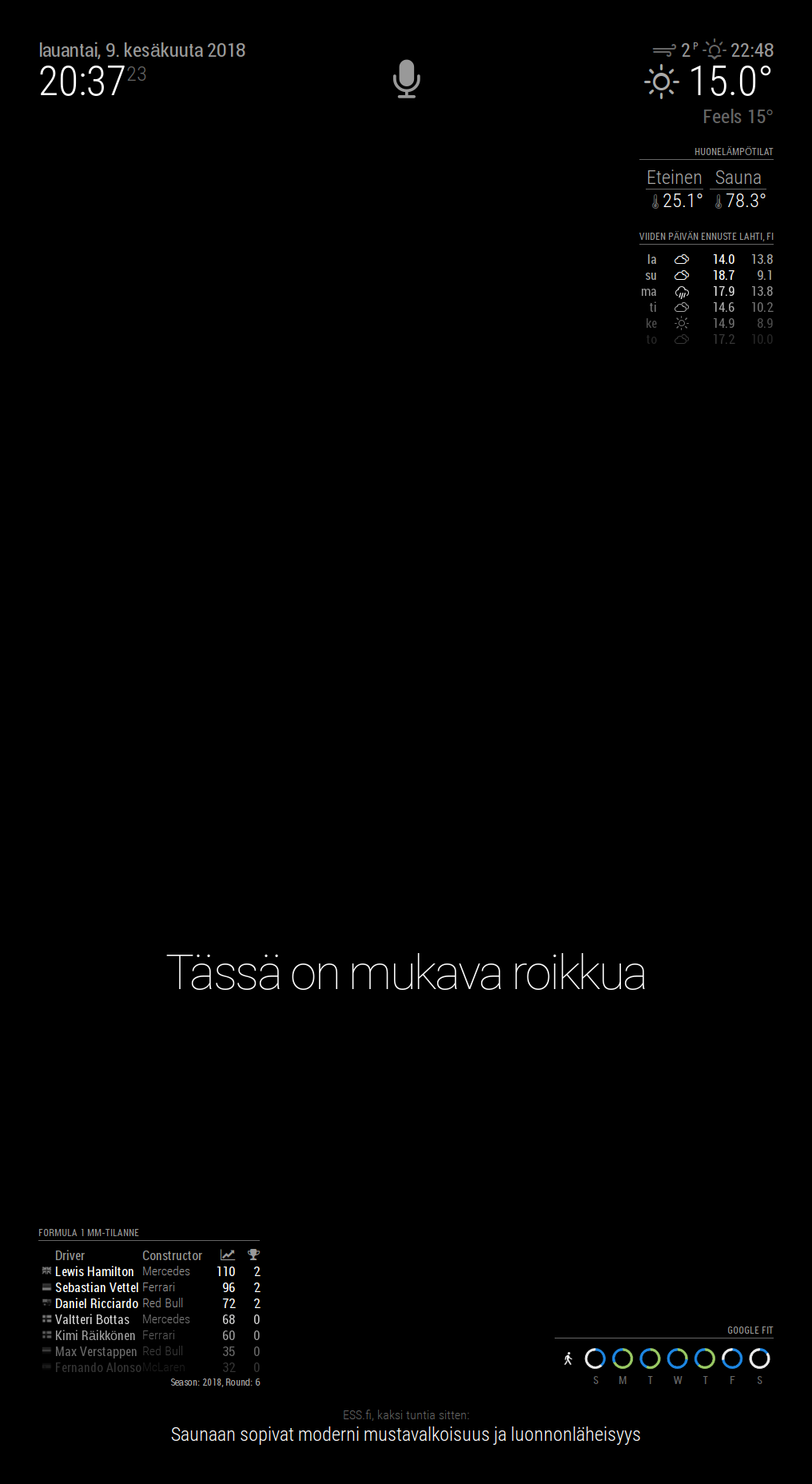
Feel free to comment or ask questions!
-
Well done, young man!
-
Looks pretty damned awesome! Well done!
Did u loosen the pir sensor from the board? Clever, havent thought of that! -
-
@dmd said in B&W themed hallway mirror with 32” display:
Not sure if I’m that young anymore but thank you Mykle1!
I see your reflection in your mirror. You’re young. :-)
-
Very Nice!!! Love it!!!
-
Great job!
-
Hieno peili!
Onko ollut mitään ongelmia ohjelmiston asennuksen kanssa?
-
@gashion said in B&W themed hallway mirror with 32” display:
Hieno peili!
Onko ollut mitään ongelmia ohjelmiston asennuksen kanssa?
Kiitos! MagicMirror asentui automaattiasennuksella ja kaikki modulit ongelmitta. Raspbian Strechin asennukseen käytin Etcheriä
Perusasennukseen käytin tätä ohjetta:
https://forum.magicmirror.builders/topic/236/complete-setup-tutorialStrech päivittynyt hieman tuon jälkeen eli valikot löytyy hieman eri kohdista. OpenWeatherMap ei tietääkseni jaa enää ilmaisia api avaimia eli sääennusteen saamisesta toimimaan tällä hetkellä en osaa sanoa.
*Same in English. Did you had any problems installing the software?
No, MagicMirror software installed with automatic install. For Raspian Strech I used Etcher image tool. All the modules installed with no problem. Not sure if you can get weather forecast working at the moment as OpenWeatherMap doesn’t provide free api keys anymore. * -
Moi,
Mitä peiliä sinä käytit, tavalinen tai olet tilannut joku erikoista ?
-
Excellent work! It looks great.
-
@anubisf Peililasin ostin Maakunnan Lasi Oy:stä Lahdesta. Lasin paksuus on 4mm ja hintaa oli ~70e neliö ilman reunojen hiomista. Hiomisen tein itse hiekkapaperilla, mutta helpommalla pääsee kun tekevät sen liikkeessä. Myyjän mukaan valon läpäisyprosentti peililasilla on jotain välillä 8-12. Peilikuva on hieman tummempi verrattuna tavalliseen peiliin, vaikka sitä ei noista esimerkkikuvista helposti huomaakaan.
Edit: Unohdin vielä mainita. “piilopeili” nimellä myyvät eli tavallinen peililasi ei tähän käyttöön sovellu.
-
very nice
-
great job. Can you please provide some info about additional HW/sensors? I mean, where to order USB cables? And the “white flat cable” - what is it? Is it a way, how to place SD card outside of RPi? Where to get it?
Thanks, Zdeněk
-
@zdenek There’s some hints on Google photos if you look at the accessories photos. Best viewable with desktop browser or tablet for the info in them.
These were found on Amazon: usb cable, microSD-SD extension cable, DS18B20 temperature sensors, PIR-sensor (HC-SR501), microwave motion sensor (RCWL-0516) and PS3 eye (stripped down to having only pcb with microphones).
I mean, where to order USB cables?
- Amazon, search for “usb flush mount cable”
And the “white flat cable” - what is it?
- Amazon, search for “microSD SD extension extender cable”. Well, I guess the name says it all. You can use microSD microSD extension cable also if your mirror’s frame is smaller. The reason I wanted to use SD extension cable (I have SD-microSD adapter in it) :face_with_stuck-out_tongue_closed_eyes: is because I read somewhere that the reason it was removed from the Pi is because the springler in it was one of the most defective part. This way I can just slide the microSD card in it. Well, not that I change sd card every day but just in case. It was probably easier for me to glue it to the frame also.
-
@dmd thx 4 the answer
Zdeněk
-
Oliko mitään ongelmia tuon MMM-PIR-Sensor:in kanssa, asennuksen yhteydessä?
Itse en ole saanut toimimaan. Liitetty oikeaan gpio paikkaan ja asennettu ohjeiden mukaisesti.





Hello! It looks like you're interested in this conversation, but you don't have an account yet.
Getting fed up of having to scroll through the same posts each visit? When you register for an account, you'll always come back to exactly where you were before, and choose to be notified of new replies (either via email, or push notification). You'll also be able to save bookmarks and upvote posts to show your appreciation to other community members.
With your input, this post could be even better 💗
Register Login