Read the statement by Michael Teeuw here.
[MMM-Dreambox] to connect a Dreambox or a Enigma2 Receiver (like VU or VU+) to MagicMirror and stream stations via omxplayer
-
@evroom said in [MMM-Dreambox] to connect a Dreambox or a Enigma2 Receiver (like VU or VU+) to MagicMirror and stream stations via omxplayer:
- Perhaps stupid, but do not how to do that. Cannot open MM using the MM IP.
Just run MM into DEV mode and in the right panel switch to the tab ‘Console’
cd ~/MagicMirror/ npm start dev -
Can you send me following 5 xml files: …/web/about, …/web/getallservices, …/web/timerlist, …/web/servicelistplayable, … /web/epgnow by email ak10zeichen-xy@yahoo.de
AxLED
-
Forgot the port.
I see this error:TypeError: undefined is not an object (evaluating 'json.e2servicelistrecursive.e2bouquet.e2servicelist.e2service')In line 229 of MMM-Dreambox.js:
this.sender = json.e2servicelistrecursive.e2bouquet.e2servicelist.e2service;Mailed you the files.
-
@axled said in [MMM-Dreambox] to connect a Dreambox or a Enigma2 Receiver (like VU or VU+) to MagicMirror and stream stations via omxplayer:
Can you send me following 5 xml files: …/web/about, …/web/getallservices, …/web/timerlist, …/web/servicelistplayable, … /web/epgnow by email ak10zeichen-xy@yahoo.de
AxLED
Me?
-
@Cr4z33
Yes. -
@axled OK gimme a minute and I send them. :winking_face:
-
“You talking to me ?” (Robert de Niro - Taxi Driver).
I sent the files, just in case. -
@evroom said in [MMM-Dreambox] to connect a Dreambox or a Enigma2 Receiver (like VU or VU+) to MagicMirror and stream stations via omxplayer:
I sent the files
@evroom
Thanks for the files, i checked them and found an Error in MMM-Dreambox.jsMy “getallservices” xml only has one “bouquet”, so i checked only for one.
As your “getallservices” xml has three “bouquets” i changed the code.If you do a
git pull(master repository) it should work.So far i decided only to show the services/stations/channels of the first bouquet only, (userbouquet.favourites.tv) in your case.
AxLED
-
@cr4z33 said in [MMM-Dreambox] to connect a Dreambox or a Enigma2 Receiver (like VU or VU+) to MagicMirror and stream stations via omxplayer:
@axled OK gimme a minute and I send them.
@Cr4z33
Thanks for your files, one a fast view you also have more than one bouquet in “getallservices”, so my last fix should work for you also.Try a
git pull(master repository).AxLED
-
@AxLed
The services list now is present.
Next step is to stream one. -
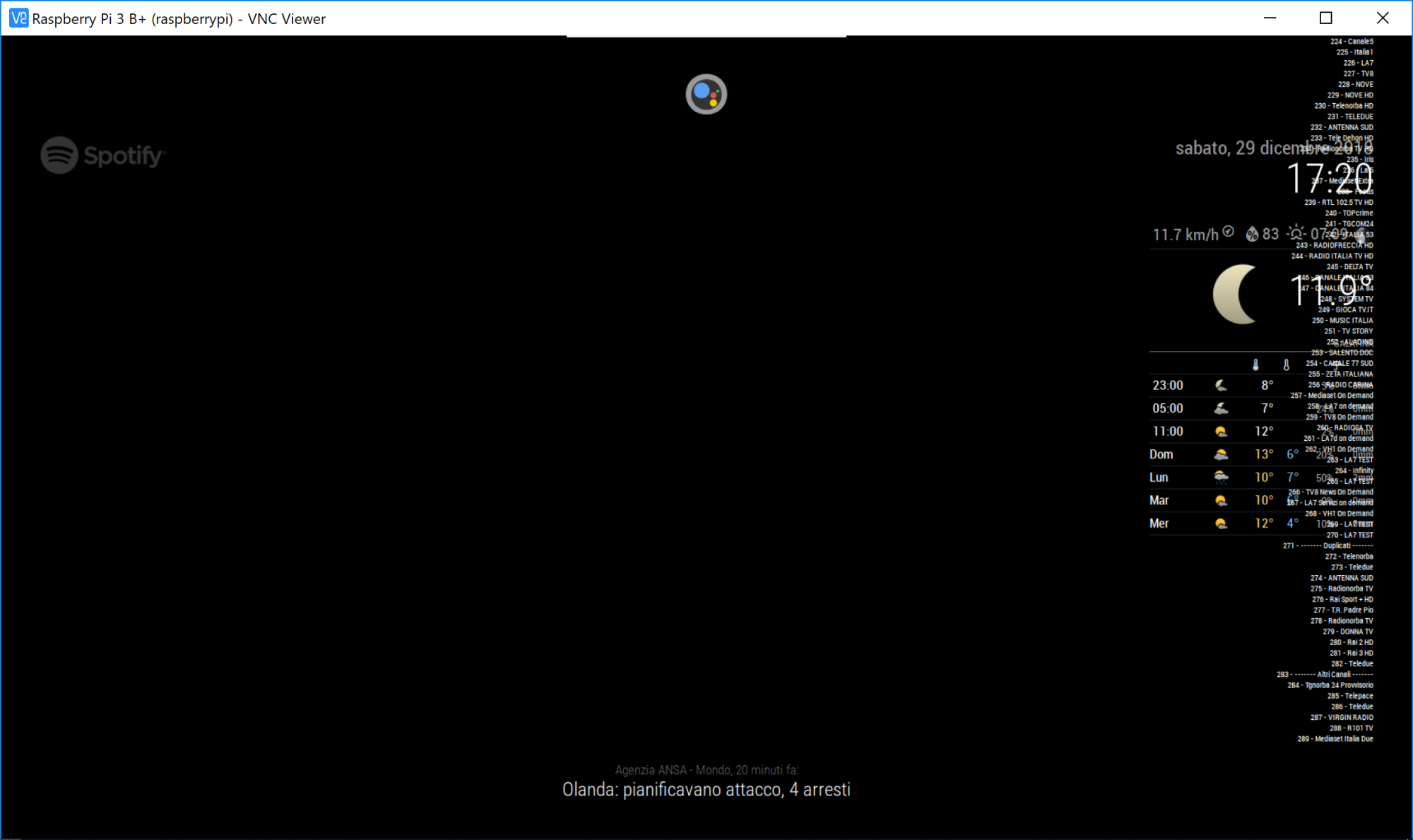
@axled the situation now is like in the below screenshot and I still don’t know how I am supposed to stream a channel (if I don’t have to specify its url). :smiling_face_with_open_mouth_cold_sweat:
-
All actions:
http://192.168.178.30:8080/remote?action=NOTIFICATION¬ification=DB-SERVICE-NEXT http://192.168.178.30:8080/remote?action=NOTIFICATION¬ification=DB-SERVICE-PREV http://192.168.178.30:8080/remote?action=NOTIFICATION¬ification=DB-PLAY http://192.168.178.30:8080/remote?action=NOTIFICATION¬ification=DB-STOPResult in:
Cannot GET /remote -
@evroom
How do you plan to interact with your MM?
I have a rotary encoder. Buttons or touch is also fine.
For the beginning you can use MMM-Remote-Control to send notifications.
I have to complete my Readme, that the sample links only work with MMM-Remote-ControlSo install MMM-Remote-Control, open an browser, modify the links matching to your environment and you should be able to select channels and stream them.
Important: Try with SD Channels first, as for HD channels the mpg2 codec is needed.
AxLED
-
@axled
I was about to ask about this.
Suppose it works, how will I use it in practise?I have a Pi with a monitor connected hanging in the kitchen.
No fancy mirror like many, with speech and buttons and PIRs.So, basically no interaction.
I plan on getting speech running, but I have other projects running at this moment (for instance Homematic IP and ioBroker).
I will try to install MMM-Remote-Control and see if that will work.
-
@Cr4z33
I dont know if it makes sense, to use a favorite list of services/stations/channels that wont fit on the screen of MM, as the list is to long.Start streaming can be done by selecting one service/station/channel (by using yourmmip:8080/remote?action=NOTIFICATION¬ification=DB-SERVICE-NEXT for example) and than start streaming by (yourmmip:8080/remote?action=NOTIFICATION¬ification=DB-PLAY).
Do you have MMM-Remote-Control installed?
Se my previous answer to evroom.AxLED
-
@axled oh now I understand.
Thanks for the information.However I don’t have MMM-Remote-Control and I rather prefer to control everything by voice commands (MMM-AssistantMk2).
Sorry, but then this module doesn’t suit my needs. :winking_face: -
@Cr4z33
You should be able to send notifications by voice commands also.
AxLED -
@evroom
Here is a screenshot of my Mirror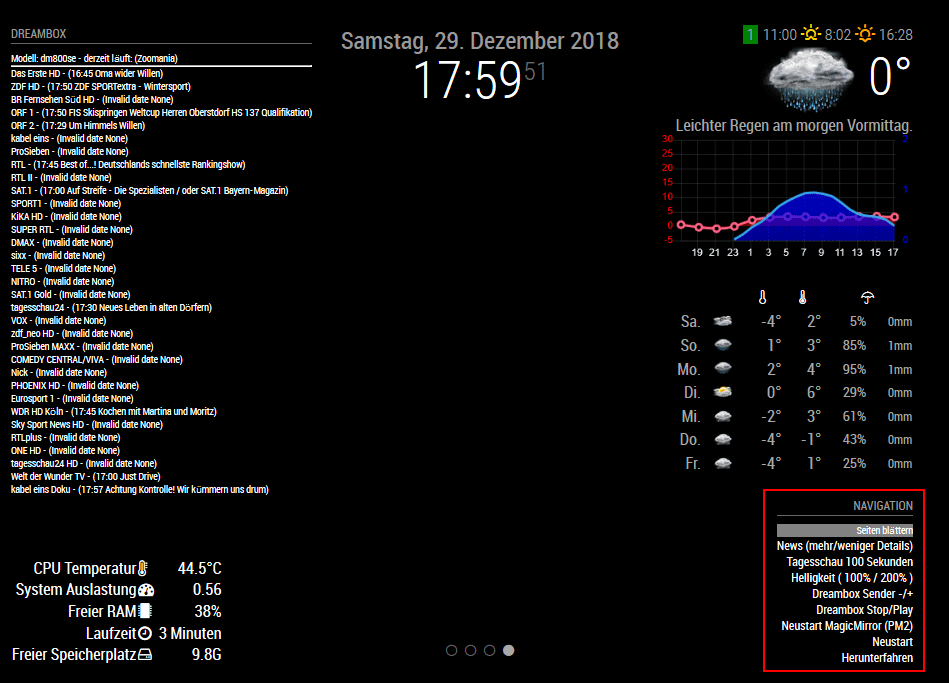
I have a PIR-Sensor (for turning screen on/off) and a rotary encoder connected (to the GPIO PINs of the Pi).
In the bottom right corner you see my “first” module MMM-Navigate which interacts with the rotary encoder.
So depending on the navigation menu i am able to:
- swipe pages (i have four)
- show Details to newsfeeds (opens website to the newsfeed)
- adjust brightness
- select dreambox channels
- start/stop streaming dreambox channels
- control the mirror (restart mm, shutdown, reboot)
- and for the future: everything which can handle the MM notification system
AxLED
-
Okay, I have MMM-Remote-Control running and I can open the menu.
Now using:http://192.168.178.30:8080/remote?action=NOTIFICATION¬ification=DB-PLAYI get this:
{"status":"success"}Now I see a stream on my monitor !!
With DB-SERVICE-NEXT and DB-SERVICE-PREV I can scroll through the services list
Also gives{"status":"success"}But I cannot switch to another service with DB-PLAY.
And I have a side effect that it takes 3 or 4 services on my Dreambox.
I have the plugin InfoBarTunerState installed and I see that MM is trying to stream multiple services.At this moment I see one stream on my MM monitor, but my Dreambox tells me there are 2 MM streams present (on 2 different services).
Here the OMXPlayer processes at this moment:
pi@MagicPi:~/MagicMirror/modules $ ps -eaf | grep omxplayer | grep -v grep pi 28431 28259 0 18:06 ? 00:00:00 /bin/sh -c omxplayer --win 320,180,1600,900 -o both http://192.168.178.28:8001/1:0:16:177A:C82:3:EB0000:0:0:0: pi 28432 28431 0 18:06 ? 00:00:00 /bin/bash /usr/bin/omxplayer --win 320,180,1600,900 -o both http://192.168.178.28:8001/1:0:16:177A:C82:3:EB0000:0:0:0: pi 28455 28432 10 18:06 ? 00:02:50 /usr/bin/omxplayer.bin --win 320,180,1600,900 -o both http://192.168.178.28:8001/1:0:16:177A:C82:3:EB0000:0:0:0: pi 28522 28259 0 18:15 ? 00:00:00 /bin/sh -c omxplayer --win 320,180,1600,900 -o both http://192.168.178.28:8001/1:0:16:36F8:C8C:3:EB0000:0:0:0: pi 28523 28522 0 18:15 ? 00:00:00 /bin/bash /usr/bin/omxplayer --win 320,180,1600,900 -o both http://192.168.178.28:8001/1:0:16:36F8:C8C:3:EB0000:0:0:0: pi 28546 28523 3 18:15 ? 00:00:31 /usr/bin/omxplayer.bin --win 320,180,1600,900 -o both http://192.168.178.28:8001/1:0:16:36F8:C8C:3:EB0000:0:0:0: -
Btw, is there a possibility to have the start, next, prev and stop URL’s configured in MMM-Remote-Control ?
MagicMirror version: 2.37.0
Raspberry Pi 4 Model B Rev 1.5 (8 GB RAM)
Raspbian GNU/Linux 12 (bookworm)


Hello! It looks like you're interested in this conversation, but you don't have an account yet.
Getting fed up of having to scroll through the same posts each visit? When you register for an account, you'll always come back to exactly where you were before, and choose to be notified of new replies (either via email, or push notification). You'll also be able to save bookmarks and upvote posts to show your appreciation to other community members.
With your input, this post could be even better 💗
Register Login