 H
Offline
H
Offline
A New Chapter for MagicMirror: The Community Takes the Lead
Read the statement by Michael Teeuw here.
Read the statement by Michael Teeuw here.
Posts
-
RE: Fetch is not a function
I always struggle with the updates. The first time it fails because it tells me to store a package.json and and a package-lock.json. I renamed them by adding “_old”. The second time the updated ran its course.
As i am ignorant, the I renamed the new package.json and package-lock.json by adding “_new”, and renamed the “_old” ones into the package.json and package-lock.json.
Then I ran the npm install.
That’s when I ran into trouble and called for help.
Further study of the log showed me that I was still running 2.17, which indicated something had gone wrong with the update, so I now renamed the “_new” files into package.json and package-lock.json, and redid the npm install. That solved the fetch problem.
It just gave me a valid-url and and another problem, but I simply installed these modules again, they always seem to be gone after an update in the Ubuntu install.To be honest I do not know why the updates halts and tells me to store the (or something) the package.json and package-lock.json files, when it needs the new ones to run the update proper.
To be honest I do not even know what the files do. They seem to be a record of the dependcies or something.
Like I said: I am ignorant.Thanks for reading and replying to mu mail, I see that you help a lot of people. Hope this info helps you keeping up that service.
Kind Regards,
Hein-Jan
-
Fetch is not a function
Dear all,
I have just update to 2.20.0 on an Ubuntu 20.04.3 LTS.
The news feed states “Geen nieuws op dit moment” sorry Dutch version, translated: “no news at this moment”.
The mm-error.log states “fetch is not a function” at fetchNews (/home/…/modules/default/newsfeed/newsfeedfetcher.js:88:3)
The changes for 2.20.0 by MichMich state:
Use internal fetch function of node instead external node-fetch library if used node version >= v18.node -v results in V14.19.3.
I think I am almost at solving the problem, but I am also way out of my depth here.
How do I get the newsfeed to “fetch” again on an Ubuntu 20.04.3 LTS mirror?
Help is apreciated.Kind Regards,
Hein-Jan
Sorry. Made a mess of package.json and package-lock.json files, and subsequently made a mess of the update.
Problem has been solved. -
RE: MMM-DropboxWallpaper halting mirror
Second attemp:
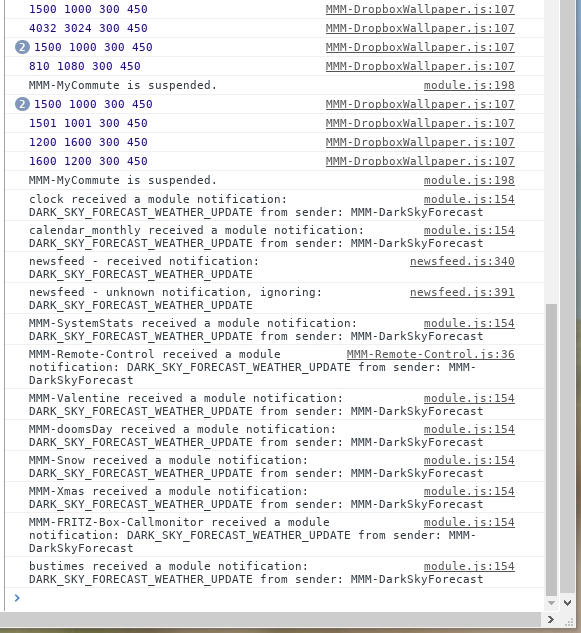
mm-out.log:
[DBXWLP] DSC_0244.JPG is downloaded.
[DBXWLP] DSC_0258.JPG is downloaded.
[DBXWLP] DSC_0199.JPG is downloaded.
[DBXWLP] IMG-20191229-WA0000.jpg is downloaded.
last entries in mm-error.log:
(node:10880) UnhandledPromiseRejectionWarning: Unhandled promise rejection (rejection id: 28): TypeError: Cannot read property 'hash' of null
(node:10880) UnhandledPromiseRejectionWarning: Unhandled promise rejection (rejection id: 29): TypeError: Cannot read property 'hash' of null
(node:10880) UnhandledPromiseRejectionWarning: Unhandled promise rejection (rejection id: 30): TypeError: Cannot read property 'hash' of null
(node:10880) UnhandledPromiseRejectionWarning: Unhandled promise rejection (rejection id: 31): TypeError: Cannot read property 'hash' of null
(node:10880) UnhandledPromiseRejectionWarning: Unhandled promise rejection (rejection id: 32): TypeError: Cannot read property 'hash' of null
(node:10880) UnhandledPromiseRejectionWarning: Unhandled promise rejection (rejection id: 33): TypeError: Cannot read property 'hash' of null
(node:10880) UnhandledPromiseRejectionWarning: Unhandled promise rejection (rejection id: 34): TypeError: Cannot read property 'hash' of null
I’m not seeing it.
Which probably means I am not looking at the right place…Hein-Jan
-
RE: MMM-DropboxWallpaper halting mirror
(
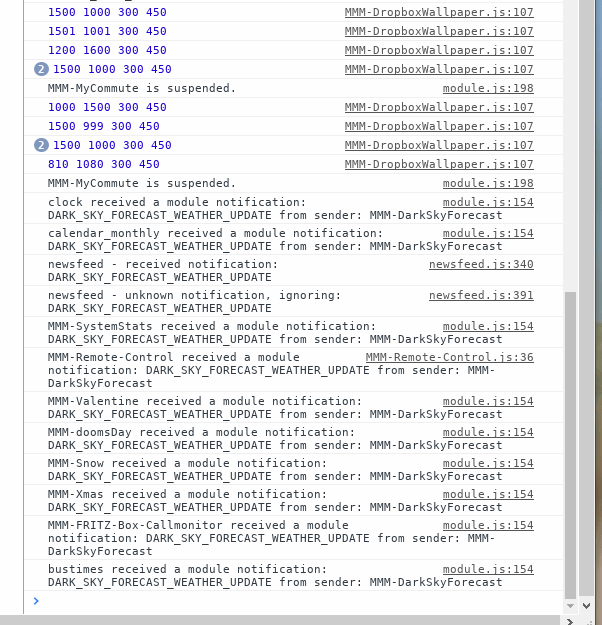
I’m not sure this is helpfull. Nothing in Red.
I got the screendump from the vnc on my computer. It matches the actual screen on the Pi which is hanging on the wall in the hallway… (without keyboard etc.)
I can still SSH and Sftp into the Pi.
Last entry in mm-out.log:[CALEXT] https://calendar.google.com/calendar/ical/spiegelclovishof%40gmail.com/private-XXXXXXXX/basic.ics >> { state: 'fetched but no change', lastFetchedTime: '19-12-30 16:37:17', lastFetchedEvents: 69, lastFetchedOldEvents: 93, lastServedEvents: 118, error: null }So nothing there either.
last entries in mm-error.log:
(node:7881) UnhandledPromiseRejectionWarning: Unhandled promise rejection (rejection id: 1): TypeError: Cannot read property 'refs' of undefined
(node:7881) [DEP0018] DeprecationWarning: Unhandled promise rejections are deprecated. In the future, promise rejections that are not handled will terminate the Node.js process with a non-zero exit code.
(node:7881) UnhandledPromiseRejectionWarning: Unhandled promise rejection (rejection id: 2): TypeError: Cannot read property 'refs' of undefined
(node:7881) UnhandledPromiseRejectionWarning: Unhandled promise rejection (rejection id: 3): TypeError: Cannot read property 'refs' of undefined
Global fetch is deprecated and will be unsupported in a future version. Please pass fetch function as option when instantiating dropbox instance: new Dropbox({fetch})
(node:7881) UnhandledPromiseRejectionWarning: Unhandled promise rejection (rejection id: 4): TypeError: Cannot read property 'hash' of null
(node:7881) UnhandledPromiseRejectionWarning: Unhandled promise rejection (rejection id: 5): TypeError: Cannot read property 'hash' of null
(node:7881) UnhandledPromiseRejectionWarning: Unhandled promise rejection (rejection id: 6): TypeError: Cannot read property 'hash' of null
(node:7881) UnhandledPromiseRejectionWarning: Unhandled promise rejection (rejection id: 7): TypeError: Cannot read property 'hash' of null
Absolutely no clue about this. It usually seems to keep on running despite a lot of errors/warnings.
Appreciate your help!
Hein-Jan
-
MMM-DropboxWallpaper halting mirror
I’am running my mirror on a R’Pi. I have recently added MMM-DropboxWallpaper.
Now my mirrors hangs in a black screen after aproximately 10 to 15 minutes.
I not sure why. Monitoring System Stats, suggest that Memory is not the problem, it doesn’t drop below 20%.
Load also does not seem to be the trouble.
The last entry in pm2 mm-out.log:[DBXWLP] DSC_0199.JPG is downloaded.Anybody any idea’s?
Hein-Jan.
-
RE: Flickering after 30-60 mins
A small part of the MichMich set-Up instructions:
ℹ️ Activating the Open GL drive can also be accomplished by using the raspi-config tool by running sudo raspi-config. Go to the Advanced Options menu and select A7 GL Driver. Next, select the G1 GL (Full KMS) OpenGL desktop driver with full KMS. Note that this option will be selected in the menu even when the GL drive is not yet configured.

Unfortunately, as a result, the display_rotate=1 (see below) won't have any effect on the display. If you want to rotate the display when the Open GL driver is in use, we need to use the xrandr tool which allows us to rotate the display when in desktop mode. To do so, edit the autostart file:

nano ~/.config/lxsession/LXDE-pi/autostart

And add the following line:

@xrandr --output HDMI-1 --rotate right
That should solve your problem.
Kind Regards
Hein-Jan
-
RE: Flickering after 30-60 mins
I did have the same problem as @bhepler. Switching from fake KMS to full KMS solved the problem.
Hein-Jan
-
RE: MMM-FRITZ-Box-Callmonitor throws an error after enabling phonebook sync
Although I did not have a problem with syncing, (actually I was not getting any call history) my logs gave a similar error.
TypeError: PythonShell is not a constructor
    at Class.loadDataFromAPI (/home/pi/MagicMirror/modules/MMM-FRITZ-Box-Callmonitor/node_helper.js:216:17)
    at Class.socketNotificationReceived (/home/pi/MagicMirror/modules/MMM-FRITZ-Box-Callmonitor/node_helper.js:69:9)
    at Socket.<anonymous> (/home/pi/MagicMirror/modules/node_modules/node_helper/index.js:113:11)
    at emitTwo (events.js:126:13)
    at Socket.emit (events.js:214:7)
    at /home/pi/MagicMirror/node_modules/socket.io/lib/socket.js:528:12
    at _combinedTickCallback (internal/process/next_tick.js:131:7)
    at process._tickCallback (internal/process/next_tick.js:180:9)
Looking for the error on internet I found some references to the PythonShell dependency that is being used. It seems that PythonShell is now running at version 1.0.7. Where it was running @ version 0.5.0 during development of the module.
I have reverted back to 0.5.0 and things are working like they should!
Go to
cd ~/MagicMirror/modules/MMM-FRITZ-Box-Callmonitor/node_modules.
Remove the Python-shell directory and all its content:
rm python-shell -r.
Now reinstall the old version with:
npm install python-shell@0.5.0.Restart your MagicMirror and it should work.
Al least it did for me. :smiling_face:
Hein-Jan
-
RE: MMM-DarkSkyForecast - Yet ANOTHER weather module
@j-e-f-f ,
I am also stuck at “Loading” actually it says “Bezig met laden…” which is Dutch for “Loading”.
I ran the “git clone…”, switched to the “MMM-DarkSkyForecast” directory, and ran the NPM Install.
I do get this warning: “npm WARN mmm-darkskyforecast@1.0.0 No repository field.”, but I do not know how to act upon it.The module is making calls to DarkSky, I see that in the Api usage.
The logs show no error.
This is the config:{ module: "MMM-DarkSkyForecast", header: "Weersverwachting", position: "top_right", // classes: "default everyone", disabled: false, config: { apikey: "XXXXXXXXXXXXX", latitude: "51.5096192", longitude: "5.6364183", iconset: "1c", // maxHourliesToShow: 4, // maxDailiesToShow: 4, // useAnimatedIcons: true, concise: false, // label_timeFormat: "k[h]", forecastLayout: "table" } },I am not sure were I went wrong. Can you provide help?
Kind Regards,
Hein-Jan
-
RE: MMM-EventHorizon
Mykle1
Thanks for your reply and confirming that it is a time-zone issues.
Instead of messing around with the code, I think I will simply off-set my event deadline time.
That way I am at least robust against updates.
Thanks for the work with the CET link.Hein-Jan
-
RE: MMM-EventHorizon
It feels like the timer is not indicating the correct time. It is set for 09:00:00. Current time is 21:40. Count down says we still have 17 hrs and 19 minutes to go. I think it should be 11 hrs and 21 minutes.
I am on Central European time. Could that be a contributing factor? Does the module vector in time-zone influences?Hein-Jan
-
RE: MMM-ModuleScheduler, MMM-Remote-Control & MMv2.4.1
Sorry it took me some time to reply. Holidays and such.
In reply to your suggestions:
1st idea: Haven’t tried, I went a different route, see underneath.
2nd idea: had tried i before; commands via the URL worked.It decided to go another route.
Instead of using MMM-ModuleScheduler I have opted to use Cron to do theMONITORONandMONITOROFFcommands.
As I was only having trouble at theMONITORONcommand I first tried this in Cron.
To my surpise I now had a mirror in the morning but not in the evening.
It turned out that I was sending 1MONITOROFFwith Cron (after the nightly reboot).
Actually I am not usingMONITORONandMONITOROFFin Cron butvcgencmd display_power 1andvcgencmd display_power 0.
After thevcgencmd display_power 0I was able to use Cron to turn the monitor back on withvcgencmd display_power 1
But afterMONITOROFFI was not able to turn the monitor back on withvcgencmd display_power 1.
SoMONITOROFFseems to be doing something strange in combination with the FakeKMS driver.I think I read a similar conclusion in another post:
https://forum.magicmirror.builders/topic/8556/monitor-not-waking-up-from-sleepSo my work around for all this is Cron. And it is working. And I learned something about Cron.
Hope this may also help others who are struggling.
Hein-Jan
-
RE: Module Scheduler Question
Silvor,
As far as I understand it, only the immediate next action is scheduled, once that action has been performed, the schedule will be studied and the following action will be scheduled.
So it makes sence that you see the first upcoming Monitor On, the first upcoming Monitor Off and the first upcoming Reboot.By the way, are the time and date correct by the time mmm-mode scheduler is running?
-
RE: [Remote-Control] Shutdown, Configure and Update your MagicMirror
Is your device listed in “whitelist”, in your config.js?
Please check forum on whitelist issues.
Hein-Jan
-
RE: MMM-NOAA
As far as I can tell the
libGL error: MESA-LOADER: failed to retrieve device information
MESA-LOADER: failed to retrieve device information
MESA-LOADER: failed to retrieve device information
Is due to the Open GL driver. I am using the Fake KMS and these are mine errors. I am not using NOAA.
-
MMM-ModuleScheduler, MMM-Remote-Control & MMv2.4.1
Guys and gals,
I am at a loss here.
I have update to 2.4.1 and my mirror not longer automatically starts in the morning.
OK, so I have had my mirror for aprox. 18 months. In order to save a little on power consumption I am using a combination of MMM-Remote-Control and MMM-ModuleScheduler to turn my monitor on and off at certain times of the day. I am also using both modules to force a restart every night at 02:00 hr. This all worked well enough under previous MM versions.
I am using the fake KMS driver (dtoverlay=vc4-fkms-v3d), the full KMS-driver (dtoverlay=vc4-kms-v3d) is not compatible with the
tvservicecommands, that are being used inMONITORONandMONITOROFF.This is a small part of my config (that did check out when I ran
npm run config:check):{ module: 'MMM-ModuleScheduler', config: { notification_schedule: [ //turn the monitor/screen on at 07:00 mon-fri {notification: 'REMOTE_ACTION', schedule: '00 7 * * 1-5', payload: {action: "MONITORON"}}, //turn the monitor/screen off at 08:15 mon-fri {notification: 'REMOTE_ACTION', schedule: '15 8 * * 1-5', payload: {action: "MONITOROFF"}}, //turn the monitor/screen on at 17:30 mon-fri {notification: 'REMOTE_ACTION', schedule: '30 17 * * 1-5', payload: {action: "MONITORON"}}, //turn the monitor/screen off at 23:30 mon-fri {notification: 'REMOTE_ACTION', schedule: '30 23 * * 1-5', payload: {action: "MONITOROFF"}}, //turn the monitor/screen on at 13:00 wed {notification: 'REMOTE_ACTION', schedule: '00 13 * * 3', payload: {action: "MONITORON"}}, //turn the monitor/screen on at 10:00 Fri {notification: 'REMOTE_ACTION', schedule: '00 10 * * 5', payload: {action: "MONITORON"}}, //turn the monitor/screen on at 09:00 sat {notification: 'REMOTE_ACTION', schedule: '00 9 * * 6', payload: {action: "MONITORON"}}, //turn the monitor/screen off at 23:59 sat {notification: 'REMOTE_ACTION', schedule: '59 23 * * 6', payload: {action: "MONITOROFF"}}, //turn the monitor/screen on at 09:00 sun {notification: 'REMOTE_ACTION', schedule: '00 9 * * 0', payload: {action: "MONITORON"}}, //turn the monitor/screen off at 23:00 sun {notification: 'REMOTE_ACTION', schedule: '00 23 * * 0', payload: {action: "MONITOROFF"}}, // restart the Pi at 02:00 every day {notification: 'REMOTE_ACTION', schedule: '00 02 * * *', payload: {action: "REBOOT"}}, // turn monitor off after RESTART {notification: 'REMOTE_ACTION', schedule: '07 02 * * *', payload: {action: "MONITOROFF"}}, ] } },I can run the
MONITORONMONITOROFFandREBOOTcommands from the remote controle website, and they work.But if I look at the log ( /home/pi/.pm2/logs/mm-out-0.log ) I find something strange:
[CALEXT] https://calendar.google.com/calendar/ical/ XXXXX group.calendar.google.com/private- XXXXX /basic.ics  >>
{ state: 'fetched but no change',
  lastFetchedTime: '18-07-15 01:58:21',
  lastFetchedEvents: 20,
  lastFetchedOldEvents: 20,
  lastServedEvents: 40,
  error: null }
MMM-ModuleScheduler is sending SEND_NOTIFICATION to REMOTE_ACTION
MMM-ModuleScheduler will next send SEND_NOTIFICATION to REMOTE_ACTION at Mon Jul 16 2018 02:00:00 GMT+0200 (CEST) based on "00 02 * * *"*
[CALEXT] https://calendar.google.com/calendar/ical/ XXXXXXXX group.calendar.google.com/private- XXXXXXX /basic.ics  >> Fetch starts.
[CALEXT] https://calendar.google.com/calendar/ical/ XXXXXXXXX group.calendar.google.com/private- XXXXXXXXX /basic.ics  >> Fetch starts.
[CALEXT] https://calendar.google.com/calendar/ical/nl.dutch%23holiday%40group.v.calendar.google.com/public/basic.ics  >> Fetch starts.
[CALEXT] https://calendar.google.com/calendar/ical/nl.dutch%23holiday%40group.v.calendar.google.com/public/basic.ics  >> Fetch starts.
[CALEXT] https://calendar.google.com/calendar/ical/ XXXXXXX group.calendar.google.com/private- XXXXXXX /basic.ics  >> Fetch starts.
[CALEXT] https://calendar.google.com/calendar/ical/nl.dutch%23holiday%40group.v.calendar.google.com/public/basic.ics  >>
{ state: 'fetched',
  lastFetchedTime: '18-07-15 02:00:37',
  lastFetchedEvents: 0,
  lastFetchedOldEvents: 0,
  lastServedEvents: 0,
  error: null }
A little before 02:00 hr Calender is Fetching info; at 02:00 MMM-ModuleScheduler sends a notification (I think it is the
REBOOT). At 02:00:37 Calender starts a new Fetch. This does not make sense, I was expecting to see something like:> magicmirror@2.4.1 start /home/pi/MagicMirror > sh run-start.sh Starting MagicMirror: v2.4.1 Loading config ... Loading module helpers ...It looks like MM is not accepting commands from MMM-ModuleScheduler, but :
[CALEXT] https://calendar.google.com/calendar/ical/ XXXXXX group.calendar.google.com/private- XXXXXX /basic.ics  >>
{ state: 'fetched but no change',
  lastFetchedTime: '18-07-14 23:58:21',
  lastFetchedEvents: 19,
  lastFetchedOldEvents: 19,
  lastServedEvents: 38,
  error: null }
MMM-ModuleScheduler is sending SEND_NOTIFICATION to REMOTE_ACTION
MMM-ModuleScheduler will next send SEND_NOTIFICATION to REMOTE_ACTION at Sat Jul 21 2018 23:59:00 GMT+0200 (CEST) based on "59 23 * * 6"****
Powering off HDMI
It seems to be working here.
Why can it
Switch off(Monitor) automatically, but notRebootorSwitch on(Monitor) automatically?Anyone?
Hein-Jan
-
RE: Electron CPU usage
I seem to be running into some kind if trouble. My SD card failed, so I had to do a clean install. I decided to immediately go for the full KMS driver.
“$ tail /boot/config.txt | grep dtoverlay” results in “dtoverlay=vc4-kms-v3d”.The CPU usage is alright, but “/home/pi/.pm2/logs/mm-error-o.log” states:
libGL error: MESA-LOADER: failed to retrieve device information
MESA-LOADER: failed to retrieve device information
MESA-LOADER: failed to retrieve device information
I am having trouble with the monitor. I am using MMM-Remote-Control.
“MONITOROFF” results in “/home/pi/.pm2/logs/mm-error-o.log”:Powering off HDMI“MONITORON” results in “/home/pi/.pm2/logs/mm-error-o.log”:
Powering on HDMI with preferred settings

[E] Failed to power on HDMI with preferred settings

{ Error: Command failed: tvservice --preferred && sudo chvt 6 && sudo chvt 7
[E] Failed to power on HDMI with preferred settings

    at ChildProcess.exithandler (child_process.js:217:12)
    at emitTwo (events.js:106:13)
    at ChildProcess.emit (events.js:194:7)
    at maybeClose (internal/child_process.js:899:16)
    at Process.ChildProcess._handle.onexit (internal/child_process.js:226:5)
  killed: true,
  code: null,
  signal: 'SIGTERM',
  cmd: 'tvservice --preferred && sudo chvt 6 && sudo chvt 7' }
Powering off HDMI
I may be wrong but I feel this is related to the Full KMS driver.
Can anyone confirm? Does anyone have a solution?
I am way out of my depth here… -
RE: Calendar module won't show all events
Look into issue:
https://forum.magicmirror.builders/topic/5071/mmm-calendarext-cant-get-the-calendar-to-show
It is a problem of Electron that has been downgraded.
The default calendar module has had some issues removed in the update, maybe it is now okay for you.
-
RE: MMM-CalendarExt cant get the calendar to show
@Sean
If I read this right:
Changed
* Calender week is now handled with a variable translation in order to move number language specific.
* Reverted the Electron dependency back to 1.4.15 since newer version don’t seem to work on the Raspberry Pi very well.
MM has indeed downgraded…