A New Chapter for MagicMirror: The Community Takes the Lead
Read the statement by Michael Teeuw here.
  • Cannot access to MagicMirror despite IpWhiteList

    10
    0 Votes
    10 Posts
    8k Views
    M
    Hi everyone, Problem solved with a new fresh install. Unfortunately, the issue came from me. From my config.js to be more accurate. My exact config.js was: var config = { port: 8080, adress: "0.0.0.0", ipWhitelist: ["127.0.0.1", "192.168.1.1/24", "192.168.2.1/24", "192.168.2.100"], // Set [] to allow all IP addresses // or add a specific IPv4 of 192.168.1.5 : // ["127.0.0.1", "::ffff:127.0.0.1", "::1", "::ffff:192.168.1.5"], // or IPv4 range of 192.168.3.0 --> 192.168.3.15 use CIDR format : // ["127.0.0.1", "::ffff:127.0.0.1", "::1", "::ffff:192.168.3.0/28"], My new and working one is the one Mykle1 gave me: var config = { port: 8080, address: "0.0.0.0", ipWhitelist: [], I assume it’s a coma mistake. Nothing to do with multi web server. Thank you again for your help. Best regards

  • npm ERR! cb() never called! _ when trying to install MMM-RTSPStream

    6
    0 Votes
    6 Posts
    5k Views
    S
    It may be the downgrade or a bug in the post install script for my module. Backstory: My module tries to install a patch to the main electron.js file on older MM versions so it can safely close the streams when you shut down the mirror - this is now included in the core MM code and is not installed if the code already exists. The errors with npm upgrade: it should be sudo before that line, that’s why you have a bunch of permission errore, but the node update took care of the npm update too. To fix the mirror install, replace MagicMirror/js/electron.js with a fresh copy from github for your version of MM to undo whatever the patch broke when it failed.
  • Blank Screen - MagicMirror Fresh Install

    8
    0 Votes
    8 Posts
    3k Views
    Mykle1M
    @ryosshii Sounds like you’re in node server only mode. Try running DISPLAY=:0 npm start through VNC. Also, after you launch MM but it doesn’t appear, try opening a browser window on your laptop and entering 192.168.1.1:8080 (but you would put the IP address of your Pi in place of 192.168.1.1)
  • "No Syntax Errors" but "Could noch validate config.file"

    3
    0 Votes
    3 Posts
    2k Views
    K
    Hi Mykle1, thanks for answering. I didn´t add any modules yet. Only the default modules. I will try that. Thanks for your help.
  • Default Calendar Module, wrong event timing

    7
    0 Votes
    7 Posts
    4k Views
    K
    sorry for digging this up again but my problem ist still unsolved. yes, both events are on the same ics! i just realized that the mirrow shows me the full day events as if they were starting just at midnight. somhow it is not recognized that these are full day events which need to be shown throughout the whole day
  • This topic is deleted!

    1
    0 Votes
    1 Posts
    26 Views
  • Curiosity

    1
    0 Votes
    1 Posts
    1k Views
    Y
    If a person has 20 modules installed and all the modules use network resources, then when we fire up Magic Mirror do all these modules start and start using network as well a memory and processor resources?? If so can’t we make a framework where the modules are triggered rather than starting with Magic Mirror. I have roughly 15-20 modules installed and it takes a lot of resources, what if I can trigger which module to start when?
  • MagicMirror connecting problem..

    8
    0 Votes
    8 Posts
    4k Views
    Mykle1M
    @ahnim said in MagicMirror connecting problem..: OH!!! thank you so much! I followed your tips, and i resolved it…! That is good news, mate. Enjoy your mirror. :-)
  • Disabling screen blanking

    4
    0 Votes
    4 Posts
    2k Views
    Mykle1M
    @Onelast apt-get purge packagename or apt-get remove --purge packagename will remove about everything regarding the package packagename, but not the dependencies installed with it on installation. Both commands are equivalent. Particularly useful when you want to ‘start all over’ with an application because you messed up the configuration. However, it does not remove configuration or data files residing in users home directories, usually in hidden folders there. There is no easy way to get those removed as well. apt-get autoremove
  • Did an update got errors and need help

    3
    0 Votes
    3 Posts
    2k Views
    Mykle1M
    @wizz This will take you less than an hour and you’ll be up and running AND you won’t lose anything from your previous install https://forum.magicmirror.builders/topic/5274/how-to-manually-install-mm-on-your-pi-for-absolute-beginners
  • Serveronly mode - Refresh modules/browser?

    4
    0 Votes
    4 Posts
    2k Views
    strawberry 3.141S
    @B3nihana ok i thought it may has problems with es6 in updte process, but chrome should be able to handle es6. can you show your browser console logs
  • Magic Mirror showing only black screen on PiZeroW -- node serveronly mode

    3
    0 Votes
    3 Posts
    2k Views
    K
    Works a treat mate - thanks for the Help - Much appreciated !!
  • electron err

    2
    2
    0 Votes
    2 Posts
    1k Views
    wiresharkW
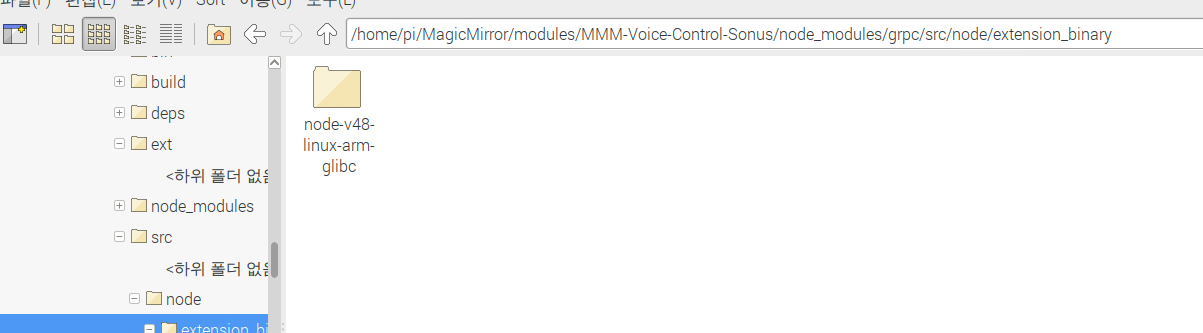
    I want to use the sonus module. (https://github.com/sharmmoh1983/MMM-Voice-Control-Sonus) install the module and start the mirror, you get an error. [image: 1513429171516-20171216_215921.png] [image: 1513429212475-20171216_220002.png] What is the problem?
  • Electron taking too much memory and processing

    7
    0 Votes
    7 Posts
    4k Views
    Y
    @Mykle1 should I use this command in ‘MagicMirror/node_modules/’ directory or somewhere else. Also how to uninstall electron manually? I’m sorry if my question is too basic.
  • This topic is deleted!

    1
    0 Votes
    1 Posts
    10 Views
  • MMM Google assistant

    28
    0 Votes
    28 Posts
    22k Views
    gauravsaccG
    @Refalken Yes it works.
  • Possible sytax error in my config.js file?

    5
    0 Votes
    5 Posts
    2k Views
    B
    @yawns That was it, thanks!
  • This topic is deleted!

    1
    0 Votes
    1 Posts
    1 Views
  • problem with set up

    2
    0 Votes
    2 Posts
    903 Views
    cowboysdudeC
    This problem has been covered several times…Here’s just one. https://forum.magicmirror.builders/topic/2454/screensaver-will-not-turn-off/5
  • My Magic Mirror wont start up

    1
    0 Votes
    1 Posts
    883 Views
    C
    (i’m a noob) My magic mirror ran upon installation but i cant get it to run from pm2 start mm.sh. I followed the jessie lite instructions step by step and i cant find a solution. Its weird because when I reboot the rasberry pi a screen shows up that the Magic Mirror is booting up but then that goes away and the rasberry dash shows up. any help will be greatly appreciated.