A New Chapter for MagicMirror: The Community Takes the Lead
Read the statement by Michael Teeuw here.
  • WeatherForecast

    Unsolved
    10
    0 Votes
    10 Posts
    4k Views
    S
    @hriereb just checked… nothing free there… cheapest looked like 400 eu /year
  • MMM-CTA 2nd Instance Not Automatically Updating

    Unsolved
    3
    1
    0 Votes
    3 Posts
    1k Views
    S
    Fixed the issue. A description of said fix can be seen here: https://github.com/NateDee/MMM-CTA/issues/3
  • MMM-forecast-io temp bar height

    Unsolved
    2
    0 Votes
    2 Posts
    1k Views
    S
    okay, I have been able to figure out a little more. I can make the bars bigger but not smaller. This is as small as I can make them: [image: 1526817958632-img_20180520_130314.jpg] This is the code used to produce the above: .MMM-forecast-io .forecast-bar .bar { background-color: #aaa; line-height: 0.01em; border-radius: 0.01em; border: 0.5px transparent solid; background-clip: padding-box; color: black; } No matter what I change the line-height to the bars get no smaller :worried_face:
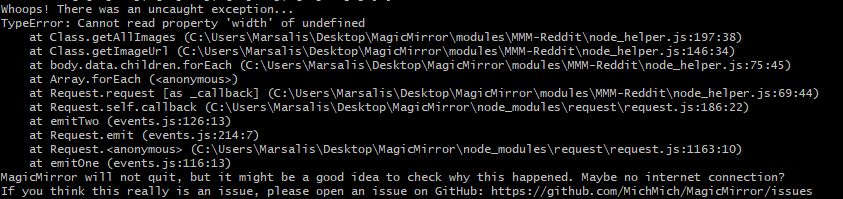
  • MMM-Reddit not working due to 'width' being undefined

    Unsolved
    5
    1
    0 Votes
    5 Posts
    1k Views
    S
    @cowboysdude Thanks for the help. It seems that 50 was too large of a number. Maybe it couldn’t get 50 with the number of subreddits I choose or whatever. Now at 25, and everything else the same, it is running.
  • MMM-Wunderlist not updating

    17
    0 Votes
    17 Posts
    13k Views
    paviroP
    This diffuse situation is the reason I stopped updating the module. Thanks @ArneCL for still working on it!
  • MMM-PIR-Sensor (black screen)

    7
    0 Votes
    7 Posts
    4k Views
    T
    was this solved? i just installed everything from this tutorial: https://howchoo.com/g/ntcymzbimjv/how-to-install-magic-mirror-on-your-raspberry-pi everything works EXCEPT this pir module. once i remove the module, off course everything is back to “normal” but if i add the module back in with { module: 'MMM-PIR-Sensor', config: { sensorPIN: 4, powerSavingDelay: 25, } }, i get nothing but a mouse cursor and a totally black screen. it doesnt turn off or on via the PIR either. never mind… i got it now. i reinstalled everything again. cd ~/MagicMirror/modules git clone https://github.com/paviro/MMM-PIR-Sensor.git cd MMM-PIR-Sensor npm install sudo usermod -a -G gpio pi sudo chmod u+s /opt/vc/bin/tvservice && sudo chmod u+s /bin/chvt to allow turning on/off the hdmi output. sudo reboot sudo nano ~/MagicMirror/config/config.js { module: 'MMM-PIR-Sensor', config: { sensorPIN: "4", powerSavingDelay: "25", } },
  • Google Maps API

    4
    0 Votes
    4 Posts
    3k Views
    kruemelK
    yes you have to put in the billing details anyway
  • This topic is deleted!

    Unsolved
    1
    2
    0 Votes
    1 Posts
    49 Views
  • default calendar - change date format for today/tomorrow events

    Unsolved
    1
    0 Votes
    1 Posts
    861 Views
    spitzlbergerjS
    Hi beforehand - I am a python beginner. Be nice ;-) I want to change the display format of the date. My MagicMirror runs in German. Instead of “today at xx.xx clock” or in German “Heute um xx.xx Uhr” only “xx.xx” should be displayed, as with later events in a few days. And instead of “Morgen um xx.xx Uhr” you should also see “xx.xx”. In the translations, I first tried to set the translation of “today” and “tomorrow” to “”. Apparently, translation is not used by the calendar module. It was already clear to me that there must be something else because a translation of “at” or “um” did not occur. So it’s probably a formatting function in python. But I fail. Can someone help me? And then another question, since I am also a github freshman. Should / can I make such a new version of Calendar available to all and if so, how do I do that. thank you very much greetings Sepp
  • MMM-iHaveBeenThere how to adjust zoom

    6
    0 Votes
    6 Posts
    4k Views
    MrCoffeeM
    @thelonegeek Sorry. I am absolutely no expert in this. I dont even have a mac book.
  • 0 Votes
    3 Posts
    1k Views
    MrCoffeeM
    A new version was published. Now it works again. Solved.
  • Problem with MMM-Button

    6
    2
    0 Votes
    6 Posts
    3k Views
    A
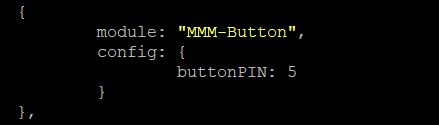
    Here you go: https://github.com/ptrbld/MMM-Button and https://github.com/Jopyth/MMM-Buttons AxLED
  • how to display passed events on calendar module?

    Unsolved
    1
    0 Votes
    1 Posts
    641 Views
    H
    I already put my icloud calendar on MM, but it only displays the upcoming events. You know sometimes you may miss some, so the the passed events would be better for me to display. Is there already specified configuration to do it? Thanks.
  • MMM-iFrameReload browser issues

    6
    0 Votes
    6 Posts
    3k Views
    C
    Still having weird issues…the 932L camera iFrame shows right away but seems to disappear after a bit…the 5030L camera throws the error but if you start with nom start dev and use the user agent switcher to change to Firefox and then hit ctrl-f5 to refresh then that window works…for a bit…but it eventually disappears too…I have no idea how to refresh the browser unless the dev console is running… Having any IP cam feeds running in this Ubuntu install may be a pipe dream for me
  • MMM-Podcast don't show/load the latest video

    16
    0 Votes
    16 Posts
    9k Views
    MrCoffeeM
    @cruunnerr So after a couple of days I gave it a new try. You were close to the solution. I did not install the dependencies right. For all with the same issue, you have to read the instructions better than I did: Navigate into your MagicMirror’s modules folder and execute git clone https://github.com/ptrbld/MMM-Podcast.git. A new folder will appear navigate into it. --> which means navigate into MMM-Podcast. Execute npm install to install the node dependencies. --> in the folder MMM-Podcast, install the omx-manager and omxdirector (see dependencies). 3. Install omxplayer. --> However, I already had the newest version installed. Now it works fine. And it is pretty awesome. Thanks for helping me. Mr.Coffee
  • Newsfeed : How to keep "showDescription" after leaving the full article?

    1
    0 Votes
    1 Posts
    888 Views
    MrCoffeeM
    Hi, I would like to see the description of the news in the newsfeed all the time. So, like mentioned in the options, I changed the “showDescription = false” in the newsfeed.js to “true”. It works fine. I can see the description of every article without doing anything, even when the articles update. The problem is when I use the command “ARTICLE_MORE_DETAILS” to open the full article. It works like a charm, but when I close the full article I use the command “ARTICLE_LESS_DETAILS”. It goes back to the newsfeed but unfortunately without showing the descriptions anymore. I only see the headlines (like “showDescription = false” although “true” is still set of course). If I use the command “ARTICLE_MORE_DETAILS” again, the description opens, but the article is freezed - like coded. Do you have any idea, how I can leave the full article going back to the “show-description-version”? Or instead, how can I remove the freeze? Thanks a lot. Greetings Mr.Coffee
  • MMM-SimpleLogo remove/disable title of module

    Moved
    4
    0 Votes
    4 Posts
    3k Views
    Mykle1M
    @zdenek You’re welcome, mate. You could create an issue, letting the author know that his README.md file should be updated to show this information. In this way, you’re helping someone else in the future. Pretty cool, no?
  • 1 Votes
    2 Posts
    2k Views
    N
    @kj3rra Not sure that @strawberry-3.141 will agree with the approach, but you can actually achieve the same thing with just CSS animations (and avoid creating a module). Try either the following in your css/custom.css file: /* this will cause the image to fade out for about 2 seconds every 2 minutes */ body{ animation: fading 60s infinite alternate; } @keyframes fading { 0%, 98% { opacity: 1; } 100% { opacity: 0; } } - or - /* this will cause the image to slide down, across 10px after 30 seconds, for 30 seconds, then back up */ body{ animation: slide 60s linear infinite alternate;} @keyframes slide { 0%, 49% { transform: translate(0, 0); } 50%, 100% { transform: translate(10px, 10px); } } You can adjust the time value (i.e. 60s) to more/less as you like (but be careful, 2% of one hour is over 2 minutes). You can also adjust the percentages, and use decimal percents, like 0.5% if needed. CSS 2D transforms should not take too much memory or cause issues on an RPi. I assume that Chromium/Electron supports CSS 3 animations. YMMV.
  • Alexa (MMOTW) working!

    3
    1 Votes
    3 Posts
    3k Views
    J
    “This was using the already existing repo Mirror Mirror On The Wall, with the associated skill, which was why I hadn’t posted the skill itself. This had very kindly been developed by joanaz in the past, but the instructions have not been updated in a while so it’s somewhat more challenging than I had anticipated to get through.” Sorry, wrote this without seeing who it was that posted. Basically, I don’t think this requires new code per se, but would just need new instructions (ReadMe), and for me at least, a lot of css-ing.
  • Config.js not working

    4
    0 Votes
    4 Posts
    2k Views
    N
    @dandrea30 there are two commas missing { module: 'MMM-Traffic', position: 'bottom_right', classes: 'dimmed medium', //optional, default is 'bright medium', only applies to commute info not route_name config: { api_key: 'your_apikey_here', mode: 'driving', origin: '4 Pennsylvania Plaza, New York, NY 10001', destination: '1 MetLife Stadium Dr, East Rutherford, NJ 07073', mon_destination: '116th St & Broadway, New York, NY 10027', fri_destination: '1 E 161st St, Bronx, NY 10451', arrival_time: '0800', //optional, but needs to be in 24 hour time if used. route_name: 'Home to Work', changeColor: true, showGreen: false, limitYellow: 5, //Greater than 5% of journey time due to traffic limitRed: 20, //Greater than 20% of journey time due to traffic traffic_model: 'pessimistic', interval: 120000 //2 minutes } },