A New Chapter for MagicMirror: The Community Takes the Lead
Read the statement by Michael Teeuw here.
  • This topic is deleted!

    1
    0 Votes
    1 Posts
    1 Views
  • MMM-AssistantMk2 not found ?!

    10
    0 Votes
    10 Posts
    1k Views
    B
    @samodelkin I found a module that let me use a pointing mouse to select windows. It was nice. Then I clobbered it all and am looking for it again. The mouse was from IOGEAR. Has a laser pointer. Bo
  • Calendar code help

    3
    0 Votes
    3 Posts
    483 Views
    X
    I have got it working, thanks :)
  • Modulo MM-QRCode.

    10
    0 Votes
    10 Posts
    1k Views
    S
    @Jeffervc impressionante! Obrigado pelo feedback
  • Start/Stop a pm2 script with Notifications of a module?

    2
    0 Votes
    2 Posts
    450 Views
    bheplerB
    @thetobyde - I think you can accomplish this with MMM-NotificationTrigger. That module lets you process notification messages and execute commands in response. It should be pretty easy to execute pm2 commands with it.
  • MMM-Awesome-Alexa Problems

    5
    0 Votes
    5 Posts
    793 Views
    F
    @bhepler thanks for the help but I will stick to the MMM-AlexaControl now. There are too many errors with this module :( .
  • MMM-Todoist - due dates off by one day

    6
    0 Votes
    6 Posts
    1k Views
    G
    Maybe can @cbrooker can help?
  • PIR sensor to turn monitor off. Nothing works :(

    magic mirro pir pir sensor
    31
    0 Votes
    31 Posts
    15k Views
    BKeyportB
    @sdetweil True - however these commands do work the same as they did before. (Assuming you’re using the HDMI 0 plug closest to the power supply anyway)
  • MMM-Tado wrong units

    28
    0 Votes
    28 Posts
    7k Views
    StoffbeuteluweS
    @WouterEekhout Hi my other modules work but this is not working and I don’t know why :thinking_face: I will try to change the line 26…thanks for you help
  • Pi Freezes

    4
    0 Votes
    4 Posts
    822 Views
    FoziF
    @rxlDavid disable all the 3rd Party modules and enable them one by one to see which module causes to freeze the MM. That is the he easiest approacjh. If you suspect GroveGestures and pages then disable them first, restart MM and see what happens. From my experience it’s not to blame only one module. It happens that the combination of two modules that don’t play well together can be the cause. I had this recently with MMM- Rain-Map and MMM-Google-routes. Each of them runs fine, both together let my RPi freeze.
  • MMM-remote-control api key

    remote control api module
    7
    0 Votes
    7 Posts
    2k Views
    L
    @sdetweil hi sry me again. It worked for maybe three hours and now it says just loading… can you help me with this issue too? Lukas
  • MMM-CalendarExt2 fullday events showing as 2 days

    10
    0 Votes
    10 Posts
    2k Views
    M
    I found the solution. The docker container was not aware of the correct timezone. I found this https://github.com/bastilimbach/docker-MagicMirror/issues/15 and added this to my docker-compose.yml environment: - TZ=Europe/Berlin - SET_CONTAINER_TIMEZONE=true - CONTAINER_TIMEZONE=Europe/Berlin
  • MMM-JsonTable, keeps loading

    4
    0 Votes
    4 Posts
    745 Views
    S
    @Impertus keepNames requires ALL the fields to show (of all the fields available) … u only said name keepColumns [] Columns on json will be showed and if u want it formatted a specific way from the module example descriptiveRow: '<tr><td>Name</td><td>Today</td><td>ThisWeek</td><td>LastWeek</td><td>ThisMonth</td><td>LastMonth</td></tr>' you have to make a little table row type declaration
  • MMM-mvgmunich

    5
    0 Votes
    5 Posts
    1k Views
    B
    @Leon-tech i think it is an known issue of the default config from the modul, take a look at this post: https://forum.magicmirror.builders/topic/11785/no-result-from-mvgmunich-modul?_=1591345034267
  • MM 2.11.0 Invalid Date error with weather module

    weather invalid date
    6
    1
    0 Votes
    6 Posts
    2k Views
    Jarhead96097J
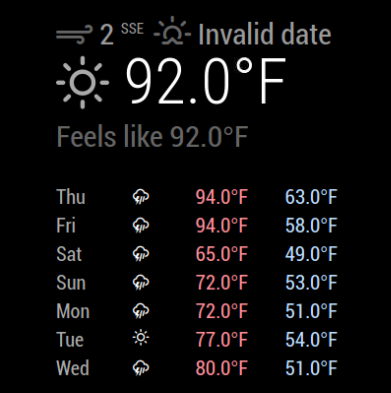
    @sdetweil Thank you for such quick responses…I do appreciate it! Here’s the link: https://api.weather.gov/gridpoints/MFR/104,44/forecast/hourly and here’s a snippet of the return that includes the dates and times that end up (apparently) causing the invalid date error: "properties": { "updated": "2020-06-05T01:18:34+00:00", "units": "us", "forecastGenerator": "HourlyForecastGenerator", "generatedAt": "2020-06-05T04:36:11+00:00", "updateTime": "2020-06-05T01:18:34+00:00", "validTimes": "2020-06-04T19:00:00+00:00/P7DT17H", "elevation": { "value": 868.98480000000006, "unitCode": "unit:m" }, Based on what I can compare against the moment.js documentation, I don’t see anything obvious that would cause the error.

  • Node.js Compile Version Mis-Matches?

    15
    0 Votes
    15 Posts
    4k Views
    ?
    @pillbug22 : happy to help you :)
  • Request for Suggestion: Daily Calendar View with Details?

    3
    0 Votes
    3 Posts
    881 Views
    P
    I eventually figured out I needed to edit the CSS (.eventSub sections) to allow showing of the event details, but that module works - thanks!
  • Spotify playlist on start

    1
    0 Votes
    1 Posts
    262 Views
    S
    I know it’s prolly dumb but I would really appreciate if someone helps me out adding a Spotify playlist to mmm Spotify on start… thank you 😅
  • This topic is deleted!

    1
    1
    0 Votes
    1 Posts
    1 Views
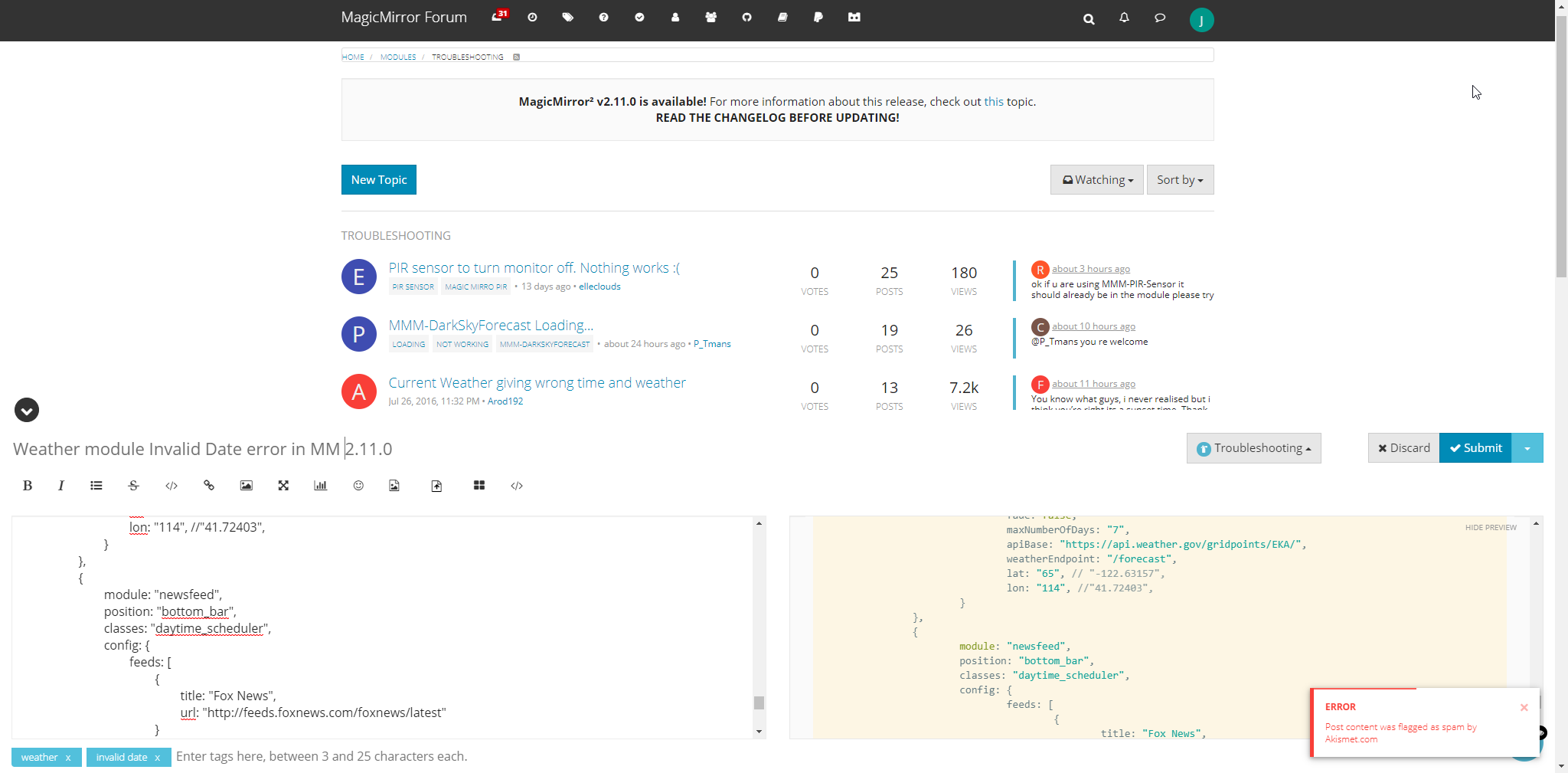
  • Having trouble posting new topic

    3
    1
    0 Votes
    3 Posts
    567 Views
    Jarhead96097J
    @sdetweil Thank you! I’ll try posting everything, including the config, but without using the code markers. I appreciate it!