You could us MMM-MyVideoPlayer…
Just the touch or click of a button changes the video.
A New Chapter for MagicMirror: The Community Takes the Lead
Read the statement by Michael Teeuw here.
Read the statement by Michael Teeuw here.
 Offline
Posts
-
RE: How to reload a module..
-
RE: We card for alcohol
@jonathancole85
Is this what you are looking for?
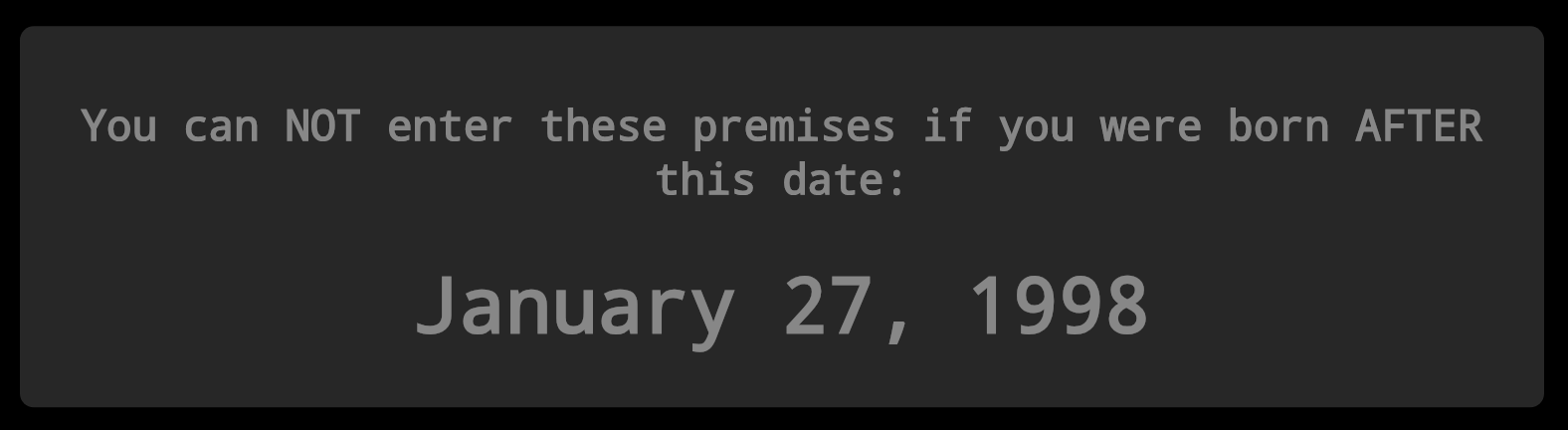
https://github.com/justjim1220/MMM-BornBeforeDate
Let me know if there is anything you want changed… :smiling_face_with_sunglasses:
-
RE: Just playing around......
As usual, a really nice job! I have a hard time choosing which or your weather modules to use!, I have 4 pages and I think I have one on each page!
A possible suggestion… I would like to see a precipitation amount in one of these weather modules, rain and/or snow. Something to possibly add to one of them. maybe for like the past 24hrs, or week, or even month. A year to date would be awesome as well!
-
RE: [MMM-Rainbow] Animated text color transition
@seann Yes, and I really like how you coded your iClock to work that way!
-
RE: [MMM-Rainbow] Animated text color transition
@ganget Does it show every color?
-
RE: [MMM-Rainbow] Animated text color transition
@seann was you able to get past the every second update?
-
RE: News error
I also used this module: https://github.com/justjim1220/MMM-NewsFeedTicker
-
RE: [MMM-Rainbow] Animated text color transition
@seann
you can change the update interval within the clock code to update every minute instead of every second, by placing the following within thestart: function()…// Schedule update interval. var self = this; setInterval(function() { self.updateDom(); }, 60000); -
RE: [MMM-Rainbow] Animated text color transition
So, I modified my MMM-DigClock with your rainbow css with some other tweaks…
.MMM-DigClock .time {
  font-size: 300px;
  text-align: center;
  line-height: 85%;
  letter-spacing: 5px;
  font-weight: 900;
  font-family: DS-Digital;
  background: -webkit-linear-gradient(left, red,orange,yellow,green,blue,purple);
  background: -moz-linear-gradient(left, red,orange,yellow,green,blue,purple);
  background: -o-linear-gradient(left, red,orange,yellow,green,blue,purple);
  background: linear-gradient(to left, red,orange,yellow,green,blue,purple);
  -webkit-background-clip: text;
  -moz-background-clip: text;
  background-clip: text;
  -webkit-animation: animate 10s linear infinite;
  -moz-animation: animate 10s linear infinite;
  -o-animation: animate 10s linear infinite;
  animation: animate 10s linear infinite;
  background-size: 25%;
  -webkit-text-fill-color: transparent;
}
And it seems to work fairly decent.
But I had to change the update interval within the clock code to update every minute instead of every second, by placing the following within thestart: function()…// Schedule update interval. var self = this; setInterval(function() { self.updateDom(); }, 60000); -
RE: [MMM-Rainbow] Animated text color transition
change your background size to 20% instead of 500%
Only other issue I find is that it refreshes itself every second, would be better if it were more fluid-like that the refresh isn’t so notice-able.
-
RE: Magic Mirror on Windows 8.1 tablet?
I was working with an original Surface RT which had Windows 8.1 on it.
The Surface itself would not allow the programs such as node, npm, electron, git bash, or MM be downloaded OR installed in any way. The RT was a joke for this kind of situation as it would only allow certain proprietary programs be downloaded and installed.I was only commenting that was what I experienced with it alone. It had nothing to do with Mykle1’s walkthrough instructions, and I have not had any other Windows Tablets to try it with, But, I can say, that with any other Windows PC’s I have used his (Mykle1’s) walkthrough with has been done so without fail.
I’m sorry you all feel like I have no clue. But, I guess I’m just not meant to try to comment or help out with any of my experiences with all that I have tried and either met with failure or success.
I’m pretty sure the posts here have told me that I am nothing more than a dimbass to everyone. So, I guess this has opened my eyes that I am not welcome here anymore. :pensive_face:
-
RE: Setting Up Magic Mirror on Ubuntu issue
Install the same way: npm i acorn@latest
with any of those kind of warnings do the same.
I’m having issues right now getting MM to run on a new install of Ubuntu.
Keep getting errors that the sh start.sh or something like that isn’t valid.
Can’t figure it out, had this issue once before a long time ago and not sure how I fixed it. -
MMM-DigitalAlarmClock
Description:
An integration of MMM-DigClock and MMM-AlarmClock modified to have the look of a vintage-style digital alarm clock.
Screenshots:
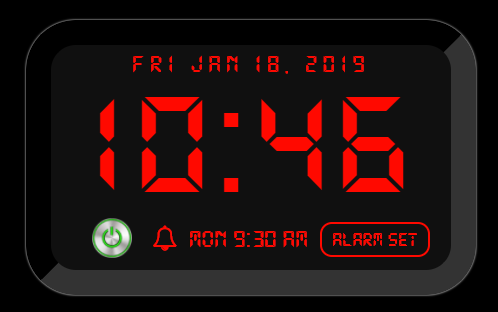
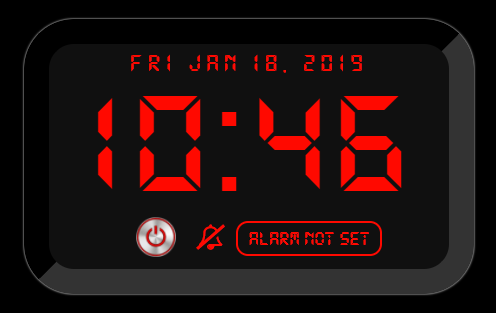
Variations:
The first fully working version after about 5 tries.
[card:justjim1220/MMM-DigitalAlarmClock]
