My First Mirror :)
It was incredibly engaging and offered a significant learning curve.


Thanks to the users here for help!
My First Mirror :)
It was incredibly engaging and offered a significant learning curve.
Thanks to the users here for help!
@bhepler said in MMM-Globe rotates very slowly and haltingly:
@Syosse - The reason for the slow & flashing is because that module is pure Javascript and doesn’t use hardware acceleration at all. It’s using the CPU to do all the work.
I’ve been toying around with a 3D accelerated version of that module but I got distracted. It didn’t look super hard. Mostly just playing around with some free libraries.
allright thanks so much for the information!
So is there no other solution than replacing the Raspberry Pi and getting one with a higher CPU?
Hello
Does anyone know why it doesn’t rotate smoothly and is always so slow and it always flashes white?
I have a Raspberry Pi4 with 2GB Ram and the TV Samsung 55 Inches FHD.
Video:https://streamable.com/tsadn0
Thank so much!
@sdetweil said in MMM-Todoist:
yep, missing library…
do this…
cd ~/MagicMirror/modules/MMM-Todoist
npm install requestnote that there are 6 - 8 missing libraries. as we clean up MM from using old dead stuff to newer supported code, some of the older modules didn’t know they were using libs from our packaging… which are no longer there…
Perfect it works!! Thanks man
Last thing how can i hidde the Projectname ?
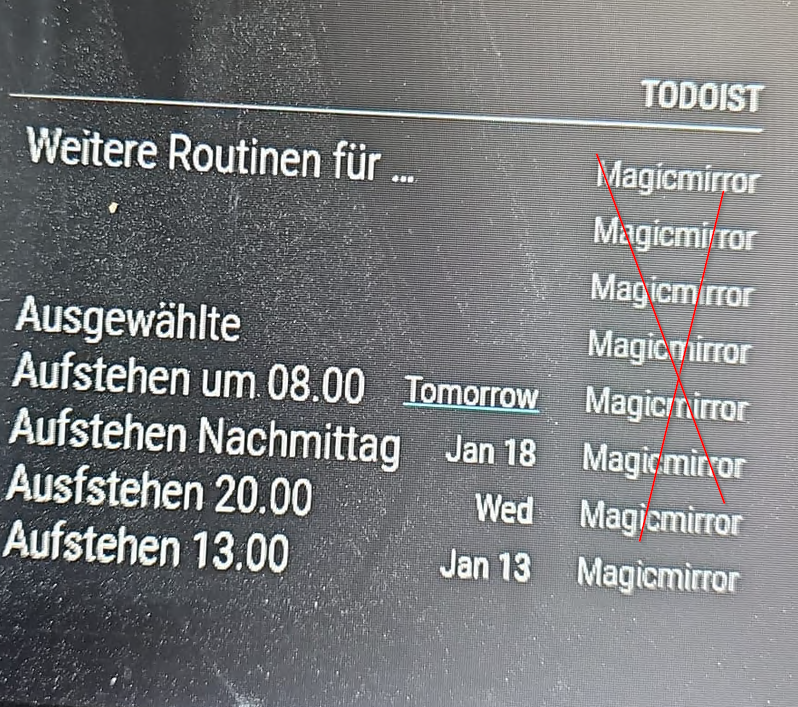
I have added showProject: false
{
		module: 'MMM-Todoist',
		position: 'bottom_right',	// This can be any of the regions. Best results in left or right regions.
		header: 'Todoist', // This is optional
		config: { // See 'Configuration options' for more information.
			hideWhenEmpty: false,
			accessToken: '5b1608a7747cccccc0162a553e',
			maximumEntries: 60,
			updateInterval: 10*60*1000, // Update every 10 minutes
			fade: false,
			showProject: false,
			// projects and/or labels is mandatory:
			projects: [2326180937],

      }
	}
@sdetweil said in MMM-Todoist:
ok, that means its not a syntax error
show me the output of npm start
if you use pm2 to auto start, do this
pm2 stop all
cd ~/MagicMirror
npm startwhen done with tests
pm2 statusand use the number of the line(usually 0)
pm2 start 0
Thanks for the Reply:
i have run this command:
pm2 stop all
cd ~/MagicMirror
npm start
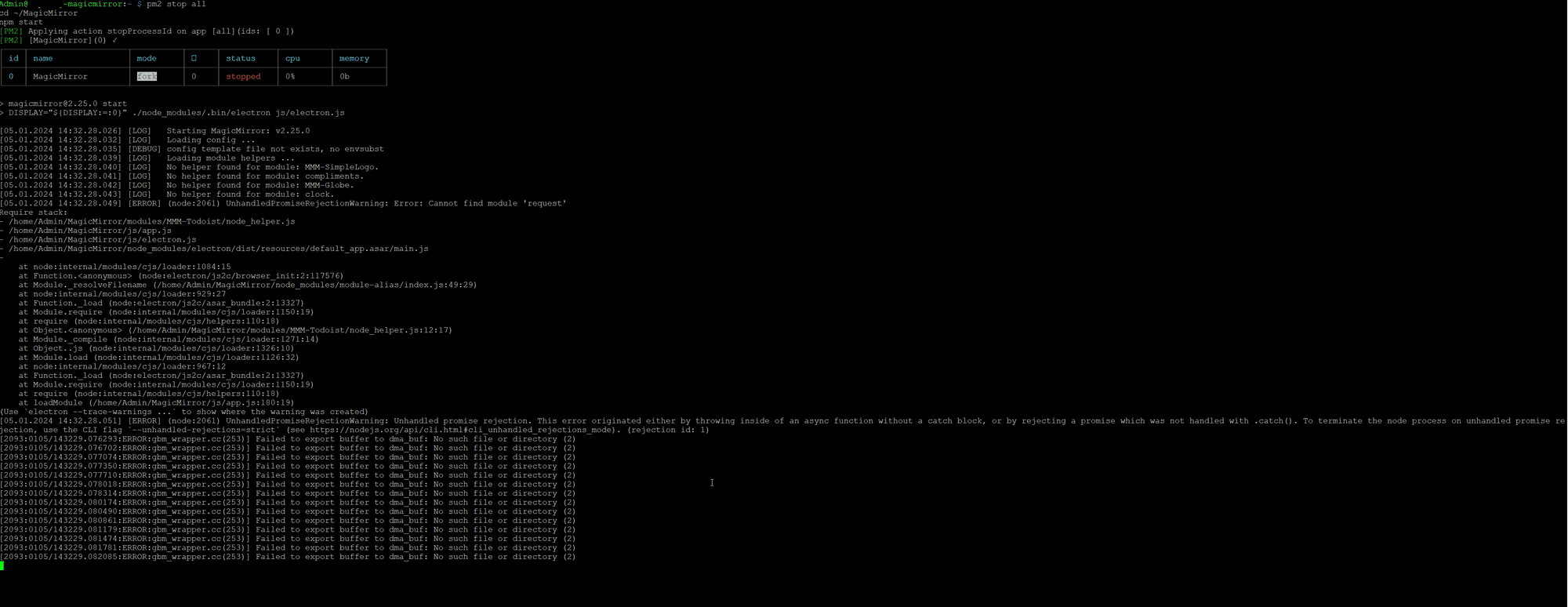
> magicmirror@2.25.0 start
> DISPLAY="${DISPLAY:=:0}" ./node_modules/.bin/electron js/electron.js

[05.01.2024 14:32.28.026] [LOG]   Starting MagicMirror: v2.25.0
[05.01.2024 14:32.28.032] [LOG]   Loading config ...
[05.01.2024 14:32.28.035] [DEBUG] config template file not exists, no envsubst
[05.01.2024 14:32.28.039] [LOG]   Loading module helpers ...
[05.01.2024 14:32.28.040] [LOG]   No helper found for module: MMM-SimpleLogo.
[05.01.2024 14:32.28.041] [LOG]   No helper found for module: compliments.
[05.01.2024 14:32.28.042] [LOG]   No helper found for module: MMM-Globe.
[05.01.2024 14:32.28.043] [LOG]   No helper found for module: clock.
[05.01.2024 14:32.28.049] [ERROR] (node:2061) UnhandledPromiseRejectionWarning: Error: Cannot find module 'request'
Require stack:
- /home/Admin/MagicMirror/modules/MMM-Todoist/node_helper.js
- /home/Admin/MagicMirror/js/app.js
- /home/Admin/MagicMirror/js/electron.js
- /home/Admin/MagicMirror/node_modules/electron/dist/resources/default_app.asar/main.js
-
    at node:internal/modules/cjs/loader:1084:15
    at Function.<anonymous> (node:electron/js2c/browser_init:2:117576)
    at Module._resolveFilename (/home/Admin/MagicMirror/node_modules/module-alias/index.js:49:29)
    at node:internal/modules/cjs/loader:929:27
    at Function._load (node:electron/js2c/asar_bundle:2:13327)
    at Module.require (node:internal/modules/cjs/loader:1150:19)
    at require (node:internal/modules/cjs/helpers:110:18)
    at Object.<anonymous> (/home/Admin/MagicMirror/modules/MMM-Todoist/node_helper.js:12:17)
    at Module._compile (node:internal/modules/cjs/loader:1271:14)
    at Object..js (node:internal/modules/cjs/loader:1326:10)
    at Module.load (node:internal/modules/cjs/loader:1126:32)
    at node:internal/modules/cjs/loader:967:12
    at Function._load (node:electron/js2c/asar_bundle:2:13327)
    at Module.require (node:internal/modules/cjs/loader:1150:19)
    at require (node:internal/modules/cjs/helpers:110:18)
    at loadModule (/home/Admin/MagicMirror/js/app.js:180:19)
(Use `electron --trace-warnings ...` to show where the warning was created)
[05.01.2024 14:32.28.051] [ERROR] (node:2061) UnhandledPromiseRejectionWarning: Unhandled promise rejection. This error originated either by throwing inside of an async function without a catch block, or by rejecting a promise which was not handled with .catch(). To terminate the node process on unhandled promise rejection, use the CLI flag `--unhandled-rejections=strict` (see https://nodejs.org/api/cli.html#cli_unhandled_rejections_mode). (rejection id: 1)
[2093:0105/143229.076293:ERROR:gbm_wrapper.cc(253)] Failed to export buffer to dma_buf: No such file or directory (2)
[2093:0105/143229.076702:ERROR:gbm_wrapper.cc(253)] Failed to export buffer to dma_buf: No such file or directory (2)
[2093:0105/143229.077074:ERROR:gbm_wrapper.cc(253)] Failed to export buffer to dma_buf: No such file or directory (2)
[2093:0105/143229.077350:ERROR:gbm_wrapper.cc(253)] Failed to export buffer to dma_buf: No such file or directory (2)
[2093:0105/143229.077710:ERROR:gbm_wrapper.cc(253)] Failed to export buffer to dma_buf: No such file or directory (2)
[2093:0105/143229.078018:ERROR:gbm_wrapper.cc(253)] Failed to export buffer to dma_buf: No such file or directory (2)
[2093:0105/143229.078314:ERROR:gbm_wrapper.cc(253)] Failed to export buffer to dma_buf: No such file or directory (2)
[2093:0105/143229.080174:ERROR:gbm_wrapper.cc(253)] Failed to export buffer to dma_buf: No such file or directory (2)
[2093:0105/143229.080490:ERROR:gbm_wrapper.cc(253)] Failed to export buffer to dma_buf: No such file or directory (2)
[2093:0105/143229.080861:ERROR:gbm_wrapper.cc(253)] Failed to export buffer to dma_buf: No such file or directory (2)
[2093:0105/143229.081179:ERROR:gbm_wrapper.cc(253)] Failed to export buffer to dma_buf: No such file or directory (2)
[2093:0105/143229.081474:ERROR:gbm_wrapper.cc(253)] Failed to export buffer to dma_buf: No such file or directory (2)
[2093:0105/143229.081781:ERROR:gbm_wrapper.cc(253)] Failed to export buffer to dma_buf: No such file or directory (2)
[2093:0105/143229.082085:ERROR:gbm_wrapper.cc(253)] Failed to export buffer to dma_buf: No such file or directory (2)
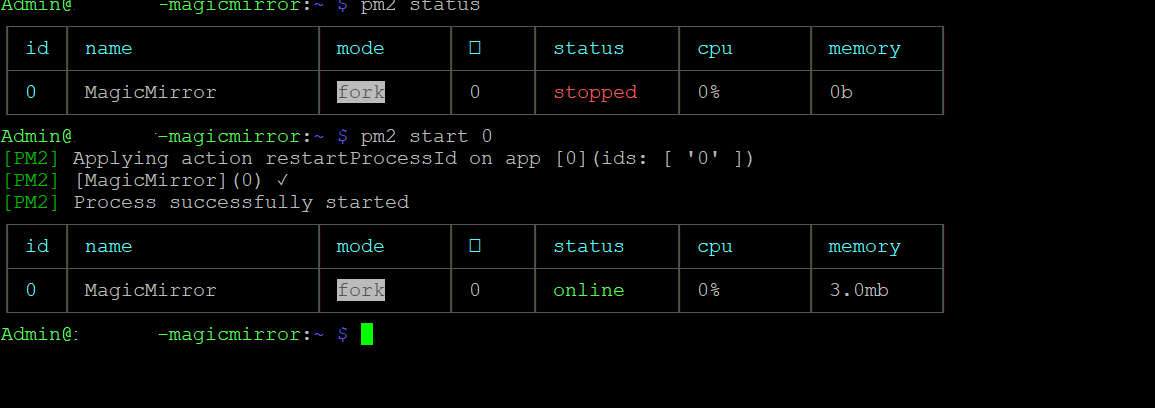
Then this command: pm2 status and finally this command: pm2 start 0
@sdetweil Thanks for the replay
i have run the command: npm run config:check
npm run config:check
> magicmirror@2.25.0 config:check
> node js/check_config.js
[05.01.2024 14:11.43.042] [INFO] Checking file... /home/Admin/MagicMirror/conf ig/config.js
[05.01.2024 14:11.43.116] [INFO] Your configuration file doesn't contain syntax errors :)

Thanks for reply
i have run the npm run config:check:

npm run config:check

magicmirror@2.25.0 config:check
node js/check_config.js

[05.01.2024 14:11.43.042] [INFO]  Checking file...  /home/Admin/MagicMirror/config/config.js
[05.01.2024 14:11.43.116] [INFO]  Your configuration file doesn't contain syntax
errors :)
Hello everyone
Unfortunately, I’ve been trying to get the Todoist module to work for weeks. When I edit the config, Magicmirror no longer starts, only the Rasperrypi desktop appears. What am I doing wrong here?
I have also insert the other Modules to show that the other modules works only MMM-Todoist not working and when i delete the Module Magic Mirror works perfect…
{	   module: 'clock',
	   position: 'top_left',
},


	{
		module: 'MMM-Todoist',
		position: 'bottom_right',	// This can be any of the regions. Best results in left or right regions.
		header: 'Todoist', // This is optional
		config: { // See 'Configuration options' for more information.
			hideWhenEmpty: false,
			accessToken: '5b1608*****************************53e',
			maximumEntries: 60,
			updateInterval: 10*60*1000, // Update every 10 minutes
			fade: false,
			// projects and/or labels is mandatory:
			projects: [2326180937],
			labels: [ "MagicMirror", "Important" ] // Tasks for any projects with these labels will be shown.
      }
	},


{
    module: 'MMM-MonthCalendar',
    position: "top_left",
    header: "",
    config: {
        updateDelay: 5,
        showAdjacentMonths: true
    }
},
Todoist APP API:
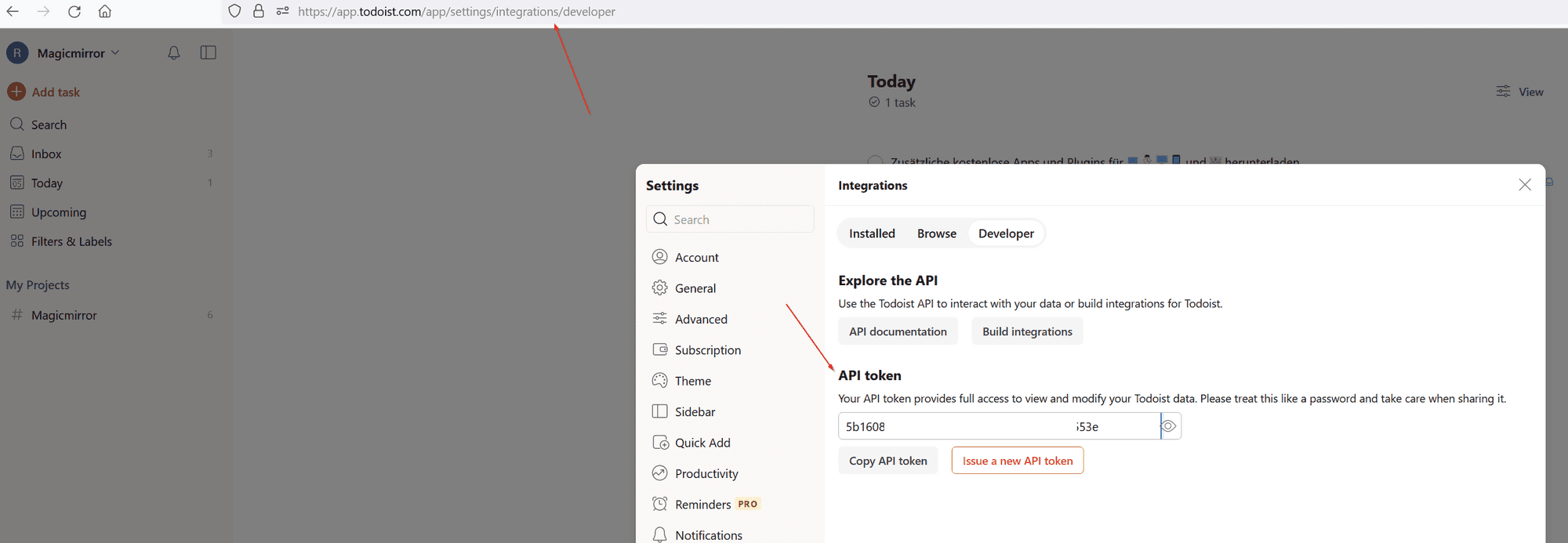
Todoist APP Project ID:
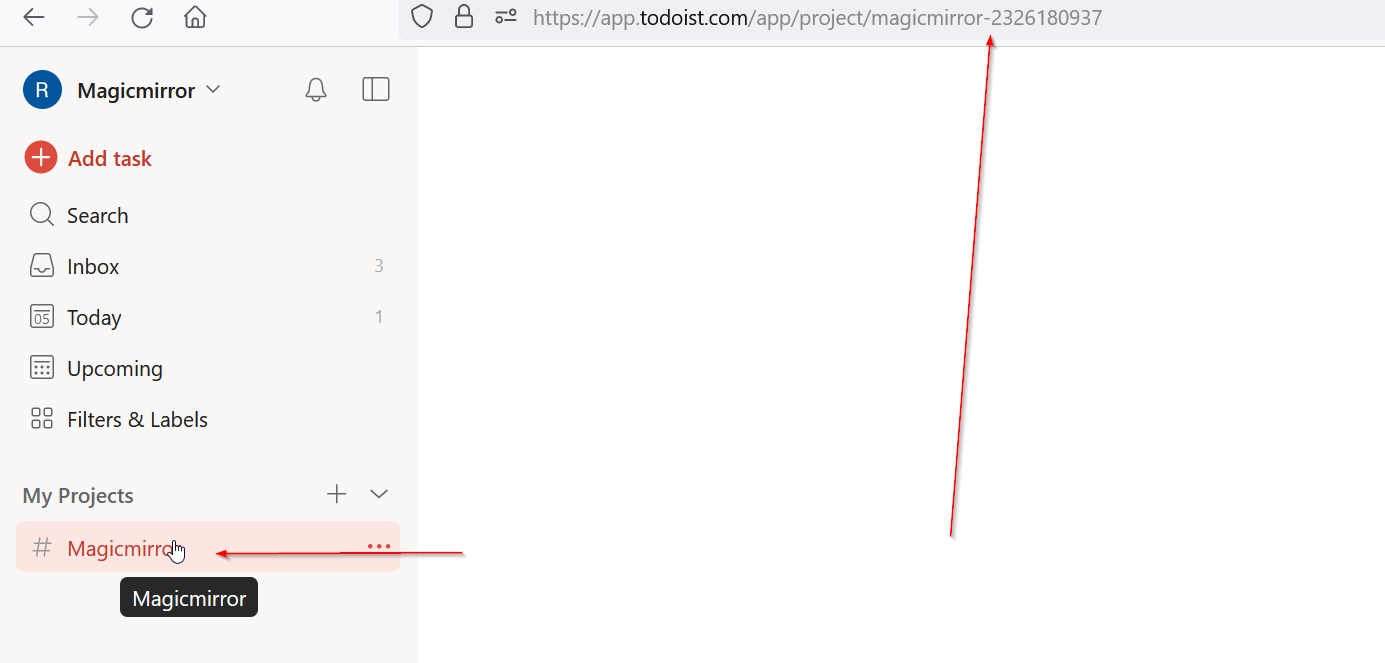
Thank You so much!
@sdetweil said in Magic Mirror logo appears at Boot and then the Raspberry desktop:
@Syosse we got it working in chat
Finally it works many many thanks to @sdetweil
@sdetweil said in Magic Mirror logo appears at Boot and then the Raspberry desktop:
@Syosse did you execute the command output from first
pm2 startup
yea of course:
Admin@magicmirror:~ $ pm2 startup
[PM2] Init System found: systemd
[PM2] To setup the Startup Script, copy/paste the following command:
sudo env PATH=$PATH:/usr/local/bin /usr/local/lib/node_modules/pm2/bin/pm2 startup systemd -u Admin --hp /home/Admin
thanks so much
@sdetweil said in Magic Mirror logo appears at Boot and then the Raspberry desktop:
@Syosse said in Magic Mirror logo appears at Boot and then the Raspberry desktop:
Oh man, what was the problem?
the pm2 startup generated command fails when in a script suddenly
but it works when done manually…
I have issue open since May
https://github.com/Unitech/pm2/issues/5582
thanks man , unfortunately there is still a problem as soon as I enter the following commands it works and magic mirror starts but after reboot the desktop comes back
with this command Magic Mirror starts
pm2 start ~/MagicMirror/installers/pm2_MagicMirror_new.json
after this command it still works
pm2 save
and after this reboot command the raspberry pi restarts and it shows the desktop instead Magic Mirror.
sudo reboot
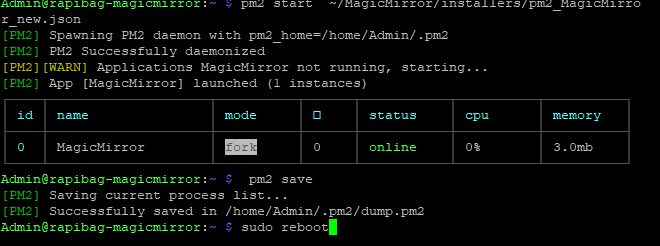
thanks so much
@sdetweil said in Magic Mirror logo appears at Boot and then the Raspberry desktop:
@Syosse and then if you do
pm2 start ~/MagicMirror/installers/pm2_MagicMirror_new.jsonif it works, then
pm2 save
then
sudo reboot
Omg it works!!
Oh man, what was the problem?
Thanks soo much !!!
@sdetweil said in Magic Mirror logo appears at Boot and then the Raspberry desktop:
@Syosse ok, try this then
cat ~/MagicMirror/installers/pm2_MagicMirror_new.json

thanks so much!
@sdetweil said in Magic Mirror logo appears at Boot and then the Raspberry desktop:
@Syosse can u also paste the contents of
~/MagicMirror/installers/pm2_setup.log
yea of course:
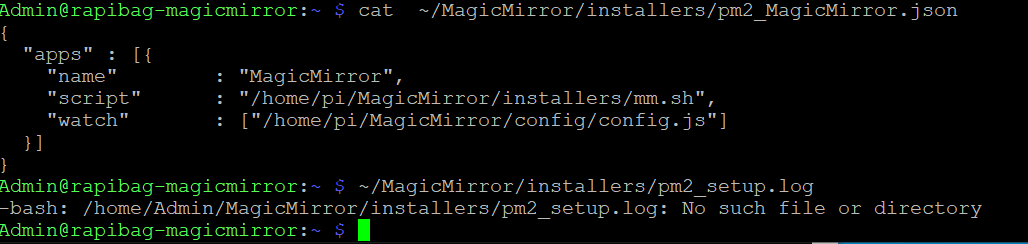
Thanks so much!
@sdetweil said in Magic Mirror logo appears at Boot and then the Raspberry desktop:
@sdetweil is Admin the root user, or the userid u created at SD card startup time?
pm2 will run as user not root
Admin is the Credentials that i insert at the beginning of Install Raspberry Pi Imager:
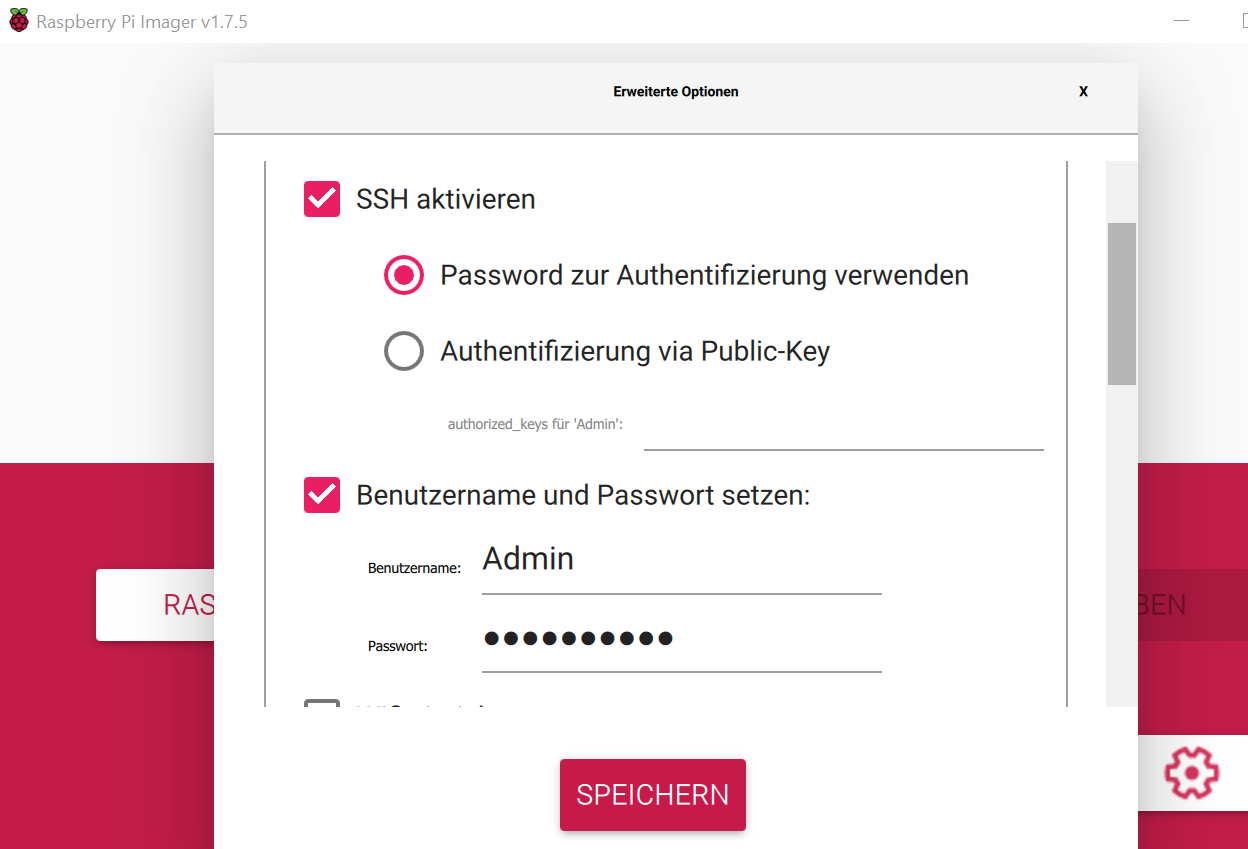
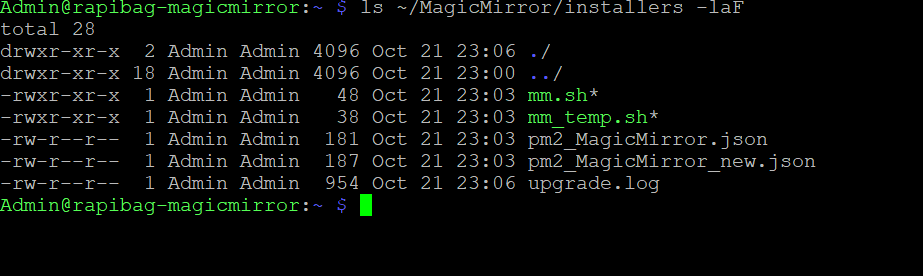
ls ~/MagicMirror/installers -laF:
Thanks so much!
@sdetweil said in Magic Mirror logo appears at Boot and then the Raspberry desktop:
@Syosse you don’t need to run all the commands
the install asks if u want to turn off the screensaver. if you said yes, then it’s done
if u said no then you would run the screensaver off script it’s the exact same script code. it’s just there if you changed your mind.
now on to the pm2 thing
same same. butin some systems the automation script has trouble
do this
pm2 startupit will output a command to execute
copy/paste that command and hit enterwhen it’s done do
pm2 start ~/MagicMirror/installers/pm2_MagicMirror.json
pm2 save
then reboot
All right thanks for the Information with the Screensave, now its for me clear.
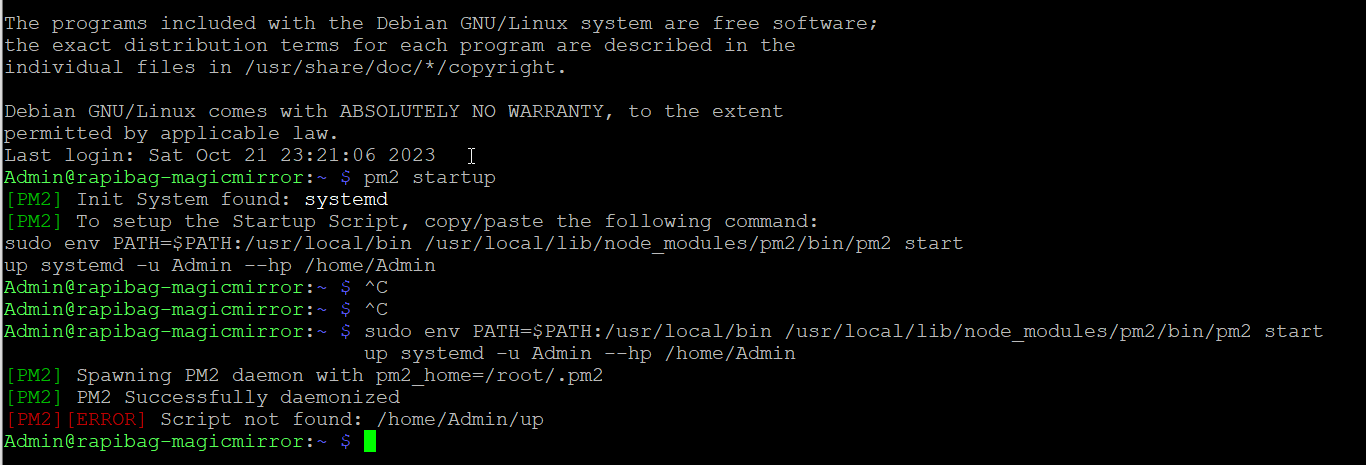
I have done u Command but it shows me : [PM2][ERROR] Script not found: /home/Admin/up
do u know why ?
Thanyk so much!
@bhepler said in Magic Mirror Mirror/Foil Question:
@Syosse - In my experience, the light transmission from film is very different than a one-way mirror glass. The film is a compromise for those on a budget. The film will not let as much light through from the monitor as a purchased piece of mirror glass. In my case, the film lets in about 30% of the monitor’s display and the mirror glass lets 50% through.
Ok, now it’s clear, thank you very much. I’ve now ordered a mirror glass.
@sdetweil said in Magic Mirror Mirror/Foil Question:
@Syosse there are two guys that are helping with mirror glass supply in Europe
and
https://forum.magicmirror.builders/topic/15553/new-2-way-mirror-supplier-lower-prices-and-lead-times
Perfect thanks i will contact him.
Hello
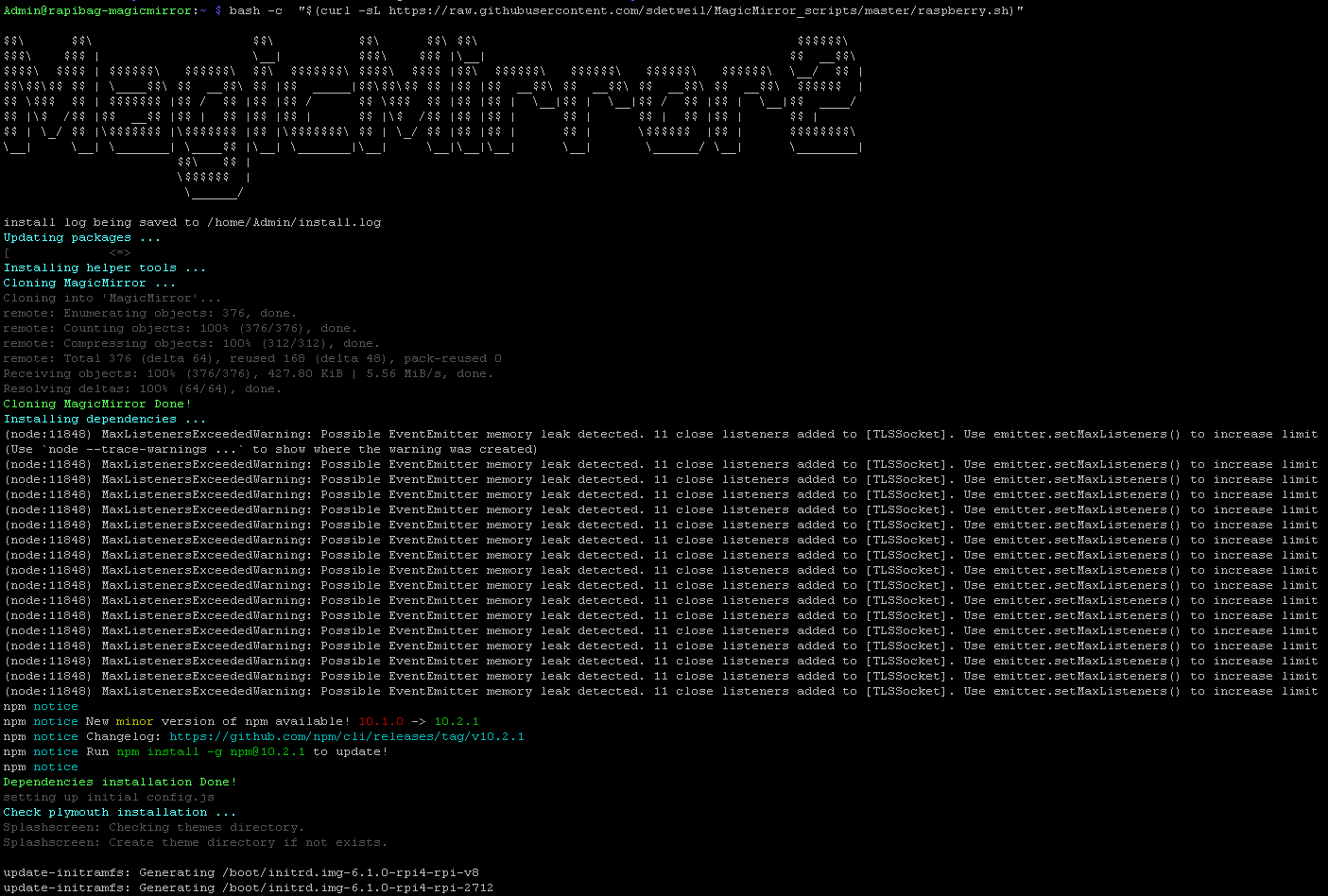
I ran following commands from a tutorial
1.) Install Magic Mirror:
bash -c “$(curl -sL https://raw.githubusercontent.com/sdetweil/MagicMirror_scripts/master/raspberry.sh)”
2.) Turn off screen saver and setup pm2 to autostart MM on boot.
bash -c “$(curl -sL https://raw.githubusercontent.com/sdetweil/MagicMirror_scripts/master/screensaveroff.sh)”
3.) Add using pm2 to autostart MagicMirror at bootup
bash -c “$(curl -sL https://raw.githubusercontent.com/sdetweil/MagicMirror_scripts/master/fixuppm2.sh)”
This is the Command Screen:
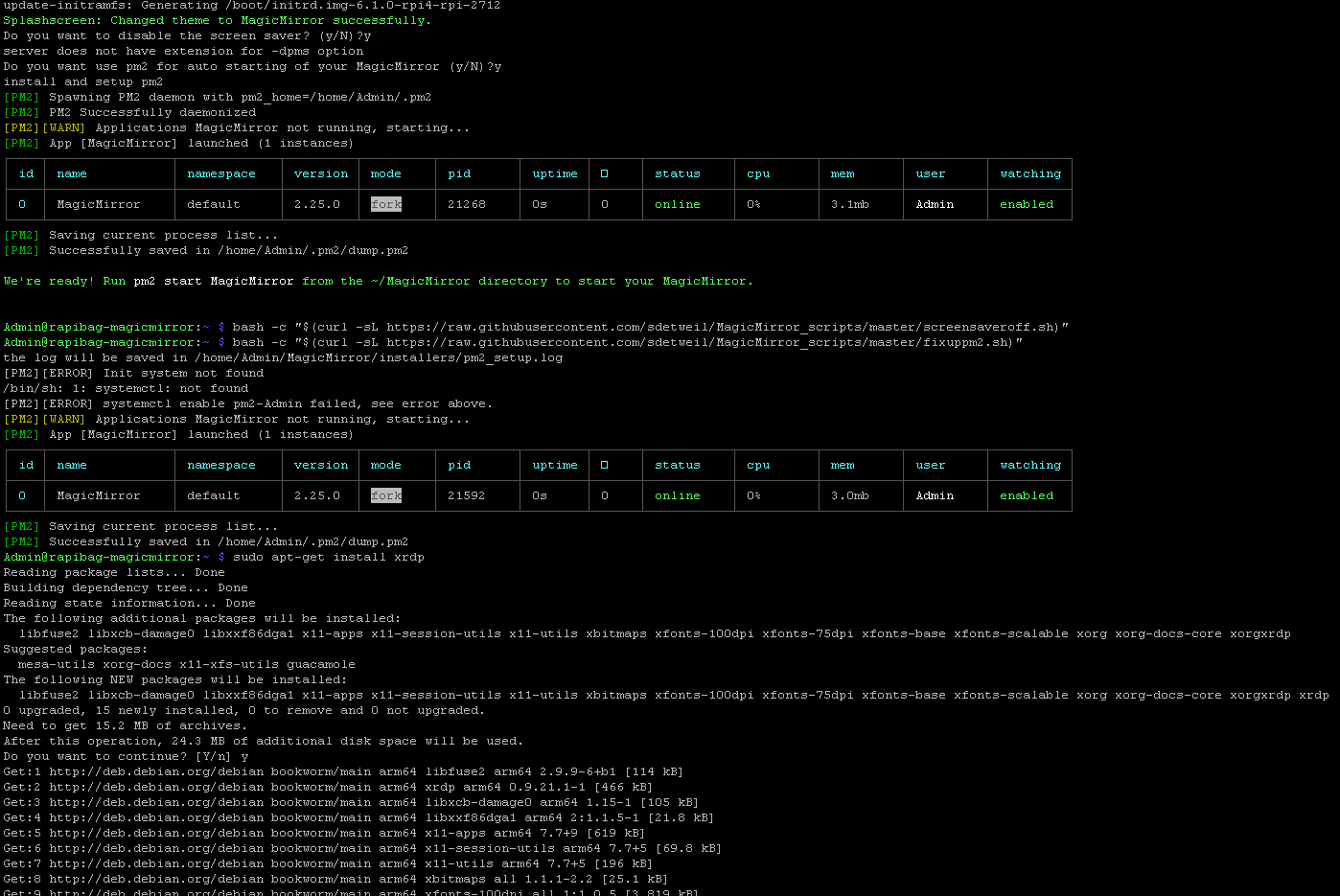
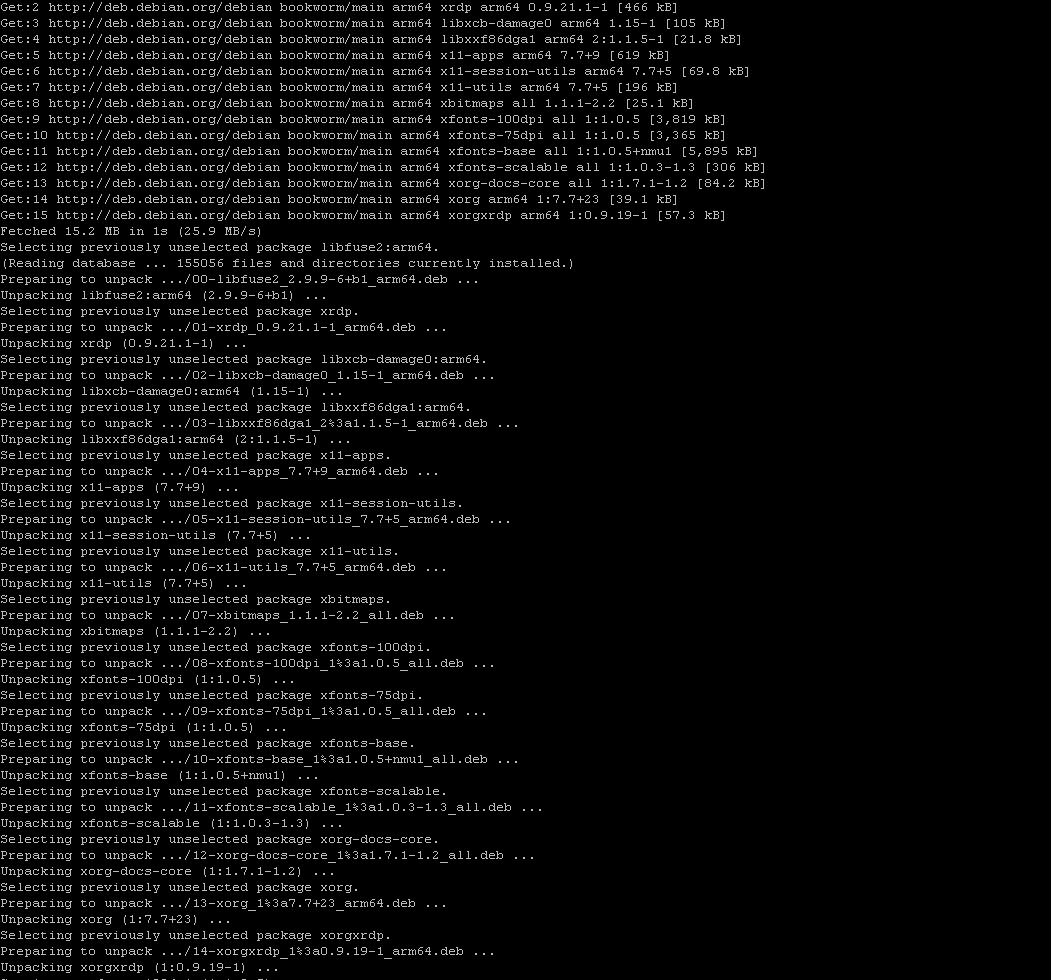
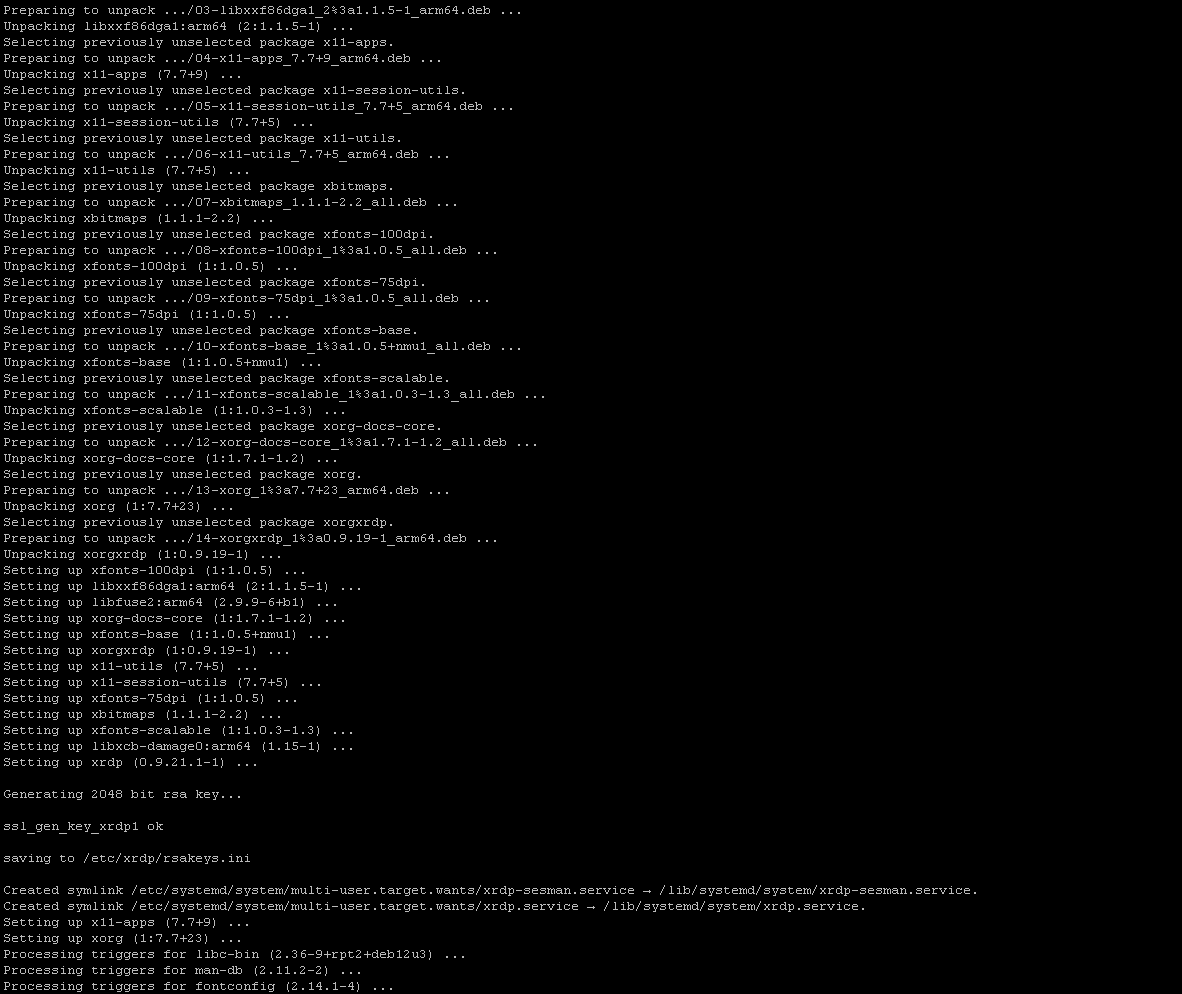
Anyone know why it shows only the Desktop and not the Magic Mirror ?
Thanks!!!
@sdetweil said in Magic Mirror Mirror/Foil Question:
@Syosse the film just serves the same purpose as the mirror tinting applied to the glass…
the film is ‘less expensive’, but also ‘less quality’
the mirror reflection is behind the glass… but in front of the monitor.
its transmission rate defines how it exposes the content behind it…0% means nothing gets thru from behind… its a real mirror.
100% means everything gets thru, its glass…different companies provide different transmission rates, and the colors of the films can be different…
perfect thanks for the information so u can choose between these 2 solution:
Film: less quality but cheaper price
Glass /Mirror with tinting better quality and cost more.
u can recommend a glass with 60-80% transmission ?
thank u