A New Chapter for MagicMirror: The Community Takes the Lead
Read the statement by Michael Teeuw here.
  • Custom CSS

    8
    0 Votes
    8 Posts
    2k Views
    S
    @rxlDavid your proposed css class .MMM-Mail{ position:absolute; left : 100px; top: 500px; } u also had syntax errors, spaces between number and px, each standalone item ends with ; not comma , u can open the developers window, f12 or ctrl-shift-i on the keyboard) (and can open a browser on the page from your desktop and do the debug there), ’ select the elements tab, and navigate thru the position area to find you module content, and click on an element and the dev window will show you the css class hierarchy (bottom at top of page). etc… u can fix the css file, and then refresh the page to examine the differences… repeat til you get what you want

  • MMM-CalenderExt2 - Fixed Header position ?

    2
    0 Votes
    2 Posts
    357 Views
    J
    @Sean Hi, any idea how i can fix the the position of the title/days. At the moment when there are events in the calendar its position is this [image: 1588240770094-correctcal-resized.png] but when no events, position drops to bottom, how can i fix it in the position as above ? [image: 1588240862499-wrongcal-resized.png] thanks
  • MMM-Remote-Control API Questions

    17
    0 Votes
    17 Posts
    5k Views
    E
    I am stuck due to similar issues. And now I need some professional developers with Python knowledge and good programming skills. I am from the US, check this out. And you need to be able during my working hours, it will be a great advantage for fruitful cooperation. Send me a message to my private box for more details. I do hope to find someone here with your assistance.
  • newsfeed full article no longer displayed

    5
    0 Votes
    5 Posts
    739 Views
    F
    @sdetweil I am using the default setup that comes with a clean install of MM. That is, NY Times. So I can go back and forth between “localhost” and “0.0.0.0” and see the immediate difference. Seems odd that it would be affected, but clearly is so.
  • Works with Node Serveronly but not npm start MM

    24
    0 Votes
    24 Posts
    5k Views
    J
    @sdetweil Hi, I bet you thought you’d heard the last of this, so you know how you managed to get it all working. Well the problem now is the complete opposite. In that now it doesn’t work node servermode. ? I thought i was going mad and must have been running it incorrectly :thinking_face: Any ideas ? Thanks pi@MagicMirror:~ $ cd MagicMirror/ pi@MagicMirror:~/MagicMirror $ node serveronly [2020-04-29 14:24:42.858] [LOG] Starting MagicMirror: v2.11.0 [2020-04-29 14:24:42.868] [LOG] Loading config ... [2020-04-29 14:24:42.873] [LOG] Loading module helpers ... [2020-04-29 14:24:42.874] [LOG] No helper found for module: MMM-Logging. [2020-04-29 14:24:42.875] [LOG] No helper found for module: alert. [2020-04-29 14:24:42.911] [LOG] Initializing new module helper ... [2020-04-29 14:24:42.912] [LOG] Module helper loaded: updatenotification [2020-04-29 14:24:42.912] [LOG] No helper found for module: clock. [2020-04-29 14:24:42.913] [LOG] No helper found for module: MMM-OpenmapWeather. [2020-04-29 14:24:42.913] [LOG] No helper found for module: weatherforecast. [2020-04-29 14:24:43.238] [LOG] Initializing new module helper ... [2020-04-29 14:24:43.238] [LOG] Module helper loaded: MMM-Tools [2020-04-29 14:24:43.239] [LOG] No helper found for module: MMM-PlexNowPlaying. [2020-04-29 14:24:43.240] [LOG] Initializing new module helper ... [2020-04-29 14:24:43.241] [LOG] Module helper loaded: mmm-hue-lights [2020-04-29 14:24:43.243] [LOG] Initializing new module helper ... [2020-04-29 14:24:43.243] [LOG] Module helper loaded: MMM-homeassistant-sensors [2020-04-29 14:24:43.366] [LOG] Initializing new module helper ... [2020-04-29 14:24:43.367] [LOG] Module helper loaded: MMM-Hotword [2020-04-29 14:24:44.467] [LOG] Initializing new module helper ... [2020-04-29 14:24:44.468] [LOG] Module helper loaded: MMM-AssistantMk2 [2020-04-29 14:24:44.470] [LOG] Initializing new module helper ... [2020-04-29 14:24:44.470] [LOG] Module helper loaded: MMM-Assistant2Display [2020-04-29 14:24:44.849] [LOG] Initializing new module helper ... [2020-04-29 14:24:44.850] [LOG] Module helper loaded: MMM-Parcel [2020-04-29 14:24:44.899] [ERROR] WARNING! Could not load config file. Starting with default configuration. Error found: Error: The module '/home/pi/MagicMirror/modules/MMM-synology-ds/node_modules/mmmagic/build/Release/magic.node' was compiled against a different Node.js version using NODE_MODULE_VERSION 73. This version of Node.js requires NODE_MODULE_VERSION 64. Please try re-compiling or re-installing the module (for instance, using `npm rebuild` or `npm install`). [2020-04-29 14:24:44.900] [LOG] Loading module helpers ... [2020-04-29 14:24:44.901] [LOG] No helper found for module: MMM-Logging. [2020-04-29 14:24:44.902] [LOG] No helper found for module: alert. [2020-04-29 14:24:44.902] [LOG] Initializing new module helper ... [2020-04-29 14:24:44.903] [LOG] Module helper loaded: updatenotification [2020-04-29 14:24:44.903] [LOG] No helper found for module: clock. [2020-04-29 14:24:44.904] [LOG] No helper found for module: MMM-OpenmapWeather. [2020-04-29 14:24:44.904] [LOG] No helper found for module: weatherforecast. [2020-04-29 14:24:44.905] [LOG] Initializing new module helper ... [2020-04-29 14:24:44.906] [LOG] Module helper loaded: MMM-Tools [2020-04-29 14:24:44.906] [LOG] No helper found for module: MMM-PlexNowPlaying. [2020-04-29 14:24:44.907] [LOG] Initializing new module helper ... [2020-04-29 14:24:44.907] [LOG] Module helper loaded: mmm-hue-lights [2020-04-29 14:24:44.908] [LOG] Initializing new module helper ... [2020-04-29 14:24:44.908] [LOG] Module helper loaded: MMM-homeassistant-sensors [2020-04-29 14:24:44.909] [LOG] Initializing new module helper ... [2020-04-29 14:24:44.910] [LOG] Module helper loaded: MMM-Hotword [2020-04-29 14:24:44.910] [LOG] Initializing new module helper ... [2020-04-29 14:24:44.911] [LOG] Module helper loaded: MMM-AssistantMk2 [2020-04-29 14:24:44.911] [LOG] Initializing new module helper ... [2020-04-29 14:24:44.912] [LOG] Module helper loaded: MMM-Assistant2Display [2020-04-29 14:24:44.912] [LOG] Initializing new module helper ... [2020-04-29 14:24:44.913] [LOG] Module helper loaded: MMM-Parcel [2020-04-29 14:24:44.920] [LOG] Whoops! There was an uncaught exception... [2020-04-29 14:24:44.920] [ERROR] Error: The module '/home/pi/MagicMirror/modules/MMM-synology-ds/node_modules/mmmagic/build/Release/magic.node' was compiled against a different Node.js version using NODE_MODULE_VERSION 73. This version of Node.js requires NODE_MODULE_VERSION 64. Please try re-compiling or re-installing the module (for instance, using `npm rebuild` or `npm install`). at Object.Module._extensions..node (internal/modules/cjs/loader.js:807:18) at Module.load (internal/modules/cjs/loader.js:653:32) at tryModuleLoad (internal/modules/cjs/loader.js:593:12) at Function.Module._load (internal/modules/cjs/loader.js:585:3) at Module.require (internal/modules/cjs/loader.js:692:17) at require (internal/modules/cjs/helpers.js:25:18) at Object.<anonymous> (/home/pi/MagicMirror/modules/MMM-synology-ds/node_modules/mmmagic/lib/index.js:1:13) at Module._compile (internal/modules/cjs/loader.js:778:30) at Object.Module._extensions..js (internal/modules/cjs/loader.js:789:10) at Module.load (internal/modules/cjs/loader.js:653:32) [2020-04-29 14:24:44.924] [LOG] MagicMirror will not quit, but it might be a good idea to check why this happened. Maybe no internet connection? [2020-04-29 14:24:44.925] [LOG] If you think this really is an issue, please open an issue on GitHub: https://github.com/MichMich/MagicMirror/issues pi@MagicMirror:~/MagicMirror $
  • Motion Sensor/PIR

    Unsolved
    9
    0 Votes
    9 Posts
    15k Views
    wishmaster270W
    Hi, i wrote an complete example recently and added it to my module: HC-SR501 PIR Example I translated it to german language as well: HC-SR501 PIR Beispiel
  • MM does not start anymore

    9
    0 Votes
    9 Posts
    1k Views
    S
    @Vauxdvihl use my script see here https://github.com/sdetweil/MagicMirror_scripts for the command to execute
  • mmm-Remote-Control issues

    4
    0 Votes
    4 Posts
    688 Views
    S
    @mrlowndes it does, but 1st thing is to get connected
  • 0 Votes
    7 Posts
    3k Views
    M
    I’ve tried every variation. I’ve scrapped everything. Starting from scratch again. I guess I’ll come back if still an issue.
  • Weather module config

    19
    0 Votes
    19 Posts
    6k Views
    M
    @sdetweil haha well that was dumb of me. I copied it from the web page where there isn’t a minus, but in the URL there obviously is. Thanks so much! got it working!
  • MMM-AssistantMk2 with Hotword not picking up anything.

    11
    0 Votes
    11 Posts
    2k Views
    ?
    @reubenvickers : now let’s try MMM-Assistant2Display !
  • MM on Ubuntu

    Solved
    90
    0 Votes
    90 Posts
    48k Views
    D
    Right. I’ll watch more carefully for any error messages I receive from Ubuntu. Thanks!
  • MMM-Reddit: 404 error

    8
    0 Votes
    8 Posts
    665 Views
    ?
    @reubenvickers just notifiy me like: @bugsounet if you want help
  • Restoring the MM boot splash

    Solved
    13
    0 Votes
    13 Posts
    4k Views
    T
    i dont seem to get this working :(
  • How to declare an array in config.js?

    6
    0 Votes
    6 Posts
    1k Views
    S
    @fischershaw is ok, we all learn… I just spent 2 hours trying to figure out why an api request failed, 404 not found I had spelled apikey with an uppercase K… which debugging approach did you use?
  • without pm2 MagicMirror runs much more smooth....

    5
    0 Votes
    5 Posts
    693 Views
    StoffbeuteluweS
    @sdetweil don’t know why it shows error Sonos works…
  • Update magic mirror error

    4
    0 Votes
    4 Posts
    919 Views
    S
    @StewartBaird86 you just cut/paste the whole line… nothing to think about what do you mean ‘remotely’… via ssh?? just paste the line into the ssh session window this is the test run command bash -c "$(curl -sL https://raw.githubusercontent.com/sdetweil/MagicMirror_scripts/master/upgrade-script.sh)" if all looks good, then u would execute this command bash -c "$(curl -sL https://raw.githubusercontent.com/sdetweil/MagicMirror_scripts/master/upgrade-script.sh)" apply
  • MMM-TelegramBot not showing on the screen

    1
    1
    0 Votes
    1 Posts
    149 Views
    O
    Hello, First of all cheers for the creator of this bot. I have a issue: After installing the module, the bot doesn’t appear one the MagicMirror interface. The module has to be in the top_left (in screenshot) Almost all the commands are working (tested on reboot, shutdown and screenshot), except /telecast. Can you give some advice on it? [image: 1587819978677-img_4537.jpg]
  • Calendar Shows wrong Events

    1
    0 Votes
    1 Posts
    162 Views
    A
    Hi! My Calendar (imported from Apple Calendars) shows on screen, but it shows wrong Events. It says tomorrow is a Birthday, but it is in one Month and one day. does anone know this Problem. Thanks for helping me!
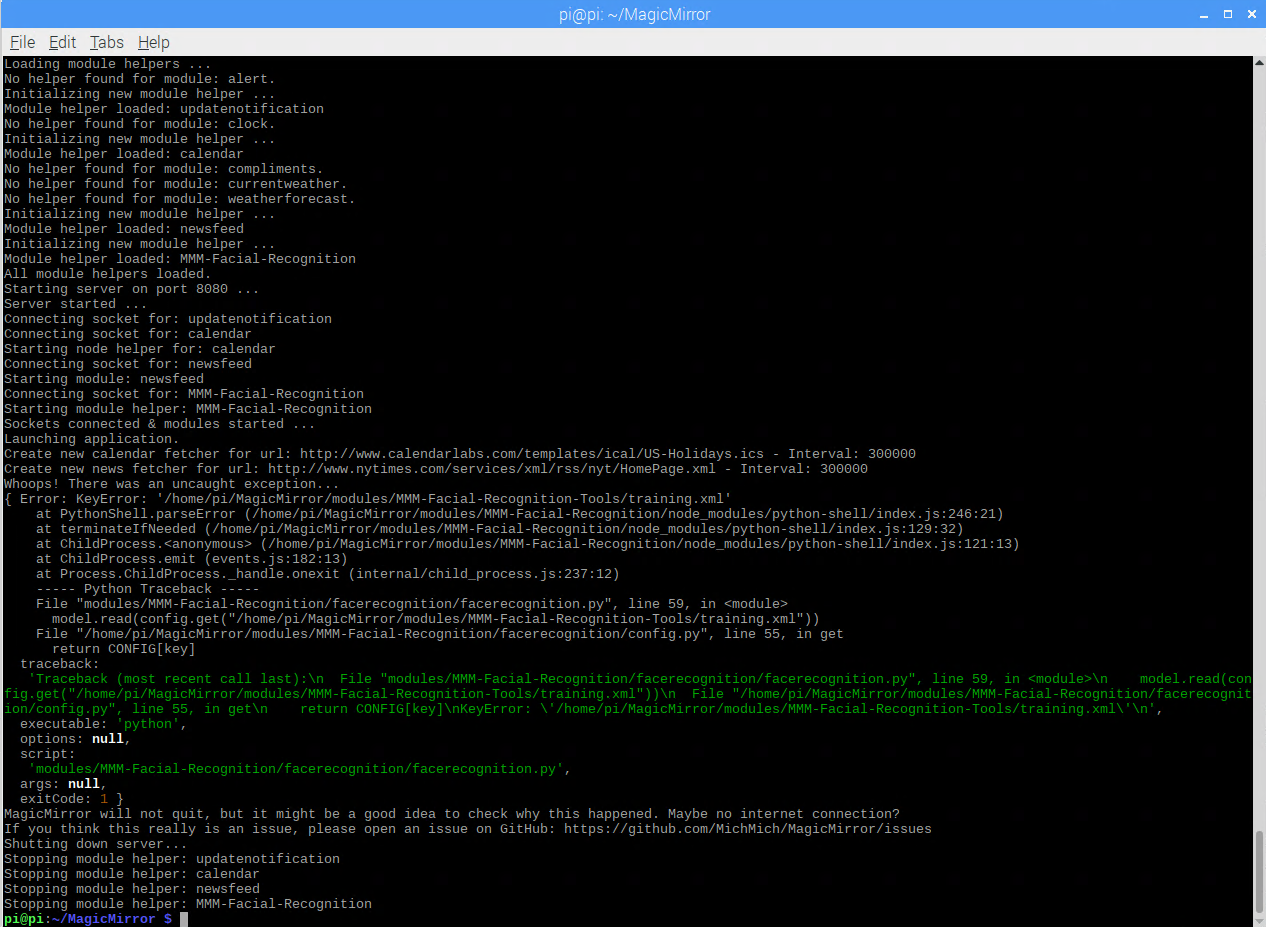
  • Error MMM-Facial-Recognition

    Unsolved
    6
    1
    0 Votes
    6 Posts
    759 Views
    S
    @merttcoo i don’t have a recommendation. I don’t use this function so you can try the steps to create the model with the one you have partly installed, or you can try the other one.