A New Chapter for MagicMirror: The Community Takes the Lead
Read the statement by Michael Teeuw here.
  • Camera Options

    new newbie camera rasberry pi 4
    8
    0 Votes
    8 Posts
    3k Views
    P
    @sdetweil awesome, thank you so much sam!!
  • LVDS controller cable

    7
    3
    0 Votes
    7 Posts
    2k Views
    D
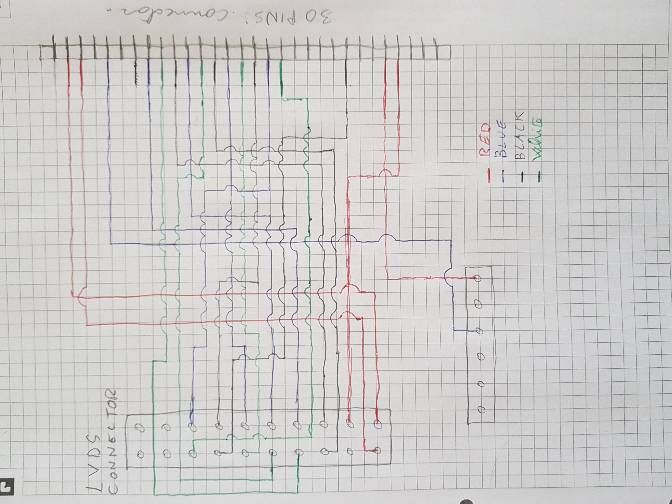
    hello sorry for my late answer, i think i will leave it , put alll in a bag and put in trash , too much problem for a small thing. Thank you to help me ;)
  • I am in need of help

    4
    1
    0 Votes
    4 Posts
    781 Views
    P
    How to Install MM & Getting started with MM Modules using @sdetweil Installation Scripts ! - https://youtu.be/PHpth_KQHcE
  • Problem for MMM- Assistant

    mmm-googleassistant
    6
    1
    0 Votes
    6 Posts
    1k Views
    P
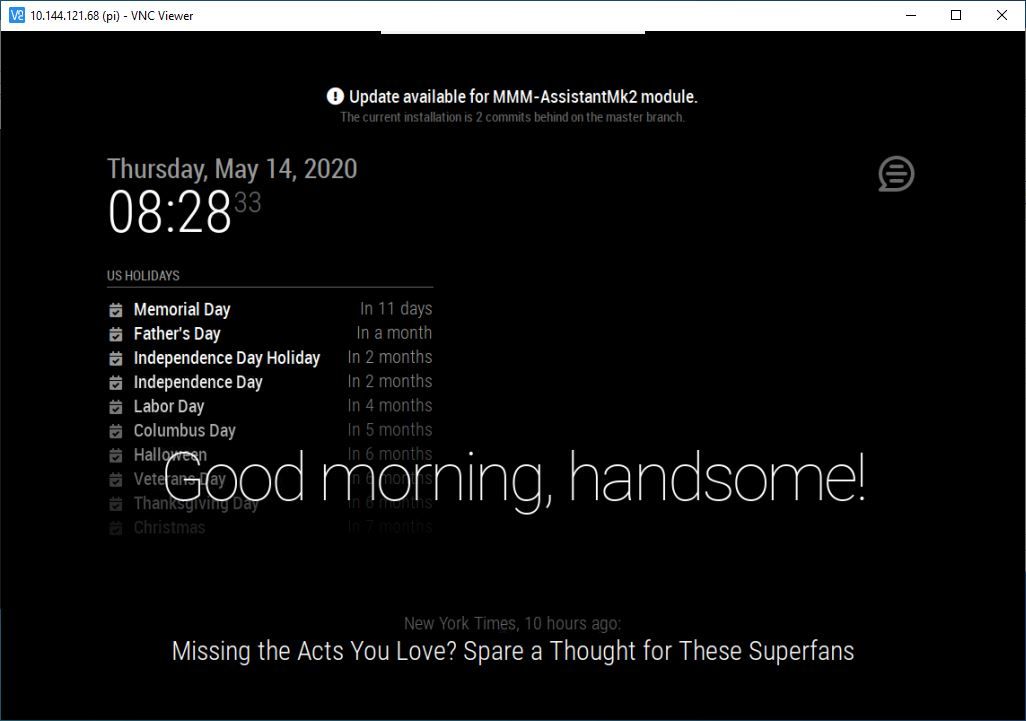
    [image: 1589490222260-3.jpg]
  • MMM-GoogleTasks displaying in reverse order?

    3
    0 Votes
    3 Posts
    1k Views
    E
    You can solve it adding a finish date to the main task. It’s not the solution but it’s a patch. A “ñapa” in Spanish.
  • npm ERR! missing script: start

    5
    0 Votes
    5 Posts
    3k Views
    PerlchampP
    yes, of course. thank you.
  • vdirsyncer automation

    1
    0 Votes
    1 Posts
    441 Views
    D
    Hi all Anyone inputs on how to make vdirsyncer becoming active and triggered on events? I use it to sycn my private ical. I followed the tutorial from Beh and I managed to have two private ical Calendars showing up on the mirrror. Manual sync works but the automated. If I check the status of vdirsyncer.timer the following is populated: ● vdirsyncer.timer - Synchronize vdirs Loaded: loaded (/etc/systemd/user/vdirsyncer.timer; enabled; vendor preset: e Active: inactive (dead) Trigger: n/a I would expect to be active and not inactive or “dead” :-) Furthermore I would also expect to have a trigger A bit of help would be great. Thanks community Patrick
  • MMM-GoogleTasks makes MMM-CalendarExt disappear when applied to config file

    11
    0 Votes
    11 Posts
    2k Views
    bheplerB
    @RyanRoyster - Short answer: It’s what you see on your mirror, but in your web browser. Long answer: The Magic Mirror consists of about three main parts. There’s a web application that runs in Node.js, a display app called Electron that displays the contents of the web app, and a monitoring app called PM2 that starts everything automatically and restarts it if it crashes. Because it’s a web app, it works like a web server. When you look at your mirror, you’re essentially seeing Electron acting like a web browser pointed to a web server. They just happen to be on the same machine. What we’re trying to get set up for you is to use your regular web browser (Edge, Chrome, Firefox, Safari or whatever) to do the same task as Electron: display what the web server is serving up. Let’s get you browsing To answer your other question about the IP address: Assuming that you’re working on your mirror’s RasPi itself, you can find the ip address by opening up a terminal window and typing ifconfig. You’ll get a bunch of stuff back, but what you’re looking for will be like this: wlan0: flags=4163<UP,BROADCAST,RUNNING,MULTICAST> mtu 1500 inet 10.0.0.15 netmask 255.255.255.0 broadcast 10.0.0.255 Quick interpretation: wlan0 = wireless adapter. If you’re connected via WiFi, this is where you wish to look. inet 10.0.0.15 this is your IP address. Okay, that said, edit your config.js and at the top of the file, find this section: var config = { address: "0.0.0.0", < Make it read thusly port: 8080, ipWhitelist: [], < likewise Save your file. On your computer, on the same WiFi network, open your web browser and point it at the IP address you grabbed earlier. Remember to add the port number! In my case, http://10.0.0.15:8080 Your web browser should show you your MM interface.
  • MMM-Remote-Control

    Unsolved
    11
    0 Votes
    11 Posts
    5k Views
    S
    Hi @teitlebot , please can you share your config file as i am tried to edit mine to bypass the problem and can’t figure it out
  • How to fix code for complete beginners

    4
    0 Votes
    4 Posts
    651 Views
    BKeyportB
    I’ll agree here - I made sure to have the mirror set up exactly how I wanted it, CSS, config, modules (minus one I couldn’t find) etc, long before I attempted to program my first module. . I then dove into the module building using the previously mentioned jsfiddle.net to create that missing module for me. Due to work obligations, I haven’t been able to get back to it, but I plan to do that soon, and fix up things that people have asked for.
  • What is the 'best' way to install magic mirror?

    5
    0 Votes
    5 Posts
    2k Views
    bheplerB
    I’ll just throw in another vote for @sdetweil and his scripts. Dude is amazing when it comes to helping people with their mirrors.
  • Simple parsing error help

    2
    0 Votes
    2 Posts
    915 Views
    BKeyportB
    gotta throw commas in… module: "compliments", position: "lower_third", config: { compliments: anytime: [ "Hey Rach!" ], etc. use npm run config:check until you get no errors.
  • Wifi+ BT Power Off during screensaver

    1
    0 Votes
    1 Posts
    263 Views
    G
    Hello, I want disable Wifi and bt when the screensaver is running on the MM. What is the file to edit? Thanks for advance
  • MMM-SwissStationboard

    12
    0 Votes
    12 Posts
    6k Views
    D
    Hi. I still think it was a good question. I for example wanted to have twice your module one above the other. Say the first shows the bus connection and below the train. Or simply two different starting points. How can I write this? Thanks for this very helpful module by the way!
  • edited modules, now can't run the mirror

    3
    0 Votes
    3 Posts
    402 Views
    bheplerB
    @ajurcoi - In the future, please use the markdown features of the forum for posting code and logs.
  • Having a blackscreen with no modules.

    5
    0 Votes
    5 Posts
    698 Views
    Y
    @sdetweil Wow, you are a true legend, I had this issue with “DISPLAY” before, but since in the error message it only said something is wrong in the “electron js”, I never found it.
  • How to autorun script on MagicMirror boot

    Solved
    8
    0 Votes
    8 Posts
    2k Views
    BKeyportB
    @kelly97129 Sure. PM2 is simply the best way I’ve found to manage what’s running automatically on my system.
  • Fresh MM install to PC with serveronly mode gives console errors.

    3
    1
    0 Votes
    3 Posts
    413 Views
    P
    That totally worked, thank you so much for the fast reply!
  • MMM-MyScoreboard working?

    3
    0 Votes
    3 Posts
    707 Views
    D
    @BKeyport Thanks!
  • Getting MMM to open on the second monitor and correctly size

    24
    0 Votes
    24 Posts
    7k Views
    C
    @sdetweil The first two options give me a window that I can drag and drop to the second vertical screen Unfortunately the scaling is still a problem. [image: 20200506-162053.jpg]