A New Chapter for MagicMirror: The Community Takes the Lead
Read the statement by Michael Teeuw here.
  • One calendar wont load

    7
    0 Votes
    7 Posts
    759 Views
    S
    @kvicksson that code will be in the new release on Friday, 1/1
  • MM does not start full screen (pi Zero)

    20
    1
    0 Votes
    20 Posts
    5k Views
    S
    @jthewarrior7 weird… kiosk is what removes the titlebar
  • MMM-NewPIR conflicts with MMM-GoogleTasks

    1
    0 Votes
    1 Posts
    240 Views
    D
    Perhaps you deal with these two great modules and could get them to work together without any impacts. I could not. After I installed and set up the MMM-NewPIR, I installed and set up the MMM-GoogleTasks. After that, the graphical output of the count-down bar disappeared. Did anybody experienced the same behaviour?
  • MMM-MyCommute

    Unsolved
    22
    0 Votes
    22 Posts
    7k Views
    F
    Sorry for replying in an old thread, but you wrote apikey in the config, it should be apiKey
  • Module size has changed

    1
    1
    0 Votes
    1 Posts
    205 Views
    S
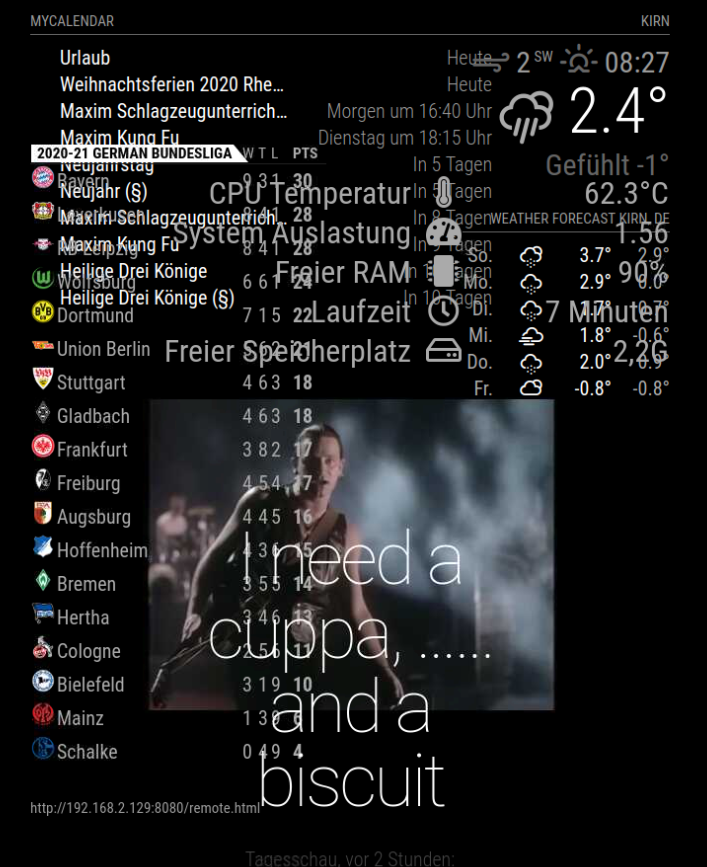
    [image: 1609094942954-d6fd1468-317f-4e2b-a778-e4b00cc5787e-image.png] Hi, the size of the modules of my Magic Mirror have changed from one day to the next. I’ve no idea why and am not sure what step to take next. I didn’t change anything in the system. I haven’t changed main.css file at all and have not changed anything in the modules for a number of weeks. It still works, it’s just a jumble of modules on top of each other. I’d appreciate any suggestions. Thanks in advance.
  • MMM-MyWastePickup

    11
    2
    0 Votes
    11 Posts
    4k Views
    M
    @ashishtank works as described and shown. So I have a workaround for now and can deal with the actual svg problem again later. Great, thanks a lot!
  • HDMI wire or Raspberry pi board

    1
    2
    0 Votes
    1 Posts
    223 Views
    T
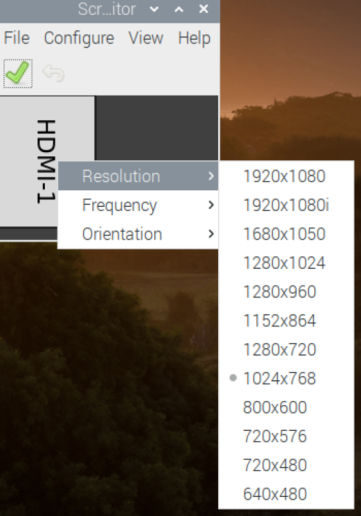
    so I have had some issues with with from the get go, and I taught it was something I did in the programing but now im not sure. has anyone run into the problem with either the HDMI wire or the raspberry pi board given you issues for resolution? sometime I can jiggle the wire and it wont get me select certain resolutions (see pictures below [image: 1608873851200-screen-res.png] [image: 1608873868052-screen-res-2.png]
  • adding google calendar

    8
    0 Votes
    8 Posts
    9k Views
    T
    this helps a lot, thank you @ember1205
  • This topic is deleted!

    1
    0 Votes
    1 Posts
    15 Views
  • Need help on monitor power

    7
    0 Votes
    7 Posts
    2k Views
    A
    @mumblebaj Yes, there are many techniques to do this. If you also want to shutdown the Raspberry Pi then you can schedule it and using hardware plug like @adrian-k mentioned power on the Pi again.
  • Overflow with calendar?

    11
    0 Votes
    11 Posts
    2k Views
    S
    @avanloo01 awesome… I will close the issue i opened…
  • Rpi3 & 7" pi touchscreen - MM not displaying

    7
    0 Votes
    7 Posts
    1k Views
    K
    thank you
  • Problems loading config resources

    3
    0 Votes
    3 Posts
    615 Views
    E
    @sdetweil said in Problems loading config resources: @Envynot sounds like you are running on windows… . two extra steps cd MagicMirror cd vendor npm install cd .. cd fonts npm install cd .. now u can start mm again Ah my guy. You are a saint. Thank you so much! Happy holidays!
  • 0 Votes
    2 Posts
    370 Views
    S
    @emrah_asl it depends on IF your ISP allows incoming connections… many block them on normal accounts and provide them on special paid accounts… (my last ISP required a ‘fixed ip address’ account, for an extra $20/month you need to open some port on your internet router in your house, and map that port to some port on the pi… so, for example, map incoming requests to port 9999 to mm port 8080 on the ip address of the pi (my pi is at 192.168.2.44) then you need to know/find out your IP address from outside your home… it might be fixed, or it might stay fixed ‘most’ of the time. there are free services, dns mappers, that will map a name of your choosing to the ip address u assign. I use dyndns.org many routers have function built in that will check each time the router gets an address from the ISP and push an update to the mapper for the name u assign… now OUTSIDE , you connect to (name made up), myMMatHome.dyndns.org:9999 the code calls to get the ip address from the name, and gets your ISP address 99.205.34.128, (number made up) and uses that to connect to your router, which passes it on to the pi at port 8080… to get around all this, teamViewer sharing app REGISTERS you with the code on the teamViewer server as sharing system… on the using side, u give the code and it looks up the and sends a message to the sharing app (over the connection started by the sharer) that someone wants to see what is going on… there is no INBOUND connection, the sharer connects to the user app… be careful… lots of spammers scan ISP services for machine with open ports and try different known protocols to connect… and there are lots of nasty hack ways to get into different services (vnc…)… to get into your machine…
  • Assistant2display - PIR sensor problem

    5
    0 Votes
    5 Posts
    651 Views
    ?
    @ondrax 2 ways to solve this problem: decrease the sensibility of the pir sensor the sensor may be near a heat source (a lot of infrared is emitted), in this case move it in other place [I have personnaly this case, because my pir sensor is above my domestic heating. i move it and works]
  • Using Two Fonts with Compliments

    10
    0 Votes
    10 Posts
    2k Views
    F
    @hango Thank you! I got it working and will post some pictures later. I just wanted to add that in your documentation you have in order to disable the default compliments to add ‘disable: true’ in the config but it should be ‘disabled: true’. { module: “compliments”, position: “lower_third”, disabled: true } Also, I had to remove the spaces from the html tag example you provided me. “ Star Wars quote ”, Not sure if this was caused by my setup but that’s how I got it to work for my mirror. Again just wanted to say Thank you as I have my mirror ready in time for a xmas present!
  • calendar plugin: all items one day ahead

    Solved
    6
    0 Votes
    6 Posts
    1k Views
    S
    @anderios i have worked for the last 3 months to get the calendar module working properly. I think I have solved all the reported problems. the fixes will be released on Jan 1, but in the meantime you can use the develop branch of the repo which has all the accepted fixes since last release
  • MMM-RTSPStream Full screen 4 cam's

    1
    1
    0 Votes
    1 Posts
    235 Views
    JerryPJ
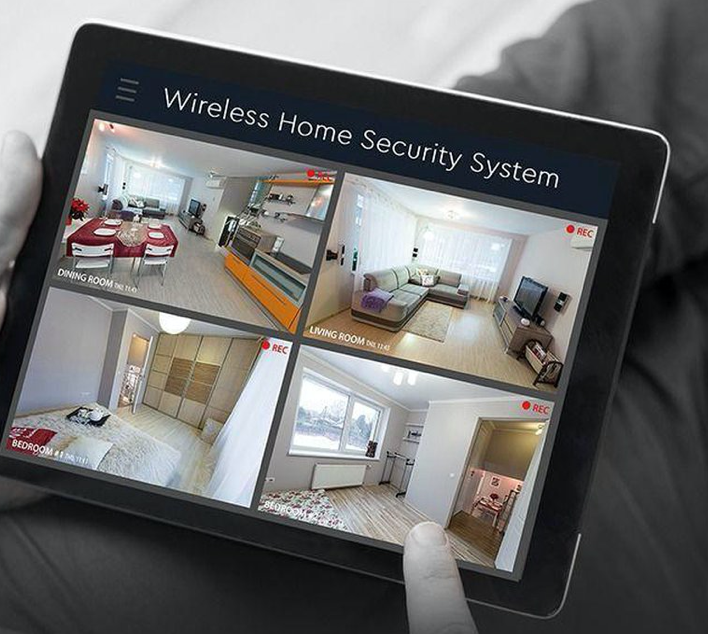
    Hello, I want a second page on my mirror, and place there the 4 images of the secureti cam’s of the House. [image: 1608469903924-sec.png] Someting like this. I only get 2 screens under each other. { module: "MMM-RTSPStream", position: "middle", //"top", "middle", "bottom" config: { autoStart: true, rotateStreams: false, rotateStreamTimeout: 20, moduleWidth: 568, moduleHeight: 320, localPlayer: "omxplayer", remotePlayer: 'none', showSnapWhenPaused: false, remoteSnaps: false, stream1: { name: 'Garage Botter Acker', url: 'rtsp://user:pass@ipadress:poort/cam/realmonitor?channel=1&subtype=1', protocol: "tcp", frameRate: 25, muted: true, }, stream2: { name: 'Steeg Garage', url: 'rtsp://user:pass@ipadress:poort/cam/realmonitor?channel=2&subtype=1', protocol: "tcp", frameRate: 25, muted: true, }, }},
  • MMM-RTSPStream

    3
    0 Votes
    3 Posts
    801 Views
    JerryPJ
    @CyruS1337 said in MMM-RTSPStream: Thats the way I have don’t { module: "MMM-RTSPStream", position: "top_left", config: { autoStart: true, rotateStreams: true, rotateStreamTimeout: 10, moduleWidth: 354, moduleHeight: 240, localPlayer: 'omxplayer', remotePlayer: 'none', showSnapWhenPaused: true, remoteSnaps: true, stream1: { name: 'Wald', url: 'rtsp://IPCAM/42z4585742524dud1h', frameRate: 'undefined', snapshotType: 'url', snapshotRefresh: 10, width: undefined, height: undefined, }, stream2: { name: 'Einfahrt', url: 'rtsp://IPCAM/F5478u56hngdyzEYHt', frameRate: 'undefined', snapshotType: 'url', snapshotRefresh: 10, width: undefined, height: undefined, }, }},
  • google assistant

    3
    0 Votes
    3 Posts
    578 Views
    R
    @sdetweil Thank you.