A New Chapter for MagicMirror: The Community Takes the Lead
Read the statement by Michael Teeuw here.
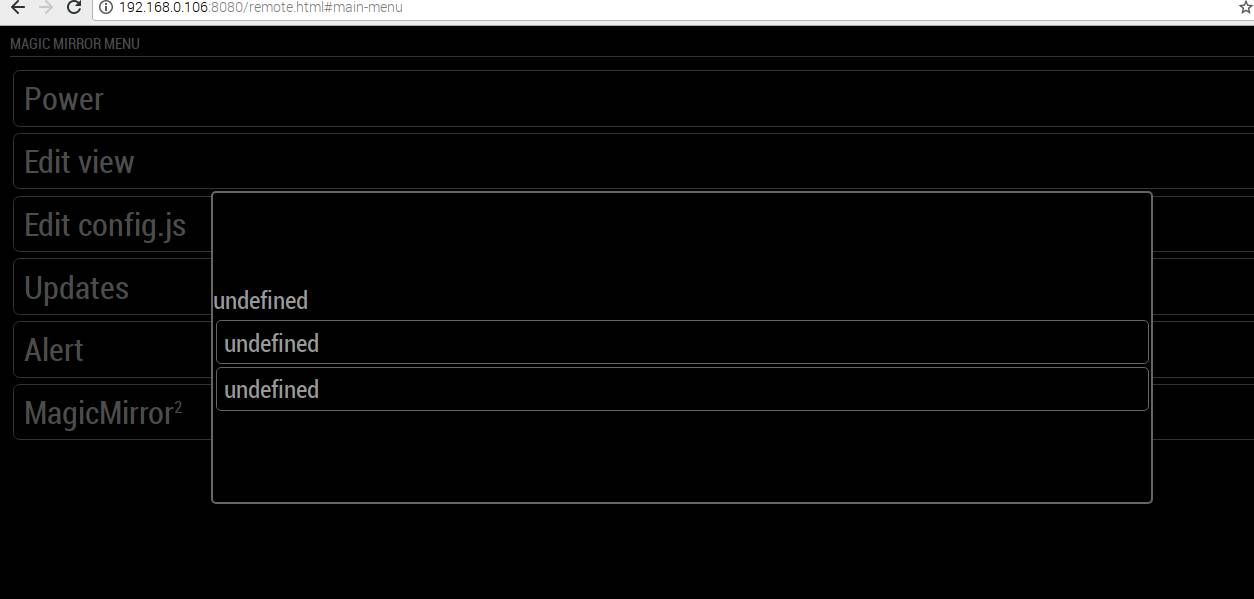
  • MMM-Remote-Control (undefined error)

    3
    1
    0 Votes
    3 Posts
    725 Views
    Q
    Okay, thanks for your help. It is working now. There are still few issues, if you can help. The exact ip still isn’t shown on the magic mirror. The icons aren’t still visible, like it was in earlier versions. The top buttons just showing “All” and not “Show all” or “Hide All”. [image: 1592375893896-2020-06-17-110526_1360x768_scrot.jpg]
  • MMM-NowPlayingOnSpotify - retrieveCurrentlyPlaying

    1
    0 Votes
    1 Posts
    225 Views
    J
    I have a problem with this module. The module itself runs fine, but this message is breaking my magic mirror, as it is flooding my log and creating huge docker logs files (4.1 tb). How do I suppress this message or make it go away? git pull & npm install says that is nothing to update. Running docker image. {"log":"[2020-06-12 23:12:23.838] [ERROR] TypeError: Cannot read property 'retrieveCurrentlyPlaying' of undefined\r\n","stream":"stdout","time":"2020-06-13T04:12:23.841885149Z"} {"log":" at Class.retrieveCurrentSong (/opt/magic_mirror/modules/MMM-NowPlayingOnSpotify/node_helper.js:29:20)\r\n","stream":"stdout","time":"2020-06-13T04:12:23.847190262Z"} {"log":" at Class.socketNotificationReceived (/opt/magic_mirror/modules/MMM-NowPlayingOnSpotify/node_helper.js:22:14)\r\n","stream":"stdout","time":"2020-06-13T04:12:23.859870587Z"} {"log":" at Socket.\u003canonymous\u003e (/opt/magic_mirror/js/node_helper.js:113:11)\r\n","stream":"stdout","time":"2020-06-13T04:12:23.862610449Z"} {"log":" at Socket.emit (events.js:182:13)\r\n","stream":"stdout","time":"2020-06-13T04:12:23.864744237Z"} {"log":" at /opt/magic_mirror/node_modules/socket.io/lib/socket.js:528:12\r\n","stream":"stdout","time":"2020-06-13T04:12:23.867760099Z"} {"log":" at process.internalTickCallback (internal/process/next_tick.js:70:11)\r\n","stream":"stdout","time":"2020-06-13T04:12:23.868429924Z"}
  • Hide module based on content | MMM-AfterShip

    1
    0 Votes
    1 Posts
    263 Views
    P
    Hi everyone, I would like to hide the AfterShip module once there are no active deliveries to be tracked. As far as I can tell, the existing code already checks for a certain threshold of maximum allowed trackings at the same time: for (var t in this.shipments) { var shipments = this.shipments[t]; displayedParcels++; if (displayedParcels > this.config.maximumEntries){ break; } var row = document.createElement("tr"); table.appendChild(row); ... } I thought of something like this to check for the number of active deliveries and hide the module if there are none: for (var t in this.shipments) { var shipments = this.shipments[t]; displayedParcels++; if (displayedParcels > this.config.maximumEntries){ break } else if (displayedParcels = 0 ){ this.hide() } else { this.show() } var row = document.createElement("tr"); table.appendChild(row); ... } Unfortunately this does not work. Any ideas how to hide a module based on the content? Many thanks in advance!
  • Config code not working?

    8
    0 Votes
    8 Posts
    1k Views
    S
    @johnnyboy https://forum.magicmirror.builders/topic/6808/css-101-getting-started-with-css-and-understanding-how-css-works?_=1592231548825
  • 3-Day Forecast Location

    4
    0 Votes
    4 Posts
    926 Views
    S
    @blacter could make the results very different!! thanks for the feedback
  • Mirror display not showing changes made to config filedock

    9
    0 Votes
    9 Posts
    2k Views
    P
    I’ve given up docker. Runs fine with standard install. I’ll try docker with my next MM.
  • Calendar module is not working right

    8
    0 Votes
    8 Posts
    1k Views
    YannikZockerY
    @sdetweil yes default and with a Google Calendar cal and a Cal for Holidays
  • No 3rd party modules working

    5
    0 Votes
    5 Posts
    1k Views
    S
    @jocke-almgren no problem, just MOVE the folder out of there cd ~/MagicMirror/modules/default mv MMM-JokeAPI .. then restart mm again
  • Update?

    Moved
    2
    0 Votes
    2 Posts
    493 Views
    StoffbeuteluweS
    @magicmonkey https://github.com/ferferga/MMM-GoogleCast
  • Module Current Weather Hidden on Start Up

    10
    0 Votes
    10 Posts
    2k Views
    Mykle1M
    @Stoffbeuteluwe said in Module Current Weather Hidden on Start Up: mmm-earth and mmm-lunartic are nice modules Hey, thanks for the commendation! :thumbsup:
  • module: remote control issue

    4
    0 Votes
    4 Posts
    963 Views
    L
    @hawkeye yeah thx man! Worked again :))
  • OMXPlayer not working any more?

    Unsolved
    7
    0 Votes
    7 Posts
    3k Views
    bheplerB
    Just an FYI - I tried it today and it played the video first time, with no issues on an RPI 4. It would appear that something has changed in the default Buster installation.
  • Replace LCD control board component?

    short circuit pcb control board lcd power
    4
    2
    0 Votes
    4 Posts
    1k Views
    S
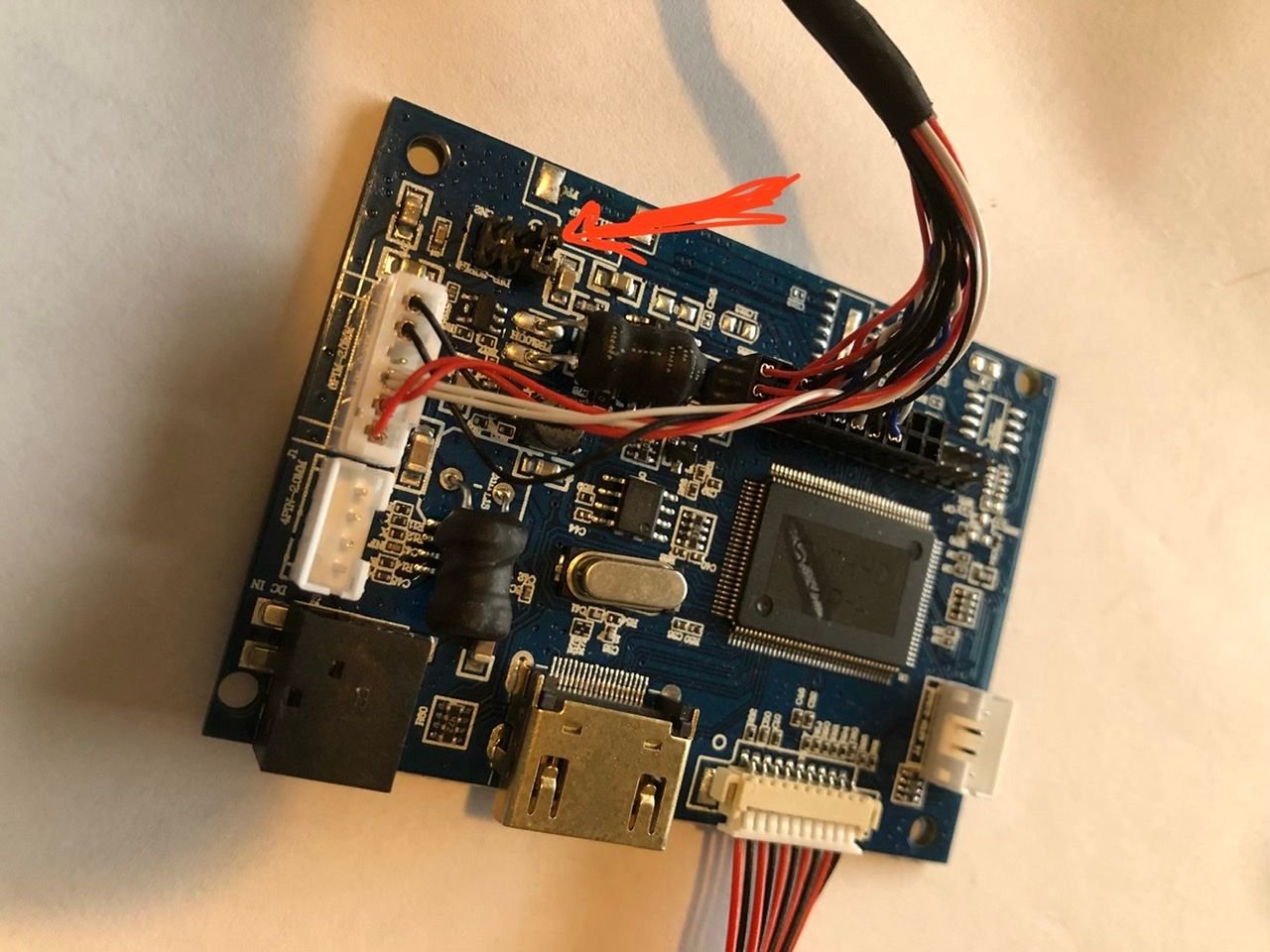
    @camshell said in Replace LCD control board component?: What does the jumper block do allow someone to change operating characteristics… no idea what THIS one does… just pins onto the circuit board… the jumper makes some connection between the two pins. or the others etc… no idea what it does here without a board circuit diagram… you could have burned the circuit board connections under the jumper block… none of us will know (unless u accidentally found the people that designed and built the board. shortest path is find another like monitor to get the board, or find another monitor
  • what Error is this

    9
    0 Votes
    9 Posts
    922 Views
    S
    @Pielo said in what Error is this: Kann ein Profi, wie sie es sind, sich evtl vorstellen, was da die Ursache sein kann? ist an meiner Vorgehensweise etwas nicht richtig? Beginnen Sie von vorne und verwenden Sie das automatisierte Skript. Den Befehl zum Kopieren / Einfügen finden Sie hier unter https://github.com/sdetweil/MagicMirror_scripts dann haben Sie keines dieser Probleme english for others start over and use the automated script … see here https://github.com/sdetweil/MagicMirror_scripts for the command to copy / paste then you won’t have any of these problems
  • MMM-awesome-alexa

    1
    0 Votes
    1 Posts
    267 Views
    H
    My stupid thing is talking in Chinese or Japanese and i cant see where to change it to English all my settings are set to English in the pi and and MM config https://www.hellotech.com/guide/for/how-to-change-alexa-voice even did what that says still Japanese haha
  • config.js problem and display of modules

    3
    0 Votes
    3 Posts
    915 Views
    K
    @Mykle1 ok i’m retest it
  • Another No upcoming events MMM-Calendar

    3
    0 Votes
    3 Posts
    536 Views
    D
    I think the problem was somewhere in my mailserver. After a reboot all the appointments magicly reappeared. Thank you for responding.
  • Control MMM-Podcast2 with MMM-KeyBindings / MMM-Remote-Control

    2
    0 Votes
    2 Posts
    621 Views
    B
    Hi guys, would like to check again if anybody can help on my described topic to trigger the MMM-Podcast2 with the Fire TV Remote? Best regards Bill
  • Black screen: need help

    20
    0 Votes
    20 Posts
    3k Views
    Cr4z33C
    @Bugsounet OK thanks.
  • mmm assistant mk2

    112
    0 Votes
    112 Posts
    53k Views
    D
    @mcretu Hi . Lost in the Post. I think you refer to youtube not being displayed. If that is the case, as @Bugsounet keeps saying (he said it to me about this…), red the wiki. It’s all there. you need to change the config.js in config as follows: https://github.com/bugsounet/MMM-Assistant2Display/wiki/Configuration Assistant2Display need electron special configuration for web link displaying and Youtube functionality start of the config.js configuration file var config = { address: "localhost", electronOptions: { webPreferences: { webviewTag: true } }, port: 8080, ... address should be localhost for playing YouTube video electronOptions is need if you want to display the link and Cast module