Have you disabled your screensaver? The display will turn on and off but the screensaver won’t.
A New Chapter for MagicMirror: The Community Takes the Lead
Read the statement by Michael Teeuw here.
Read the statement by Michael Teeuw here.
 M
Offline
M
Offline
Posts
-
RE: Somertimes no MagicMirror displayed after waiking up Screen by PIR Sensor
-
RE: 1 old noob + 1 rPi = I can't believe I did it! (revisited)
@johnnyboy said in 1 old noob + 1 rPi = I can’t believe I did it! (revisited):
Also… whats with the time being wrong? Its been stuck on 17.20 ?
That’s your sunset/sunrise time, from the Wunderground module. is your clock module installed.enable?
-
RE: Display a .png saved on the raspberry pi hard drive
@ninjabreadman said in Display a .png saved on the raspberry pi hard drive:
if you’re really only interested in showing a single image, it may be simpler to use MMM-SimpleLogo:
Yes, simpler to use SimpleLogo. (A fantastic module)
But, easier to use EasyPix. :-)
-
RE: Magic Mirror 2 - Please create a config file error
Unless the sample has been modified. :-/
In which case, you would procure a fresh config.js.sample file from the repo and follow these directions
https://forum.magicmirror.builders/topic/4528/how-to-create-a-working-config-for-absolute-beginners
-
RE: 1 old noob + 1 rPi = I can't believe I did it! (revisited)
{
			module: 'calendar',
			position: 'top_left',
			config: {
			urgency: 0,
			getRelative: 1,
			fadePoint: 0.25, // Start on 1/4th of the list.
				calendars: [
					{
						symbol: 'calendar-check-o ',
						url: 'webcal://www.calendarlabs.com/templates/ical/US-Holidays.ics'
					},
					{
						url: 'https://calendar.google.com/calendar/ical/THIS COMES FROM GOOGLE CALENDAR/private-YOUR GOOGLE CALENDAR API GOES HERE/basic.ics'
					},
				],
			}
		},
Change your getRelative: 1 as above in your config.js file
Add your google calendar as above in your config.js file -
RE: Prepping my first build. Care to check my work?
@3DPrintedWaffles said in Prepping my first build. Care to check my work?:
Hmm I may go that route. I like how well contained everything sits in your rig.
Advantages:
When you shut down your Pi how will you turn it back on? Pull the plug and plug it back in? Hell no! A (mini) power strip with a breaker switch works perfectly. Turn the switch off (after shutting down your Pi) and simply turn it back on. Boom! The Pi now has an on/off switch.
Extra outlet. After you’ve plugged in your Pi and your monitor, what then? My mini power strip has three outlets. That’s all I needed, but as builds become more complicated and require power for other devices (LED’s etc) then a six outlet strip can be affixed to the wall of the mirror box. Mine is on the bottom.
Less cabling. With the power strip you can modify/make extensions of exact length so there’s less clutter behind your mirror. I made a short orange extension (see picture) because the power plug for the Pi “stood up” when plugged in. I couldn’t have that. Now it “lays down”. Yes, you could do that without a power strip but do you really want to splice all that wiring? And how would that look? Hell no! (I like saying that) :-)
This is just my opinion, and others may offer you better solutions, but I think this a very efficient and neat way of doing things, and you get the added benefit of an on/off switch.
P.S. At the time of this build the mini power strip was a $5 add on item at Amazon. You can’t beat that with a stick. :-)
Peace!
-
RE: Magic Mirror 2 - Please create a config file error
@Rpickp said in Magic Mirror 2 - Please create a config file error:
I used the installer script i think it was already renamed. Should I make any changes in the config file?
What you should get from the installation of MM is a file called
config.js.sample. If you no longer have this file then it is likely that you renamed it instead of copying it and renaming the copy. Once you obtain a new, cleanconfig.js.sampleyou can follow the directions in the link I gave you.Yes, you can make any changes you like to the config.js file once you’ve followed the directions above
-
RE: 1 old noob + 1 rPi = I can't believe I did it! (revisited)
I’m a father and a grandfather, too.
If I was the oldest to make a MagicMirror, that would be cool. :-)
-
RE: Prepping my first build. Care to check my work?
@3DPrintedWaffles said in Prepping my first build. Care to check my work?:
Could you show me how this mirror looks from the front?
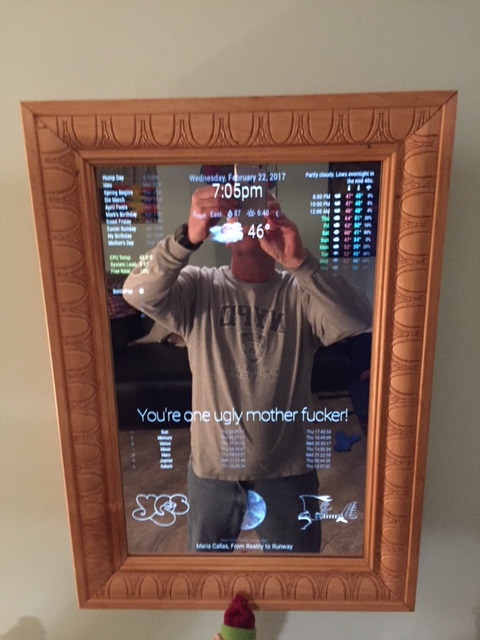
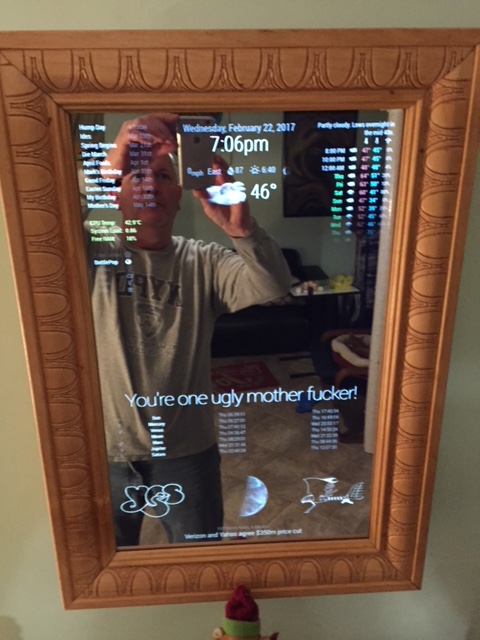
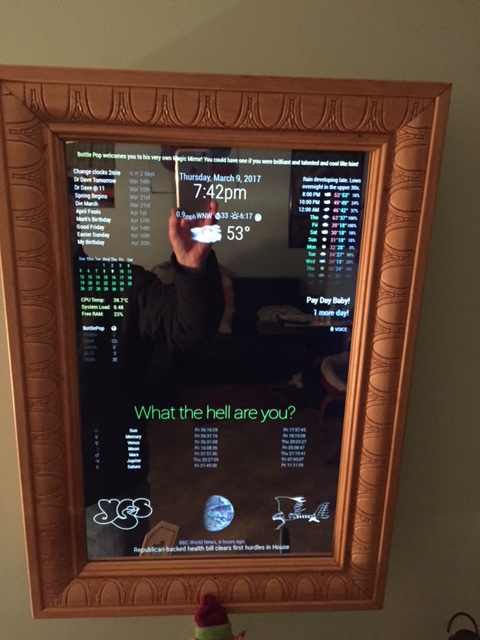
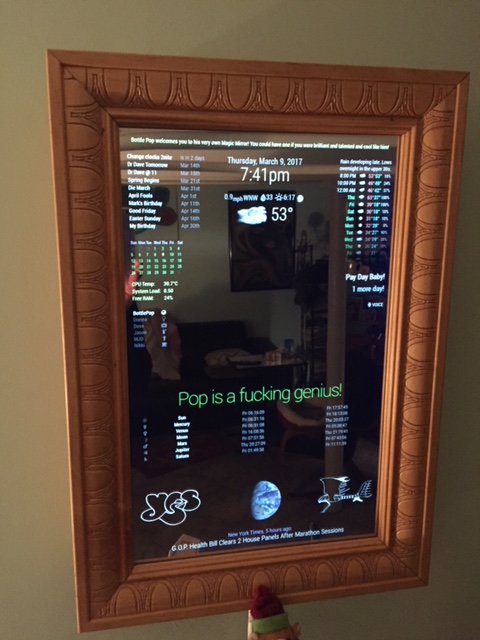
-
RE: Magic Mirror 2 - Please create a config file error
@Rpickp said in Magic Mirror 2 - Please create a config file error:
It worked! Thank you so much!
Excellent! :-)
-
RE: 1 old noob + 1 rPi = I can't believe I did it! (revisited)
1835 views and counting!
Oh yeah! :sunglasses:
-
RE: Module Developer Challenge - I surrender!
@ninjabreadman said in Module Developer Challenge - I surrender!:
Alternatively, have a look at MMM-SystemStats which uses vcgencmd on the CLI to retrieve the system temp, which would be far easier to integrate into your current module.
Thanks ninja. I will give this a shot first. In fact, I’m going to look at that right now.
-
RE: CSS - Naming header to change?
So, why don’t you tell others how you found your answer? It may help them in a similar situation. :-)
-
RE: 1 old noob + 1 rPi = I can't believe I did it! (revisited)
2,225 views!
Take that, Bembridge scholars! :scorpion:
-
RE: Module Developer Challenge - I surrender!
I would like to thank everyone that gave me suggestions and advice. I really do appreciate the support.
I ended up using a combination of 2 npm packages. pc-stats and sensors.js. My first time building a module from an npm package, and then adding a second to the same module confused me quite a bit. That, and my lack of any real coding experience, found me at a standstill.
Well, once again, @cowboysdude took pity on me. He took the time to teach me where I went wrong, and what I was missing, and what I didn’t need. Maybe I won’t retain everything that he taught me but I will certainly remember his kindness and generosity. His patience is astonishing. :-)
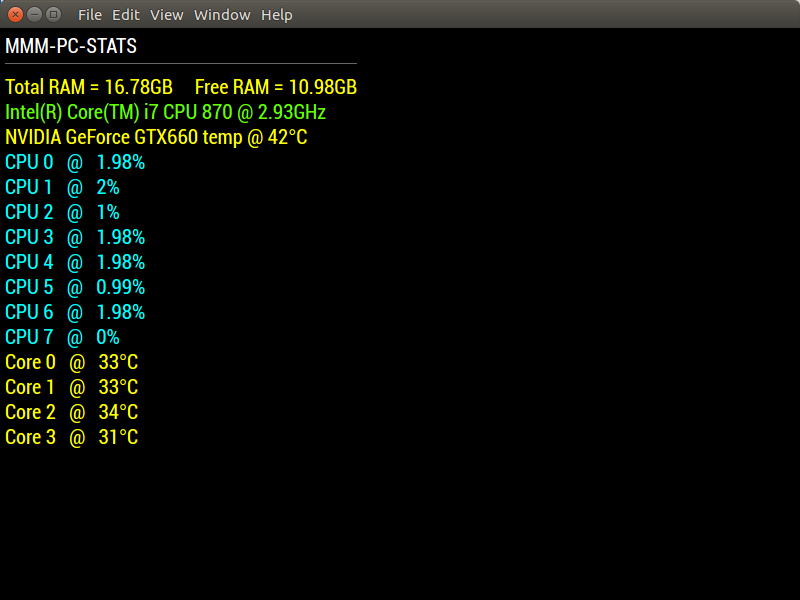
https://github.com/mykle1/MMM-PC-Stats
Now I just need some formatting if anyone cares to assist me with that. Anyway, here’s a quick shot. Ideally, I would like to move the Core temps to right, just under the video card temp
-
RE: 2 MagicMirror windows
I assume PM2 is reporting something like this
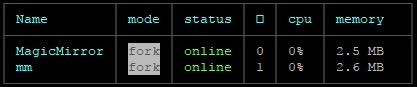
In which case you would:
pm2 stop mm
pm2 delete mm
pm2 save
rm ~/mm.sh
Then check your instances again. :-)
-
RE: Svendborg/Denmark - Magic Mirror finished!
@Manmachine said in Svendborg/Denmark - Magic Mirror finished!:
although I find the question a bit strange - 52 years old. but I can then ask the simple question the other way round: why ?
I guess I should have said why I was asking, so forgive me. I’m 58 years old, and at one time I was hoping to hold the title of the oldest person to make a MM on this site. There is another user here that is 62, but he has yet to post his completed project. So, for the time being, and assuming that he does post his completed project, I am in 2nd place.
It’s all in good fun. Nice job on your mirror, and welcome to the 50+ club. There are more than a few of us.
-
RE: Module Developer Challenge - I surrender!
@cowboysdude said in Module Developer Challenge - I surrender!:
He can’t it’s a secret HAHHAHAHAHHA
My code (if you can even call it that) is never a secret. It’s more like an embarrassing teenager moment. ;-)
However, I do enjoy learning and I do appreciate you taking the time to teach me. You’re a damn good dude! :-)
-
RE: 2 MagicMirror windows
@umeeq said in 2 MagicMirror windows:
However, it seems like MagicMirror might be the one I should delete?
Yes sir :-)
-
RE: 1 old noob + 1 rPi = I can't believe I did it! (revisited)
2,377 - I’m just saying . . . :cookie: