A New Chapter for MagicMirror: The Community Takes the Lead
Read the statement by Michael Teeuw here.
  • Multi Day Calendar Entries

    1
    0 Votes
    1 Posts
    652 Views
    J
    Is there a way to show the duration of multi day events on the default calendar module?
  • npm install - electron fails to install

    7
    0 Votes
    7 Posts
    4k Views
    A
    Hey, this is the content of the log file: 0 info it worked if it ends with ok 1 verbose cli [ '/usr/bin/node', '/usr/local/bin/npm', 'start' ] 2 info using npm@5.7.1 3 info using node@v9.8.0 4 verbose run-script [ 'prestart', 'start', 'poststart' ] 5 info lifecycle magicmirror@2.2.2~prestart: magicmirror@2.2.2 6 info lifecycle magicmirror@2.2.2~start: magicmirror@2.2.2 7 verbose lifecycle magicmirror@2.2.2~start: unsafe-perm in lifecycle true 8 verbose lifecycle magicmirror@2.2.2~start: PATH: /usr/local/lib/node_modules/npm/node_modules/npm-lifecycle/node-gyp-bin:/home/pi/MagicMirror/node_modules/.bin:/usr/local/sbin:/usr/local/bin:/usr/sbin:/usr/bin:/sbin:/bin:/usr/local/games:/usr/games 9 verbose lifecycle magicmirror@2.2.2~start: CWD: /home/pi/MagicMirror 10 silly lifecycle magicmirror@2.2.2~start: Args: [ '-c', 'sh run-start.sh' ] 11 silly lifecycle magicmirror@2.2.2~start: Returned: code: 1 signal: null 12 info lifecycle magicmirror@2.2.2~start: Failed to exec start script 13 verbose stack Error: magicmirror@2.2.2 start: `sh run-start.sh` 13 verbose stack Exit status 1 13 verbose stack at EventEmitter. (/usr/local/lib/node_modules/npm/node_modules/npm-lifecycle/index.js:285:16) 13 verbose stack at EventEmitter.emit (events.js:180:13) 13 verbose stack at ChildProcess. (/usr/local/lib/node_modules/npm/node_modules/npm-lifecycle/lib/spawn.js:55:14) 13 verbose stack at ChildProcess.emit (events.js:180:13) 13 verbose stack at maybeClose (internal/child_process.js:936:16) 13 verbose stack at Process.ChildProcess._handle.onexit (internal/child_process.js:220:5) 14 verbose pkgid magicmirror@2.2.2 15 verbose cwd /home/pi/MagicMirror 16 verbose Linux 4.9.35-v7+ 17 verbose argv "/usr/bin/node" "/usr/local/bin/npm" "start" 18 verbose node v9.8.0 19 verbose npm v5.7.1 20 error code ELIFECYCLE 21 error errno 1 22 error magicmirror@2.2.2 start: `sh run-start.sh` 22 error Exit status 1 23 error Failed at the magicmirror@2.2.2 start script. 23 error This is probably not a problem with npm. There is likely additional logging output above. 24 verbose exit [ 1, true ]
  • Getting error while npm install for MMM-MirrorMirrorOnTheWall

    5
    1
    0 Votes
    5 Posts
    2k Views
    S
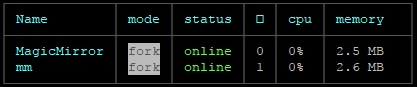
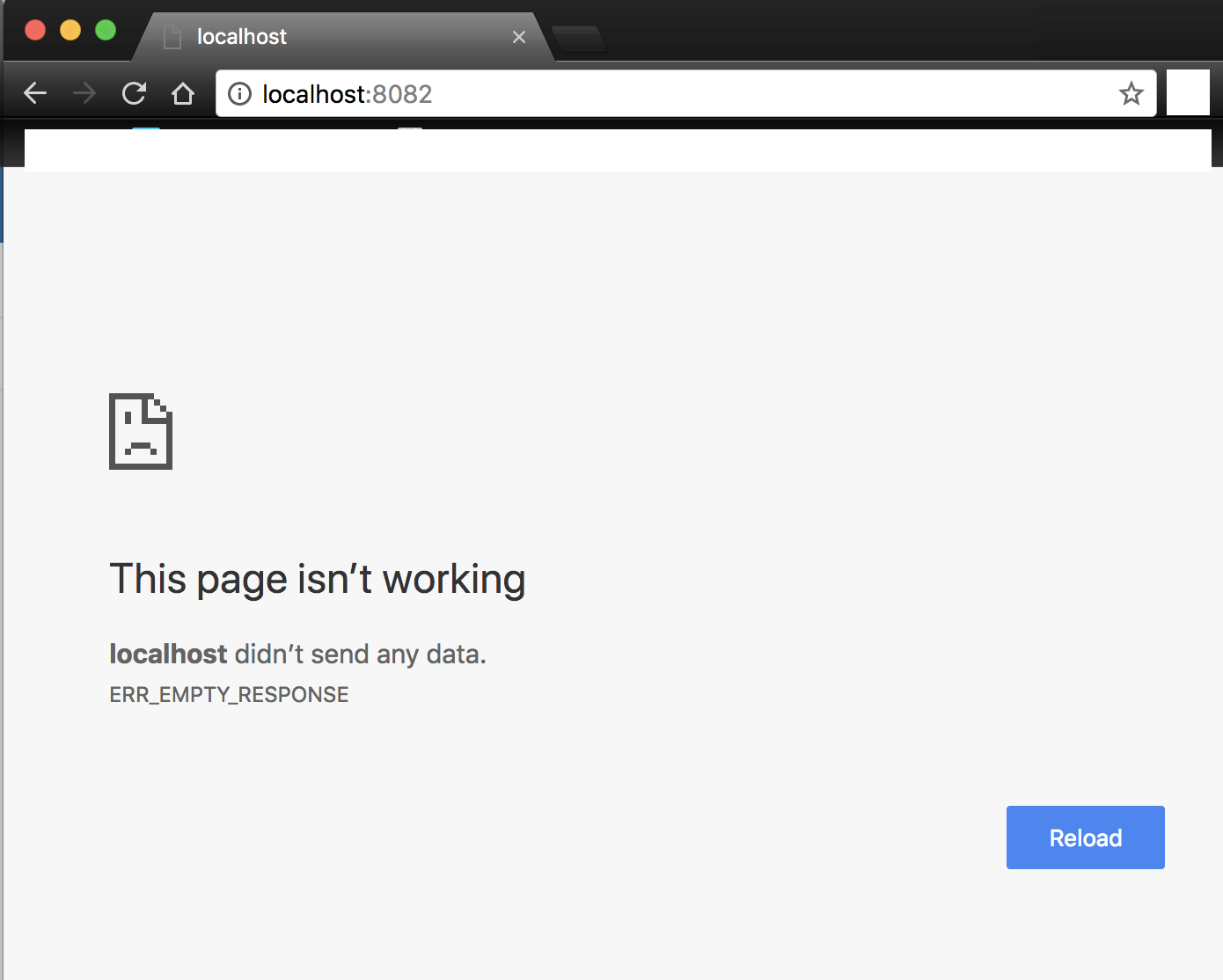
    Sorry to bother you but after updating nodejs & npm, the MagicMirror isn’t starting. Now, nodejs & npm versions are 9.8.0 and 5.6.0. When I executed (pm2 restart MagicMirror), it is showing enabled and online but I’m unable to load it. Please help.
  • Trouble with Smart Quotes, etc

    4
    3 Votes
    4 Posts
    2k Views
    Mykle1M
    @ninjabreadman Excellent idea, sir. I’m only sorry you thought of it first. ;-)
  • Why does my installation show 2 instances?

    4
    1
    0 Votes
    4 Posts
    2k Views
    E
    pm2 kill kills everything!
  • Trying to Install, encountering error during NPM install

    5
    0 Votes
    5 Posts
    3k Views
    E
    @antnorwe Follow my post HERE to update nodejs and requirements. In addition you should really consider updating your distro to Raspbian Stretch, and Don’t install MM as root Don’t install outside /home/pi
  • Not sure what doing wrong :( adding modules

    modules adding help
    6
    0 Votes
    6 Posts
    3k Views
    J
    Wow what a great forum!! thanks for the help… really is appreciated :) Will try now
  • Newsfeed module blocking the cryptocurrency module

    1
    0 Votes
    1 Posts
    603 Views
    J
    Hi, Has anyone encountered a problem when having both newsfeed and cryptocurrency modules running at the same time (one of them dissapearing, normaly the cryptocurrency in my case)? When loading or refreshing both appear and are loading but as soon as newsfeed load completely the cryptocurrency completely disappears. It doesn’t happen with other modules and crytocurrency and haven’t noticed between newsfeed and other modules. If anyone has dealt with this before and can share solutions it would be much appreciated.
  • probleme avec une img

    4
    0 Votes
    4 Posts
    2k Views
    F
    HELLO I made a backup of my card sd it function not so long ago and after some trial I wanted to return to this famous backup and the impossible that’s what happens when I run my raspberry.[image: 1520502625612-img_6331.jpg] a solution ?
  • PM2 woes.

    2
    0 Votes
    2 Posts
    1k Views
    P
    Looking at the logs I see Error: ENOENT: no such file or directory, open 'package.json' at Error (native) at Object.fs.openSync (fs.js:642:18) at Object.fs.readFileSync (fs.js:510:33) at Object. (/home/pi/MagicMirror/js/app.js:15:32) at Module._compile (module.js:577:32) at Object.Module._extensions..js (module.js:586:10) at Module.load (module.js:494:32) at tryModuleLoad (module.js:453:12) at Function.Module._load (module.js:445:3) at Module.require (module.js:504:17) Starting MagicMirror: v2.2.2 Loading config ... Loading module helpers ... No helper found for module: alert. Initializing new module helper ... Module helper loaded: updatenotification No helper found for module: clock. Initializing new module helper ... Module helper loaded: calendar No helper found for module: compliments. No helper found for module: currentweather. No helper found for module: weatherforecast. Initializing new module helper ... Module helper loaded: newsfeed All module helpers loaded. Starting server on port 8080 ... Server started ... Connecting socket for: updatenotification Connecting socket for: calendar Starting node helper for: calendar Connecting socket for: newsfeed Starting module: newsfeed Sockets connected & modules started ... Launching application. Create new calendar fetcher for url: http://www.calendarlabs.com/templates/ical/US-Holidays.ics - Interval: 300000 Create new news fetcher for url: http://www.nytimes.com/services/xml/rss/nyt/HomePage.xml - Interval: 300000 Can't parse feed item: { title: '', link: 'https://www.nytimes.com//?partner=rss&emc=rss', guid: { ispermalink: 'true', text: 'https://www.nytimes.com//' }, 'atom:link': { rel: 'standout', href: 'https://www.nytimes.com//?partner=rss&emc=rss' }, description: '', 'dc:creator': '', pubdate: '' } Title: Description: Pubdate: undefined Can't parse feed item: { title: '', link: 'https://www.nytimes.com//?partner=rss&emc=rss', guid: { ispermalink: 'true', text: 'https://www.nytimes.com//' }, 'atom:link': { href: 'https://www.nytimes.com//?partner=rss&emc=rss', rel: 'standout' }, description: '', 'dc:creator': '', pubdate: '' } Title: Description: Pubdate: undefined Can't parse feed item: { title: '', link: 'https://www.nytimes.com//?partner=rss&emc=rss', guid: { ispermalink: 'true', text: 'https://www.nytimes.com//' }, 'atom:link': { href: 'https://www.nytimes.com//?partner=rss&emc=rss', rel: 'standout' }, description: '', 'dc:creator': '', pubdate: '' } Title: Description: Pubdate: undefined

  • Connection to dhcpcd lost

    1
    0 Votes
    1 Posts
    2k Views
    N
    Like the topic says, when I go to change my wireless network by using the icon in the tool bar on the desktop, all I get is “Connection to dhcpcd lost”. I’m sending this mirror to a friend as a gift and they’ll need to be able to log on to their wireless network. I have tried using “sudo service dhcpcd restart” in terminal and it fails listing “the control process exited with error code. See “systemctl status dhcpcd.service” and “journalctl -xe” for details” I’m not sure what this means, it appears I’m getting wireless service to it as my calendar and weather modules are updating. Any help would be greatly appreciated. Thanks, Tom
  • [Raspbian Stretch] Instability after apt-get update, upgrade SOLVED

    3
    3 Votes
    3 Posts
    2k Views
    E
    Yeah, I’ve been telling people around that the WiFi FW update is dangerous, especially is your wifi and bluetooth is working fine with your old FW. Problem seem to be that the RPi package maintainers doesn’t bother to actually write the versions or changelogs for the FW. This is extremely annoying and (eh-hm…) plain stupid. Normally apt show packagename would show you more details and versions etc. For the RPi FW, they tell you fcuk about anything you didn’t already know, while keeping an old date in the version string.
  • Display Help

    25
    0 Votes
    25 Posts
    13k Views
    Mykle1M
    @hnperkins Well, as long as you add one at a time you will always know which is causing the problem. Correct that problem before adding another
  • 0 Votes
    5 Posts
    2k Views
    ?
    Ok I “solved” it… I did the first freaking rule, I deleted the Module and reinstalled it, and now it works I didnt change anything in the config file… smh BTW: yes scrolling is an option, its not in the Docs but if you check the actual files you see that it is possible
  • This topic is deleted!

    1
    0 Votes
    1 Posts
    5 Views
  • Troubles upgrading

    4
    0 Votes
    4 Posts
    2k Views
    E
    @noelandrews No prob. Always glad I could be of help to someone else. So many have already helped me with all my own stupid questions…
  • MM docker container problem with mac and linux

    14
    1
    0 Votes
    14 Posts
    8k Views
    B
    @raywo Oh yes you’re absolutely right.
  • reinstall a .img file

    1
    2
    0 Votes
    1 Posts
    954 Views
    F
    Hello everyone I have a big problem I wanted to reinstall a .img file on my raspberry pi3 but impposible to make it work here it is that it marks me. [image: 1520101608842-img_6331.jpg] please help me. Thank you here is my MM [image: 1520101614834-img_1210.jpg]
  • Border

    14
    0 Votes
    14 Posts
    10k Views
    P
    @ninjabreadman thanks a lot! This works! I am very happy with your help. Peter
  • Custom resolution

    resolution custom magic mirror
    5
    0 Votes
    5 Posts
    6k Views
    B
    Thanx i have set and now work normaly.