A New Chapter for MagicMirror: The Community Takes the Lead
Read the statement by Michael Teeuw here.
  • MagicMirror fails to install during electron installation

    4
    0 Votes
    4 Posts
    4k Views
    NomisN
    @mitchscobell my bad, typo there, Corrected now. I think we have discussed this in two different posts: https://forum.magicmirror.builders/topic/2457/electron-npm-error/22
  • screensaver will not turn off

    5
    0 Votes
    5 Posts
    4k Views
    B
    thanks all. this works.
  • Help with config and adding modules

    7
    0 Votes
    7 Posts
    3k Views
    cowboysdudeC
    @mrfloppy88 No, not at all. I’m sure someone here does. If you take it out and it works again I would leave it out and do some forum searching to see if others had the same issues :)
  • Raspberri Pi Zero W moment is not defined.

    5
    0 Votes
    5 Posts
    3k Views
    NomisN
    https://forum.magicmirror.builders/topic/2460/magicmirror-fails-to-install-during-electron-installation Tested both on Pi3 and Zero W
  • MMM-Traffic does not work after latest update ??

    Unsolved
    6
    0 Votes
    6 Posts
    4k Views
    strawberry 3.141S
    @ironman_DK did you modify the files before, because on github it looks fine
  • Black bar at the Top

    3
    2
    0 Votes
    3 Posts
    2k Views
    D
    @davidnesbitt7 Awesome. That worked perfectly. That has been bugging me for a few weeks. Thanks!
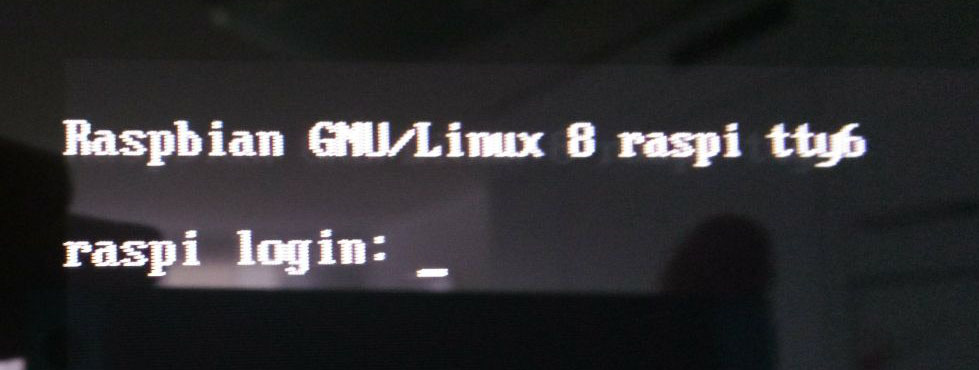
  • Raspbian GNU/Linux 8 raspi tty6 login

    4
    1
    0 Votes
    4 Posts
    2k Views
    T
    @strawberry-3-141 thank you for your help. But I’m not able to figure out how I can avoid this. Do you have some ideas?
  • Default current weather module help.

    4
    2
    0 Votes
    4 Posts
    3k Views
    Mykle1M
    @Edswald said in Default current weather module help.: Thank you that did the trick You’re welcome! :fireworks:
  • Missing the weather after new installation

    8
    1
    0 Votes
    8 Posts
    5k Views
    Mykle1M
    @broberg Yup, it was just easier to fix it than explain
  • This topic is deleted!

    2
    1
    0 Votes
    2 Posts
    26 Views
  • How do i change my screen orientation to landscape.

    2
    0 Votes
    2 Posts
    2k Views
    E
    Hi i was wondering how to change to the orientation of the screen to landscape i cant seem to figure it out.
  • Cant figure out how to install a module in the config.js

    19
    0 Votes
    19 Posts
    13k Views
    E
    @broberg Ahhh i see what you mean thank you again :)
  • Setup after code

    4
    0 Votes
    4 Posts
    2k Views
    Mykle1M
    @LeashP15 Can you please copy and paste your config.js file here. Those pictures won’t do, sorry
  • Editing Default Settings

    Solved
    8
    0 Votes
    8 Posts
    4k Views
    brobergB
    @LeashP15 you’re welcome! :)
  • MM Not updating after reconnecting to WIFI

    1
    0 Votes
    1 Posts
    802 Views
    Z
    During nights and weekend my magic mirror is disconnected from the wifi and is not able to update. Once internet is restored, the modules I’m using are very slow to update with new info. Is there a way make the refresh rate higher?
  • phone-notification-mirror no notification

    3
    0 Votes
    3 Posts
    2k Views
    michael24hM
    Thanks, will try tomorrow
  • ERROR ON START UP

    4
    0 Votes
    4 Posts
    2k Views
    brobergB
    @jhlas22 a remote terminal, but that is a no then.
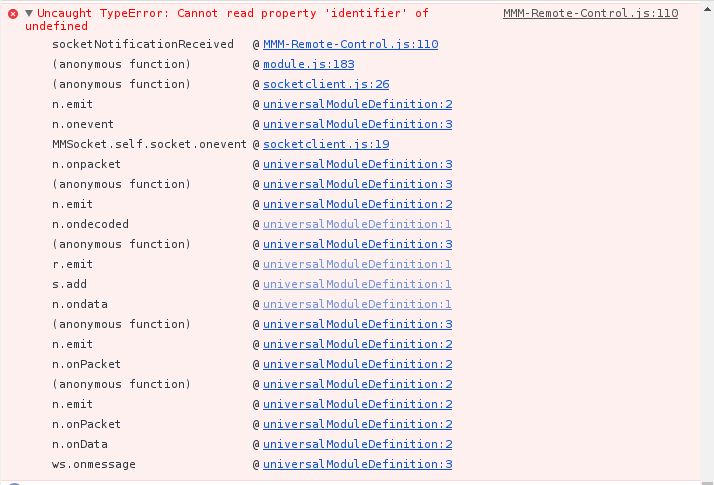
  • MMM-Remote-Control stopped working - error

    3
    1
    1 Votes
    3 Posts
    2k Views
    Mykle1M
    @Jopyth said in MMM-Remote-Control stopped working - error: Will try to have a look at this in a few weeks (see my post in the other thread). No problem. Good luck with your thesis
  • 0 Votes
    3 Posts
    4k Views
    P
    With the help of another User on Github we found out what was causing the error! It was the sudo, that I mistakenly used to execute the script. Running the install as pi was the solution. Hope this will help someone with the same problem. :)
  • MM Nightly Reboot Needed, PM2 ?

    7
    0 Votes
    7 Posts
    4k Views
    Mykle1M
    @cohron I was curious so I checked my /etc/network/interfaces file. It would appear I don’t have the edit we’re talking about, yet my wifi never drops. Here is the file: interfaces(5) file used by ifup(8) and ifdown(8) Please note that this file is written to be used with dhcpcd For static IP, consult /etc/dhcpcd.conf and ‘man dhcpcd.conf’ Include files from /etc/network/interfaces.d: source-directory /etc/network/interfaces.d auto lo iface lo inet loopback iface eth0 inet dhcp auto wlan0 allow-hotplug wlan0 iface wlan0 inet dhcp wireless-essid XE1S3 wireless-key 5BBXXXXXX