A New Chapter for MagicMirror: The Community Takes the Lead
Read the statement by Michael Teeuw here.
  • This topic is deleted!

    1
    0 Votes
    1 Posts
    44 Views
  • I run "pm2 update" what to do now?

    1
    0 Votes
    1 Posts
    991 Views
    zeularZ
    Hi I was playing around and typed in “pm2 update”, (shouldn’t have). I don’t really understand what I did… The mirror stoped and I rebooted the PI and the mirror wouldn’t autostart, when I typed “pm2 show mm” the “mm” was running but I could only see the desktop on my PI, not the mirror. Then I did the configuration “pm2 start mm.sh” and get my mirror back on but I miss some of my modules. I can see 6 of 9 and can’t find whats wrong. I have tried to run “npm install” on the missing modules but it didn’t work. Any ideas?
  • MMM-Globe with local file

    1
    0 Votes
    1 Posts
    1k Views
    J
    I was able to get MMM-Globe working with the globe, but now I want to display my own picture, but it does not seem to work. Any ideas? Below is my config { module: ‘MMM-Globe’, position: ‘top_left’, config: { style: ‘geoColor’, imageSize: 100, ownImagePath: ‘/home/pi/MagicMirror/Scripts/Cur_Status_Garage.png’, updateInterval: 10601000 } }, The updateInterval is not showing correctly but this matches the github. I like this because it refreshes, this is a Garage Status to show if my garage door is up or down at any given moment.

  • Newbie MM Network Scanner Problems!! Installations & Syntax Error

    2
    0 Votes
    2 Posts
    1k Views
    brobergB
    @michael_klatt You are missing a comma after updateInterval: 5 it should be updateInterval: 5,
  • strange placing of moduels after install

    3
    0 Votes
    3 Posts
    1k Views
    D
    @bhepler correct, i used chromium that didnt work, tried “minimal kiosk browser” as well didn’t work either, then used epiphany and that showed placing correctly. Now to find kiosk mode and autoboot mode for epiphany instead of chromium. Thanks!
  • Compliments are not shown on Mirror

    6
    1
    0 Votes
    6 Posts
    3k Views
    strawberry 3.141S
    @dboa thats not right as I posted in the other thread as well, as soon as you want to use a remotefile it will fail. I posted the correct code in the other thread. Keep in mind when you want to update the MagicMirror next time this can cause a conflict
  • Special Calendar entries in differen colours?

    7
    0 Votes
    7 Posts
    3k Views
    X
    @strawberry-3.141 Ok. thats could be a way. Ill try It. thank you for that tip.
  • custom css

    2
    0 Votes
    2 Posts
    2k Views
    FistandantilusF
    Found a workaround. Added some blank lines before the player. Meanwhile I have moved the radio to the bottom…
  • Dual Calendar feed

    6
    0 Votes
    6 Posts
    3k Views
    A
    @KirAsh4 thanks for sharing all your knowledge with all of us. I am a MM enthusiastic and following all your shared info i did a lot of progress in my little project, however i am not able to see the way around to have my Facebook Birthday events to be shown in my MM calendar. To be more specific not sure how to find the webcal address for it, i tried following this instructions how to get the ical: https://digibites.zendesk.com/hc/en-us/articles/200299683-How-do-I-get-Facebook-Birthdays-or-Facebook-Upcoming-events-in-Google-Calendar- and how to open it: http://www.wikihow.com/Sync-Facebook-Events-to-iCal but i did not succeed. Any suggestion? Much appreciated
  • How to get Panel to show

    8
    0 Votes
    8 Posts
    4k Views
    brobergB
    @PhilsterM9 your’e welcome :)
  • Black screen + access Denied trough web

    11
    0 Votes
    11 Posts
    6k Views
    N
    I am getting the same issue with the black screen. When I access via localhost:8080, I get the default screen that tells you to create a config file. I was using a config.js file from an old build I did that worked, but I replaced it with the config file posted above and I get the same issue. pi@n8MM:~/MagicMirror $ npm start > magicmirror@2.1.1 start /home/pi/MagicMirror > sh run-start.sh Starting MagicMirror: v2.1.1 Loading config ... Loading module helpers ... No helper found for module: clock. No helper found for module: compliments. All module helpers loaded. Starting server on port 8080 ... Starting server op port 8080 ... You're using a full whitelist configuration to allow for all IPs Server started ... Sockets connected & modules started ... Launching application. ^C pi@n8MM:~/MagicMirror $ node -v v7.9.0 pi@n8MM:~/MagicMirror $ electron -v v1.3.15 pi@n8MM:~/MagicMirror $
  • MagicMirror fails to install during electron installation

    4
    0 Votes
    4 Posts
    4k Views
    NomisN
    @mitchscobell my bad, typo there, Corrected now. I think we have discussed this in two different posts: https://forum.magicmirror.builders/topic/2457/electron-npm-error/22
  • screensaver will not turn off

    5
    0 Votes
    5 Posts
    4k Views
    B
    thanks all. this works.
  • Help with config and adding modules

    7
    0 Votes
    7 Posts
    3k Views
    cowboysdudeC
    @mrfloppy88 No, not at all. I’m sure someone here does. If you take it out and it works again I would leave it out and do some forum searching to see if others had the same issues :)
  • Raspberri Pi Zero W moment is not defined.

    5
    0 Votes
    5 Posts
    3k Views
    NomisN
    https://forum.magicmirror.builders/topic/2460/magicmirror-fails-to-install-during-electron-installation Tested both on Pi3 and Zero W
  • MMM-Traffic does not work after latest update ??

    Unsolved
    6
    0 Votes
    6 Posts
    4k Views
    strawberry 3.141S
    @ironman_DK did you modify the files before, because on github it looks fine
  • Black bar at the Top

    3
    2
    0 Votes
    3 Posts
    2k Views
    D
    @davidnesbitt7 Awesome. That worked perfectly. That has been bugging me for a few weeks. Thanks!
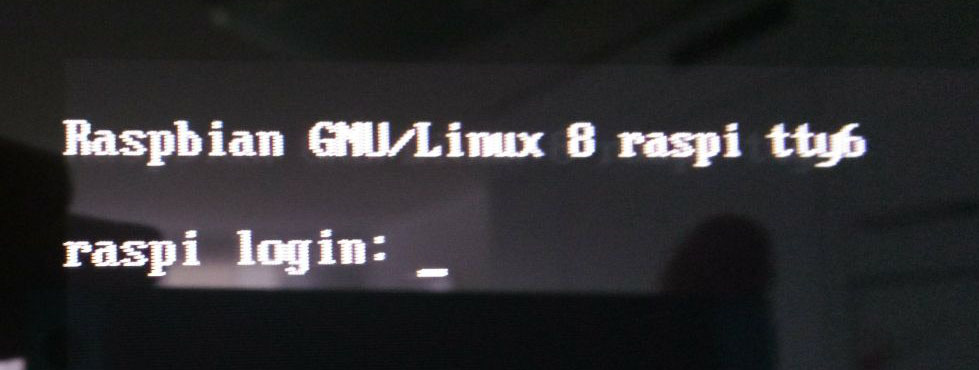
  • Raspbian GNU/Linux 8 raspi tty6 login

    4
    1
    0 Votes
    4 Posts
    2k Views
    T
    @strawberry-3-141 thank you for your help. But I’m not able to figure out how I can avoid this. Do you have some ideas?
  • Default current weather module help.

    4
    2
    0 Votes
    4 Posts
    3k Views
    Mykle1M
    @Edswald said in Default current weather module help.: Thank you that did the trick You’re welcome! :fireworks:
  • Missing the weather after new installation

    8
    1
    0 Votes
    8 Posts
    5k Views
    Mykle1M
    @broberg Yup, it was just easier to fix it than explain