A New Chapter for MagicMirror: The Community Takes the Lead
Read the statement by Michael Teeuw here.
  • Can't rotate touchinterface to portrait mode HELP!!!

    5
    0 Votes
    5 Posts
    3k Views
    brobergB
    @gverbist Try rotating the content of the webpage instead of rotating the entire screen. https://forum.magicmirror.builders/topic/9707/save-performance-when-rotating-screen-e-g-on-raspberry-pi
  • MMM-Nest-Cameras no longer works

    Unsolved
    2
    0 Votes
    2 Posts
    809 Views
    J
    From the information on the nest site. Google is forcing you to use their assistant. and the API is closed down. Not sure there will be a new API to update to but you have until August 31st to create an account under the nest work with nest (WWN) program. You will need a WWN account though to access the existing API.
  • MMM-PIR-SENSOR not working

    17
    0 Votes
    17 Posts
    14k Views
    O
    @sek_is_back hi know this is old but where do you save the scripts to, to make them function?
  • What is proper procedure to uninstall MM for a fresh install?

    Solved
    6
    0 Votes
    6 Posts
    3k Views
    johnnyboyJ
    @sdetweil said in What is proper procedure to uninstall MM for a fresh install?: @johnnyboy Stretch… Jesse pretty old… Buster just out Thanks. I ended up simply flashing the sd card for Stretch, and starting all over again, rather than build on what was already there… but good to know just to rename the MM folder, to re-do a fresh install.
  • Problems with Config.js on Pi4 BlackScreen

    Solved
    24
    0 Votes
    24 Posts
    8k Views
    D
    @sdetweil I think i found the problem mmm-nest-status install messes up the MM install, i think other are having simular things with other modules. i installed MMM-SystemStats changed the config file tested it and it was working find, i installed mmm-nest-status and didn’t alter the config for that so that should have just ment it wouldn’t run that module. i have attached the code below does this shead any light? pi@raspberrypi:~ $ cd MagicMirror/modules pi@raspberrypi:~/MagicMirror/modules $ git clone https://github.com/BenRoe/MMM-SystemStats Cloning into 'MMM-SystemStats'... remote: Enumerating objects: 22, done. remote: Counting objects: 100% (22/22), done. remote: Compressing objects: 100% (14/14), done. remote: Total 231 (delta 10), reused 16 (delta 8), pack-reused 209 Receiving objects: 100% (231/231), 88.08 KiB | 578.00 KiB/s, done. Resolving deltas: 100% (122/122), done. pi@raspberrypi:~/MagicMirror/modules $ cd MMM-SystemStats pi@raspberrypi:~/MagicMirror/modules/MMM-SystemStats $ npm install npm notice created a lockfile as package-lock.json. You should commit this file. added 1 package from 1 contributor and audited 1 package in 1.265s found 0 vulnerabilities pi@raspberrypi:~/MagicMirror/modules/MMM-SystemStats $ cd pi@raspberrypi:~ $ cd MagicMirror pi@raspberrypi:~/MagicMirror $ npm run config:check > magicmirror@2.8.0 config:check /home/pi/MagicMirror > node tests/configs/check_config.js Checking file... /home/pi/MagicMirror/config/config.js Your configuration file doesn't contain syntax errors :) pi@raspberrypi:~/MagicMirror $ cd modules pi@raspberrypi:~/MagicMirror/modules $ git clone https://github.com/michael5r/mmm-nest-status.git Cloning into 'mmm-nest-status'... remote: Enumerating objects: 135, done. remote: Total 135 (delta 0), reused 0 (delta 0), pack-reused 135 Receiving objects: 100% (135/135), 65.27 KiB | 718.00 KiB/s, done. Resolving deltas: 100% (77/77), done. pi@raspberrypi:~/MagicMirror/modules $ cd mmm-nest-status pi@raspberrypi:~/MagicMirror/modules/mmm-nest-status $ npm install npm WARN deprecated undefined@0.1.0: this package has been deprecated npm WARN saveError ENOENT: no such file or directory, open '/home/pi/MagicMirror/modules/package.json' npm notice created a lockfile as package-lock.json. You should commit this file. npm WARN enoent ENOENT: no such file or directory, open '/home/pi/MagicMirror/modules/package.json' npm WARN modules No description npm WARN modules No repository field. npm WARN modules No README data npm WARN modules No license field. removed 1 package in 1.141s found 0 vulnerabilities pi@raspberrypi:~/MagicMirror/modules/mmm-nest-status $ cd pi@raspberrypi:~ $ pm2 restart MagicMirror Use --update-env to update environment variables [PM2] Applying action restartProcessId on app [MagicMirror](ids: 0) [PM2] [MagicMirror](0) ✓ ┌─────────────┬────┬──────┬────────┬───┬─────┬──────────┐ │ Name │ id │ mode │ status │ ↺ │ cpu │ memory │ ├─────────────┼────┼──────┼────────┼───┼─────┼──────────┤ │ MagicMirror │ 0 │ fork │ online │ 2 │ 0% │ 2.5 MB │ └─────────────┴────┴──────┴────────┴───┴─────┴──────────┘ Use `pm2 show <id|name>` to get more details about an app pi@raspberrypi:~ $ npm run config:check npm ERR! path /home/pi/package.json npm ERR! code ENOENT npm ERR! errno -2 npm ERR! syscall open npm ERR! enoent ENOENT: no such file or directory, open '/home/pi/package.json' npm ERR! enoent This is related to npm not being able to find a file. npm ERR! enoent npm ERR! A complete log of this run can be found in: npm ERR! /home/pi/.npm/_logs/2019-07-13T20_08_21_703Z-debug.log pi@raspberrypi:~ $ Complete log from .npm folder 0 info it worked if it ends with ok 1 verbose cli [ '/usr/bin/node', '/usr/local/bin/npm', 'run', 'config:check' ] 2 info using npm@6.10.1 3 info using node@v10.15.2 4 verbose config Skipping project config: /home/pi/.npmrc. (matches userconfig) 5 verbose stack Error: ENOENT: no such file or directory, open '/home/pi/package.json' 6 verbose cwd /home/pi 7 verbose Linux 4.19.57-v7l+ 8 verbose argv "/usr/bin/node" "/usr/local/bin/npm" "run" "config:check" 9 verbose node v10.15.2 10 verbose npm v6.10.1 11 error path /home/pi/package.json 12 error code ENOENT 13 error errno -2 14 error syscall open 15 error enoent ENOENT: no such file or directory, open '/home/pi/package.json' 16 error enoent This is related to npm not being able to find a file. 17 verbose exit [ -2, true ]
  • nodejs Warnings on recent Stretch-Buster update

    Solved
    6
    0 Votes
    6 Posts
    3k Views
    J
    @sdetweil said in nodejs Warnings on recent Stretch-Buster update: npm install Oh that’s looks better & I can start now. Below outcome of installation. So what did I do with the line “npm@latest -g” before. Did I define for nom to use older version, that was appliedduring current run of “npm install”? pi@raspberrypi:~/MagicMirror $ npm install npm WARN deprecated time-grunt@2.0.0: Deprecated because Grunt is practically unmaintained. Move on to something better. This package will continue to work with Grunt v1, but it will not receive any updates. > electron-chromedriver@1.8.0 install /home/pi/MagicMirror/node_modules/electron-chromedriver > node ./download-chromedriver.js successfully dowloaded and extracted! > core-js@2.6.9 postinstall /home/pi/MagicMirror/node_modules/core-js > node scripts/postinstall || echo "ignore" Thank you for using core-js ( https://github.com/zloirock/core-js ) for polyfilling JavaScript standard library! The project needs your help! Please consider supporting of core-js on Open Collective or Patreon: > https://opencollective.com/core-js > https://www.patreon.com/zloirock Also, the author of core-js ( https://github.com/zloirock ) is looking for a good job -) > electron@3.1.10 postinstall /home/pi/MagicMirror/node_modules/electron > node install.js Downloading tmp-2201-1-SHASUMS256.txt-3.1.10 [============================================>] 100.0% of 4.79 kB (4.79 kB/s) > magicmirror@2.8.0 install /home/pi/MagicMirror > cd vendor && npm install npm WARN optional SKIPPING OPTIONAL DEPENDENCY: fsevents@1.2.4 (node_modules/fsevents): npm WARN notsup SKIPPING OPTIONAL DEPENDENCY: Unsupported platform for fsevents@1.2.4: wanted {"os":"darwin","arch":"any"} (current: {"os":"linux","arch":"arm"}) added 82 packages from 57 contributors and audited 220 packages in 30.154s found 5 vulnerabilities (4 low, 1 high) run `npm audit fix` to fix them, or `npm audit` for details > magicmirror@2.8.0 postinstall /home/pi/MagicMirror > sh installers/postinstall/postinstall.sh && npm run install-fonts MagicMirror installation successful! > magicmirror@2.8.0 install-fonts /home/pi/MagicMirror > cd fonts && npm install added 1 package from 1 contributor and audited 1 package in 7.521s found 0 vulnerabilities added 1008 packages from 1328 contributors and audited 3572 packages in 299.519s found 0 vulnerabilities
  • This topic is deleted!

    Unsolved
    1
    0 Votes
    1 Posts
    1 Views
  • New user

    Unsolved
    6
    0 Votes
    6 Posts
    2k Views
    K
    @thedoorsfanatic Yes and is working now
  • Electron CPU usage

    247
    -1 Votes
    247 Posts
    588k Views
    K
    Is it just me, that after the most recent rpi firmware update display_rotate/display_hdmi_rotate is not working with the fkms driver? I found the following in the official documentation: If using the VC4 FKMS V3D driver (this is the default on the Raspberry Pi 4), then 90 and 270 degree rotations are not supported. The Screen Configuration utility provides display rotations for this driver. Unfortunately I have no clue how to run the screen configuration utility. There’s always a black screen even if I run pm2 stop mm.
  • config.js help

    Unsolved
    3
    0 Votes
    3 Posts
    947 Views
    cruunnerrC
    Try this, but you really need to clean up ;) :P /* Magic Mirror Config Sample * * By Michael Teeuw http://michaelteeuw.nl * MIT Licensed. * * For more information how you can configurate this file * See https://github.com/MichMich/MagicMirror#configuration * */ var config = { address: "localhost", // Address to listen on, can be: // - "localhost", "127.0.0.1", "::1" to listen on loopback interface // - another specific IPv4/6 to listen on a specific interface // - "", "0.0.0.0", "::" to listen on any interface // Default, when address config is left out, is "localhost" port: 8080, ipWhitelist: ["127.0.0.1", "::ffff:127.0.0.1", "::1"], // Set [] to allow all IP addresses // or add a specific IPv4 of 192.168.1.5 : // ["127.0.0.1", "::ffff:127.0.0.1", "::1", "::ffff:192.168.1.5"], // or IPv4 range of 192.168.3.0 --> 192.168.3.15 use CIDR format : // ["127.0.0.1", "::ffff:127.0.0.1", "::1", "::ffff:192.168.3.0/28"], language: "en", timeFormat: 24, units: "metric", modules: [ { module: "MMM-Remote-Control-Repository", }, { module: "alert", }, { module: "MMM-Remote-Control", position: "center", }, { module: "clock", position: "top_left" }, { module: "mmm-hue-lights", position: "bottom_right", config: { bridgeIp: "192.168.1.23", user: "", updateInterval: "1000", hideOff: "false", displayMode: "groups", displayType: "list", minimalList: "true", coloredList: "true", hideFilter: ["home-away"], alignment: "right" } }, { module: "compliments", position: "lower_third", }, { module: "MMM-NOAA3", position: "top_right", config: { provider: "darksky", apiKey: "", airKey: "", css: "NOAA3", updateInterval: 15, userlat: "51.806460", userlon: "-0.778230" } }, { module: "calendar", header: "Calendar", position: "top_left", config: { timeFormat:"absolute", titleReplace: {"United Kingdom:" : ""}, urgency: 0, getRelative: 6, fullDayEventDateFormat: "D MMMM", dateFormat: "D MMMM - H:mm:ss", fetchInterval: 4000000, colored: true, coloredSymbolOnly: true, maximumEntries: 9, showEnd: false, Calendars: [ { symbol: "calendar-check-o ", url: "https://www.officeholidays.com/ics/ics_country_code.php?iso=GB", } ] } }, { module: "mmm-nest-status", position: "bottom_left", // pick whichever position you want config: { token: "", displayMode: "all", displayType: "list", thermostatsToShow: "all", units: "metric", updateInterval: "50000", thermostatSize: "small", alignment: "left", // ... and whatever else configuration options you want to use } }, { module: "MMM-SystemStats", position: "Top_Center", updateInterval: 5000, align: "right", units: "metric", label: "text" }, { module: "newsfeed", position: "bottom_bar", config: { feeds: [ { title: "BBC NEWS UK", url: "http://feeds.bbci.co.uk/news/uk/rss.xml" } ], }, showSourceTitle: true, showPublishDate: true } ] }; /*************** DO NOT EDIT THE LINE BELOW ***************/ if (typeof module !== "undefined") {module.exports = config;} For the future u can put in your code here: https://jshint.com Just to analyze what maybe went wrong

  • Beginner mistakes

    Solved
    8
    0 Votes
    8 Posts
    3k Views
    CyruS1337C
    @sdetweil Thank you for your renewed help. You are just great. I could solve my problem otherwise. I as a clever fox, downloaded the file 2 weeks ago on my computer. So I still had all the compliments and could overwrite the file with the current file 😊 I still have a question for you, but you can certainly help me with this. The question does not fit in here, but I’ll put it to you anyway. Before the hard reset, I changed the costum.css so that the modules were really in each corner of the monitors. So the display on the monitor optimally exploited before the module disappeared behind the edge of the monitor. Unfortunately I do not know the attitude anymore.
  • MM2 modules work in developer mode, but "loading" without.

    Unsolved
    3
    2
    0 Votes
    3 Posts
    1k Views
    S
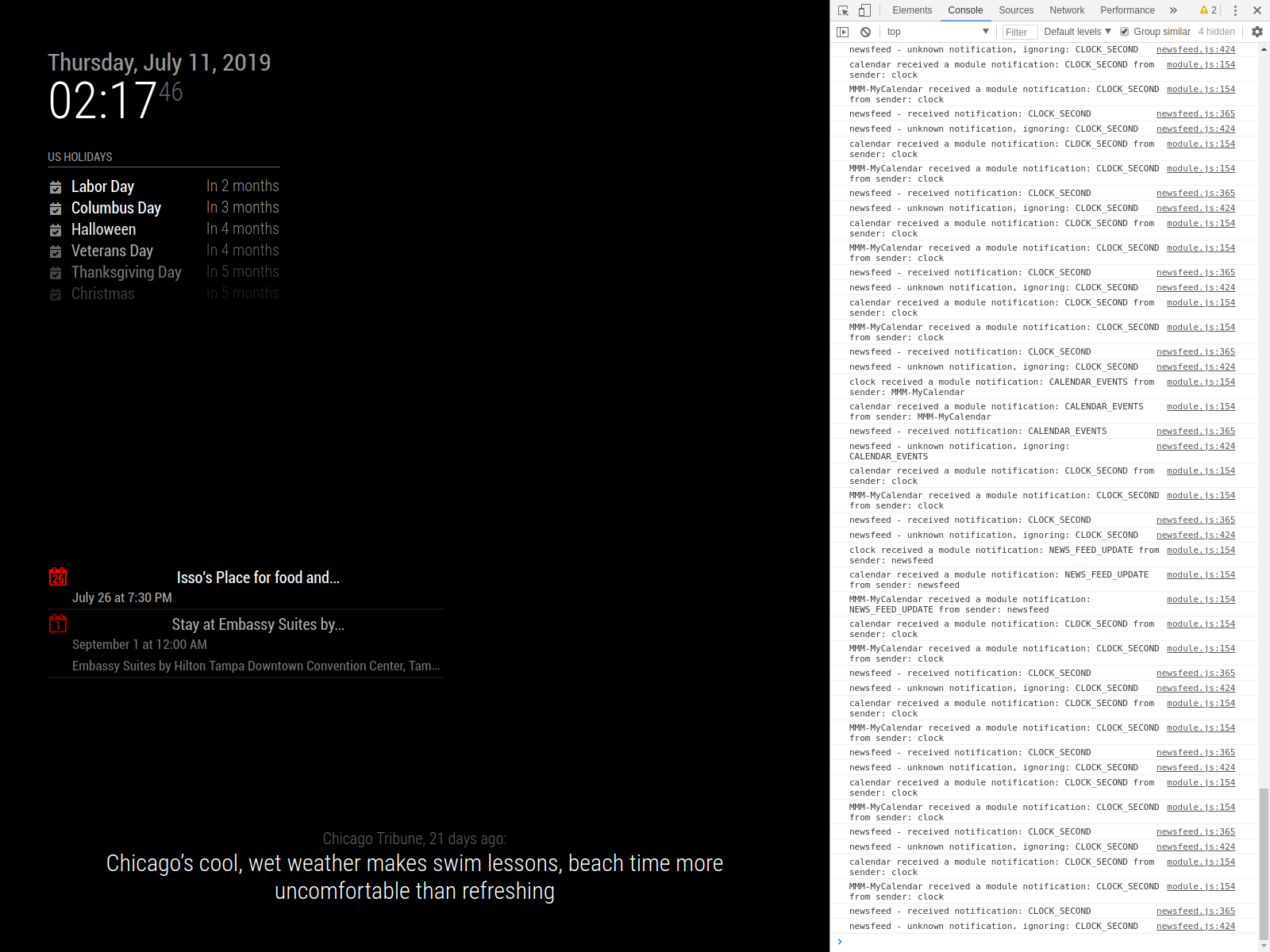
    I’m not sure if that is the case. When using npm start dev, the modules load in about 30-45 seconds. I took the second picture using “npm start” after waiting approximately 3 minutes. And even looking at the US Holidays, nothing comes up. Maybe after a certain time it just stops trying to load, but it shouldn’t say No Events because it’s for 365 days to bring up holidays.
  • Scheduler for showing photos

    Unsolved
    1
    0 Votes
    1 Posts
    509 Views
    F
    Hello, has anyone seen a module that allows you to display a local file based on a specific time of day? I’m thinking sort of something like a “now playing” that will show a logo/image. At 8am it’s this image at 8:30am it’s a different image. My idea is taking and building a mix of MMM-simplelogo and MMM-ScriptScheduler. The MMM-Scriptscheduler is pretty close to what I need but instead of an icon from fontastic that it is pulling I want it to display a photo from a local folder, so basically merging those two different modules together. I am completely new to programming and I will try my best to figure out how to blend those two together but I would love anyone’s opinions and advice, or if you have seen something else that would work for me.
  • mmm-moon-phase not showing pictures

    Solved
    4
    0 Votes
    4 Posts
    1k Views
    Mykle1M
    @tcsabina All is well then. You might also like https://github.com/mykle1/MMM-Lunartic. Beside pictures being provided by the USNO, there is some cool information that can be displayed in various ways.
  • MMM -SoccerLiveScore changes Tables and scoreboard much to fast

    Unsolved
    1
    0 Votes
    1 Posts
    340 Views
    StoffbeuteluweS
    Hello, folks I have successfully installed the module MMM-LiveSoccerScore. It works so well. But after some time, the display of table and results changes every second … much much too fast. In the config I have set a minute. Hope it can help someone thank you …
  • pm2 do not work after v2.8.0 Update

    Solved
    12
    0 Votes
    12 Posts
    6k Views
    S
    @Ivanov_d pm2 stop 0 Then pm2 remove 0
  • MMM-Sonos Roomname only on bottom

    Solved
    6
    0 Votes
    6 Posts
    2k Views
    StoffbeuteluweS
    @johnnyboy ohh 😀 yes everything is fine …thanks
  • Mirroring via Browser (non-zero)?

    Unsolved
    3
    0 Votes
    3 Posts
    2k Views
    bheplerB
    I would try putting the IP address of your Raspberry Pi in to the address field. I’m not entirely sure what effect is has on the Magic Mirror process, since the web server should listen on a port as opposed to a particular IP. I do know that I’ve had success with putting the IP address there and accessing my mirrors via web browser. You can find your Pi’s IP address by typing ip address at the command prompt on the Pi. Assuming that you’re using the WiFi connection to connect to your network, look for the entry wlan0. If that still doesn’t work, I have some further troubleshooting ideas for you. For starters, try viewing your mirror’s interface while you’re at home. Grab your laptop and point its browser at your mirror’s IP address & port. If that works, then at least you know the Pi is serving up pages to you. Try disconnecting from your home network, firing up your VPN with a shared cellular connection (or any other connection that is not your home network) and try it again. Restarting in server mode will only prevent the Magic Mirror interface from using electron to display the mirror via the HDMI jack on the Pi. The Magic Mirror framework is essentially a hosted website. Electron is used to display that website on the local display. However: Any changes you make to the config.js file will require you to restart the Magic Mirror process for the changes to take effect.
  • update help.

    Unsolved
    1
    0 Votes
    1 Posts
    456 Views
    J
    Trying to install an update and I keep getting an error with merging. I tried to git reset and… error: Pulling is not possible because you have unmerged files. hint: Fix them up in the work tree, and then use 'git add/rm <file>' hint: as appropriate to mark resolution and make a commit. fatal: Exiting because of an unresolved conflict. pi@raspberrypi:~/MagicMirror $ git merge package-lock.json error: Merging is not possible because you have unmerged files. hint: Fix them up in the work tree, and then use 'git add/rm <file>' hint: as appropriate to mark resolution and make a commit. fatal: Exiting because of an unresolved conflict. pi@raspberrypi:~/MagicMirror $ git reset Unstaged changes after reset: M .eslintignore M .eslintrc.json D .stylelintrc M CHANGELOG.md M Gruntfile.js M README.md M clientonly/index.js M config/config.js.sample M dangerfile.js M installers/raspberry.sh M js/app.js M js/class.js M js/electron.js M js/loader.js M js/main.js M js/module.js M js/server.js M js/translator.js M modules/README.md M modules/default/alert/alert.js M modules/default/calendar/README.md M modules/default/calendar/calendar.js M modules/default/calendar/calendarfetcher.js M modules/default/calendar/debug.js M modules/default/calendar/node_helper.js M modules/default/calendar/vendor/ical.js/.travis.yml M modules/default/calendar/vendor/ical.js/example.js M modules/default/calendar/vendor/ical.js/ical.js M modules/default/calendar/vendor/ical.js/node-ical.js M modules/default/calendar/vendor/ical.js/package.json M modules/default/calendar/vendor/ical.js/readme.md M modules/default/calendar/vendor/ical.js/test/test.js M modules/default/clock/README.md M modules/default/clock/clock.js M modules/default/compliments/compliments.js M modules/default/currentweather/README.md M modules/default/currentweather/currentweather.js M modules/default/helloworld/helloworld.js M modules/default/newsfeed/README.md M modules/default/newsfeed/fetcher.js M modules/default/newsfeed/newsfeed.js M modules/default/updatenotification/node_helper.js M modules/default/updatenotification/updatenotification.js M modules/default/weather/README.md M modules/default/weather/current.njk M modules/default/weather/forecast.njk M modules/default/weather/providers/README.md M modules/default/weather/providers/darksky.js M modules/default/weather/providers/openweathermap.js M modules/default/weather/providers/weathergov.js M modules/default/weather/weather.js M modules/default/weather/weatherobject.js M modules/default/weather/weatherprovider.js M modules/default/weatherforecast/README.md M modules/default/weatherforecast/weatherforecast.css M modules/default/weatherforecast/weatherforecast.js M package-lock.json M package.json M tests/configs/check_config.js M tests/configs/env.js M tests/configs/modules/positions.js M tests/configs/port_8090.js M tests/e2e/dev_console.js M tests/e2e/env_spec.js M tests/e2e/fonts.js M tests/e2e/global-setup.js M tests/e2e/ipWhistlist_spec.js M tests/e2e/modules/calendar_spec.js M tests/e2e/modules/clock_es_spec.js M tests/e2e/modules/clock_spec.js M tests/e2e/modules/compliments_spec.js M tests/e2e/modules/helloworld_spec.js M tests/e2e/modules/newsfeed_spec.js M tests/e2e/modules_position_spec.js M tests/e2e/port_config.js M tests/e2e/translations_spec.js M tests/e2e/vendor_spec.js M tests/e2e/without_modules.js M tests/servers/basic-auth.js M tests/unit/classes/class_spec.js M tests/unit/classes/deprecated_spec.js M tests/unit/classes/translator_spec.js M tests/unit/classes/utils_spec.js M tests/unit/functions/calendar_spec.js M tests/unit/functions/cmp_versions_spec.js M tests/unit/functions/currentweather_spec.js M tests/unit/functions/newsfeed_spec.js M tests/unit/functions/weatherforecast_spec.js M tests/unit/global_vars/defaults_modules_spec.js M tests/unit/global_vars/root_path_spec.js M translations/en.json M translations/fi.json M translations/ru.json M translations/sv.json M translations/translations.js D vendor/package-lock.json D vendor/package.json M vendor/vendor.js pi@raspberrypi:~/MagicMirror $ git reset --hard HEAD is now at 078d406 commit pi@raspberrypi:~/MagicMirror $ git pull && npm install error: The following untracked working tree files would be overwritten by merge: .github/stale.yml .stylelintrc.json modules/default/calendar/vendor/ical.js/example_rrule.js modules/default/calendar/vendor/ical.js/examples/example_rrule.ics modules/default/calendar/vendor/ical.js/test/test12.ics modules/default/calendar/vendor/ical.js/test/test13.ics modules/default/calendar/vendor/ical.js/test/test14.ics modules/default/weather/providers/ukmetoffice.js Please move or remove them before you merge. Aborting Any help would be appreciated.
  • Fresh install, Cannot find module 'depd'

    Unsolved
    11
    0 Votes
    11 Posts
    4k Views
    S
    @alborzs weird…