A New Chapter for MagicMirror: The Community Takes the Lead
Read the statement by Michael Teeuw here.
  • Magic Mirror ServerOnly

    Solved voice remote control
    15
    0 Votes
    15 Posts
    5k Views
    S
    @michael5r Hi there Michael. Maybe (or most definitely) i have done something wrong because everything works fine on my mirror with MMM-assistantmk2, google api etc… but when i go to my google home app, it doesnt find any new devices. Obviously i´ve used the same email in both places, so any ideas where could it be the mistake?? thanks
  • Not all modules working correctly within MMM-Facial-Recognition

    Unsolved
    1
    0 Votes
    1 Posts
    446 Views
    J
    Hi all, I’ve got the facial recognition working. However not all modules seem to work properly when activated for a user. For example the google route when activated for a user displays a zoomed out view of the whole of europe when activated for a specific user. If I however also add it for the ‘default’ class, it functions properly (both default and the specific user it’s activated for). I would however only like to display that module for a specific user only. Same goes for the compliments module. It only functions properly when it’s also added to the ‘default’ class. The calendar module, works perfectly fine when displayed only for a specific user. Anyone faced similar issues and found a solution? Kind regards, Jorg

  • installing MM2 dependency issues...

    Unsolved
    1
    0 Votes
    1 Posts
    566 Views
    justjim1220J
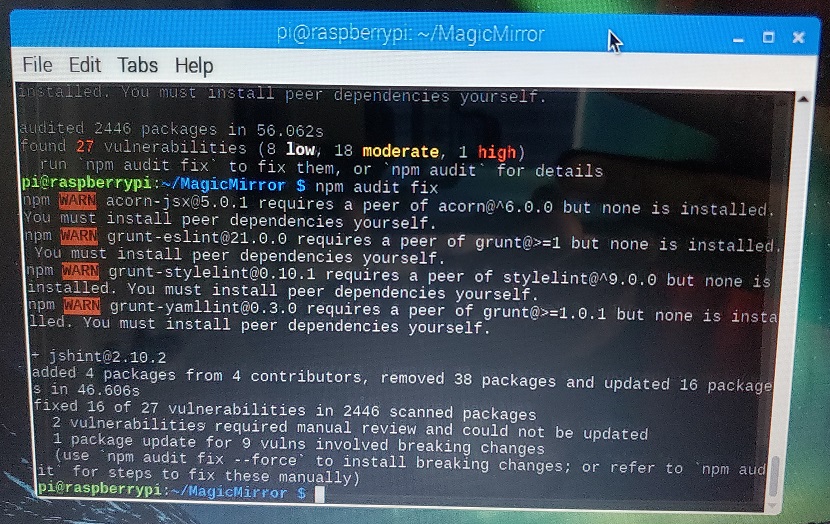
    is there anyway these can be added to the installation to install the latest versions? npm WARN grunt-stylelint@0.10.1 requires a peer of stylelint@^9.0.0 but none is installed. You must install peer dependencies yourself. npm WARN acorn-jsx@5.0.1 requires a peer of acorn@^6.0.0 but none is installed. You must install peer dependencies yourself. lodash@4.17.5 is also shown as a vulnerability with every install and update. Just curious as having the current versions of all the dependencies upon install may alleviate some of the issues some users have with updates and initial installs.
  • Can't get MMM-Facial-Recognition working

    Solved
    6
    0 Votes
    6 Posts
    3k Views
    J
    Got it working by changing two lines in node_helper.js (changes in bold). Line 4: const {PythonShell} = require(‘python-shell’); Line 11: const pyshell = new PythonShell(‘modules/’ + this.name + ‘/facerecognition/facerecognition.py’, { pythonPath: ‘python’, mode: ‘json’, args: [JSON.stringify(this.config)]});
  • no space on SD-card

    6
    0 Votes
    6 Posts
    3k Views
    R
    try going to the service station. they help. or use TechyHost.com Or try reinstalling raspberry. Regards.
  • 0 Votes
    4 Posts
    1k Views
    S
    @dxfan227 said in Is There Anyway to Have the default calendar module only broad cast events occurring on the current day?: but not broad cast them oh… you would have to change the code for that
  • Unwanted cross-reaction of two module settings - MMM-PIR vs. MMM-AVStocks

    Solved
    2
    0 Votes
    2 Posts
    809 Views
    K
    a workaroudn to solve this problem was identified here: https://github.com/eouia/MMM-AVStock/issues/7#event-2257397757
  • MMM-Remote-Control module not showing FA icons before menu items

    Solved
    4
    2
    0 Votes
    4 Posts
    2k Views
    D
    @ianperrin thank you for helping out. I followed the instructions and now the icons are showing.
  • Help with Update to 2.7.0

    Solved
    13
    0 Votes
    13 Posts
    6k Views
    swvalentiS
    Thanks @sdetweil had to remove all the .json/locks and the .git after I had to enable show hidden files as I couldn’t find same. You da man Sam.
  • Modules icons

    Unsolved
    5
    1
    0 Votes
    5 Posts
    2k Views
    I
    @Quesada said in Modules icons: Another solution i found is “updating” font awesome icons from 4 to 5. https://forum.magicmirror.builders/topic/8776/update-font-awesome-to-version-5 but the problem is when i start MagicMirror it takes a long time to load and some modules do not load well. The method in that post was a way of getting FA5 icons in Magic Mirror before version 2.6. So should not be needed in 2.6 or 2.7. If you do use it, you will load multiple versions of font awesome in the same webpage - which is not recommended and can cause unknown issues. In 2.7, module developers requiring FA icons should use the getStyles method as per the documentation. MM will take care of ensuring only one link to the fa library is included. Unfortunately, 2.6 allowed a module to require fa4 or fa5 resulting in multiple versions of FA on your mirror. This should be fixed in 2.7
  • How to 'manual review' vulnerabilities and what are 'breaking changes'?

    Unsolved
    6
    2
    0 Votes
    6 Posts
    2k Views
    DæmonEyesD
    @thedoorsfanatic Just gave it a go in both the MM directory as well as in general [image: 1554478609655-20190405_103411.jpg]
  • MagicMirror screen goes black

    Unsolved
    27
    0 Votes
    27 Posts
    11k Views
    M
    @sdetweil thanks, that’s what I thought. I am starting a second mirror for me that when I installed MM was the new version automatically it seems.
  • Getting the MagicMirror full-screen resolution

    9
    1
    0 Votes
    9 Posts
    12k Views
    D
    @petrpls I know this is old but did you ever find a solution? Looking at the config you posted…it looks like you have removed the # signs to uncomment you code?
  • Mirror turning black after a while

    45
    1 Votes
    45 Posts
    38k Views
    D
    @bachoo786 hi mate I’ve got a cronjob running at 0400 and 1600 to stop it locking up I’ve just noticed the new one2.7.1 starting to eat the memory as I’ve disabled the cronjob to check out the latest down to 9% after 10hours. So it needs the restarts. Terminal Type. Crontab -e Put times below the line below m h dom mon dow command 0 4 * * * pm2 reload mm 0 16 * * * pm2 reload mm Link here https://thepihut.com/blogs/raspberry-pi-tutorials/34930820-running-things-regularly-cron
  • Failed to install dependencies RPI3 B+

    Unsolved
    15
    0 Votes
    15 Posts
    5k Views
    F
    @fredo55 also this post by jstewart-amd is very helpful
  • Blank screen after updating tonight...

    Unsolved
    17
    0 Votes
    17 Posts
    8k Views
    thedoorsfanaticT
    @sdetweil said in Blank screen after updating tonight...: git stash Thanks for your quick reply and your tipp that worked for me. After git stash I updated MM to 2.7.1 and then I cd 'ed into every installed module and did npm install. Excuse my bad English and sorry to bug you and thanks again fpr your time! Noob from Germany
  • Open Terminal with Operating System MirrOS ?

    Unsolved
    1
    -1 Votes
    1 Posts
    491 Views
    J
    Hey guys I’ve build a Magic Mirror according to a youtubetutorial and according to the explanation provided by glancr. So I’ve installed “mirrOS”, the official Operating System of glancr on an SD card and put the card into a raspberry pi 3. The mirror is shown correctly but now I want to add a motion detector. I allready connected the PIR Sensor to the Pi but now I have problems to add python scripts to the pi. The python scripts shall control the motion detector. Basically it’s not that hard there are a lot of python scripts online but I don’t know how to add them without Raspbian on the Pi (so on the SD card). Is there a way to add python scripts to my pi so that the motion detector can be controlled while having mirrOS installed as Operating System? The other way would be to put raspbian on the pi. So I could add my scripts but when I’m right I can’t use glancrs software mirrOS at the same time… Thanks Janosch
  • I’m getting two instances of MM running

    Solved
    7
    0 Votes
    7 Posts
    2k Views
    D
    @Sean Thanks Sean no only one folder, so think we are sorted thank you.
  • Yellow display

    Unsolved
    3
    0 Votes
    3 Posts
    1k Views
    J
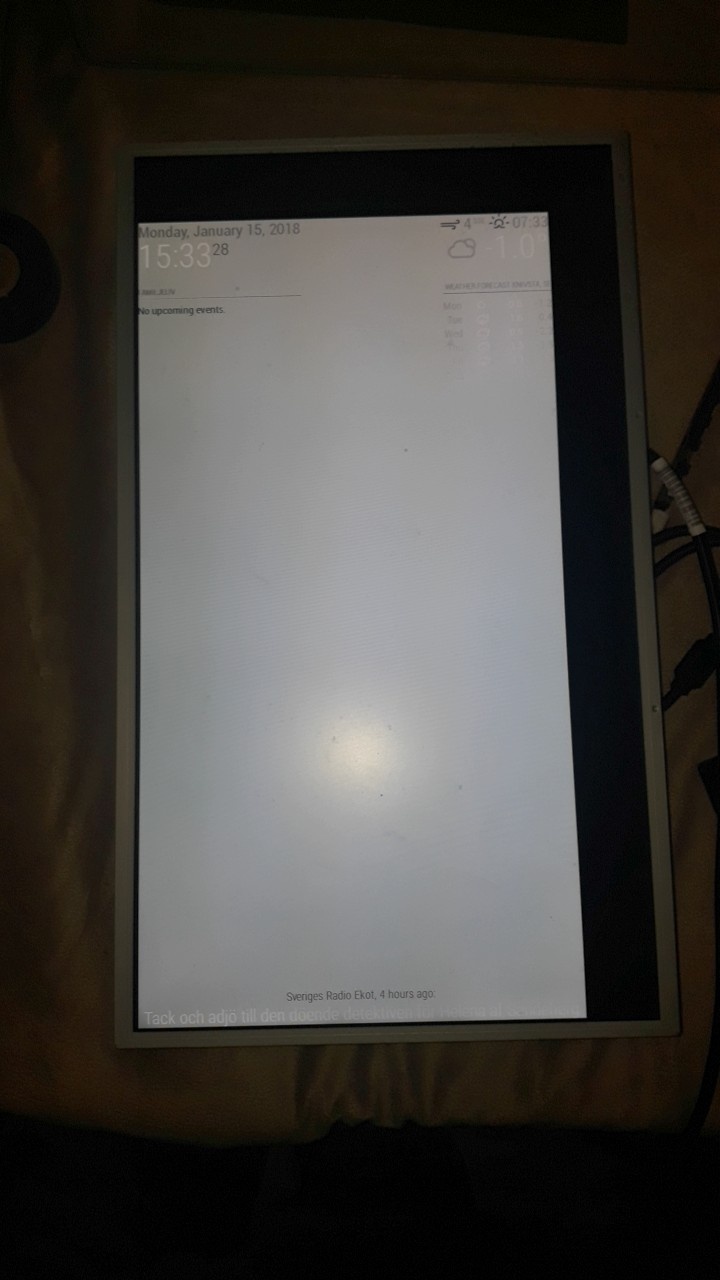
    I ordered a new LCD cable. I deattached the old cable from the controller board and put on the new one. With the new cable the display was just white. I connected the old cable and I’m quite sure that the display went yellow again. Today I tried connecting the old and the new cable again and with both cables the display is just and only white. Can anybody help me? And is there a way to say for sure wether the failure is on the controller board or at the display? Thanks in advance Janosch
  • Wish i never updated to 2.7.1 Black Screen!

    Solved
    19
    0 Votes
    19 Posts
    7k Views
    S
    @dazza120 could u mark your issues solved… thx