A New Chapter for MagicMirror: The Community Takes the Lead
Read the statement by Michael Teeuw here.
  • MM remote access works, but no display on host machine

    Solved
    3
    0 Votes
    3 Posts
    923 Views
    S
    @sdetweil Ok, copied the node_modules/electron folder tree from the good working install to replace the bad… and now the bad behaves…
  • Buienradar dont refresh

    Unsolved
    5
    0 Votes
    5 Posts
    2k Views
    cirdanC
    There is a pull request in the github that adresses this https://github.com/StefanNienhuis/MMM-Buienradar/pull/1
  • MMM-Myweather doesn't work, only black screen

    Unsolved
    4
    0 Votes
    4 Posts
    2k Views
    S
    @matsjanssen openweather gives different keys for different things. 4 day vs long term the key u have cannot get the weather info u asked for. Error=401. Not authorized. Update your key
  • MMM-SONOS showing then not showing

    Unsolved
    5
    0 Votes
    5 Posts
    2k Views
    F
    This is my config. But I think I may have solved it. I was using CSS to hide the “Zone” and “Type” info. If I remove the “visibility hidden” it works. So let’s see after a full day… { module: 'MMM-Sonos', //header: "Now Playing", position: "bottom_bar", // This can be any of the regions, best results in center regions classes: 'daytime_scheduler', config: { // See 'Configuration options' for more information. showStoppedRoom: false, showAlbumArt: true, showRoomName: false, exclude: ["Garden", "Living Room", "Bedroom"], } },
  • MMM-PIR-Sensor not working with latest release - display does not turn off

    Solved
    11
    0 Votes
    11 Posts
    6k Views
    S
    @shgmongohh too many pir modules https://github.com/cowboysdude/Pir-Sensor has one https://github.com/mboskamp/MMM-PIR has one, in callbackscripts folder
  • Even a simple node_help.js example does not run.

    Unsolved
    13
    4
    0 Votes
    13 Posts
    4k Views
    S
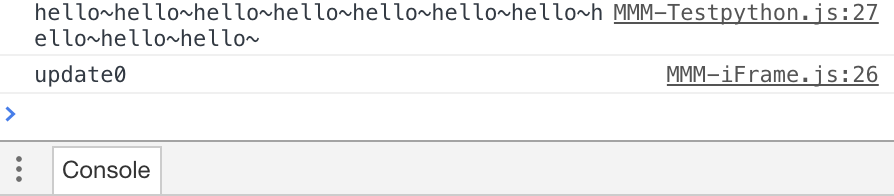
    Looks like your system doesn’t have python installed.
  • I don't know how to use node_helper.js.

    Solved
    6
    0 Votes
    6 Posts
    3k Views
    E
    @sdetweil oh!!! [image: 1555075763163-acdbfe01-9c20-45b9-a177-87d554b225e0-image.png] thank you very very very much :)
  • FontAwesome with MM 2.7.1 not showing some icons

    Unsolved
    8
    0 Votes
    8 Posts
    3k Views
    J
    I have absolutely no clue whats going on because now I reinstalled almost all modules and now it works fine. I am unable to reproduce the error even with the config I used before.
  • MMM-WeatherBackground question

    Solved
    7
    0 Votes
    7 Posts
    2k Views
    M
    @Sean said in MMM-WeatherBackground question: Sorry for incomplete information on repository. Don’t worry. It was just to contribute!
  • Purchasing a Frame

    Unsolved
    4
    0 Votes
    4 Posts
    984 Views
    Mykle1M
    @AndrewS097 You could also take a look at some of the mirrors that have been documented here on the forum. https://forum.magicmirror.builders/category/12/show-your-mirror
  • Lots of DNS-queries from Mirror - chaching possible?

    Unsolved dns spotify
    4
    0 Votes
    4 Posts
    2k Views
    bheplerB
    @DigiTalk - Heh. It was mostly serendipity. I had to look up DNS caching as part of my work with remotely accessing mirrors.
  • Black screen, no desktop after pm2 stop MagicMirror

    Solved
    8
    0 Votes
    8 Posts
    4k Views
    P
    @mlcampbe That did it! Thanks! I did edit the ~/.config/lxsession/LXDE-pi/autostart according to the Configuring the Raspberry Pi instructions. It didn’t mention the desktop disappearing though.
  • Problems with font sizes

    Solved
    3
    0 Votes
    3 Posts
    1k Views
    M
    @yawns Damn - it can all be so simple. I wasn’t aware there was a zoom factor in the game. It works and it all fits on the mirror again. Solved - Many thanks
  • How to "halt" autostart for some time...?

    Solved
    6
    0 Votes
    6 Posts
    4k Views
    S
    i just reduce the magic windows with Ctrl-M, then i open a new terminal windows
  • Pir on off but with a webcam?

    Unsolved
    4
    0 Votes
    4 Posts
    1k Views
    S
    MMM-SleepWake does all the MM stuff to turn of hdmi or monitors if you can (I have to hide modules as my TV’s wont’ turn off) Motion is the thing that reads the webcam and signals events to MMM-SleepWake. i didn’t want to write code to manage a few hundred different webcams… and settings and … u name it. motion does all that… (and if u want video snapshots or little recorded sequences… all handled, or emailed, or…) I do not know on the camera behind the mirror… that would be something to test out the sensitivity I started with the webcam as motion detection, cause the 1st mirror app was voice based, so needed a mic…
  • rpi dont wake up my screen anymore

    Unsolved
    10
    0 Votes
    10 Posts
    3k Views
    S
    my bad @ninjabreadman said in {HowTo} turn on/off your monitor (Time based, PIR/Button, App): @E3V3A Some monitors, but almost all television displays turn off after delay (and then cannot be woken in software). i will put a relai on GPIO and it will work at start( when my run button is pressed) it will shut off and shut on the monitor /solved
  • Creating an "Intelligent" LED-light with the weather module?

    Unsolved
    5
    0 Votes
    5 Posts
    904 Views
    ?
    @sdetweil Sorry I thought you guys saying about “currentweather” module.
  • Would this be possible?

    Unsolved
    17
    0 Votes
    17 Posts
    5k Views
    ?
    @SammyJankins That is not so easy at this moment. Because, PPL can have several spotify devices at a same time. That one device is closed doesn’t mean all devices are inactive. Maybe it could be done by checking status of all devices per each seconds (Spotify API doesn’t push its status to client, so client should be pulling data when it is needed). Currently this module is already pulling playback data per each seconds, I’m not sure whether good to add device scanning additionally. It might make double of API using.
  • Magic Mirror ServerOnly

    Solved voice remote control
    15
    0 Votes
    15 Posts
    5k Views
    S
    @michael5r Hi there Michael. Maybe (or most definitely) i have done something wrong because everything works fine on my mirror with MMM-assistantmk2, google api etc… but when i go to my google home app, it doesnt find any new devices. Obviously i´ve used the same email in both places, so any ideas where could it be the mistake?? thanks
  • Not all modules working correctly within MMM-Facial-Recognition

    Unsolved
    1
    0 Votes
    1 Posts
    445 Views
    J
    Hi all, I’ve got the facial recognition working. However not all modules seem to work properly when activated for a user. For example the google route when activated for a user displays a zoomed out view of the whole of europe when activated for a specific user. If I however also add it for the ‘default’ class, it functions properly (both default and the specific user it’s activated for). I would however only like to display that module for a specific user only. Same goes for the compliments module. It only functions properly when it’s also added to the ‘default’ class. The calendar module, works perfectly fine when displayed only for a specific user. Anyone faced similar issues and found a solution? Kind regards, Jorg